效果
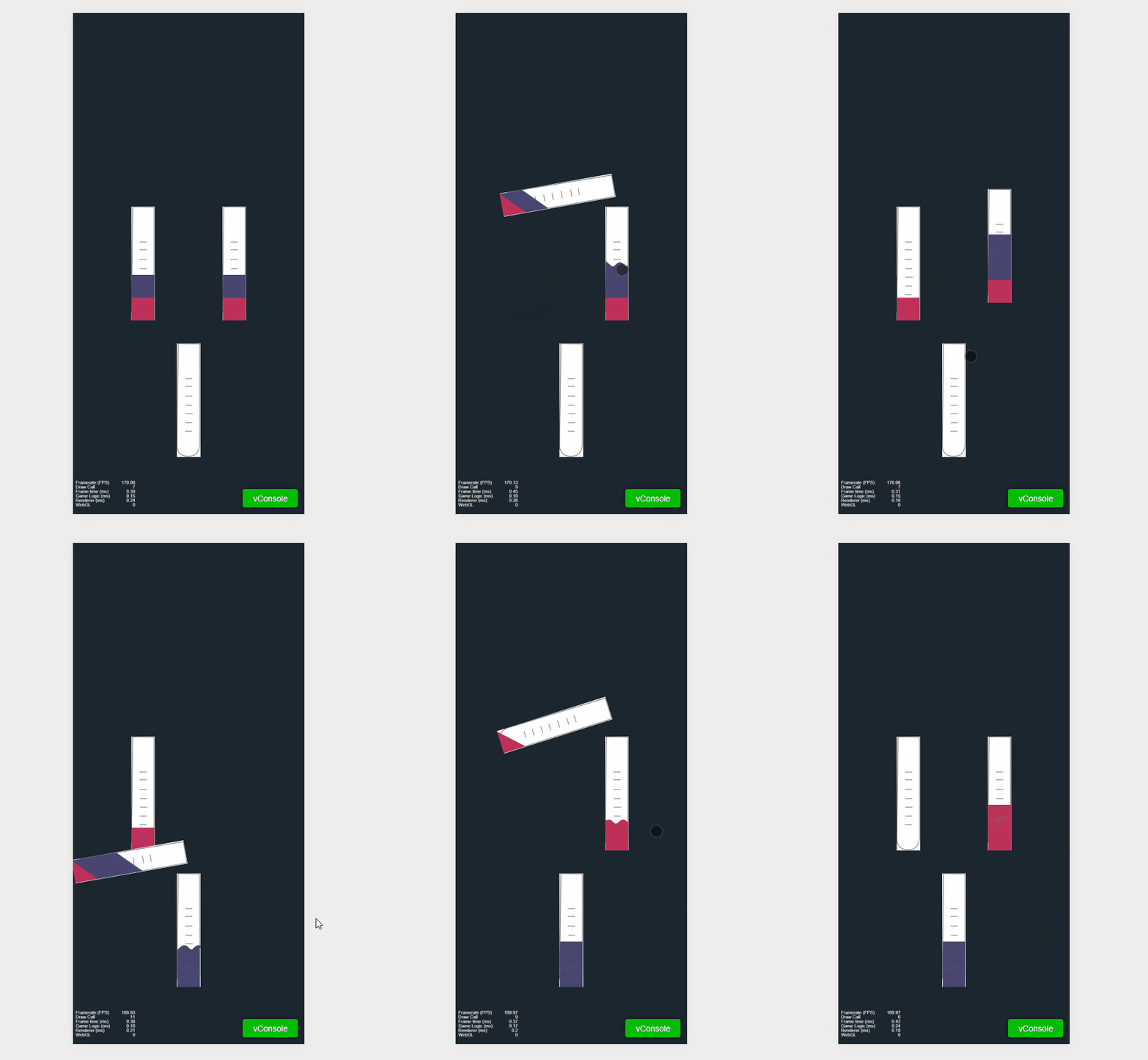
功能
水
render(obj = { color: "" }) {
const color = this.hexToColor(obj.color || Enums.colorEnums.RED)
this.createTriangleWater(color)
this.createParallelogramWater(color)
this.createRectangleWater(color)
this.createWave(color)
this.changeWaterType('rectangle')
}
createTriangleWater(color) {
const triangleNode = this.node.getChildByName('triangle');
const graphics = triangleNode.getComponent(cc.Graphics);
graphics.fillColor = color;
graphics.lineWidth = 0;
graphics.lineCap = cc.Graphics.LineCap.ROUND;
graphics.moveTo(-50, -50);
graphics.lineTo(50, -50);
graphics.lineTo(50, 50);
graphics.close();
graphics.fill()
graphics.stroke();
}
createParallelogramWater(color) {
const parallelogramNode = this.node.getChildByName('parallelogram');
const graphics = parallelogramNode.getComponent(cc.Graphics);
graphics.fillColor = color;
graphics.lineWidth = 0;
graphics.lineCap = cc.Graphics.LineCap.ROUND;
graphics.moveTo(-50, -50);
graphics.lineTo(50, 50);
graphics.lineTo(50, -50);
graphics.lineTo(-50, -150);
graphics.close();
graphics.fill()
graphics.stroke();
}
createRectangleWater(color) {
this.node.getChildByName('rectangle').color = color;
}
/**
* 创建波纹
*/
createWave(color) {
// 获取 wave 子节点的 Graphics 组件
const waveNode = this.node.getChildByName('wave')
const graphics = waveNode.getComponent(cc.Graphics)
// 设置波浪的样式
graphics.lineWidth = 20
graphics.strokeColor = color
// 初始化波浪参数
const width = waveNode.width
const height = waveNode.height
const amplitude = 10
const frequency = 0.1
let phase = 0
// 更新波浪路径的方法
function updateWavePath() {
graphics.clear()
const startX = -40
const startY = 24
const waveLength = width - 10
graphics.moveTo(startX, startY)
for (let x = 0
const y = startY + amplitude * Math.sin(frequency * x + phase)
graphics.lineTo(x + startX, y + startY)
}
graphics.stroke()
phase += 0.1
}
// 使用定时器不断更新波浪路径
this.schedule(updateWavePath, 0.03)
// 波纹下面的矩形
// const rect = new cc.Node('rect')
// rect.parent = waveNode
// const rectGraphics = rect.addComponent(cc.Graphics)
// rectGraphics.fillColor = color
// rectGraphics.fillRect(-width / 2, -height / 2, width, height)
// rect.opacity = 128
}