

离屏渲染是在iOS开发面试中常见的一个问题,那么究竟什么是离屏渲染?什么情况下会触发离屏渲染?离屏渲染的有什么可取之处,又会造成什么问题?接下来我们借助几个例子来具体探讨一下。
1.什么是离屏渲染
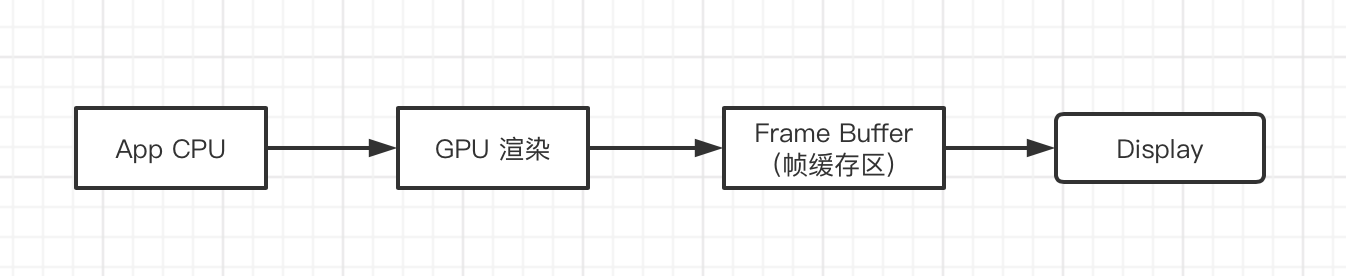
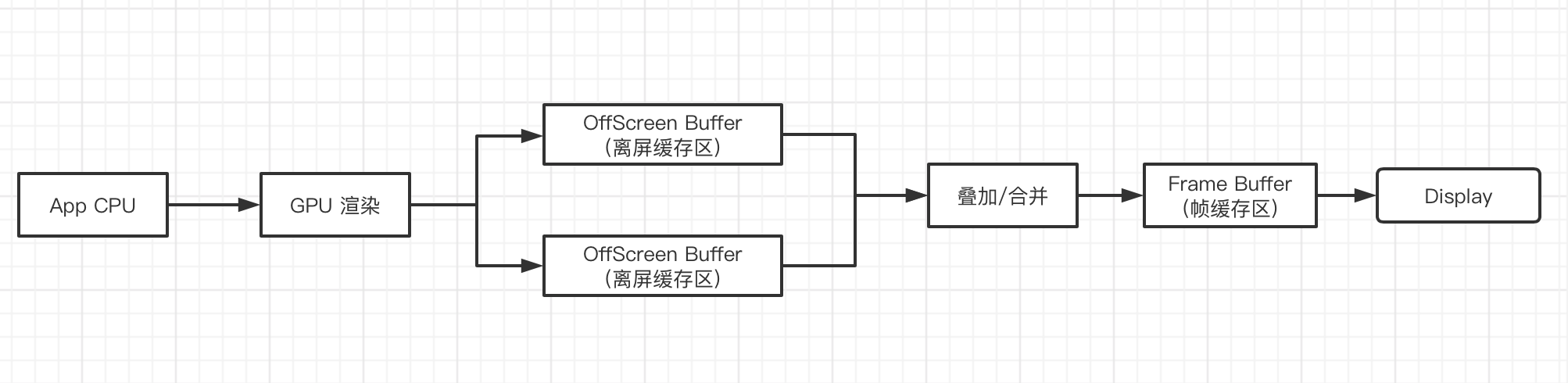
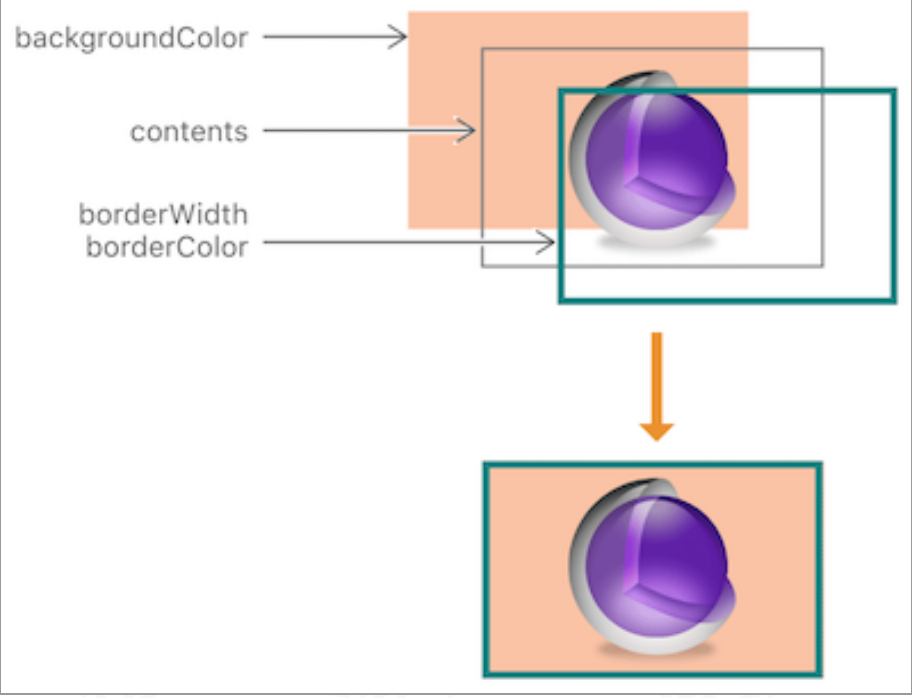
我们知道iOS的系统中,非离屏渲染图层的显示,是经过CPU计算处理,通过GPU渲染,然后将渲染结果存放在帧缓存区中,然后才会被加载显示到屏幕上,大致流程如下:
2.什么情况下会触发离渲染
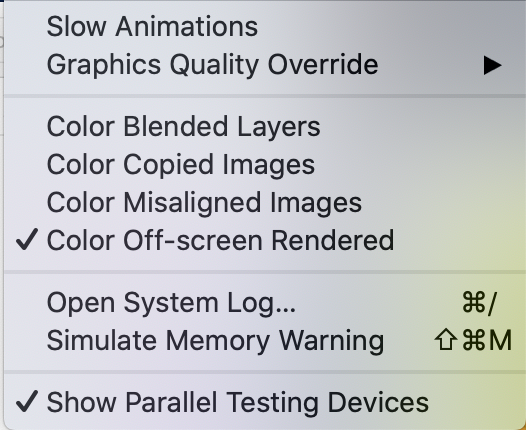
上面解释离什么是离屏渲染,那在开发中,什么场景会触发离屏渲染呢?有人说绘制圆角的时候会触发离屏渲染,但是这种说法是不准确的,实际上绘制圆角不一定会触发离屏渲染,我们通过代码验证这个问题,首先,将模拟器的离屏检查勾选上
2.1 圆角未触发离屏渲染
    UIView *view = [[UIView alloc]initWithFrame:CGRectMake(50, 50, 200, 200)];
    view.backgroundColor = [UIColor magentaColor];
    view.layer.borderColor = [UIColor cyanColor].CGColor;
    view.layer.cornerRadius = 100.0;
    view.layer.borderWidth = 5;
    // 设置背景和边框的裁剪
    view.clipsToBounds = YES;
    // 设置包括contents的边框裁剪
    view.layer.masksToBounds = YES;
    view.center = CGPointMake(self.view.center.x,view.center.y);
    [self.view addSubview:view];

    UIImageView *imageView = [[UIImageView alloc]initWithFrame:CGRectMake(50, 300, 200, 200)];
    imageView.image = [UIImage imageNamed:@"fff.jpg"];
    imageView.layer.cornerRadius = 100;
    // 设置背景和边框的裁剪
    imageView.clipsToBounds = YES;
    // 设置包括contents的边框裁剪
    imageView.layer.masksToBounds = YES;
    imageView.center = CGPointMake(self.view.center.x,imageView.center.y);
    [self.view addSubview:imageView];
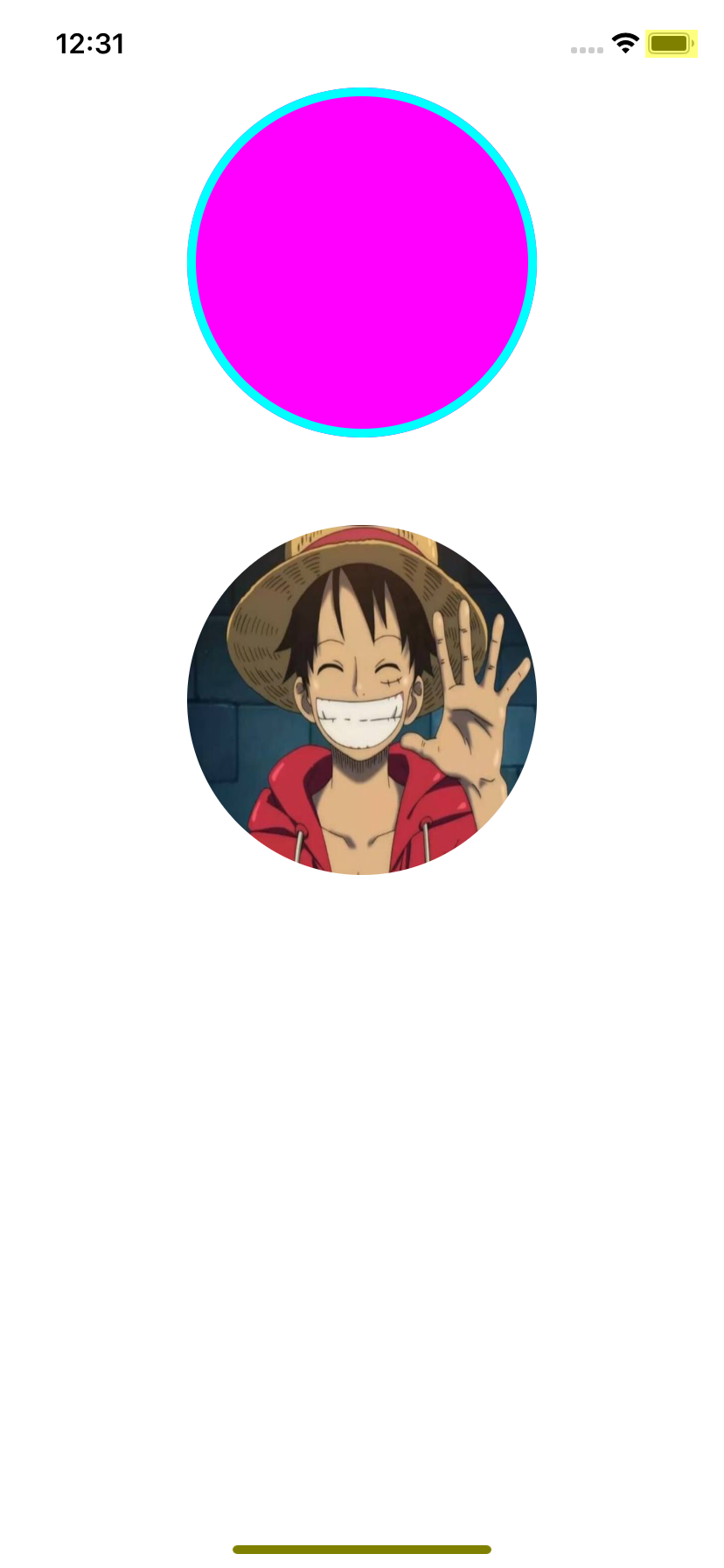
我们得到下面得运行结果,显然都没触发离屏渲染,这是因为我们代码中的view 和 imageView 都是一个图层就能完成的效果,也就是GPU只需要一次就能渲染完成,没有所谓的中间效果,直接得到来最终的显示效果,所以没有触发离屏渲染。
2.2 圆角触发离屏渲染
我们再来看下面这断代码
    UIView *view = [[UIView alloc]initWithFrame:CGRectMake(50, 50, 200, 200)];
    view.backgroundColor = [UIColor magentaColor];
    view.layer.borderColor = [UIColor cyanColor].CGColor;
    view.layer.cornerRadius = 100.0;
    view.layer.borderWidth = 5;
    //比上一段代码  多添加了contents
    view.layer.contents = (__bridge id )[UIImage imageNamed:@"fff.jpg"].CGImage;
    // 设置背景和边框的裁剪
    view.clipsToBounds = YES;
    // 设置包括contents的边框裁剪
    view.layer.masksToBounds = YES;
    view.center = CGPointMake(self.view.center.x,view.center.y);
    [self.view addSubview:view];

    UIImageView *imageView = [[UIImageView alloc]initWithFrame:CGRectMake(50, 300, 200, 200)];
    //比上一段多添加了背景颜色
    imageView.backgroundColor = [UIColor cyanColor];
    imageView.image = [UIImage imageNamed:@"fff.jpg"];
    imageView.layer.cornerRadius = 100;
    // 设置背景和边框的裁剪
    imageView.clipsToBounds = YES;
    // 设置包括contents的边框裁剪
    imageView.layer.masksToBounds = YES;
    imageView.center = CGPointMake(self.view.center.x,imageView.center.y);
    [self.view addSubview:imageView];
而这次得到运行效果,view和imageView都触发了离屏渲染,下图就是运行效果
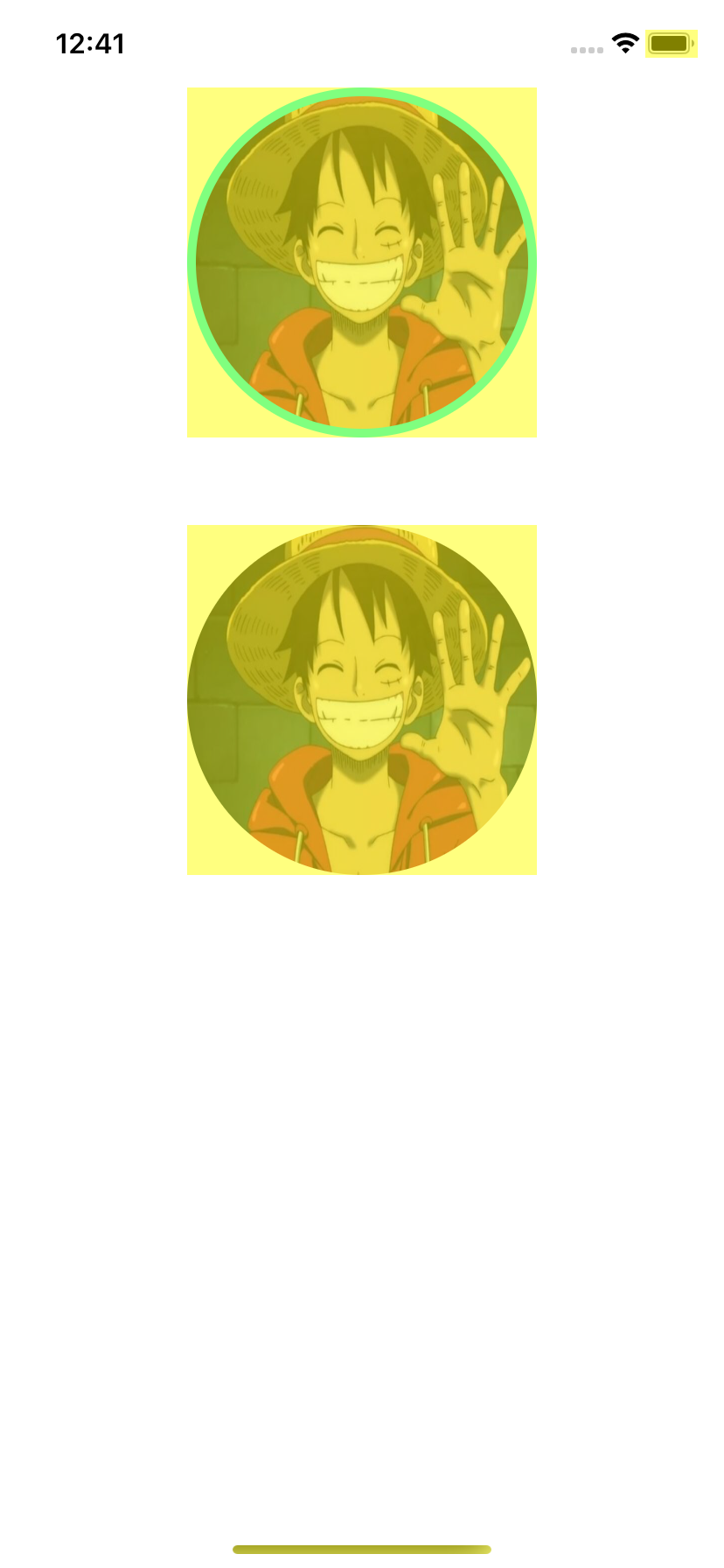
2.3 常见的会触发离屏渲染的情况
上面例子,我们知道触发离屏渲染的原因,iOS开发中,还有下面这些情况会触发离屏渲染
- 使⽤了 mask 的 layer (layer.mask)
- 需要进⾏裁剪的 layer (layer.masksToBounds / view.clipsToBounds)
- 设置了组透明度为 YES,并且透明度不为 1 的 layer (layer.allowsGroupOpacity/ layer.opacity)
- 添加了投影的 layer (layer.shadow*)
- 采⽤了光栅化的 layer (layer.shouldRasterize)
- 绘制了⽂字的 layer (UILabel, CATextLayer, Core Text 等)
3.离屏渲染的优缺点
3.1 离屏渲染的缺点
我们知道,离屏渲染比普通的渲染,需要额外开辟空间,也就是离屏缓冲区,来存储和处理我们的中间渲染效果,这在性能上是造成来损耗的,主要表现在以下几个方面。 1.离屏渲染需要额外的存储空间,存储空间大小的上限是2.5倍的屏幕像素大小,一旦超过,则无法使用离屏渲染; 2.容易掉帧:一旦因为离屏渲染导致最终存入帧缓存区的时候,已经超过了16.67ms,则会出现掉帧的情况;
3.2离屏渲染的优点
虽然离屏渲染会造成性能损耗,但是在开发中遇到复杂的设计效果时,我们为来UI体验,还是要使用到离屏渲染,遇到复杂的、需要多次渲染才能得到显示效果时,我们可以利用离屏缓存区,提前将需要显示的图层渲染出来备用;重复利用的离屏渲染还可以复用,这样CPU/GPU就不用做一些重复的计算,但是注意把握还时间,离屏渲染的缓存是有时间限制的,100ms内如果缓存的内容没有被复用,则会被丢弃,也就无法复用了;
