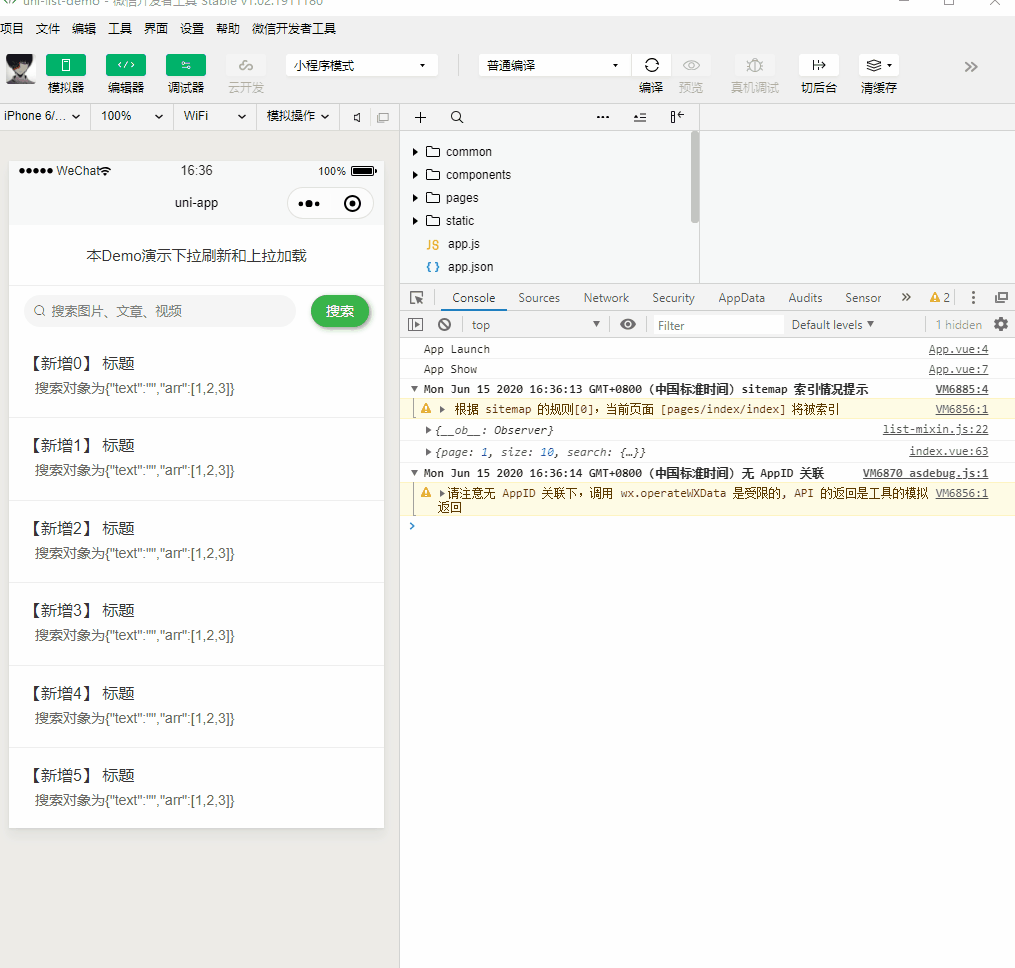
GIF
list-mixin.js
/**
 * uni-app上拉加载和下拉刷新混合
 * @author maybe
 */

export default {
	data() {
		return {
			loading: false, // 是否加载数据
			finished: false, // 是否加载完成
			list: [], // 数据列表
			page: 0, // 由于分页一般页面要+1,所以为了方便分页查询,这里初始设置页码为0
			size: 10, // 每页显示的条数
			total: 0, // 数据总条数
			search: {}, // 搜索对象
			tempSearch: {} // 提供给混合初始化搜索对象
		};
	},
	async onLoad() {
		// 拷贝搜索初始化对象属性和数据
		this.tempSearch = _deepClone(this.search);
		console.log(this.tempSearch)
		// 查询列表
		await this._getListFactory();
	},
	// 下拉刷新
	async onPullDownRefresh() {
		console.log('下拉刷新');
		this._initPageData();
		this._resetSearch();
		await this._getListFactory();
		uni.stopPullDownRefresh();
	},
	// 上拉加载
	async onReachBottom() {
		console.log('上拉加载');
		this._getListFactory();
	},
	// 所有混合的方法均已'_'开头
	methods: {
		async _searchData() {
			this._initPageData();
			await this._getListFactory();
		},
		// 重置搜索
		_resetSearch() {
			this.search = _deepClone(this.tempSearch)
			// console.log('重置搜索完成', this.search)
		},
		// 初始化页面的数据
		_initPageData(size) {
			this.finished = false;
			this.page = 0;
			this.list = [];
			this.size = size || 10;
			this.total = 0;
		},
		async _getListFactory() {
			// 如果已经全部加载完成直接终止执行
			if (this.finished) return;
			this.loading = true;
			this.page++;
			await this._getList();
			this.loading = false;
			// 判断是否全部加载完成
			if (this.list.length == this.total) {
				this.finished = true;
			}
		},
		// 数据请求方法需要在页面内重写
		async _getList() {}
	}
}
// 深拷贝
const _deepClone = (source) => {
	let target;
	if (typeof source === 'object') {
		target = Array.isArray(source) ? [] : {}
		for (let key in source) {
			if (source.hasOwnProperty(key)) {
				if (typeof source[key] !== 'object') {
					target[key] = source[key]
				} else {
					target[key] = _deepClone(source[key])
				}
			}
		}
	} else {
		target = source
	}
	return target
};
示例
<template>
<view class="view">
<view class="notice">本Demo演示下拉刷新和上拉加载</view>
<view class="cu-bar search bg-white">
<view class="search-form round">
<text class="cuIcon-search"></text>
<input :adjust-position="false" v-model="search.text" type="text" placeholder="搜索图片、文章、视频" confirm-type="search"></input>
</view>
<view class="action">
<button class="cu-btn bg-green shadow-blur round" @tap="searchSubmit">搜索</button>
</view>
</view>
<view class="news-li" v-for="news in list" :key="news.id">
<view>{{ news.title }}</view>
<view class="new-content">
<text>{{ news.content }}</text>
</view>
<view class="new-content">
<text>{{ news.search }}</text>
</view>
</view>
<m-loading :loading="loading" :finished="finished"></m-loading>
</view>
</template>
<script>
/**
* 本页面提供演示
*/
import mLoading from '@/components/m-loading.vue';
import listMixin from '@/common/mixins/list-mixin.js';
export default {
mixins: [listMixin],
components: { mLoading },
data() {
return {
list: [], //列表必须为key list的数组
search:{ //搜索对象必须为key search的对象
text:'',
arr:[1,2,3]
}
};
},
methods: {
// 搜索
searchSubmit(){
// 调用混合搜索
this._searchData();
},
// 模拟后端分页
getData(requestParams) {
let self = this;
return new Promise((res, rej) => {
let params = requestParams;
if (!params) {
params = {
page: 1,
size: 10,
search:{
}
};
}
console.log(params)
setTimeout(() => {
let arr = [];
for (let i = (params.page - 1) * params.size; i < params.page * params.size; i++) {
arr.push({
id: i,
title: '【新增' + i + '】 标题',
content: '搜索对象为'+JSON.stringify(params.search),
});
}
res({
code: 200,
data: {
page: params.page,
size: params.size,
list: arr,
total: 20 // 设置20就加载完成
}
});
}, 500);
});
},
// 数据请求(没错就是这么少的代码)
async _getList() {
// 根据实际情况修改自己修改key
let result = await this.getData({
page:this.page, // 传入页码
size:this.size, // 传入每页条数
search:this.search // 传入搜索的对象
});
let self = this;
this.total = result.data.total;
result.data.list.map(item => {
self.list.push(item);
});
}
}
};
</script>
<style>
/*说明*/
.notice {
font-size: 30upx;
padding: 40upx 0;
border-bottom: 1upx solid
text-align: center;
}
/*展示上拉加载的数据列表*/
.news-li {
font-size: 32upx;
padding: 32upx;
border-bottom: 1upx solid
color: $uni;
}
.news-li .new-content {
font-size: 28upx;
margin-top: 10upx;
margin-left: 20upx;
color:
}
</style>