

iOS
在 iOS 中,如果使用
UIFont *font = [[UIFont alloc] init];
创建字体,NSLog 一下会报错:

大部分时候, 我们使用其类方法来设置对象的属性。
系统自带
开发过程中会频繁使用:
UIFont *font1 = [UIFont systemFontOfSize:16];
创建系统字体,
系统字体究竟是什么东西呢?
写个方法 Log 一下:
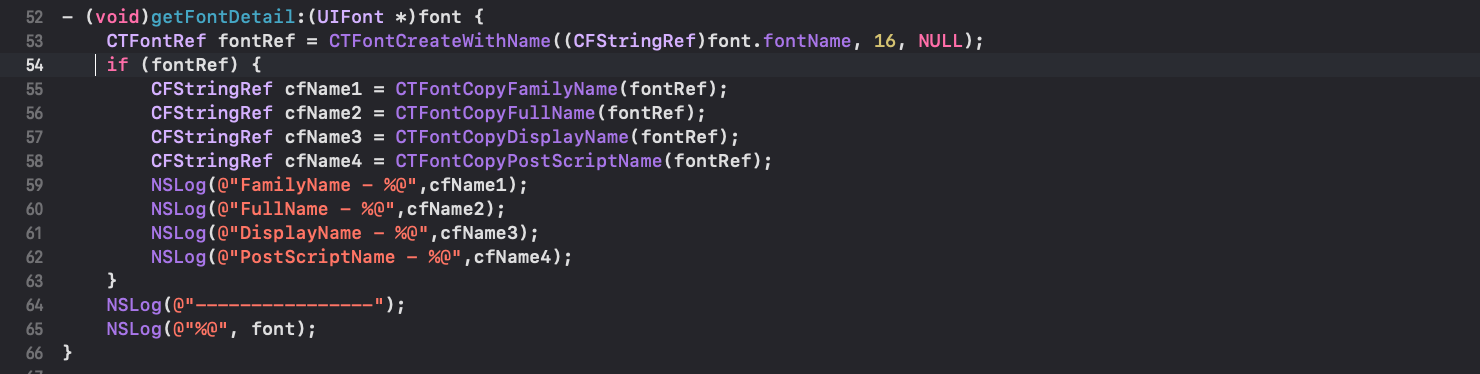
// Font-Playground[705:203000] FamilyName - .SF UI Text
// Font-Playground[705:203000] FullName - System Font Regular
// Font-Playground[705:203000] DisplayName - 系统字体
// Font-Playground[705:203000] PostScriptName - .SFUIText
// Font-Playground[705:203000] ----------------
// Font-Playground[705:203000] <UICTFont: 0x100209350> font-family: ".SFUIText"; font-weight: normal; font-style: normal; font-size: 16.00pt
好吧真叫 System Font,简称 .SF。
官网简介
后面的 Regular 是字重,
系统字体可以用自带的 API 简便设置字重:
UIFont *font11 = [UIFont systemFontOfSize:16 weight:UIFontWeightRegular];
UIFont *font12 = [UIFont systemFontOfSize:16 weight:UIFontWeightBlack];
枚举的 UIFontWeight:
const UIFontWeight UIFontWeightUltraLight API_AVAILABLE(ios(8.2));
const UIFontWeight UIFontWeightThin API_AVAILABLE(ios(8.2));
const UIFontWeight UIFontWeightLight API_AVAILABLE(ios(8.2));
const UIFontWeight UIFontWeightRegular API_AVAILABLE(ios(8.2));
const UIFontWeight UIFontWeightMedium API_AVAILABLE(ios(8.2));
const UIFontWeight UIFontWeightSemibold API_AVAILABLE(ios(8.2));
const UIFontWeight UIFontWeightBold API_AVAILABLE(ios(8.2));
const UIFontWeight UIFontWeightHeavy API_AVAILABLE(ios(8.2));
const UIFontWeight UIFontWeightBlack API_AVAILABLE(ios(8.2));
都是 iOS 8.2 之后才可用的。
其他字体
这里以 iOS 9 之后自带的苹方字体为例:
(自带的其他字体可以在官网链接中查询)
UIFont *font2 = [UIFont fontWithName:@"PingFangSC-Regular" size:16];
废话不说,打印一下:
// Font-Playground[720:206438] FamilyName - PingFang SC
// Font-Playground[720:206438] FullName - PingFang SC Regular
// Font-Playground[720:206438] DisplayName - 苹方-简 常规体
// Font-Playground[720:206438] PostScriptName - PingFangSC-Regular
// Font-Playground[720:206438] ----------------
// Font-Playground[720:206438] <UICTFont: 0x10030f160> font-family: "PingFangSC-Regular"; font-weight: normal; font-style: normal; font-size: 16.00pt
可以看到这里字重是 Regular,
其他自带的字体只能在类方法初始化的时候指定字重:
UIFont *font21 = [UIFont fontWithName:@"PingFangSC-Thin" size:16];
UIFont *font22 = [UIFont fontWithName:@"PingFangSC-Semibold" size:16];
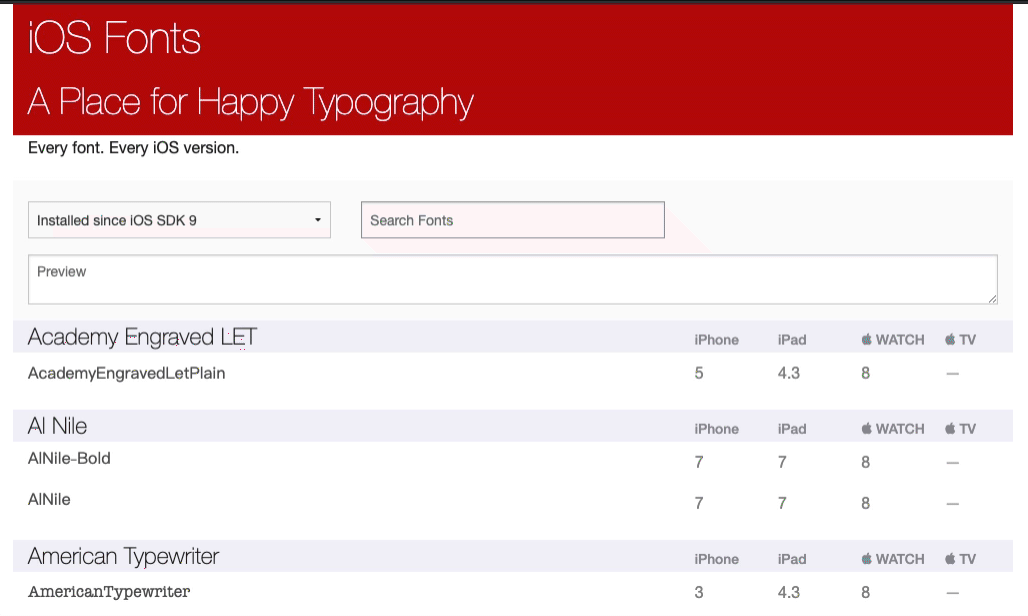
这里安利一个可以查询预览 iOS 中字体的网站:
iOS Fonts Preview
只需要将对应字体名称输入,
即可预览不同字重的字体:
最后附上 Demo 地址:
Github - UIFont-Playground
