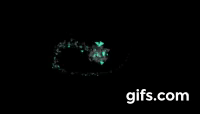
这是我的工作室,我想要做一个量子破碎能量球,
const breakBall = {}
先设定好球的半径,
const ballRadius = 60
我需要1000块碎片,
const chipLen = 1000
准备个大盒子放碎片,免得不小心丢了,
const chips = []
先来设计碎片,量子破碎给我的是感觉是「尖锐」的,我打算把碎片做成随机的三角形:
因为三点确定一个圆,所以可以用三个角度来表示一个碎片。但为了防止随机的角度过小,加了些固定数值用来限制,
function rdmVertexDeg() {
  return [(0 / 3 + Math.random() / 1.5) * Math.PI,
          (2 / 3 + Math.random() / 1.5) * Math.PI,
          (4 / 3 + Math.random() / 1.5) * Math.PI]
}
碎片大小由三点圆的半径决定,且需要在一定的范围内,
function rdmSize() {
  return Math.random() * 20
}
要让这些碎片组成球状,可以用三角函数的知识,将它们排列起来,
function rdmPos2Ball() {
  // 用与球中心的距离、角度确定碎片的位置及碎片朝向
  return {
    dist: Math.random() * ballRadius,
    deg: Math.random() * Math.PI * 2,
    selfDeg: Math.random() * Math.PI * 2
  }
}
粒子总是保持运动的,我需要让每个碎片动起来。粒子会受到引力围绕球心运动,且自身也会做自转的运动,就像地球和太阳一样,
function rdmRotateDeg() {
  // 随机生成碎片公转和自转的速度,用很小的角度值表示
  return {
    perDeg: Math.PI * 2 * ( 1 - 2* Math.random()) * 0.008,
    perSelfDeg: Math.PI * 2 * ( 1 - 2* Math.random()) * 0.01
  }
}
给碎片准备颜料。球颜色的话我打算用「灰色」为底色,「深灰色」为装饰,「淡蓝色」为主色。为了凸显主色,整体带点透明的科幻感。颜色的比值设为 15:10:5,赶紧先记下来,
const colorData =
    [{ occur: 5, alpha: 0.8, style: 'hsl(178, 100%, 60%)' },
    { occur: 10, alpha: 0.8, style: '#222' },
    { occur: 15, alpha: 0.8, style: '#555' }];
做一个随机吐色墨喷水管,
const colors = []
colorData.forEach(color => {
  for (let i = 0; i < color.occur; i++) {
    colors.push(color);
  }
});
function rdmColor() {
  return colors[colors.length * Math.random() | 0];
}
好啦,设计好了,开始制作碎片,
for(let i = 0; i < chipLen; i++) {
  const chip = {
    color: rdmColor(),
    size: rdmSize() * (i / chipLen), // 我希望随机碎片有从小到大的趋势
    vertexDeg: rdmVertexDeg(),
    pos2Ball: rdmPos2Ball(),
    rotate: rdmRotateDeg()
  }
  chips.push(chip);
}
碎片做好了,我准备把它放到暗黑森林里,所以要申请使用那的入口,
// html
<canvas id="darkForest" style="backgroud:#000"></canvas>

const darkForest = document.getElementById('darkForest')
// 我需要整个森林的使用权
darkForest.width = window.innerWidth
darkForest.height = window.innerHeight
const entry = darkForest.getContext('2d')
能量球需要能量来运行它,所以我得买个能量鼠,作为球的引擎。我选了个无限版本,它无时无刻释放出能量,
const mouseEngine = buyAMouseEngine('mousemove');
看了下能量鼠的原理,
function buyAMouseEngine(type) {
  return {
    config: function (action) {
      window.addEventListener(type, action);
    }
  }
}
能量鼠的位置作为球的中心点,配置一下,
const mousePos = []
mouseEngine.config((e) => {
  mousePos[0] = e.clientX;
  mousePos[1] = e.clientY;
})
// 一开始我希望它在森林的中心
mousePos[0] = darkForest.width / 2
mousePos[1] = darkForest.height / 2
想在黑暗森林里存在,必须提供一份运动轨迹说明,
const explain = function() {
  // 为了准确描述,先重置下申请的入口
  entry.clearRect(0, 0, darkForest.width, darkForest.height)

  // 每个碎片都需要描述一遍
  chips.forEach((chip, idx) => {
    entry.beginPath();
    entry.globalAlpha = chip.color.alpha;
    entry.fillStyle = chip.color.style;

    // 计算碎片的坐标
    const pos = []
    chip.pos2Ball.deg += chip.rotate.perDeg;
    pos[0] = Math.cos(chip.pos2Ball.deg) * chip.pos2Ball.dist * (idx/chips.length);
    pos[1] = Math.sin(chip.pos2Ball.deg) * chip.pos2Ball.dist * (idx/chips.length);
    // 计算碎片方向
    chip.pos2Ball.selfDeg += chip.rotate.perSelfDeg;

    // 球的整体描述
    entry.moveTo(
    mousePos[0] + pos[0] + Math.cos(chip.vertexDeg[0] + chip.pos2Ball.selfDeg) * chip.size,
    mousePos[1] + pos[1] + Math.sin(chip.vertexDeg[0]+ chip.pos2Ball.selfDeg) * chip.size)

    entry.lineTo(
    mousePos[0] + pos[0] + Math.cos(chip.vertexDeg[1]+ chip.pos2Ball.selfDeg) * chip.size,
    mousePos[1] + pos[1] + Math.sin(chip.vertexDeg[1]+ chip.pos2Ball.selfDeg) * chip.size)

    entry.lineTo(
    mousePos[0] + pos[0] + Math.cos(chip.vertexDeg[2]+ chip.pos2Ball.selfDeg) * chip.size,
    mousePos[1] + pos[1] + Math.sin(chip.vertexDeg[2]+ chip.pos2Ball.selfDeg) * chip.size)

    entry.closePath();
    entry.fill();
  })

  requestAnimationFrame(explain);
}
提交说明,
explain()
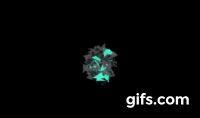
不过移动能量球的时候,缺少一种动态的魔力感,我得调整下设计。
先加个能量鼠移动时的运动轨迹存储器,
const mouseStack = {}
// 轨迹数据
mouseStack.data = new Array(100).fill(null).map(() =>  [...mousePos]);
// 随机因子
mouseStack.factor = 0
随机获轨迹存储器坐标,
function getMouseStack(pos) {
  const stackLen = mouseStack.data.length
  return mouseStack.data[(stackLen +
  (mouseStack.factor - pos * stackLen) | 0) % stackLen]
}
更新下说明explain,重新提交给黑暗森林,
// 在森林里,需要点燃能量鼠存储器的随机因子
mouseStack.factor++;
// 把此刻能量鼠的位置写入存储器
const stack = getMouseStack(0);
stack[0] = mousePos[0];
stack[1] = mousePos[1];
将碎片随机排列到运动轨迹上,
const rdmStack = getMouseStack(1 - idx / chips.length);
mousePos[0] = rdmStack[0];
mousePos[1] = rdmStack[1];
重新提交说明,
explain()