

目标:

具体代码如下:
from PIL import ImageDraw,ImageFont,ImageFilter,Image
import  random

#随机字母
def randChar():
    return chr(random.randint(65,90))
#随机颜色1
def randColor1():
    return (random.randint(64,255),
            random.randint(64, 255),
            random.randint(64, 255))
#随机颜色2
def randColor2():
    return (random.randint(0,63),
            random.randint(0, 63),
            random.randint(0, 63))

width = 240
height = 60

image = Image.new("RGB",(width,height),"white")
font = ImageFont.truetype("Arial.ttf",45)
draw = ImageDraw.Draw(image)

for x in range(width):
    for y in range(height):
        draw.point((x,y),fill=randColor1())

for i in range(4):
    draw.text((60*i+10,10),randChar(),fill=randColor2(),font=font)

# 保存本地
image.save("img.png")

image.show()
打水印目标:
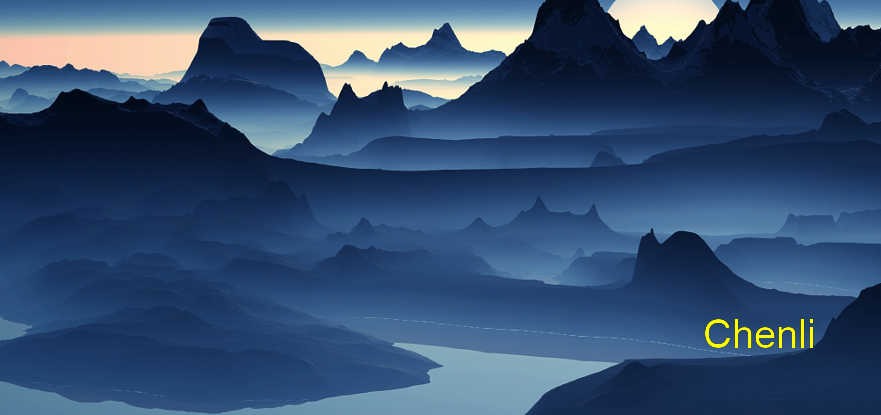
代码如下:
img = Image.open("photo.jpg").convert("RGBA")
txt = Image.new("RGBA",img.size,(0,0,0,0))
fnt = ImageFont.truetype("Arial.ttf",40)
d = ImageDraw.Draw(txt)
d.text((txt.size[0]-180,txt.size[1]-130),"Chenli","yellow",font=fnt)
out = Image.alpha_composite(img,txt)
out.show()
图片处理其他使用如下:
from PIL import Image,ImageFilter,ImageDraw,ImageFont

img = Image.open("photo.jpg")

# 灰度
# img = img.convert("L")
# img.show()

# BLUR 模糊处理
# CONTOUR 轮廓处理
# DETAIL 增强
# EDGE_ENHANCE 将图像的边缘描绘的更加清楚
# EDGE_ENHANCE_MORE 比EDGE_ENHANCE更强
# EMBOSS 浮雕效果
# SMOOTH 与EDGE_ENHANCE相反,淡化边缘
# SMOOTH_MORE 效果比SMOOTH强烈一些
img = img.filter(ImageFilter.SMOOTH_MORE)

img.show()

# 查看图片尺寸
print(img.size)
# 查看图片的通道
bands = img.getbands()
print(bands)
# 返回图片的像素坐标
blox = img.getbbox()
print(blox)

colors = img.getcolors()
print(colors)

data = img.getdata()
print(data)

str = img.getextrema()
print(str)

# 坐标(100,100)的像素
pix = img.getpixel((100,100))
print(pix)

img2 = Image.open("02.jpeg")
# 合成2张图片
img.paste(img2,(100,100))
# 保存合成的图片
img.save("img33.png")

# 图片的缩放
width,height = img.size
img.thumbnail((width/2,height/2))
img.show()
# 图片的旋转
img.rotate(45).show()
