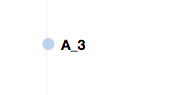
背景:用过好几种鼠标移到点上显示相应的文字方法.但是最好用的还是接下来这种!
可以根据你鼠标所指的位置 显示文字~
解决方法:
1.首先定义一个 tooltip
let tooltip = d3.select('body')
      	.append('div')
      	.style('position', 'absolute')
        .style('z-index', '10')
      	.style('color', '#3497db')
        .style('visibility', 'hidden')   // 是否可见(一开始设置为隐藏)
        .style('font-size', '12px')
      	.style('font-weight', 'bold')
      	.text('')
2.在circle rect 或者... 上加上鼠标事件
let circles = svg.selectAll('circle')
        .data(self.arr)
        .enter()
        .append('circle')
        .attr('cx', (d) => {
          return padding.left + xScale(d[0])
        })
        .attr('cy', (d) => {
          return padding.bottom + yScale(d[1])
        })
        .attr('r', self.radius)
        .on('mouseover', function (d, i) {
          return tooltip.style('visibility', 'visible').text(d[2])
        })
        .on('mousemove', function (d, i) {
          return tooltip.style('top', (event.pageY-10)+'px').style('left',(event.pageX+10)+'px')
        })
        .on('mouseout', function (d, i) {
          return tooltip.style('visibility', 'hidden')
        })
效果如下: