一、更新软件
- [root@localhost ~]# yum update
[root@localhost ~]# yum update
二、安装wget下载工具
[html] view plain copy print?
- yum install wget
yum install wget三、安装Tomcat8
这里采用离线解压tar.gz的方式安装
下载:
[html] view plain copy print?
- wget http://mirrors.hust.edu.cn/apache/tomcat/tomcat-8/v8.0.47/bin/apache-tomcat-8.0.47.tar.gz
wget http://mirrors.hust.edu.cn/apache/tomcat/tomcat-8/v8.0.47/bin/apache-tomcat-8.0.47.tar.gz解压:
[html] view plain copy print?
- tar -zxvf apache-tomcat-8.0.47.tar.gz -C /opt/software
tar -zxvf apache-tomcat-8.0.47.tar.gz -C /opt/software启动Tomcat:
[html] view plain copy print?
- cd /opt/software/apache-tomcat-8.0.47/bin/
- ./startup.sh
cd /opt/software/apache-tomcat-8.0.47/bin/
./startup.sh
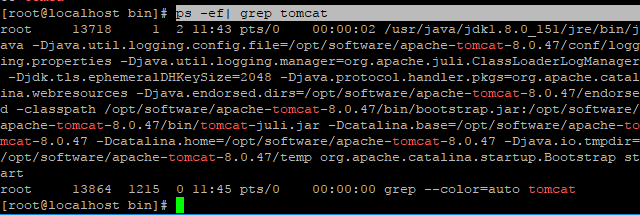
然后通过以下命令查看进程:
[html] view plain copy print?
- ps -ef| grep tomcat
ps -ef| grep tomcat
将8080端口添加到防火墙例外并重启
[html] view plain copy print?
- firewall-cmd --zone=public --add-port=8080/tcp --permanent
- firewall-cmd --reload
firewall-cmd --zone=public --add-port=8080/tcp --permanent
firewall-cmd --reload
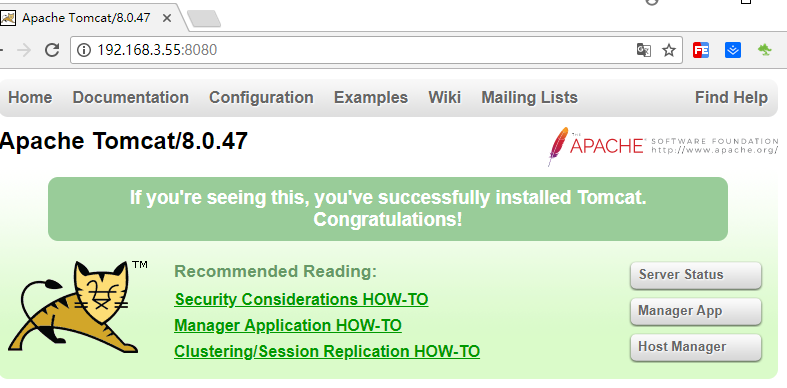
访问8080端口测试