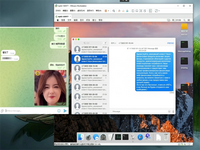
做苹果手机群控这块快三年了,从最早拿真机一台台手动点,到后来用脚本批量跑,踩过的坑能写半本书,很多新手一上来就问"有没有现成的群控源码",其实核心模块就那几个,搞懂了自己拼一套出来不难。
今天把项目里最常用的几段核心代码拆出来分享,都是Python写的,基于tidevice和Facebook的WebDriverAgent,直接能跑。
一、设备自动发现与批量连接模块
群控第一步是识别线上有哪些设备,Windows上靠iTunes的驱动,macOS和Linux直接用libimobiledevice,下面这段代码启动一个监听服务,自动扫描USB和局域网内的iOS设备,上线就自动注册到设备池:
# device_pool.py
import threading
import time
from tidevice import Usbmux, Device
from tidevice._usbmux import MuxType

class DevicePool:
    def __init__(self):
        self.devices = {}
        self.lock = threading.Lock()
        self.running = False

    def _on_device_added(self, udid):
        with self.lock:
            if udid not in self.devices:
                try:
                dev = Device(udid)
                info = dev.disk_image_image_control()
                self.devices[udid] = {
                    "udid": udid,
                    "name": dev.name,
                    "version": dev.version,
                    "status": "online",
                    "last_heartbeat": time.time()
                }
                print(f"[上线] {dev.name} ({udid[:8]}...) iOS {dev.version}")
                except Exception as e:
                    print(f"[连接失败] {udid}: {e}")

    def _on_device_removed(self, udid):
        with self.lock:
            if udid in self.devices:
                name = self.devices[udid]["name"]
                del self.devices[udid]
                print(f"[下线] {name}")

    def start_watch(self):
        self.running = True
        mux = Usbmux()
        for udid in mux.device_iter():
            self._on_device_added(udid)
        # 局域网WiFi设备额外扫描
        self._scan_network_devices()
        threading.Thread(target=self._heartbeat_check, daemon=True).start()

    def _scan_network_devices(self):
        import subprocess
        result = subprocess.run(
            ["idevice_id", "-n"], capture_output=True, text=True
        )
        for udid in result.stdout.strip().split("\n"):
            if udid:
                self._on_device_added(udid)

    def _heartbeat_check(self):
        while self.running:
            time.sleep(10)
            with self.lock:
                for udid in list(self.devices.keys()):
                    try:
                        d = Device(udid)
                        _ = d.name
                        self.devices[udid]["last_heartbeat"] = time.time()
                    except:
                        self._on_device_removed(udid)

    def get_online_devices(self):
        with self.lock:
            return list(self.devices.values())

if __name__ == "__main__":
    pool = DevicePool()
    pool.start_watch()
    try:
        while True:
            time.sleep(1)
    except KeyboardInterrupt:
        pool.running = False
这段是整个系统的地基,设备池维护一个全局字典,每台手机上线自动注册、掉线自动剔除,后面所有操作都从这个池子里取设备,实际项目里我会把它挂在Redis里,这样多台控制主机也能共享设备列表。
二、批量屏幕操作与手势模拟
设备连上之后,核心需求就是批量点击、滑动、输入,WDA(WebDriverAgent)是苹果官方允许的自动化框架,群控基本都靠它,下面这段封装了常用手势,支持单设备执行,也支持多设备广播:
# device_controller.py
import time
import threading
from tidevice import Device
from wda import Client as WDAClient

class DeviceController:
    def __init__(self, udid):
        self.udid = udid
        self.device = Device(udid)
        self.wda = None

    def launch_wda(self, wda_bundle="com.facebook.WebDriverAgentRunner.xctrunner"):
        """启动WDA服务,首次需要手机上信任证书"""
        self.device.app_install(wda_bundle)  # 已装过则跳过
        self.device.app_launch(wda_bundle, wait=True)
        # 等待WDA端口就绪
        for _ in range(30):
            try:
                self.wda = WDAClient("http://localhost:8100")
                self.wda.healthcheck()
                break
            except:
                time.sleep(1)
        if not self.wda:
            raise RuntimeError("WDA启动超时")

    def tap(self, x, y):
        """屏幕点击,坐标基于逻辑分辨率"""
        self.wda.tap(x, y)

    def swipe(self, x1, y1, x2, y2, duration=0.3):
        self.wda.swipe(x1, y1, x2, y2, duration=duration)

    def input_text(self, text):
        self.wda.keyboard.frame()
        self.wda.send_keys(text)

    def launch_app(self, bundle_id):
        self.wda.app_activate(bundle_id)

    def screenshot(self, save_path=None):
        png = self.wda.screenshot()
        if save_path:
            with open(save_path, "wb") as f:
                f.write(png)
        return png

class BroadcastController:
    """多设备广播控制器,把一个动作同步发给所有在线设备"""
    def __init__(self, device_controllers):
        self.controllers = device_controllers

    def _run_on_all(self, method_name, *args, **kwargs):
        threads = []
        results = [None] * len(self.controllers)
        def worker(idx, ctrl):
            try:
                method = getattr(ctrl, method_name)
                results[idx] = method(*args, **kwargs)
            except Exception as e:
                results[idx] = e
        for i, ctrl in enumerate(self.controllers):
            t = threading.Thread(target=worker, args=(i, ctrl))
            threads.append(t)
            t.start()
        for t in threads:
            t.join()
        return results

    def broadcast_tap(self, x, y):
        return self._run_on_all("tap", x, y)

    def broadcast_swipe_up(self):
        return self._run_on_all("swipe", 200, 600, 200, 200, 0.3)

    def broadcast_input(self, text):
        return self._run_on_all("input_text", text)
手势广播这里用了多线程并发,每台手机一个线程,否则串行执行一百台手机光点一下就得等半天,实际生产环境里我还加了失败重试和延迟随机化,不然所有手机同一毫秒点同一个位置,平台风控一眼就看出来了。
三、应用批量安装与启动控制
做群控经常需要批量装App、批量启动某个应用做任务,下面这段处理ipa包的批量安装,以及按机型分组执行不同任务:
# app_manager.py
import os
import threading
from tidevice import Device

class AppManager:
    def __init__(self, device_pool):
        self.pool = device_pool

    def install_ipa_on_all(self, ipa_path):
        """把指定ipa批量装到所有在线设备"""
        if not os.path.exists(ipa_path):
            raise FileNotFoundError(ipa_path)
        devices = self.pool.get_online_devices()
        results = {}
        def install_one(udid, name):
            try:
                d = Device(udid)
                d.app_install(ipa_path)
                results[udid] = (name, True, "安装成功")
            except Exception as e:
                results[udid] = (name, False, str(e))
        threads = []
        for dev in devices:
            t = threading.Thread(
                target=install_one, args=(dev["udid"], dev["name"])
            )
            threads.append(t)
            t.start()
        for t in threads:
            t.join()
        # 输出汇总
        success = sum(1 for v in results.values() if v[1])
        print(f"批量安装完成:{success}/{len(devices)} 成功")
        return results

    def launch_app_grouped(self, bundle_map):
        """按分组启动不同App,bundle_map: {udid: bundle_id}"""
        threads = []
        def launch(udid, bundle_id):
            try:
                d = Device(udid)
                d.app_launch(bundle_id)
            except Exception as e:
                print(f"{udid} 启动 {bundle_id} 失败: {e}")
        for udid, bid in bundle_map.items():
            t = threading.Thread(target=launch, args=(udid, bid))
            threads.append(t)
            t.start()
        for t in threads:
            t.join()

    def get_app_list(self, udid):
        """获取某台设备已安装的用户App列表"""
        d = Device(udid)
        apps = d.installation.iter_user_apps()
        return [
            {"bundle_id": a["BundleIdentifier"],
             "name": a.get("CFBundleDisplayName", ""),
             "version": a.get("CFBundleShortVersionString", "")}
            for a in apps
        ]
四、自动化任务调度引擎
前面三个模块是工具,真正让群控"跑起来"的是任务调度,下面这个简化版任务引擎支持给不同设备分配不同脚本,带随机延迟和失败上报:
# task_engine.py
import time
import random
import threading
import traceback
from datetime import datetime

class TaskEngine:
    def __init__(self, controllers, max_workers=20):
        self.controllers = controllers  # {udid: DeviceController}
        self.max_workers = max_workers
        self.running_tasks = {}

    def run_task_on_device(self, udid, task_script, jitter=2.0):
        """在单台设备上执行任务脚本,task_script是一个接收controller的函数"""
        ctrl = self.controllers.get(udid)
        if not ctrl:
            return {"udid": udid, "status": "offline"}
        try:
            # 随机延迟,避免所有设备同时动作
            time.sleep(random.uniform(0.1, jitter))
            task_script(ctrl)
            return {"udid": udid, "status": "success",
                    "time": datetime.now().isoformat()}
        except Exception as e:
            return {"udid": udid, "status": "failed",
                    "error": str(e),
                    "trace": traceback.format_exc()}

    def broadcast_task(self, task_script, device_udids=None):
        """把同一个任务广播到所有或指定设备"""
        udids = device_udids or list(self.controllers.keys())
        results = []
        threads = []
        def worker(udid):
            res = self.run_task_on_device(udid, task_script)
            results.append(res)
        for udid in udids:
            t = threading.Thread(target=worker, args=(udid,))
            threads.append(t)
            t.start()
            # 控制并发数
            if len(threads) >= self.max_workers:
                for t in threads:
                    t.join()
                threads.clear()
        for t in threads:
            t.join()
        ok = sum(1 for r in results if r["status"] == "success")
        print(f"任务完成:{ok}/{len(results)} 成功")
        return results

# 示例:在所有设备上打开抖音并滑动三次
def douyin_watch_task(ctrl):
    ctrl.launch_app("com.ss.iphone.ugc.Aweme")
    time.sleep(random.uniform(5, 8))
    for i in range(3):
        ctrl.swipe(200, 600, 200, 200, duration=random.uniform(0.3, 0.6))
        time.sleep(random.uniform(8, 15))

if __name__ == "__main__":
    # engine = TaskEngine(controllers_dict)
    # engine.broadcast_task(douyin_watch_task)
    pass
五、写在最后
这四段代码拼起来已经是一个可用的苹果群控雏形了:设备发现→手势控制→应用管理→任务调度,实际商用系统还需要加Web管理后台、WebSocket实时投屏、风控伪装(改IMEI/序列号/环境参数)、以及任务结果回传这些模块,但核心逻辑就是上面这些。
几个容易踩的坑提前说:第一,WDA的证书7天过期,越狱设备可以用企业证书,非越狱设备得每周重新签名;第二,USB一拖多的时候带宽是瓶颈,超过20台建议分HUB,每个HUB独立供电;第三,坐标适配要按机型分辨率单独算,别所有手机用同一套坐标。
源码我已经尽量精简了,每段都能独立跑通,有需要扩展的地方自己加就行。