日期的查询与设定
import datetime
today = datetime.date.today()
print(today)
time = datetime.datetime.now()
print(time)
today = datetime.datetime.today()
print('默认格式 :', today)
print('format(): {:%a %b %d %H:%M:%S %Y}'.format(today))
tt = time.timetuple()
print(tt)
print(tt.tm_year)
print(tt.tm_mon)
print(tt.tm_mday)
print(tt.tm_hour)
print(tt.tm_min)
print(tt.tm_sec)
print(tt.tm_wday)
print(tt.tm_yday)
print(tt.tm_isdst)
tomorrow = datetime.datetime(2028, 6, 3, 15, 30, 0)
print(tomorrow)
日期间隔的计算
import datetime
print('microseconds:', datetime.timedelta(microseconds=1))
print('milliseconds:', datetime.timedelta(milliseconds=1))
print('seconds :', datetime.timedelta(seconds=1))
print('minutes :', datetime.timedelta(minutes=1))
print('hours :', datetime.timedelta(hours=1))
print('days :', datetime.timedelta(days=1))
print('weeks :', datetime.timedelta(weeks=1))
today = datetime.date.today()
print('Today :', today)
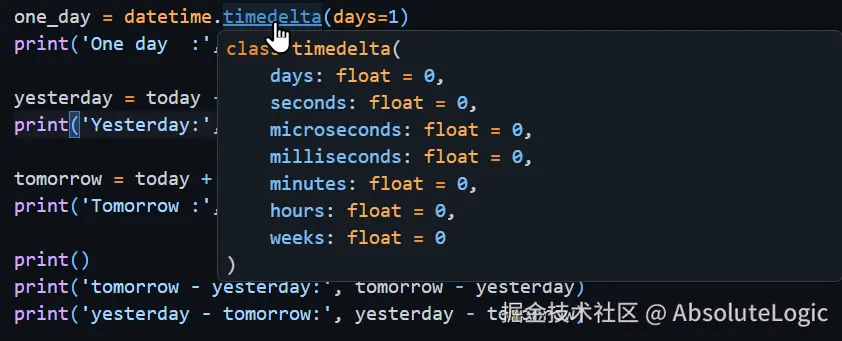
one_day = datetime.timedelta(days=1)
print('One day :', one_day)
yesterday = today - one_day
print('Yesterday:', yesterday)
tomorrow = today + one_day
print('Tomorrow :', tomorrow)
print()
print('tomorrow - yesterday:', tomorrow - yesterday)
print('yesterday - tomorrow:', yesterday - tomorrow)
日期和时间的比较
import datetime
print('Times:')
t1 = datetime.time(12, 55, 0)
print('  t1:', t1)
t2 = datetime.time(13, 5, 0)
print('  t2:', t2)
print('  t1 < t2:', t1 < t2)

print()
print('Dates:')
d1 = datetime.date.today()
print('  d1:', d1)
d2 = datetime.date.today() + datetime.timedelta(days=1)
print('  d2:', d2)
print('  d1 > d2:', d1 > d2)