在当今的 AI 时代,Kimi 是一个功能强大的对话系统,通过输入提示词可以在几秒钟内生成流畅自然的回复。Kimi 提供了惊人的智能辅助,极大地提升了人类的工作效率和创造力。本文将主要介绍 Kimi 聊天完成 API 的使用流程,帮助开发者轻松使用 Kimi 的对话功能。
背景介绍
Kimi 是 Ace Data Cloud 提供的一个对话生成 API,它能够根据上下文生成智能回复,适用于客户服务、个人助手、教育等多种场景。无论是构建聊天机器人还是增强应用程序的交互性,Kimi 都是一个理想的选择。
应用流程
要使用 Kimi 聊天完成 API,首先访问 Kimi 聊天完成 API 文档 页面,点击“获取”按钮以获取请求所需的凭证:

如果您尚未登录或注册,系统会自动重定向到登录页面,邀请您注册并登录。登录或注册后,您将自动返回到当前页面。
在首次申请时,系统会提供免费配额,允许您免费使用 API。
基本使用
接下来,您可以在接口上填写相应的内容,如下图所示:
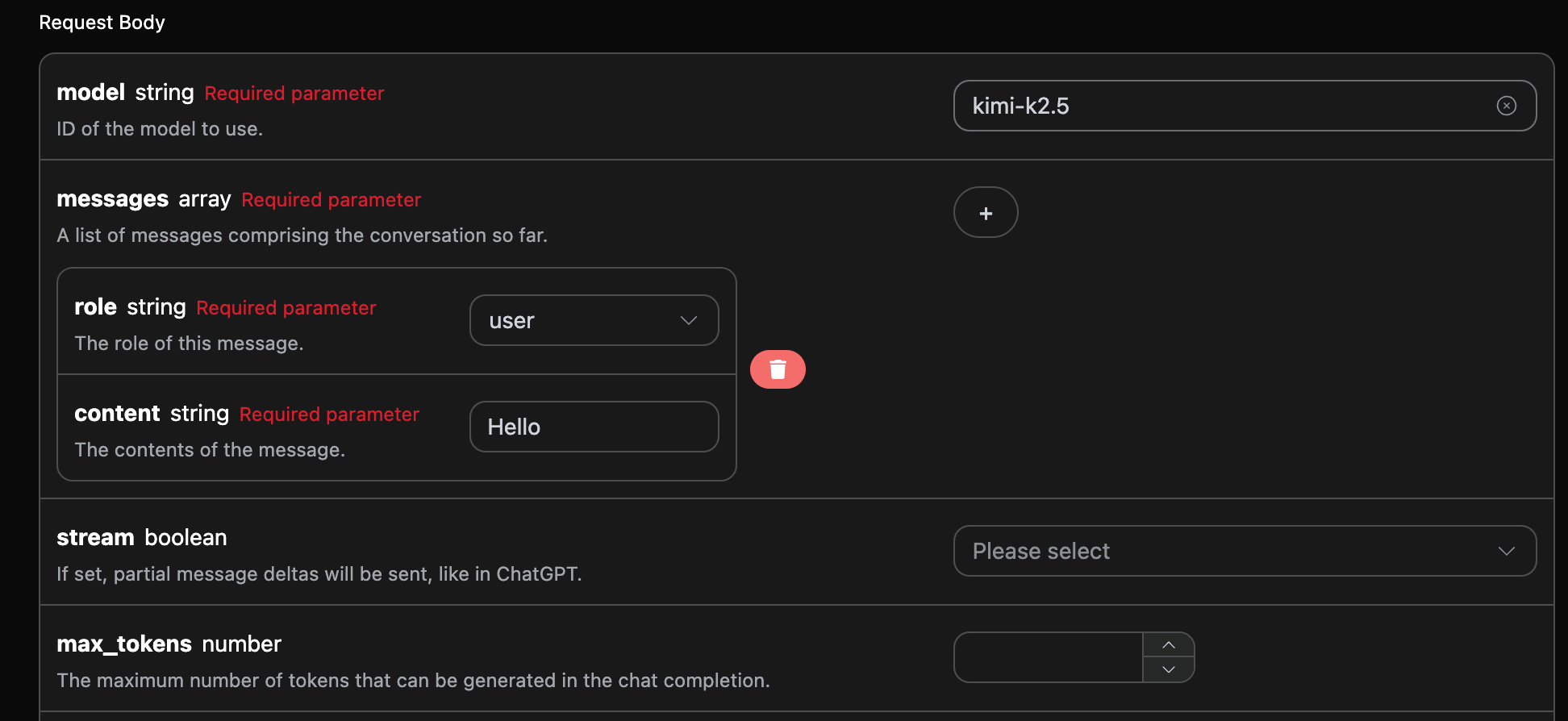
在首次使用该接口时,您需要填写至少三项内容:一个是 authorization,可以直接从下拉列表中选择;另一个参数是 model,即选择使用的 Kimi 官方模型,这里主要有 7 种模型;详细信息可以参考我们提供的模型。最后一个参数是 messages,这是一个包含输入问题的数组。每个问题都需要包含 role 和 content,其中 role 表示提问者的身份,我们提供三种身份:user、assistant 和 system。
您还可以注意到右侧有对应的代码生成,您可以直接复制代码进行运行,或点击“尝试”按钮进行测试。
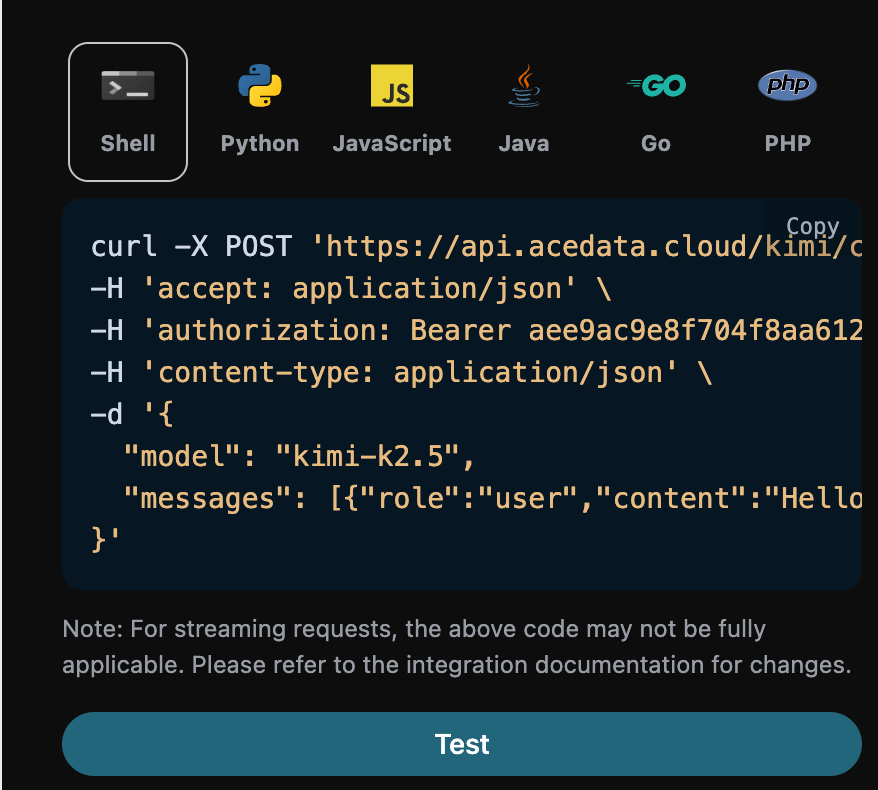
调用后,我们发现返回结果如下:
{
  "id": "chatcmpl-b5d9e1b799c137e3",
  "object": "chat.completion",
  "created": 1770991864,
  "model": "kimi-k2.5",
  "choices": [
    {
      "index": 0,
      "message": {
        "role": "assistant",
        "content": " Hello! How can I help you today?",
        "refusal": null,
        "reasoning_content": " The user has simply said \"Hello\". This is a straightforward greeting. I should respond in a friendly, helpful manner while being ready to assist with whatever they need next. Since there's no specific question or task yet, I'll acknowledge their greeting and ask how I can help.",
        "reasoning": " The user has simply said \"Hello\". This is a straightforward greeting. I should respond in a friendly, helpful manner while being ready to assist with whatever they need next. Since there's no specific question or task yet, I'll acknowledge their greeting and ask how I can help.",
        "tool_calls": []
      },
      "logprobs": null,
      "finish_reason": "stop"
    }
  ],
  "usage": {
    "prompt_tokens": 9,
    "completion_tokens": 184,
    "total_tokens": 193,
    "prompt_tokens_details": {
      "cached_tokens_details": {}
    },
    "completion_tokens_details": {}
  }
}
返回结果包含多个字段,具体说明如下:
id:用于唯一标识该对话任务的 ID。model:所选的 Kimi 官方模型。choices:Kimi 为该问题提供的响应信息。usage:关于用于该问答的 tokens 的统计信息。
流式响应
该接口还支持流式响应,这对于网页集成非常有用,可以实现逐字显示的效果。
如果希望以流式方式返回响应,可以将请求头中的 stream 参数设置为 true。修改方式如下图所示,但调用代码需要进行相应的更改以支持流式响应。
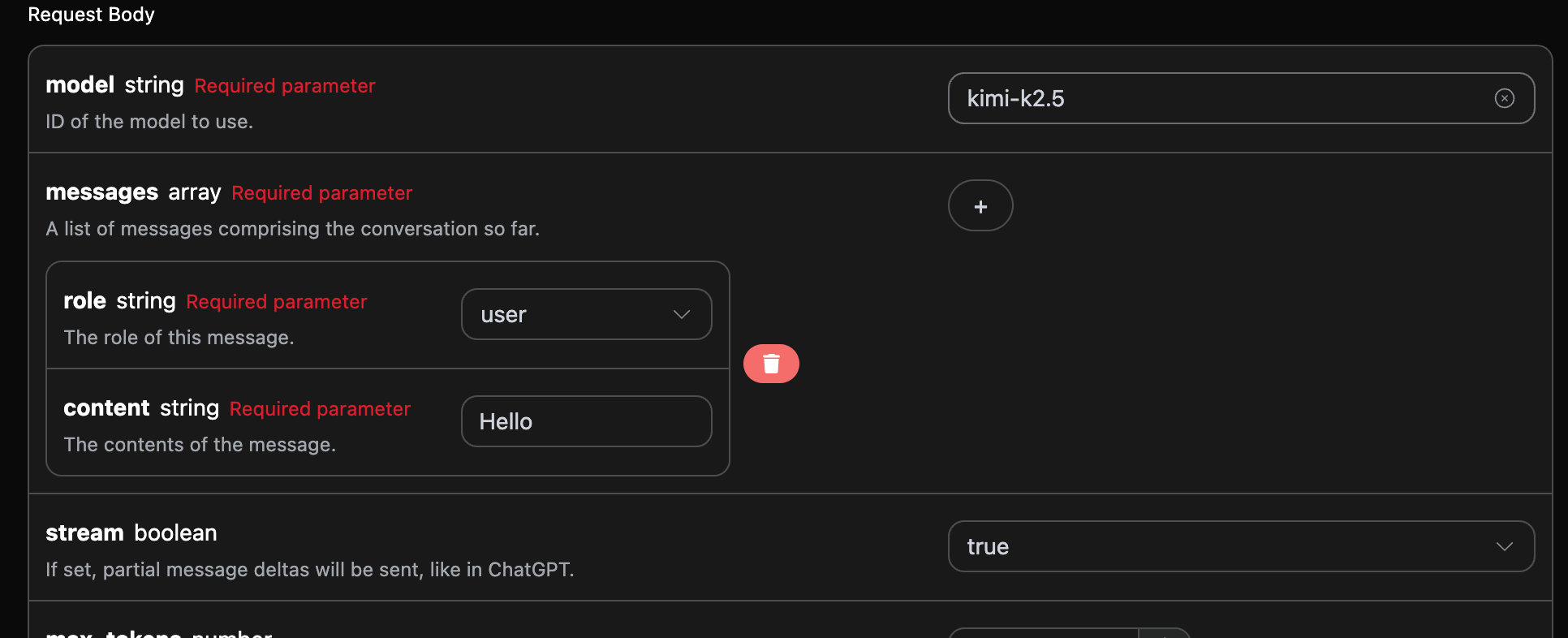
在将 stream 设置为 true 后,API 将逐行返回相应的 JSON 数据,我们需要在代码层面进行相应的修改以获取逐行结果。
Python 示例调用代码:
import requests

url = "https://api.acedata.cloud/kimi/chat/completions"

headers = {
    "accept": "application/json",
    "authorization": "Bearer {token}",
    "content-type": "application/json"
}

payload = {
    "model": "kimi-k2.5",
    "messages": [{"role":"user","content":"Hello"}],
    "stream": True
}

response = requests.post(url, json=payload, headers=headers)
print(response.text)
输出效果如下:
data: {"id": "chatcmpl-952dd5e75583c4d1", "object": "chat.completion.chunk", "created": 1770992031, "model": "kimi-k2.5", "choices": [{"index": 0, "delta": {"content": "", "role": "assistant"}, "logprobs": null, "finish_reason": null}], "usage": null}
...
data: {"id": "chatcmpl-952dd5e75583c4d1", "object": "chat.completion.chunk", "created": 1770992031, "model": "kimi-k2.5", "choices": [{"index": 0, "delta": {"content": " Hello! How can I help", "reasoning_content": " help with. ", "reasoning": " help with. "}, "logprobs": null, "finish_reason": null}], "usage": null}
data: [DONE]
可以看到,返回的内容中有多个 data,其中的 choices 是最新的响应内容,您可以根据结果将其集成到系统中。流式响应的结束由 data 的内容 [DONE] 来判断。
多轮对话
如果您希望集成多轮对话功能,需要在 messages 字段中上传多个查询词。具体的多轮查询词示例如下图所示:
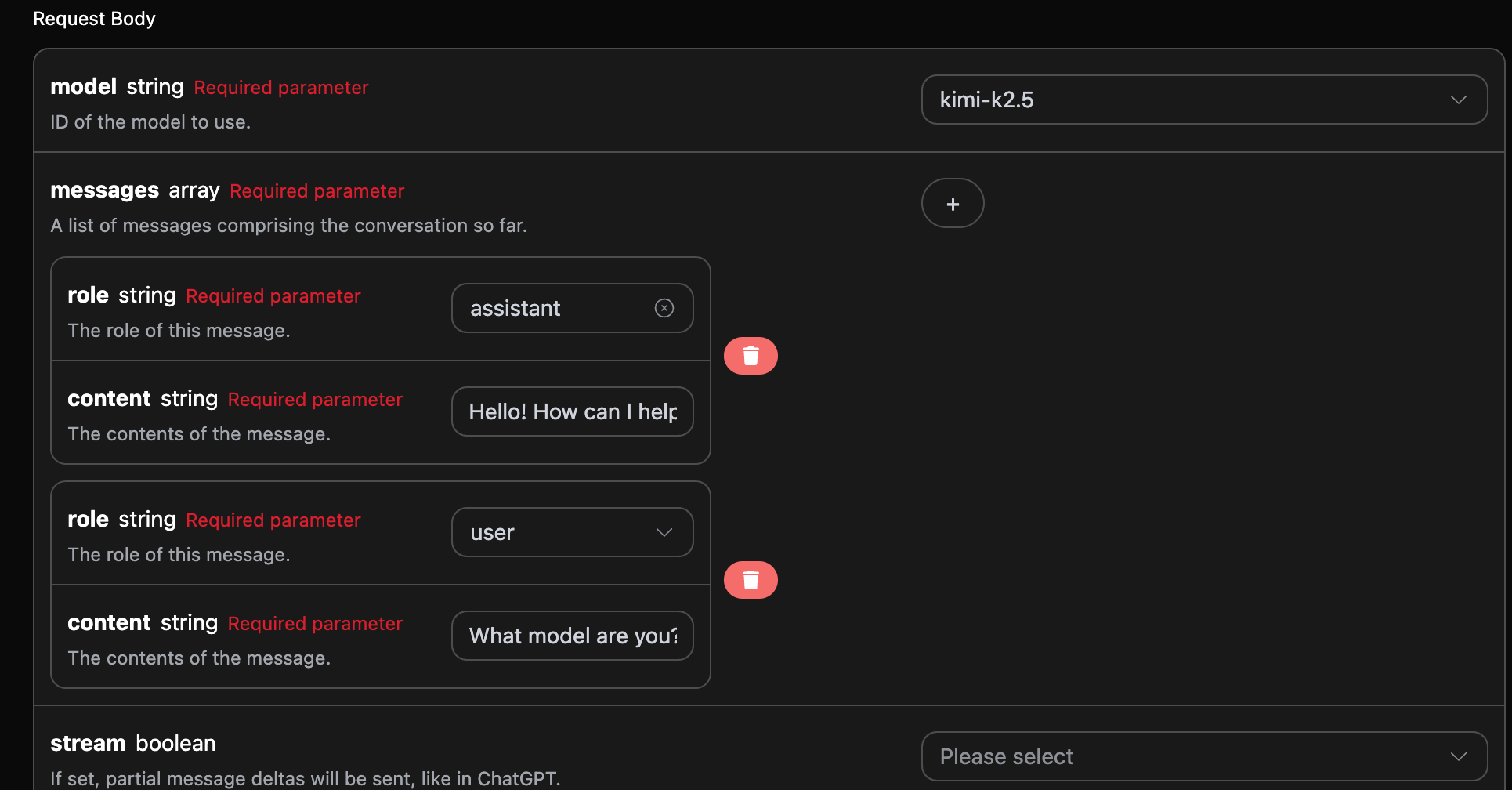
Python 示例调用代码:
import requests

url = "https://api.acedata.cloud/kimi/chat/completions"

headers = {
    "accept": "application/json",
    "authorization": "Bearer {token}",
    "content-type": "application/json"
}

payload = {
    "model": "kimi-k2.5",
    "messages": [{"role":"assistant","content":"Hello! How can I help you today?"},{"role":"user","content":"What model are you?"}]
}

response = requests.post(url, json=payload, headers=headers)
print(response.text)
通过上传多个查询词,您可以轻松实现多轮对话并接收如下响应:
{
  "id": "chatcmpl-81e5f161ea077f5e",
  "object": "chat.completion",
  "created": 1770992310,
  "model": "kimi-k2.5",
  "choices": [
    {
      "index": 0,
      "message": {
        "role": "assistant",
        "content": " I'm Kimi, an AI assistant made by Moonshot AI. I'm from the **K2.5** series.",
        "refusal": null,
        "reasoning_content": " The user is asking \"What model are you?\" They want to know which AI model I am.",
        "reasoning": " The user is asking \"What model are you?\" They want to know which AI model I am.",
        "tool_calls": []
      },
      "logprobs": null,
      "finish_reason": "stop"
    }
  ],
  "usage": {
    "prompt_tokens": 28,
    "completion_tokens": 235,
    "total_tokens": 263,
    "prompt_tokens_details": {
      "cached_tokens_details": {}
    },
    "completion_tokens_details": {}
  }
}
如上所示,choices 中的信息与基本用法内容一致,包含 Kimi 对多个对话的具体回复,使您能够根据多个对话内容回答相应问题。
错误处理
当调用 API 时,如果发生错误,API 会返回相应的