前言
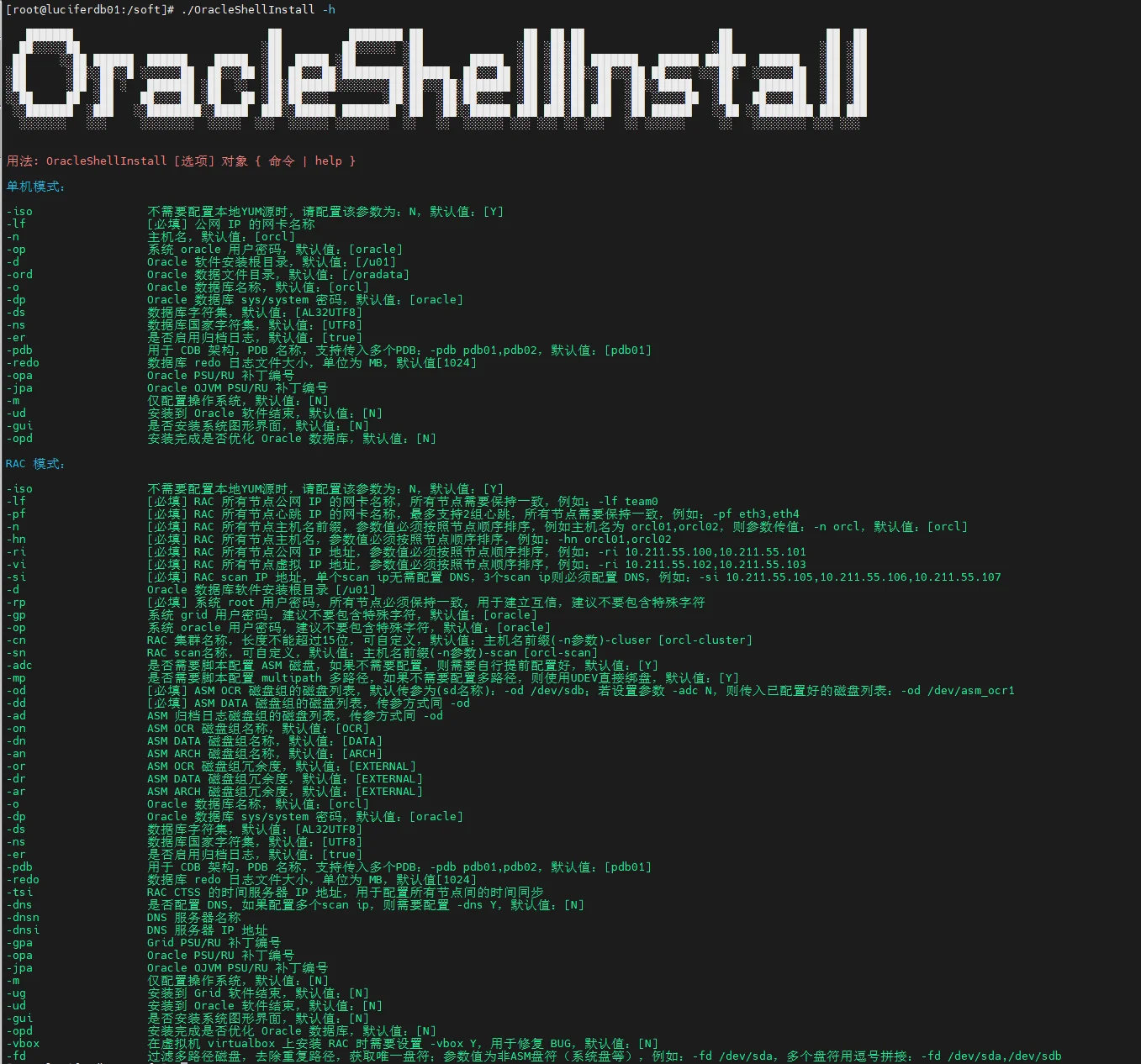
Oracle 一键安装脚本,演示 龙蜥 Anolis OS 8.8 一键安装 Oracle 12CR2(220118)单机版过程(全程无需人工干预):(脚本包括 ORALCE PSU/OJVM 等补丁自动安装)
⭐️ 脚本下载地址:Shell脚本安装Oracle数据库
脚本第三代支持 N 节点一键安装,不限制节点数!
安装准备
- 1、安装好操作系统,建议安装图形化
- 2、配置好网络
- 3、挂载本地 ISO 镜像源
- 4、上传软件安装包(安装基础包,补丁包:33561275、33587128、6880880)
- 5、上传一键安装脚本:OracleShellInstall
✨ 偷懒可以直接下载本文安装包合集:龙蜥 Anolis OS 8.8 一键安装 Oracle 12CR2(220118)单机版安装包合集(包含补丁!!!)
演示环境信息
# 主机版本
[root@anolis8 soft]# cat /etc/anolis-release
Anolis OS release 8.8

# 网络信息
[root@anolis8 soft]# ip a
2: ens33: <BROADCAST,MULTICAST,UP,LOWER_UP> mtu 1500 qdisc fq_codel state UP group default qlen 1000
    link/ether 00:0c:29:c3:5e:e1 brd ff:ff:ff:ff:ff:ff
    altname enp2s1
    inet 192.168.6.137/24 brd 192.168.6.255 scope global noprefixroute ens33
       valid_lft forever preferred_lft forever
    inet6 fe80::20c:29ff:fec3:5ee1/64 scope link noprefixroute
       valid_lft forever preferred_lft forever

# 挂载本地 ISO 镜像
[root@anolis8 soft]# mount | grep iso | grep -v "/run/media"
/dev/sr0 on /mnt type iso9660 (ro,relatime,nojoliet,check=s,map=n,blocksize=2048,iocharset=utf8)
[root@anolis8 soft]# df -h|grep /mnt
/dev/sr0              15G   15G     0 100% /mnt

# 安装包存放在 /soft 目录下
[root@anolis8 soft]# ll
-rwx------ 1 root root 3453696911 Mar 27 12:34 LINUX.X64_122010_db_home.zip
-rwxr-xr-x 1 root root     166855 Mar 27 12:33 OracleShellInstall
-rwx------ 1 root root  138022236 Mar 27 12:39 p33561275_122010_Linux-x86-64.zip
-rwx------ 1 root root 1020001457 Mar 27 12:34 p33587128_122010_Linux-x86-64.zip
-rwx------ 1 root root  124109254 Mar 27 12:34 p6880880_122010_Linux-x86-64.zip
-rwx------ 1 root root     321590 Mar 27 12:39 rlwrap-0.44.tar.gz
确保安装环境准备完成后,即可执行一键安装。
安装命令
使用标准生产环境安装参数:
# 根据脚本 README 或者 -h 命令提示,编辑好一键安装命令,进入 /soft 目录执行安装:
./OracleShellInstall -lf ens33 `# local ip ifname`\
-n anolis8 `# hostname`\
-op oracle `# oracle password`\
-d /u01 `# software base dir`\
-ord /oradata `# data dir`\
-o lucifer `# dbname`\
-dp oracle `# sys/system password`\
-ds AL32UTF8 `# database character`\
-ns AL16UTF16 `# national character`\
-redo 100 `# redo size`\
-opa 33587128 `# oracle PSU/RU`\
-jpa 33561275 `# OJVM PSU/RU`\
-opd Y `# optimize db`
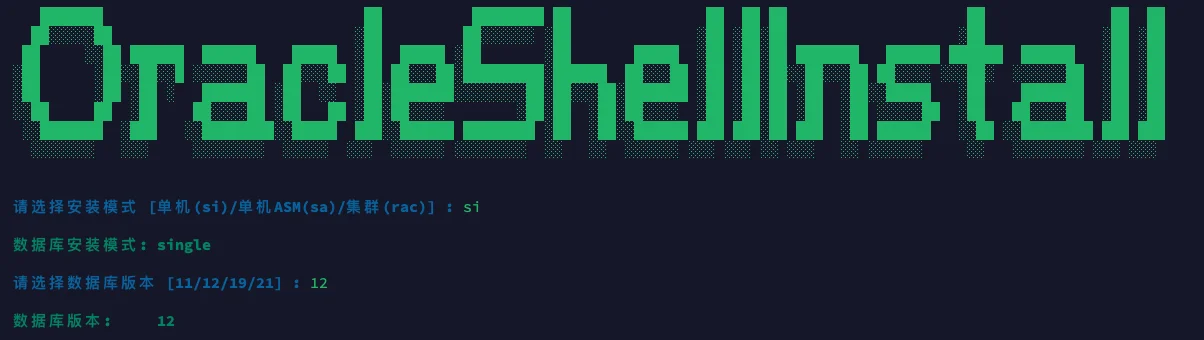
选择需要安装的模式以及版本,即可开始安装:
安装过程
   ███████                             ██          ████████ ██               ██  ██ ██                    ██              ██  ██
  ██░░░░░██                           ░██         ██░░░░░░ ░██              ░██ ░██░██                   ░██             ░██ ░██
 ██     ░░██ ██████  ██████    █████  ░██  █████ ░██       ░██       █████  ░██ ░██░██ ███████   ██████ ██████  ██████   ░██ ░██
░██      ░██░░██░░█ ░░░░░░██  ██░░░██ ░██ ██░░░██░█████████░██████  ██░░░██ ░██ ░██░██░░██░░░██ ██░░░░ ░░░██░  ░░░░░░██  ░██ ░██
░██      ░██ ░██ ░   ███████ ░██  ░░  ░██░███████░░░░░░░░██░██░░░██░███████ ░██ ░██░██ ░██  ░██░░█████   ░██    ███████  ░██ ░██
░░██     ██  ░██    ██░░░░██ ░██   ██ ░██░██░░░░        ░██░██  ░██░██░░░░  ░██ ░██░██ ░██  ░██ ░░░░░██  ░██   ██░░░░██  ░██ ░██
 ░░███████  ░███   ░░████████░░█████  ███░░██████ ████████ ░██  ░██░░██████ ███ ███░██ ███  ░██ ██████   ░░██ ░░████████ ███ ███
  ░░░░░░░   ░░░     ░░░░░░░░  ░░░░░  ░░░  ░░░░░░ ░░░░░░░░  ░░   ░░  ░░░░░░ ░░░ ░░░ ░░ ░░░   ░░ ░░░░░░     ░░   ░░░░░░░░ ░░░ ░░░


请选择安装模式 [单机(si)/单机ASM(sa)/集群(rac)] : si

数据库安装模式: single

请选择数据库版本 [11/12/19/21] : 12

数据库版本:     12

#==============================================================#
配置本地 YUM 源
#==============================================================#

[BaseOS]
name=BaseOS
baseurl=file:///mnt/BaseOS
enabled=1
gpgcheck=0
[AppStream]
name=AppStream
baseurl=file:///mnt/AppStream
enabled=1
gpgcheck=0

#==============================================================#
禁用防火墙
#==============================================================#

● firewalld.service - firewalld - dynamic firewall daemon
   Loaded: loaded (/usr/lib/systemd/system/firewalld.service; disabled; vendor preset: enabled)
   Active: inactive (dead) since Wed 2024-03-27 13:31:31 CST; 76ms ago
     Docs: man:firewalld(1)
  Process: 1061 ExecStart=/usr/sbin/firewalld --nofork --nopid $FIREWALLD_ARGS (code=exited, status=0/SUCCESS)
 Main PID: 1061 (code=exited, status=0/SUCCESS)

Mar 25 11:12:31 anolis8 systemd[1]: Starting firewalld - dynamic firewall daemon...
Mar 25 11:12:33 anolis8 systemd[1]: Started firewalld - dynamic firewall daemon.
Mar 25 11:12:33 anolis8 firewalld[1061]: WARNING: AllowZoneDrifting is enabled. This is considered an insecure configuration option. It will be removed in a future release. Please consider disabling it now.
Mar 27 13:31:30 anolis8 systemd[1]: Stopping firewalld - dynamic firewall daemon...
Mar 27 13:31:31 anolis8 systemd[1]: firewalld.service: Succeeded.
Mar 27 13:31:31 anolis8 systemd[1]: Stopped firewalld - dynamic firewall daemon.

#==============================================================#
禁用 SELinux
#==============================================================#

SELinux status:                 disabled

#==============================================================#
配置 nsysctl.conf
#==============================================================#

NOZEROCONF=yes

#==============================================================#
YUM 静默安装依赖包
#==============================================================#

bc-1.07.1-5.0.1.an8.x86_64
binutils-2.30-117.0.1.an8.x86_64
package compat-libcap1 is not installed
gcc-8.5.0-10.1.0.3.an8.x86_64
gcc-c++-8.5.0-10.1.0.3.an8.x86_64
elfutils-libelf-0.187-4.0.1.an8.x86_64
elfutils-libelf-devel-0.187-4.0.1.an8.x86_64
glibc-2.28-189.5.0.2.an8_6.x86_64
glibc-devel-2.28-189.5.0.2.an8_6.x86_64
libaio-0.3.112-1.0.1.an8.x86_64
libaio-devel-0.3.112-1.0.1.an8.x86_64
libgcc-8.5.0-10.1.0.3.an8.x86_64
libstdc++-8.5.0-10.1.0.3.an8.x86_64
libstdc++-devel-8.5.0-10.1.0.3.an8.x86_64
libxcb-1.13.1-1.el8.x86_64
libX11-1.7.0-7.an8.x86_64
libXau-1.0.9-8.an8.x86_64
libXi-1.7.10-1.an8.x86_64
libXrender-0.9.10-7.el8.x86_64
make-4.2.1-11.0.1.an8.x86_64
net-tools-2.0-0.52.20160912git.an8.x86_64
smartmontools-7.1-1.0.2.an8.x86_64
sysstat-11.7.3-7.0.1.an8.x86_64
e2fsprogs-1.46.0-1.0.1.an8.x86_64
e2fsprogs-libs-1.46.0-1.0.1.an8.x86_64
unzip-6.0-46.0.1.an8.x86_64
openssh-clients-8.0p1-13.0.1.an8.x86_64
readline-7.0-10.0.1.an8.x86_64
readline-devel-7.0-10.0.1.an8.x86_64
psmisc-23.1-5.0.1.an8.x86_64
ksh-20120801-257.0.1.an8.x86_64
nfs-utils-2.3.3-51.0.3.an8.x86_64
tar-1.30-6.0.1.an8.x86_64
device-mapper-multipath-0.8.4-28.0.1.an8_6.2.x86_64
avahi-0.7-20.an8.x86_64
package ntp is not installed
chrony-4.2-1.0.1.an8.x86_64
libXtst-1.2.3-7.el8.x86_64
libXrender-devel-0.9.10-7.el8.x86_64
fontconfig-devel-2.13.1-4.an8.x86_64
policycoreutils-2.9-20.an8.x86_64
package policycoreutils-python is not installed
librdmacm-37.2-1.0.3.an8.x86_64
package libnsl* is not installed
libibverbs-37.2-1.0.3.an8.x86_64
compat-openssl10-1.0.2o-4.0.1.an8_6.x86_64
policycoreutils-python-utils-2.9-20.an8.noarch
package elfutils* is not installed
glibc-2.28-189.5.0.2.an8_6.x86_64

#==============================================================#
配置主机名
#==============================================================#

anolis8

#==============================================================#
配置 /etc/hosts 文件
#==============================================================#

127.0.0.1   localhost localhost.localdomain localhost4 localhost4.localdomain4
::1         localhost localhost.localdomain localhost6 localhost6.localdomain6
192.168.6.137   anolis8

#==============================================================#
创建用户和组
#==============================================================#

oracle 用户:

uid=54321(oracle) gid=54321(oinstall) groups=54321(oinstall),54322(dba),54323(oper),54324(backupdba),54325(dgdba),54326(kmdba),54330(racdba)


#==============================================================#
配置 Avahi-daemon 服务
#==============================================================#

● avahi-daemon.service - Avahi mDNS/DNS-SD Stack
   Loaded: loaded (/usr/lib/systemd/system/avahi-daemon.service; disabled; vendor preset: enabled)
   Active: inactive (dead)

Mar 27 13:32:48 anolis8 avahi-daemon[910]: Files changed, reloading.
Mar 27 13:32:48 anolis8 avahi-daemon[910]: No service file found in /etc/avahi/services.
Mar 27 13:32:49 anolis8 avahi-daemon[910]: Got SIGTERM, quitting.
Mar 27 13:32:49 anolis8 systemd[1]: Stopping Avahi mDNS/DNS-SD Stack...
Mar 27 13:32:49 anolis8 avahi-daemon[910]: Leaving mDNS multicast group on interface virbr0.IPv4 with address 192.168.122.1.
Mar 27 13:32:49 anolis8 avahi-daemon[910]: Leaving mDNS multicast group on interface ens33.IPv6 with address fe80::20c:29ff:fec3:5ee1.
Mar 27 13:32:49 anolis8 avahi-daemon[910]: Leaving mDNS multicast group on interface ens33.IPv4 with address 192.168.6.137.
Mar 27 13:32:49 anolis8 avahi-daemon[910]: avahi-daemon 0.7 exiting.
Mar 27 13:32:49 anolis8 systemd[1]: avahi-daemon.service: Succeeded.
Mar 27 13:32:49 anolis8 systemd[1]: Stopped Avahi mDNS/DNS-SD Stack.

#==============================================================#
配置透明大页 && NUMA && 磁盘 IO 调度器
#==============================================================#

args="ro resume=/dev/mapper/ao-swap rd.lvm.lv=ao/root rd.lvm.lv=ao/swap rhgb quiet $tuned_params cgroup.memory=nokmem crashkernel=0M-2G:0M,2G-8G:192M,8G-:256M numa=off transparent_hugepage=never elevator=deadline"
-resume=/dev/mapper/ao-swap
-args="ro
args="ro resume=/dev/mapper/ao-swap rd.lvm.lv=ao/root rd.lvm.lv=ao/swap rhgb quiet numa=off transparent_hugepage=never elevator=deadline"
-elevator=deadline"
-transparent_hugepage=never

#==============================================================#
配置 sysctl.conf
#==============================================================#

fs.aio-max-nr = 1048576
fs.file-max = 6815744
kernel.shmall = 2097152
kernel.shmmax = 8126386175
kernel.shmmni = 4096
kernel.sem = 250 32000 100 128
net.ipv4.ip_local_port_range = 9000 65500
net.core.rmem_default = 262144
net.core.rmem_max = 4194304
net.core.wmem_default = 262144
net.core.wmem_max = 1048576
vm.min_free_kbytes = 31743
net.ipv4.conf.ens33.rp_filter = 1
vm.swappiness = 10
kernel.panic_on_oops = 1
kernel.randomize_va_space = 2
kernel.numa_balancing = 0

#==============================================================#
配置 RemoveIPC
#==============================================================#

[Login]
RemoveIPC=no

#==============================================================#
配置 /etc/security/limits.conf 和 /etc/pam.d/login
#==============================================================#

查看 /etc/security/limits.conf:

oracle soft nofile 1024
oracle hard nofile 65536
oracle soft stack 10240
oracle hard stack 32768
oracle soft nproc 2047
oracle hard nproc 16384
oracle hard memlock unlimited
oracle soft memlock unlimited

查看 /etc/pam.d/login 文件:

auth       substack     system-auth
auth       include      postlogin
account    required     pam_nologin.so
account    include      system-auth
password   include      system-auth
session    required     pam_selinux.so close
session    required     pam_loginuid.so
session    optional     pam_console.so
session    required     pam_selinux.so open
session    required     pam_namespace.so
session    optional     pam_keyinit.so force revoke
session    include      system-auth
session    include      postlogin
-session   optional     pam_ck_connector.so
session required pam_limits.so
session required /lib64/security/pam_limits.so

#==============================================================#
配置 /dev/shm
#==============================================================#

/dev/mapper/ao-root     /                       xfs     defaults        0 0
UUID=5b4f444b-7f7f-4cf1-9e1b-474e447b8075 /boot                   xfs     defaults        0 0
/dev/mapper/ao-swap     none                    swap    defaults        0 0
tmpfs /dev/shm tmpfs size=7935924k 0 0

#==============================================================#
安装 rlwrap 插件
#==============================================================#

成功安装 rlwrap: rlwrap 0.44

#==============================================================#
Root 用户环境变量
#==============================================================#

if [ -f ~/.bashrc ]; then
        . ~/.bashrc
fi
PATH=$PATH:$HOME/bin
export PATH
alias so='su - oracle'
export PS1="[`whoami`@`hostname`:"'$PWD]$ '

#==============================================================#
Oracle 用户环境变量
#==============================================================#

if [ -f ~/.bashrc ]; then
        . ~/.bashrc
fi
umask 022
export TMP=/tmp
export TMPDIR=$TMP
export NLS_LANG=AMERICAN_AMERICA.AL32UTF8
export ORACLE_BASE=/u01/app/oracle
export ORACLE_HOME=/u01/app/oracle/product/12.2.0/db
export ORACLE_TERM=xterm
export TNS_ADMIN=$ORACLE_HOME/network/admin
export LD_LIBRARY_PATH=$ORACLE_HOME/lib:/lib:/usr/lib
export ORACLE_SID=lucifer
export PATH=/usr/sbin:$PATH
export PATH=$ORACLE_HOME/bin:$ORACLE_HOME/OPatch:$ORACLE_HOME/perl/bin:$PATH
export PERL5LIB=$ORACLE_HOME/perl/lib
alias sas='sqlplus / as sysdba'
alias awr='sqlplus / as sysdba @?/rdbms/admin/awrrpt'
alias ash='sqlplus / as sysdba @?/rdbms/admin/ashrpt'
alias alert='vi $ORACLE_BASE/diag/rdbms/*/$ORACLE_SID/trace/alert_$ORACLE_SID.log'
export PS1="[`whoami`@`hostname`:"'$PWD]$ '
export CV_ASSUME_DISTID=OL7
alias sqlplus='rlwrap sqlplus'
alias rman='rlwrap rman'
alias adrci='rlwrap adrci'

#==============================================================#
静默解压 Oracle 软件包
#==============================================================#

正在静默解压缩 Oracle 软件包,请稍等:

.---- -. -. .  .   .        .
( .',----- - - ' '      '                                         __
 \_/      ;--:-          __--------------------___  ____=========_||___
__U__n_^_''__[.  ooo___  | |_!_||_!_||_!_||_!_| |   |..|_i_|..|_i_|..|
c(_ ..(_ ..(_ ..( /,,,,,,] | |___||___||___||___| |   |                |
,_\___________'_|,L______],|______________________|_i,!________________!_i
/;_(@)(@)==(@)(@)   (o)(o)      (o)^(o)--(o)^(o)          (o)(o)-(o)(o)
""~"""~"""~"""~"""~"""~"""~"""~"""~"""~"""~"""~"""~"""~"""~"""~"""~"""~"""~"""~"'""

静默解压 Oracle 软件安装包: /soft/LINUX.X64_122010_db_home.zip

静默解压 Oracle 软件补丁包: /soft/p33587128*.zip

静默解压 OJVM 软件补丁包: /soft/p33561275*.zip

#==============================================================#
Oracle 安装静默文件
#==============================================================#

oracle.install.option=INSTALL_DB_SWONLY
UNIX_GROUP_NAME=oinstall
INVENTORY_LOCATION=/u01/app/oraInventory
ORACLE_BASE=/u01/app/oracle
oracle.install.db.InstallEdition=EE
oracle.install.db.DBA_GROUP=dba
oracle.install.db.OPER_GROUP=oper
oracle.install.responseFileVersion=/oracle/install/rspfmt_dbinstall_response_schema_v12.2.0
SELECTED_LANGUAGES=en,zh_CN
ORACLE_HOME=/u01/app/oracle/product/12.2.0/db
oracle.install.db.OSBACKUPDBA_GROUP=backupdba
oracle.install.db.OSDGDBA_GROUP=dgdba
oracle.install.db.OSKMDBA_GROUP=kmdba
oracle.install.db.OSRACDBA_GROUP=racdba

#==============================================================#
静默安装数据库软件
#==============================================================#

Starting Oracle Universal Installer...

Checking Temp space: must be greater than 500 MB.   Actual 76481 MB    Passed
Checking swap space: must be greater than 150 MB.   Actual 8187 MB    Passed
Preparing to launch Oracle Universal Installer from /tmp/OraInstall2024-03-27_01-34-33PM. Please wait ...You can find the log of this install session at:
 /u01/app/oraInventory/logs/installActions2024-03-27_01-34-33PM.log

Prepare in progress.
..................................................   8% Done.

Prepare successful.

Copy files in progress.
..................................................   17% Done.
..................................................   22% Done.
..................................................   27% Done.
..................................................   32% Done.
..................................................   40% Done.
..................................................   45% Done.
..................................................   50% Done.
..................................................   55% Done.
..................................................   60% Done.
..................................................   65% Done.
..................................................   70% Done.
..................................................   75% Done.
..................................................   80% Done.
....................
Copy files successful.

Link binaries in progress.
..........
Link binaries successful.

Setup files in progress.
..............................
Setup files successful.

Setup Inventory in progress.

Setup Inventory successful.

Finish Setup successful.
The installation of Oracle Database 12c was successful.
Please check '/u01/app/oraInventory/logs/silentInstall2024-03-27_01-34-33PM.log' for more details.

Setup Oracle Base in progress.

Setup Oracle Base successful.
..................................................   95% Done.

As a root user, execute the following script(s):
        1. /u01/app/oraInventory/orainstRoot.sh
        2. /u01/app/oracle/product/12.2.0/db/root.sh


..................................................   100% Done.
Successfully Setup Software.

#==============================================================#
执行 root 脚本
#==============================================================#

Changing permissions of /u01/app/oraInventory.
Adding read,write permissions for group.
Removing read,write,execute permissions for world.

Changing groupname of /u01/app/oraInventory to oinstall.
The execution of the script is complete.
Check /u01/app/oracle/product/12.2.0/db/install/root_anolis8_2024-03-27_13-42-38-709700253.log for the output of root script

#==============================================================#
Oracle 软件安装补丁
#==============================================================#

Oracle Interim Patch Installer version 12.2.0.1.30
Copyright (c) 2024, Oracle Corporation.  All rights reserved.

PREREQ session

Oracle Home       : /u01/app/oracle/product/12.2.0/db
Central Inventory : /u01/app/oraInventory
   from           : /u01/app/oracle/product/12.2.0/db/oraInst.loc
OPatch version    : 12.2.0.1.30
OUI version       : 12.2.0.1.4
Log file location : /u01/app/oracle/product/12.2.0/db/cfgtoollogs/opatch/opatch2024-03-27_13-43-23PM_1.log

Invoking prereq "checkconflictagainstohwithdetail"

Prereq "checkConflictAgainstOHWithDetail" passed.

OPatch succeeded.
Oracle Interim Patch Installer version 12.2.0.1.30
Copyright (c) 2024, Oracle Corporation.  All rights reserved.


Oracle Home       : /u01/app/oracle/product/12.2.0/db
Central Inventory : /u01/app/oraInventory
   from           : /u01/app/oracle/product/12.2.0/db/oraInst.loc
OPatch version    : 12.2.0.1.30
OUI version       : 12.2.0.1.4
Log file location : /u01/app/oracle/product/12.2.0/db/cfgtoollogs/opatch/opatch2024-03-27_13-43-27PM_1.log

Verifying environment and performing prerequisite checks...
OPatch continues with these patches:   33587128

Do you want to proceed? [y|n]
Y (auto-answered by -silent)
User Responded with: Y
All checks passed.

Please shutdown Oracle instances running out of this ORACLE_HOME on the local system.
(Oracle Home = '/u01/app/oracle/product/12.2.0/db')


Is the local system ready for patching? [y|n]
Y (auto-answered by -silent)
User Responded with: Y
Backing up files...
Applying interim patch '33587128' to OH '/u01/app/oracle/product/12.2.0/db'
ApplySession: Optional component(s) [ oracle.swd, 12.2.0.1.0 ] , [ oracle.swd.oui, 12.2.0.1.0 ] , [ oracle.network.cman, 12.2.0.1.0 ] , [ oracle.network.gsm, 12.2.0.1.0 ] , [ oracle.rdbms.drdaas, 12.2.0.1.0 ] , [ oracle.ons.cclient, 12.2.0.1.0 ] , [ oracle.ons.daemon, 12.2.0.1.0 ] , [ oracle.ons.eons.bwcompat, 12.2.0.1.0 ] , [ oracle.oid.client, 12.2.0.1.0 ]  not present in the Oracle Home or a higher version is found.

Patching component oracle.rdbms.util, 12.2.0.1.0...

Patching component oracle.rdbms, 12.2.0.1.0...

Patching component oracle.network.rsf, 12.2.0.1.0...

Patching component oracle.rdbms.rsf, 12.2.0.1.0...

Patching component oracle.ctx, 12.2.0.1.0...

Patching component oracle.has.common.cvu, 12.2.0.1.0...

Patching component oracle.ldap.owm, 12.2.0.1.0...

Patching component oracle.ldap.rsf, 12.2.0.1.0...

Patching component oracle.nlsrtl.rsf, 12.2.0.1.0...

Patching component oracle.oracore.rsf, 12.2.0.1.0...

Patching component oracle.oraolap, 12.2.0.1.0...

Patching component oracle.rdbms.dbscripts, 12.2.0.1.0...

Patching component oracle.rdbms.deconfig, 12.2.0.1.0...

Patching component oracle.rdbms.rsf.ic, 12.2.0.1.0...

Patching component oracle.sdo, 12.2.0.1.0...

Patching component oracle.sdo.locator, 12.2.0.1.0...

Patching component oracle.sdo.locator.jrf, 12.2.0.1.0...

Patching component oracle.tfa, 12.2.0.1.0...

Patching component oracle.ctx.rsf, 12.2.0.1.0...

Patching component oracle.rdbms.install.plugins, 12.2.0.1.0...

Patching component oracle.rdbms.install.common, 12.2.0.1.0...

Patching component oracle.assistants.deconfig, 12.2.0.1.0...

Patching component oracle.ons.ic, 12.2.0.1.0...

Patching component oracle.rdbms.rman, 12.2.0.1.0...

Patching component oracle.precomp.rsf, 12.2.0.1.0...

Patching component oracle.install.deinstalltool, 12.2.0.1.0...

Patching component oracle.assistants.acf, 12.2.0.1.0...

Patching component oracle.rdbms.oci, 12.2.0.1.0...

Patching component oracle.sqlplus.ic, 12.2.0.1.0...

Patching component oracle.xdk.parser.java, 12.2.0.1.0...

Patching component oracle.dbtoolslistener, 12.2.0.1.0...

Patching component oracle.ldap.rsf.ic, 12.2.0.1.0...

Patching component oracle.rdbms.dv, 12.2.0.1.0...

Patching component oracle.rdbms.lbac, 12.2.0.1.0...

Patching component oracle.ons, 12.2.0.1.0...

Patching component oracle.ldap.client, 12.2.0.1.0...

Patching component oracle.xdk, 12.2.0.1.0...

Patching component oracle.xdk.rsf, 12.2.0.1.0...

Patching component oracle.sqlplus, 12.2.0.1.0...

Patching component oracle.assistants.server, 12.2.0.1.0...

Patching component oracle.rdbms.crs, 12.2.0.1.0...

Patching component oracle.precomp.common, 12.2.0.1.0...

Patching component oracle.precomp.lang, 12.2.0.1.0...

Patching component oracle.jdk, 1.8.0.91.0...

OPatch found the word "error" in the stderr of the make command.
Please look at this stderr. You can re-run this make command.
Stderr output:
chmod: changing permissions of '/u01/app/oracle/product/12.2.0/db/bin/extjobO': Operation not permitted
make: [ins_rdbms.mk:533: iextjob] Error 1 (ignored)


Patch 33587128 successfully applied.
OPatch Session completed with warnings.
Log file location: /u01/app/oracle/product/12.2.0/db/cfgtoollogs/opatch/opatch2024-03-27_13-43-27PM_1.log

OPatch completed with warnings.

#==============================================================#
OJVM 补丁安装
#==============================================================#

---

> ⚠️ **文章内容较长,完整版请访问原文阅读:**
> [龙蜥 Anolis OS 8.8 一键安装 Oracle 12CR2(220118)单机版](https://ora100.com/blog/龙蜥-anolis-os-88-一键安装-oracle-12cr2220118单机版)