npm init -ypnpm i electron -D
安装nodemon
- pnpm install -g nodemon
- 配置命令
"scripts": {
  "dev": "nodemon --exec electron ."
},
配置 nodemon监听文件
{
"ignore": ["node_modules", "dist"],
"colours": true,
"verbose": true,
"restartable": "rs",
"watch": ["*.*"],
"ext": "html,js"
}
不同操作系统的处理方式
const { BrowserWindow, app } = require("electron");
const path = require("path");
const createWindow = () => {
const mainWindow = new BrowserWindow({
width: 400,
height: 300,
alwaysOnTop: true,
x: 150,
y: 100,
});
return mainWindow;
};
app.whenReady().then(() => {
const mainWindow = createWindow();
mainWindow.loadFile(path.resolve(process.cwd(), "index.html"));
app.on("window-all-closed", function () {
if (process.platform != "darwin") app.quit();
});
app.on("activate", function () {
console.log("窗口激活");
});
});
const createWindow = () => {
const mainWindow = new BrowserWindow({
width: 300,
height: 300,
alwaysOnTop: true,
x: 150,
y: 100,
frame: false,
transparent: true,
});
mainWindow.setAspectRatio(1);
mainWindow.loadFile(path.resolve(process.cwd(), "index.html"));
};
<!doctype html>
<html lang="en">
<head>
<meta charset="UTF-8" />
<meta name="viewport" content="width=device-width, initial-scale=1.0" />
<title>Document</title>
<link rel="stylesheet" href="style.css" />
</head>
<body>
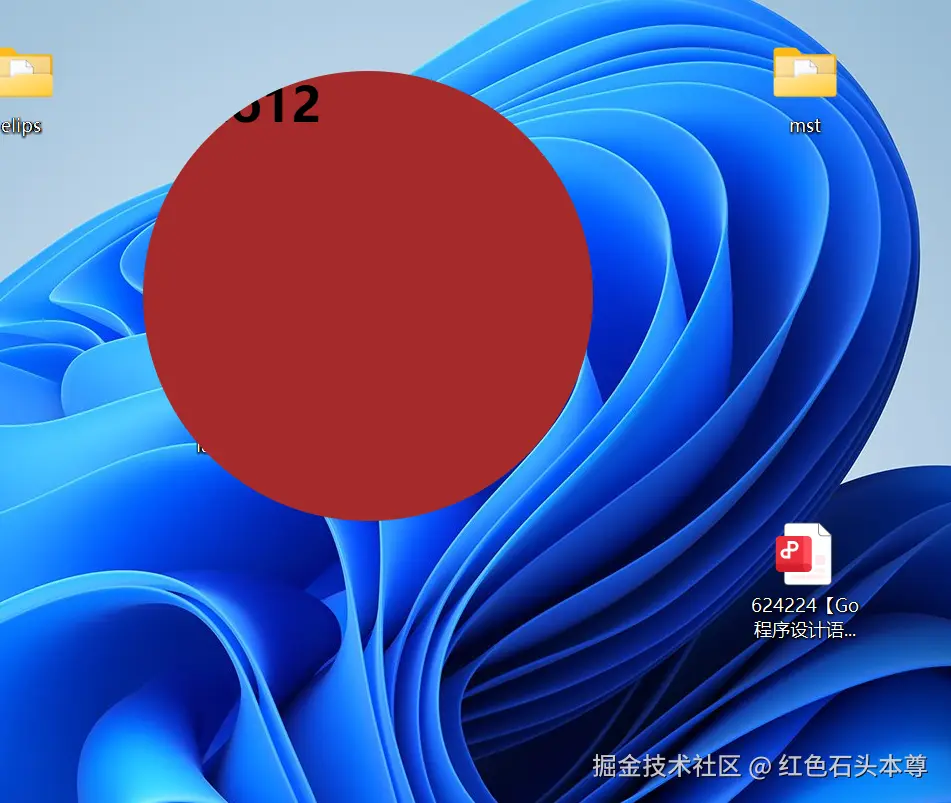
<h1>hello12</h1>
</body>
</html>
* {
margin: 0;
padding: 0;
}
body {
width: 100vw;
height: 100vh;
}
html {
-webkit-app-region: drag;
}
textarea {
-webkit-app-region: no-drag;
}
h1 {
background-color: brown;
border-radius: 50%;
width: 100%;
height: 100%;
overflow: hidden;
}
完整的main.js
const { BrowserWindow, app } = require("electron");
const path = require("path");
const createWindow = () => {
const mainWindow = new BrowserWindow({
width: 300,
height: 300,
alwaysOnTop: true,
x: 150,
y: 100,
frame: false,
transparent: true,
});
mainWindow.setAspectRatio(1);
mainWindow.loadFile(path.resolve(process.cwd(), "index.html"));
};
app.whenReady().then(() => {
createWindow();
app.on("window-all-closed", function () {
if (process.platform != "darwin") app.quit();
});
app.on("activate", function () {
console.log("窗口激活");
});
});
css 拖动使用上面的东西