绪论
- 研究背景与意义: 阐述传统4S店服务模式的痛点(排队久、信息不透明),以及移动互联网在汽车后市场服务中的应用价值。
- 国内外研究现状: 简述汽车服务类APP/小程序的发展趋势。
- 论文主要工作: 介绍本系统旨在解决预约试驾、维保、活动管理等问题。
系统需求分析
功能性需求:
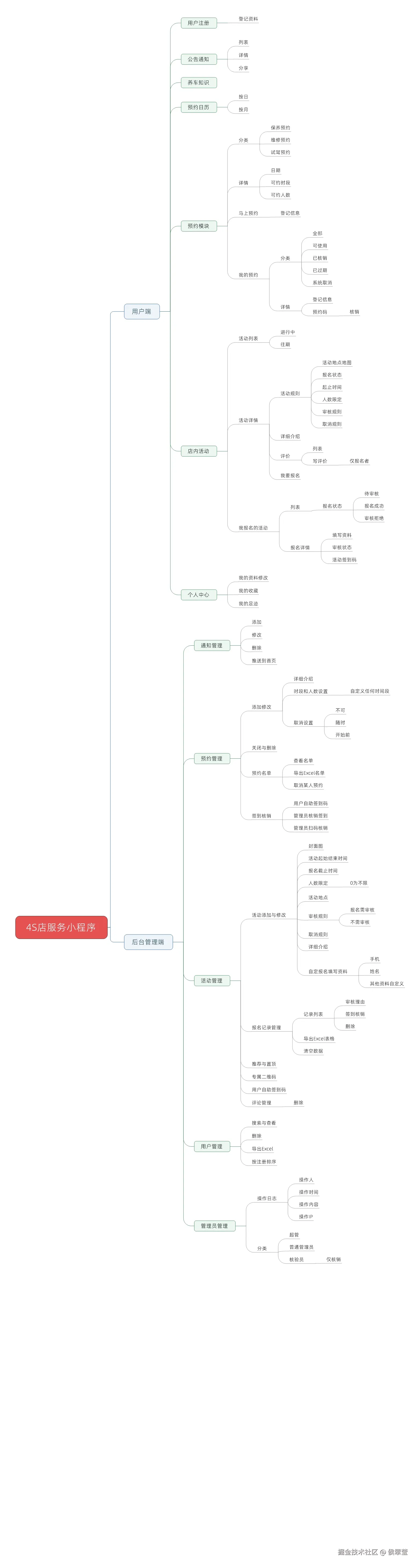
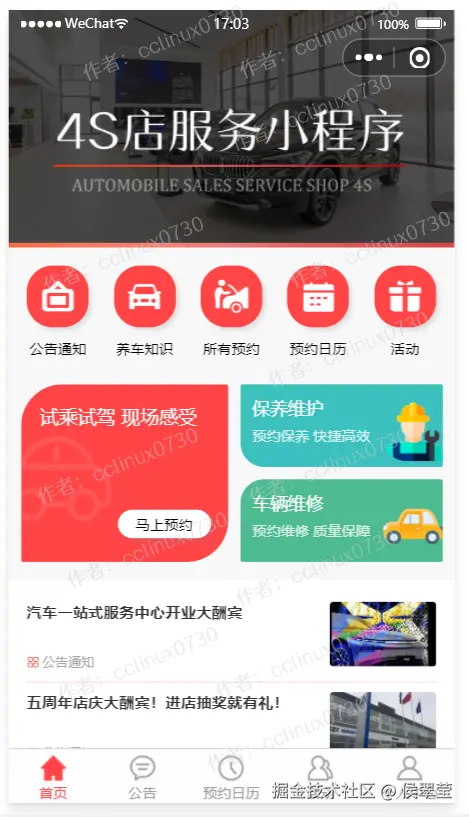
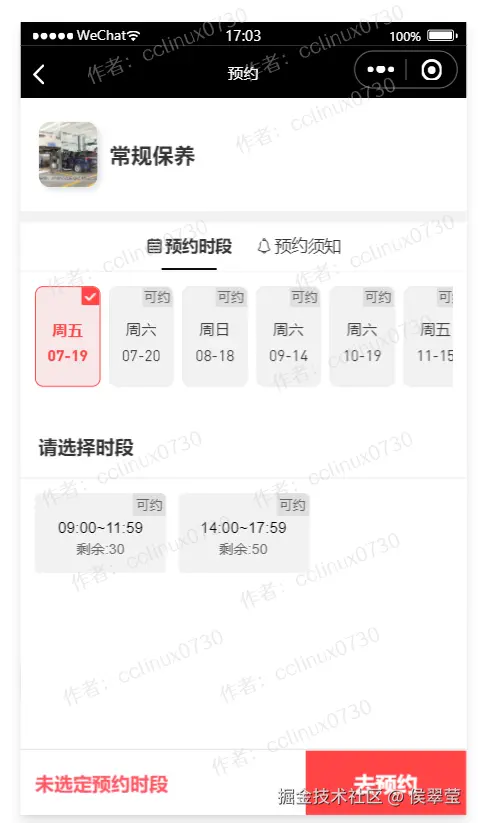
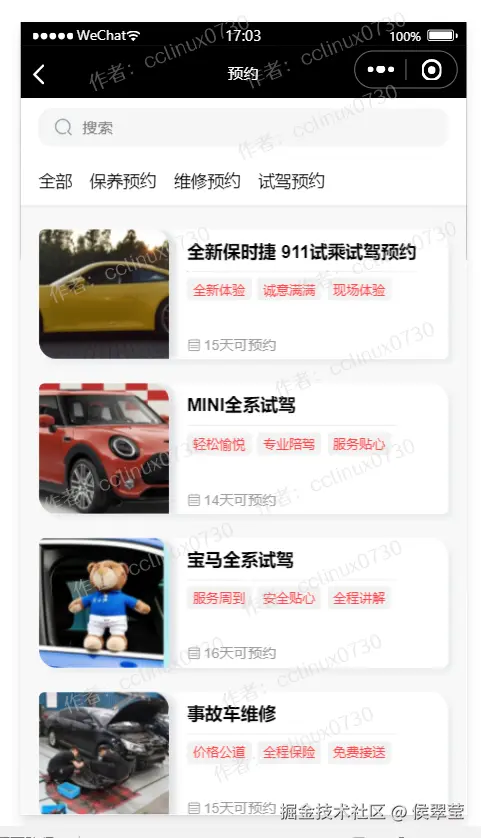
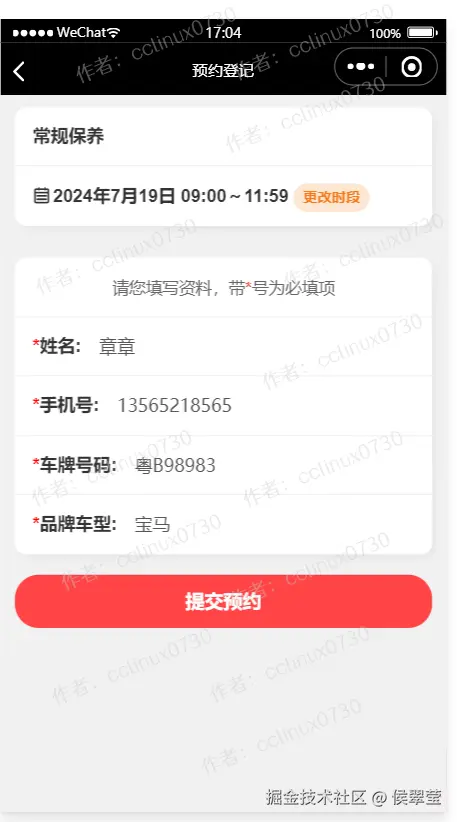
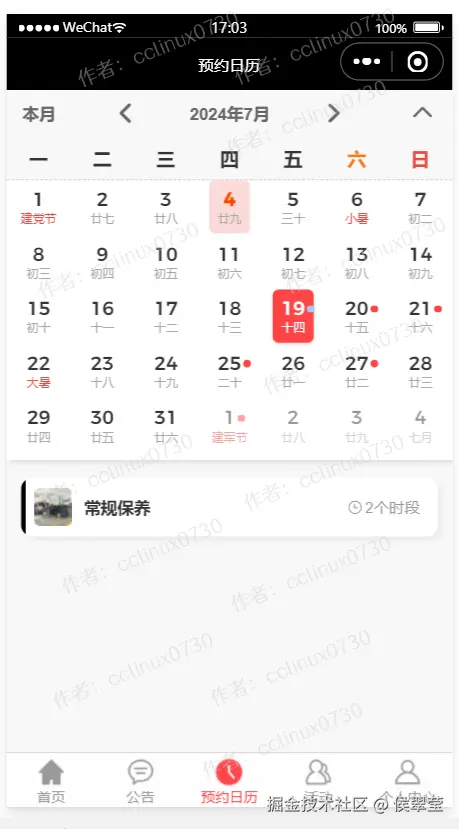
用户端: 在线试驾预约、维保服务预约、活动浏览与报名、签到核销、评价反馈。
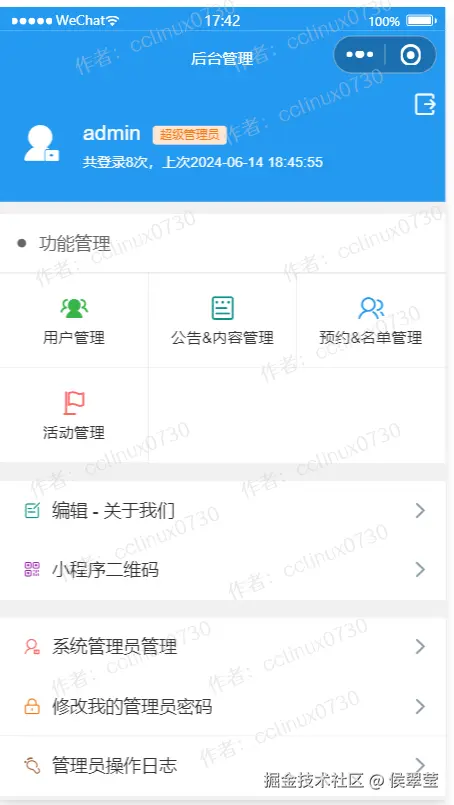
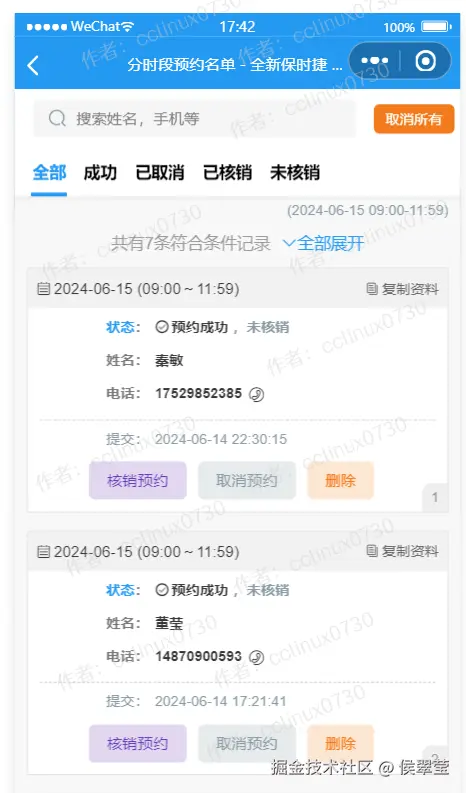
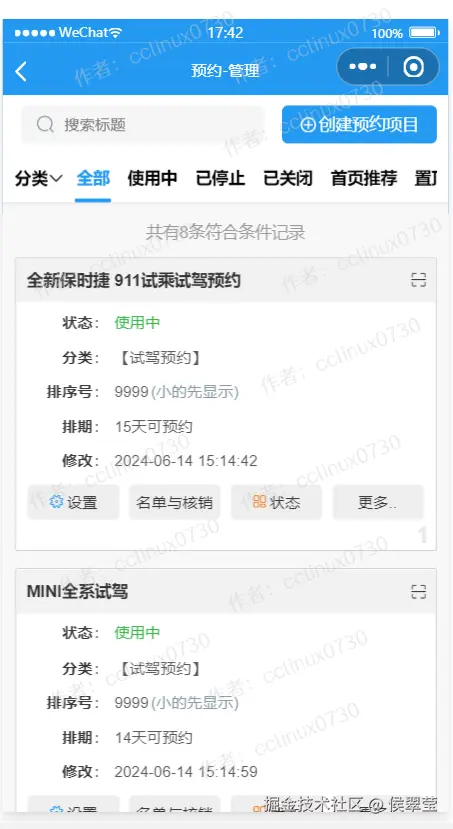
管理端: 预约管理(审核/导出Excel)、活动管理、公告发布、用户管理、数据统计。
非功能性需求: 安全性、响应速度、易用性。
数据库设计
| 字段名 | 数据类型 | 长度 | 说明 | 备注 |
|---|
| user_id | string | 32 | 用户ID (OpenID) | 主键 |
| nickname | string | 50 | 昵称 | |
| avatar | string | 200 | 头像URL | |
| phone | string | 11 | 手机号 | 唯一索引 |
| real_name | string | 20 | 真实姓名 | |
| create_time | timestamp | - | 注册时间 | |
| 字段名 | 数据类型 | 长度 | 说明 | 备注 |
|---|
| appoint_id | string | 32 | 预约ID | 主键 |
| user_id | string | 32 | 用户ID | 外键 |
| type | int | 2 | 类型 (1试驾 2维保) | |
| car_model | string | 50 | 车型 | |
| appoint_time | timestamp | - | 预约时间 | |
| status | int | 2 | 状态 (0待审核 1已通过 2已拒绝) | |
| remark | string | 200 | 备注 | |
| 字段名 | 数据类型 | 长度 | 说明 | 备注 |
|---|
| act_id | string | 32 | 活动ID | 主键 |
| title | string | 100 | 活动标题 | |
| content | text | - | 活动详情 | |
| cover_img | string | 200 | 封面图URL | |
| start_time | timestamp | - | 开始时间 | |
| end_time | timestamp | - | 结束时间 | |
| max_num | int | 5 | 人数上限 | |
| 字段名 | 数据类型 | 长度 | 说明 | 备注 |
|---|
| check_id | string | 32 | 签到ID | 主键 |
| act_id | string | 32 | 关联活动ID | |
| user_id | string | 32 | 用户ID | |
| check_time | timestamp | - | 签到时间 | |
| operator | string | 20 | 操作员 (管理员账号) | |
核心代码实现
App({
onLaunch: function () {
wx.cloud.init({
env: 'dev-5gf0o85o226fad1d',
traceUser: true
})
wx.cloud.callFunction({
name: 'mcloud',
data: { type: 'login' }
})
},
globalData: {}
})
Page({
data: {
timeList: ['09:00', '10:00', '14:00', '15:00'],
selectTime: ''
},
// 提交预约
submitAppoint() {
const db = wx.cloud.database()
db.collection('appointments').add({
data: {
userId: wx.getStorageSync('userId'),
type: this.data.serviceType, // 1试驾 2维保
time: this.data.selectTime,
phone: this.data.phone,
status: 0, // 待审核
createTime: db.serverDate()
},
success: res => {
wx.showToast({ title: '预约成功' })
// 对应文档:后台管理功能 - 预约名单管理
},
fail: err => {
wx.showToast({ icon: 'none', title: '提交失败' })
}
})
}
})
const cloud = require('wx-server-sdk')
cloud.init()
const db = cloud.database()
const _ = db.command
exports.main = async (event, context) => {
const { action } = event
try {
switch (action) {
case 'getActivityList':
return await db.collection('activities')
.where({ status: 1 })
.orderBy('start_time', 'desc')
.limit(10)
.get()
case 'exportAppoints':
const wxContext = cloud.getWXContext()
if (wxContext.OPENID !== 'ADMIN_OPENID') {
return { code: -1, msg: '权限不足' }
}
const list = await db.collection('appointments').get()
return { code: 0, data: list.data }
default:
return { code: -1, msg: '无效操作' }
}
} catch (e) {
console.error(e)
return { code: -1, msg: e.message }
}
}
Page({
login() {
const username = this.data.username; // 如 'admin'
const password = this.data.password; // 如 '123456'
// 调用云函数验证管理员身份
wx.cloud.callFunction({
name: 'mcloud',
data: {
action: 'adminLogin',
username,
password
},
success: res => {
if(res.result.code === 0) {
wx.setStorageSync('adminToken', res.result.token)
wx.showToast({title: '登录成功'})
// 跳转至后台首页
} else {
wx.showToast({icon: 'none', title: '账号或密码错误'})
}
}
})
}
})
UI设计
管理系统设计
git代码下载
点击下载