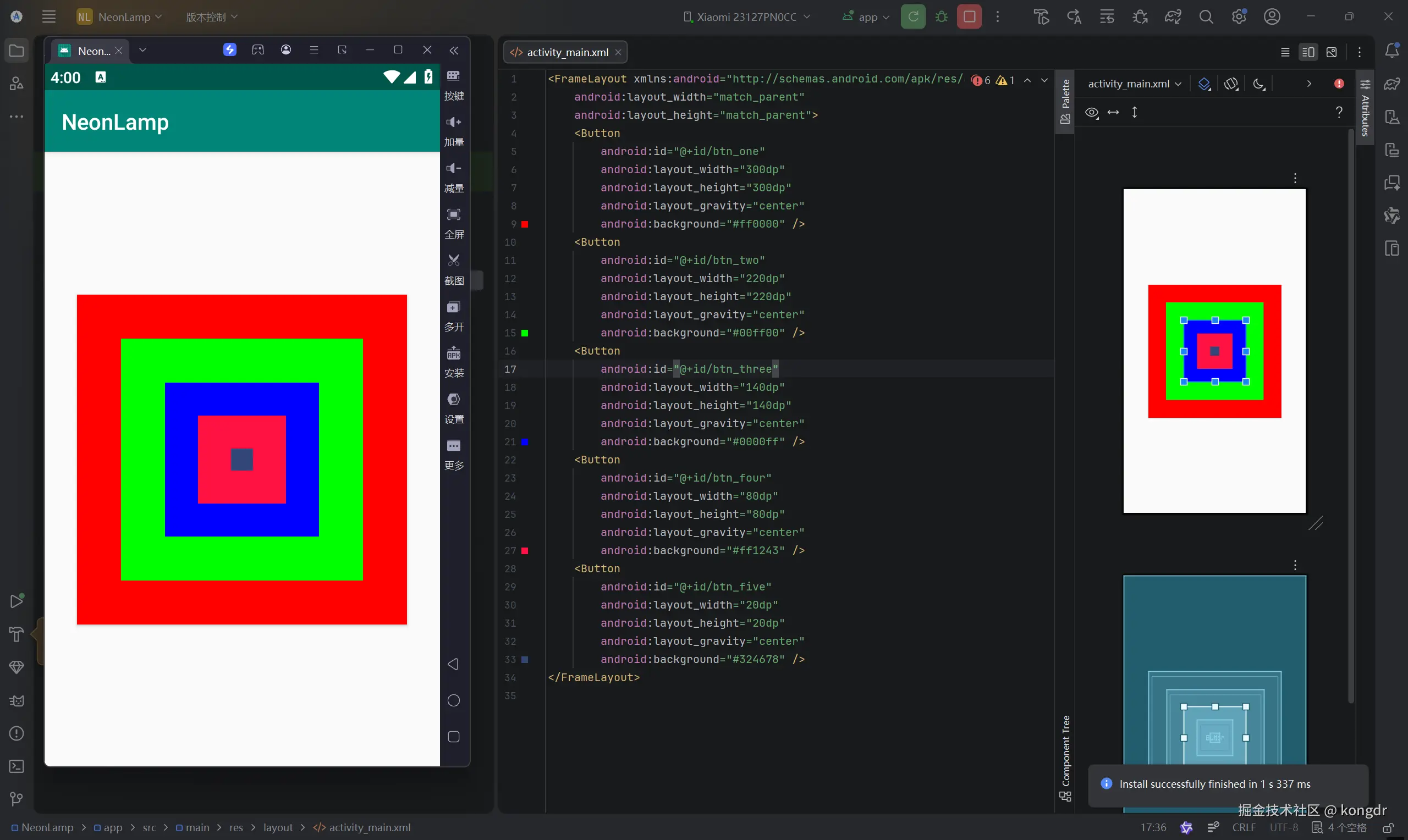
1.线性布局 特点:以水平或垂直方向排列
基本语法
<LinearLayout
    xmlns:android="http://schemas.android.com/apk/res/android"
    属性 = "属性值"
    ......>
1.1 android:orientation 设置布局内控件的排列顺序
vertical:表示LinearLayout布局内控件依次从上到下竖直排列。
horizontal:表示LinearLayout布局内控件依次从左到右水平排列。
1.2 android:layout_weight 在布局内设置控件权重,属性值可直接写int值
该属性被称为权重,通过设置该属性值,可使布局内的控件按照权重比显示大小。
在进行屏幕适配时起到关键作用。
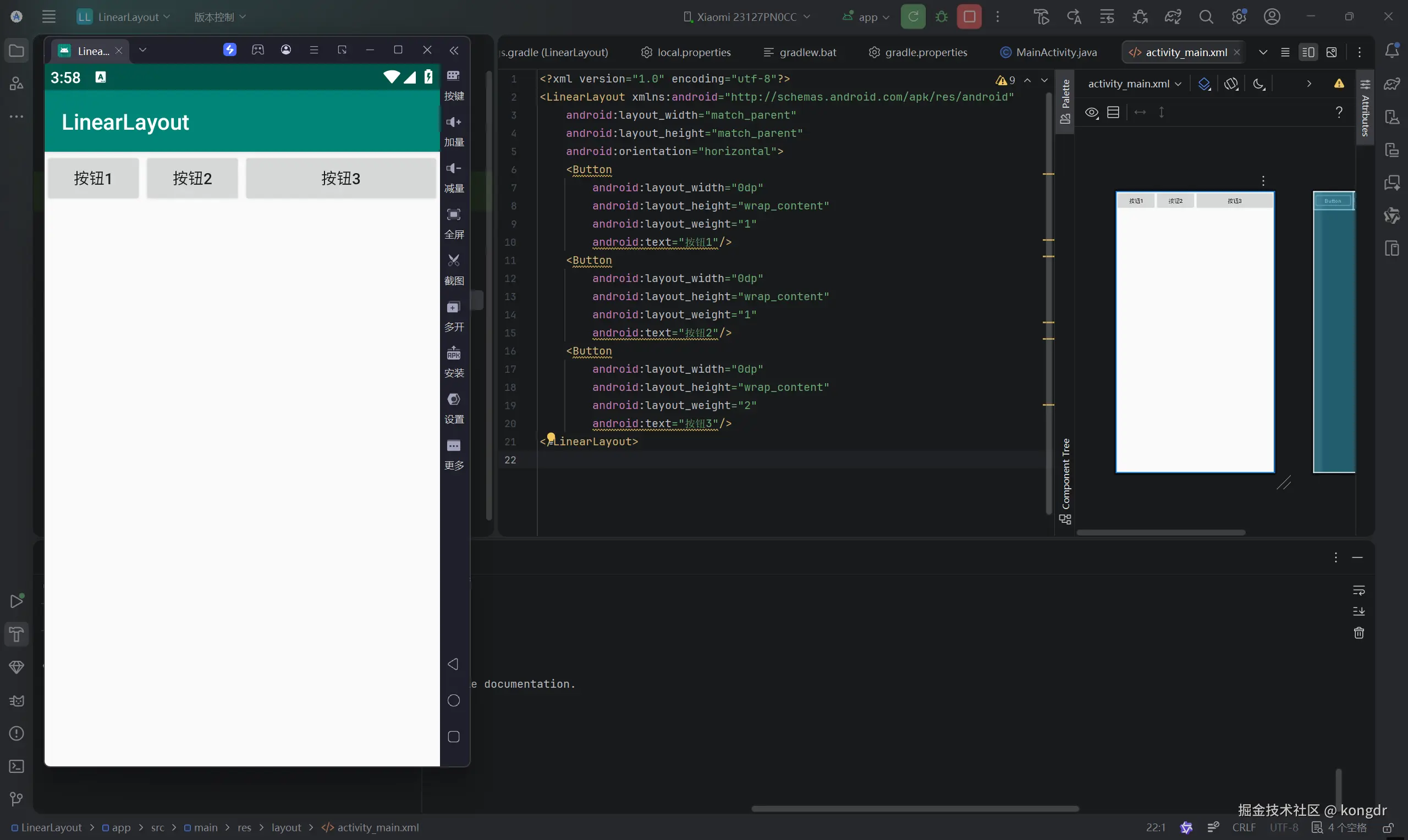
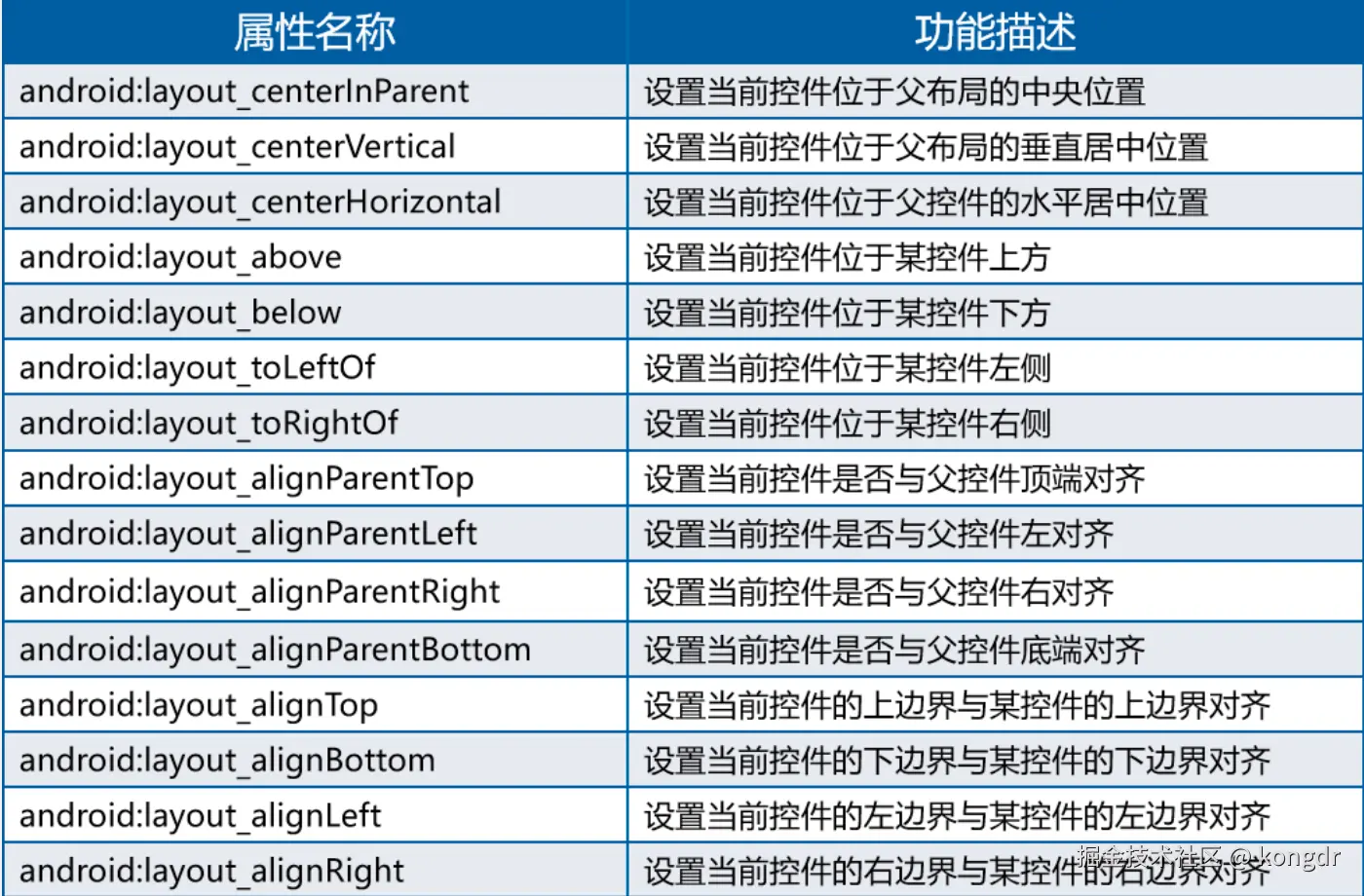
2.相对布局 特点:通过相对定位排列
基本语法
<RelativeLayout
    xmlns:android="http://schemas.android.com/apk/res/android"
    属性 = "属性值"
    ......>
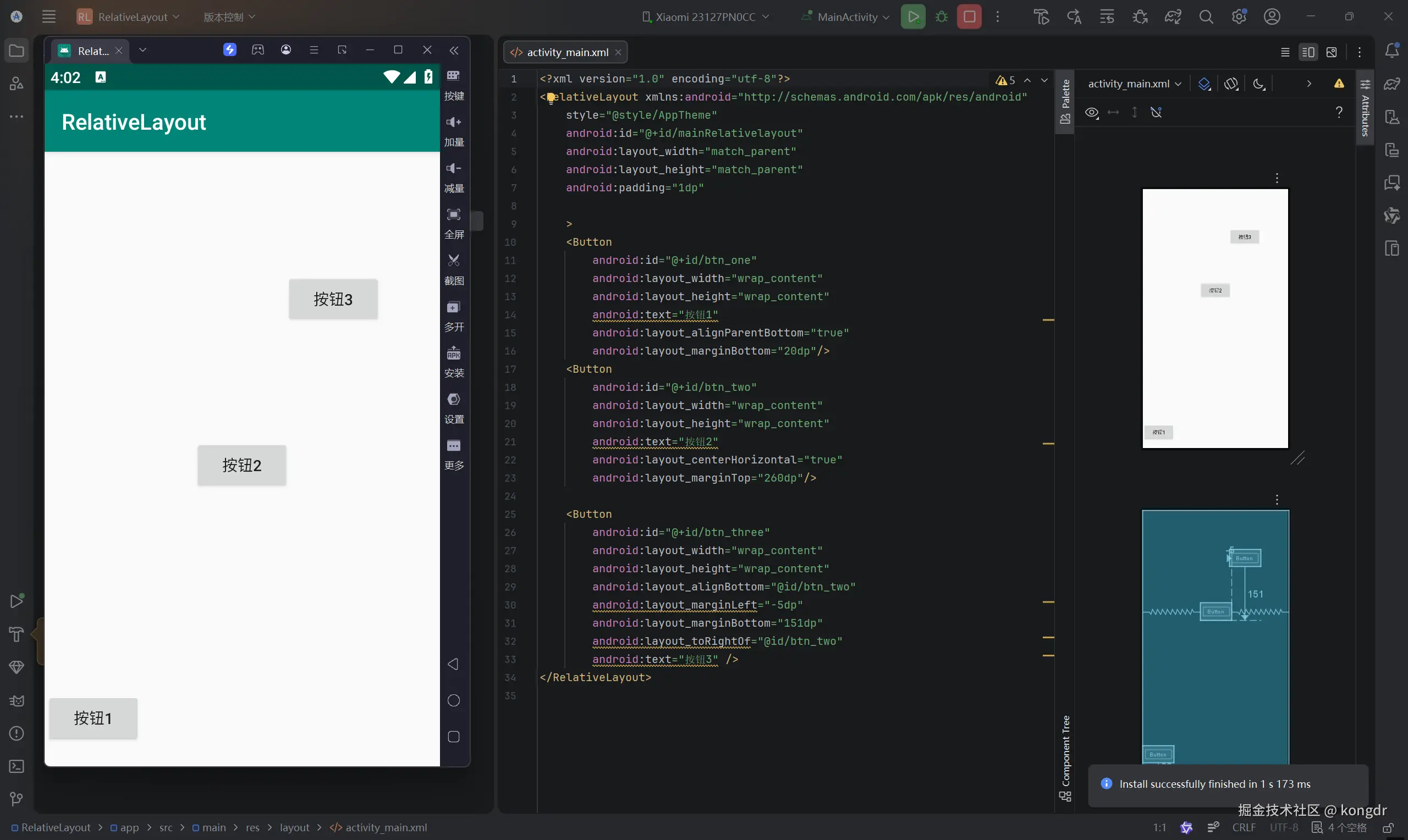
3.表格布局 特点:表格形式排列
基本语法
<FrameLayout xmlns:android="http://schemas.android.com/apk/res/android"
  属性 ="属性值">
</FrameLayout>
3.1 表格布局属性
| 属性名称 | 功能描述 |
|---|
| android:stretchColumns | 设置该列被拉伸 |
| android:shrinkColumns | 设置该列被收缩 |
| android:collapseColumns | 设置该列被隐藏 |
3.2 表格布局中控件的常用属性
| 属性名称 | 功能描述 |
|---|
| android:layout_column | 设置该单元显示位置 |
| android:layout_span | 设置该单元格占据几行,默认为1行 |
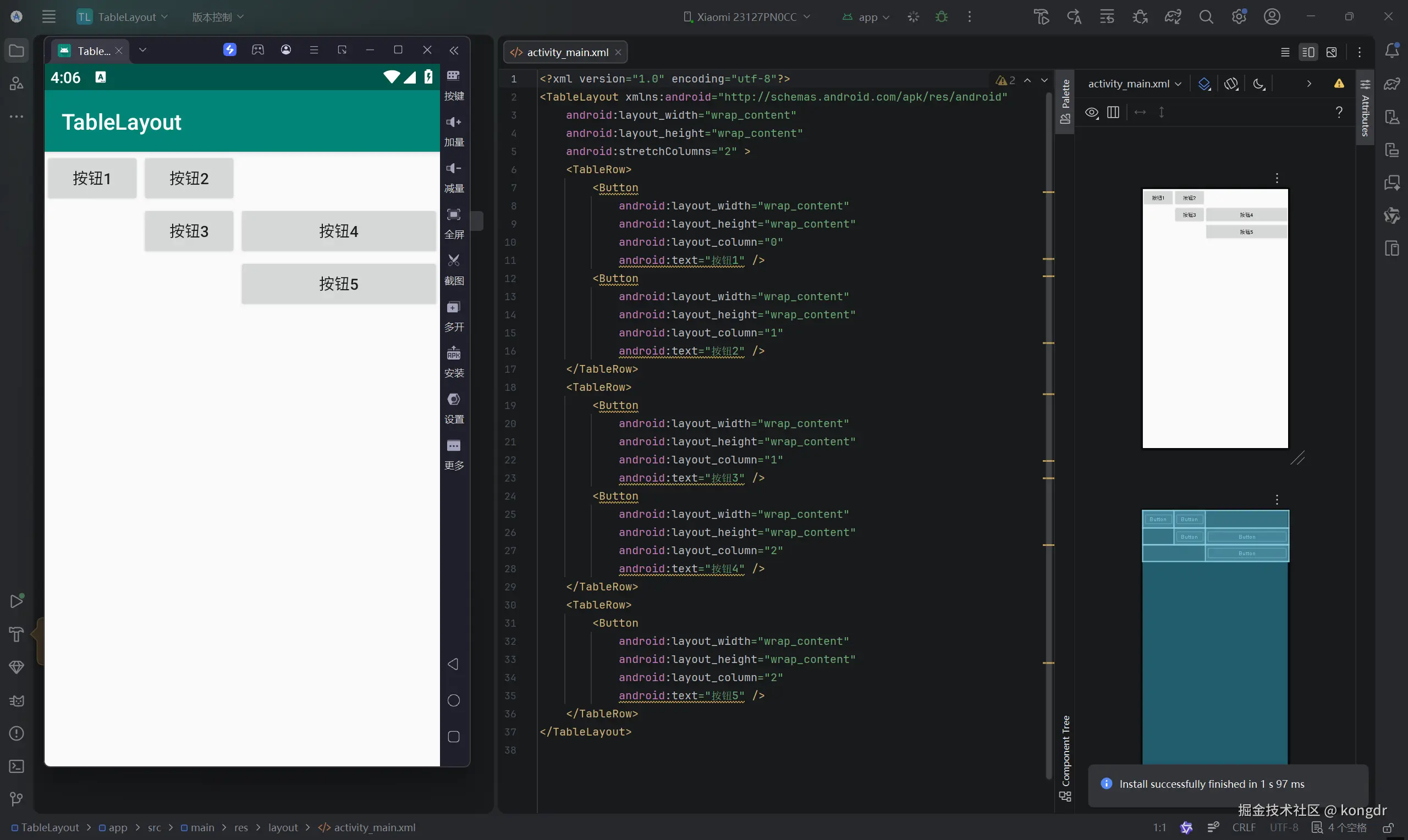
4.帧布局 特点:开辟空白区域,帧里的控件(层)叠加
基本语法
<FrameLayout xmlns:android="http://schemas.android.com/apk/res/android"
属性 ="属性值">
4.2 帧布局的两个特殊属性
| 属性名称 | 功能描述 |
|---|
| android:foreground | 设置帧布局容器的前景图像(始终在所有子控件之上) |
| android:foregroundGravity | 设置前景图像显示的位置 |