OpenClaw 使用文档
快速导航
- 项目简介
- 核心能力
- 环境准备
- 安装部署
- 快速上手
- 配置管理
- 命令参考
- 聊天命令
- 高级功能
- 故障排查
- 最佳实践
- 实战截图
1. 项目简介
1.1 什么是 OpenClaw?
┌─────────────────┐
│   聊天应用层     │
│  💬 WhatsApp    │
│  💬 Telegram    │
│  💬 Discord     │
│  💬 iMessage    │
└────────┬────────┘
         │
         ▼
┌─────────────────┐
│   OpenClaw网关   │
│  • 消息路由      │
│  • 权限控制      │
│  • 记忆管理      │
│  • 技能调度      │
└────────┬────────┘
         │
         ▼
┌─────────────────┐
│   AI 能力层      │
│  🤖 Claude      │
│  🤖 GPT-4       │
│  🤖 本地模型     │
│  🌐 浏览器控制   │
│  💻 系统访问     │
└─────────────────┘
✅ 核心价值:在你自己的设备上运行私有 AI 助手,通过熟悉的聊天工具交互,保护隐私的同时获得强大能力。
1.2 适用场景
| 场景 | 典型用法 | 推荐配置 |
|---|
| 👨💻 个人开发助手 | 代码解释、调试、文档查询 | Claude + 本地文件访问 |
| 🔐 隐私敏感任务 | 处理个人数据、本地文件分析 | 本地模型 + 沙箱模式 |
| ⚡ 日常效率提升 | 日程管理、信息检索、快速问答 | GPT-4 + 浏览器插件 |
| 🤖 自动化工作流 | 定时任务、 webhook 集成、多工具联动 | 多技能 + 定时任务 |
2. 核心能力
2.1 功能概览
✅ 多通道接入    ✅ 持久记忆      ✅ 浏览器控制
✅ 系统文件访问  ✅ 技能插件系统  ✅ Web 控制面板
✅ 多智能体路由  ✅ 移动端节点    ✅ 沙箱安全
2.2 支持的聊天平台
即时通讯    │ 协作工具      │ 社交/其他
───────────┼──────────────┼─────────────
• WhatsApp │ • Slack      │ • Discord
• Telegram │ • Mattermost │ • Matrix
• Signal   │ • 飞书        │ • IRC
• iMessage │ • Teams      │ • Nostr
           │ • Google Chat│ • Twitch
2.3 支持的 AI 模型
云端模型                          本地/开源模型
─────────────────────────        ─────────────────
• Anthropic Claude 系列           • Ollama (Llama/Mistral)
• OpenAI GPT-4/3.5 系列           • LM Studio
• DeepSeek / 通义千问 / Kimi      • LocalAI
• MiniMax / 智谱 GLM              • vLLM
• OpenRouter (聚合多模型)         • llama.cpp
3. 环境准备
3.1 系统要求
| 组件 | 最低要求 | 推荐配置 |
|---|
| Node.js | v22.16 LTS | v24+ LTS |
| 操作系统 | macOS 12+ / Linux / WSL2 | 同左 |
| 内存 | 2 GB | 8 GB+ |
| 存储 | 10 GB | 100 GB+ (含模型缓存) |
| 网络 | 可访问模型 API | 稳定的海外网络(如用海外模型) |
3.2 可选依赖(按需安装)
brew install libvips
npm install -g node-gyp
xcode-select --install
npm install -g pnpm
💡 提示:Windows 用户建议使用 WSL2 获得最佳兼容性。
4. 安装部署
4.1 一键安装(⭐ 首选)
curl -fsSL https://openclaw.ai/install.sh | bash
iwr -useb https://openclaw.ai/install.ps1 | iex
安装器参数
... | bash -s -- --help
... | bash -s -- --no-onboard --anthropic-api-key sk-xxx
--install-method npm|git
--git-dir ~/openclaw
--no-git-update
--dry-run
4.2 手动安装
npm install -g openclaw@latest
SHARP_IGNORE_GLOBAL_LIBVIPS=1 npm install -g openclaw@latest
pnpm add -g openclaw@latest
pnpm approve-builds -g
pnpm add -g openclaw@latest
openclaw --version
4.3 源码开发
git clone https://github.com/openclaw/openclaw.git
cd openclaw
pnpm install
pnpm ui:build
pnpm build
pnpm openclaw <command>
4.4 其他部署方式
5. 快速上手
5.1 新手引导
openclaw onboard
openclaw onboard --install-daemon
openclaw onboard --non-interactive \
--anthropic-api-key $KEY \
--gateway-port 18789
引导流程:
1️⃣ 选择模型提供商 → 2️⃣ 输入 API Key → 3️⃣ 选择默认模型
4️⃣ 配置聊天渠道 → 5️⃣ 启用技能插件 → ✅ 完成!
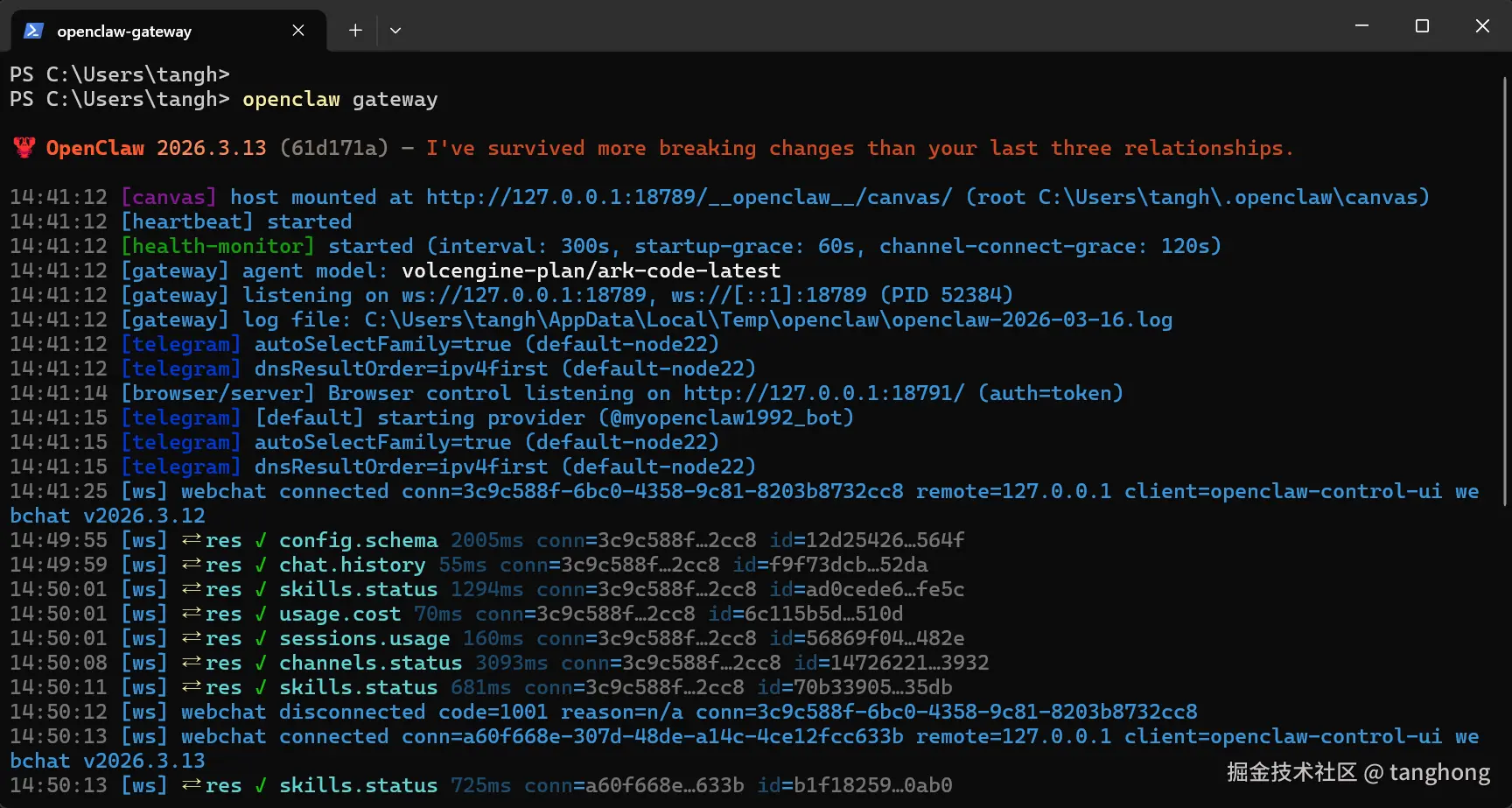
5.2 启动 Gateway
openclaw gateway --port 18789
openclaw gateway install
openclaw gateway start
openclaw gateway status
openclaw gateway health
5.3 连接聊天渠道
openclaw channels list
openclaw channels add \
--channel telegram \
--token $TELEGRAM_BOT_TOKEN \
--name "MyAssistant"
openclaw channels login --channel whatsapp
openclaw qr
openclaw channels status
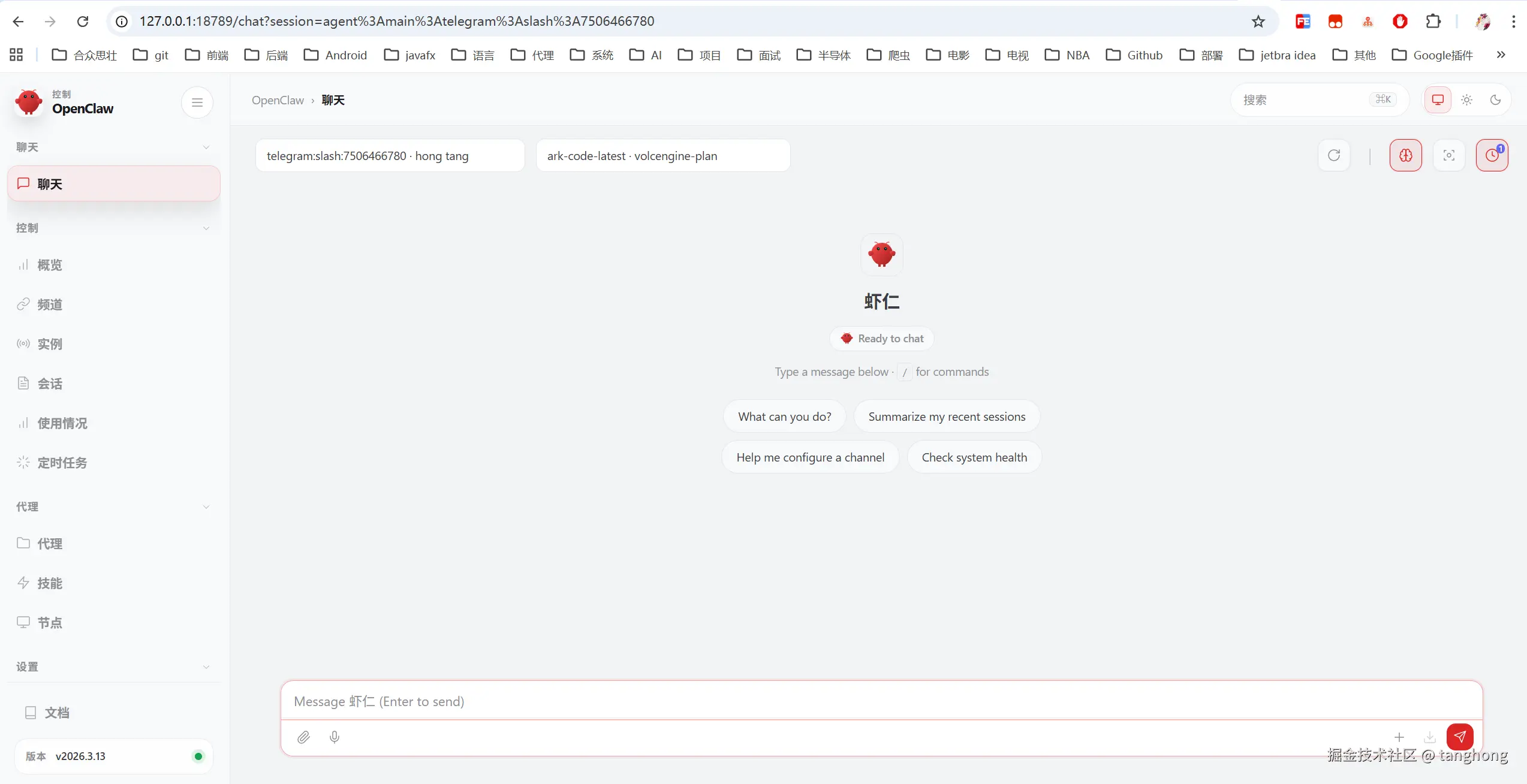
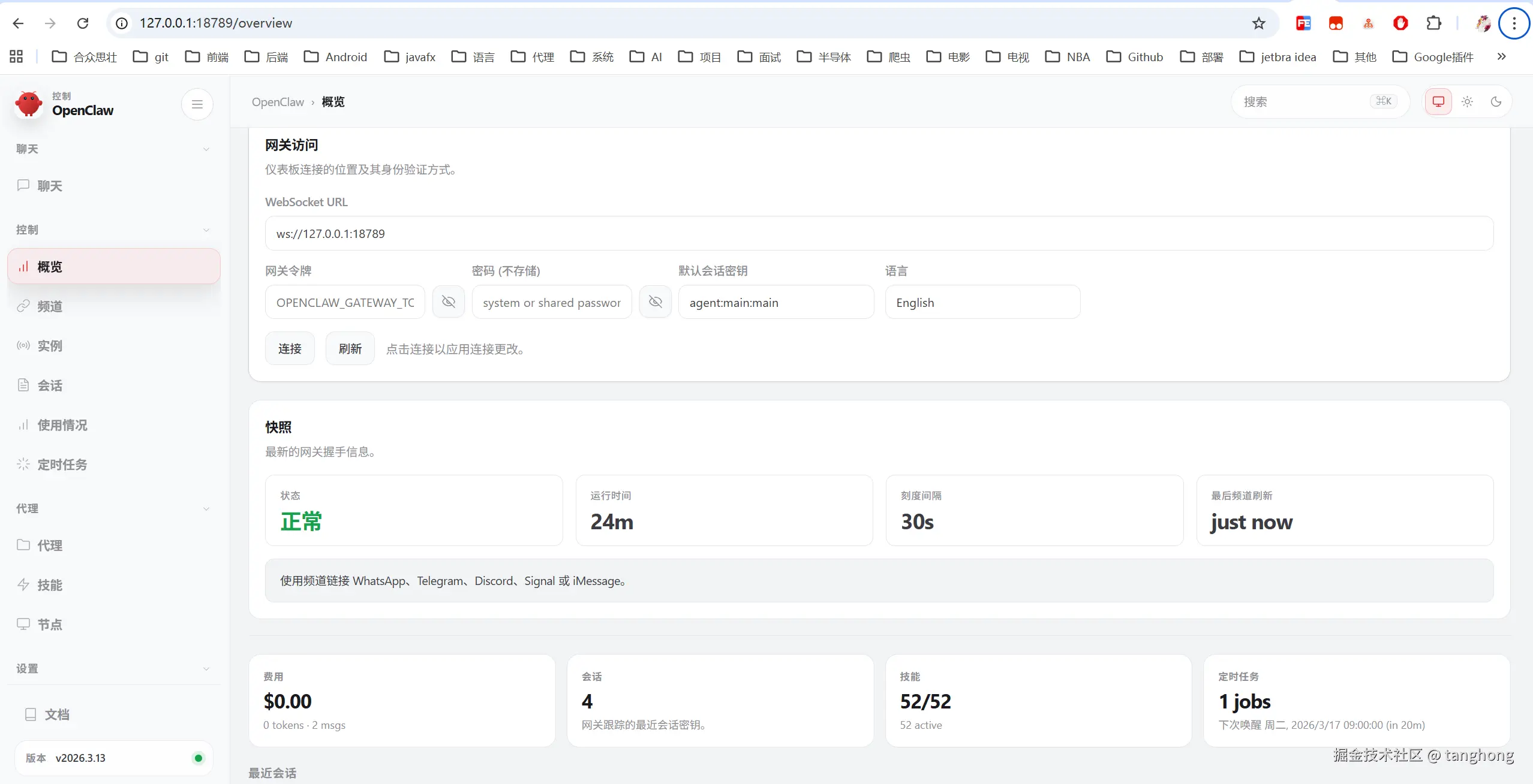
5.4 打开控制面板
openclaw dashboard
5.5 开始聊天!
在已连接的聊天应用中:
- 📩 私聊发送消息 → 获得 AI 回复
- 🔧 输入
/help 查看可用命令
- 🆕 输入
/new 开启新对话
6. 配置管理
6.1 配置文件结构
~/.openclaw/
├── openclaw.json
├── workspace/
├── memory/
├── logs/
└── skills/
配置示例(精简版)
{
  // 🔌 Gateway 设置
  gateway: {
    port: 18789,
    auth: { mode: "token", token: "${GATEWAY_TOKEN}" },
    cors: { origins: ["https://your-domain.com"] }
  },

  // 🤖 模型配置
  models: {
    default: "claude-sonnet-4-20250514",
    providers: {
      anthropic: { apiKey: "${ANTHROPIC_API_KEY}" },
      openai: { apiKey: "${OPENAI_API_KEY}" }
    },
    fallbacks: ["gpt-4o", "claude-3-5-sonnet"]
  },

  // 💬 渠道配置
  channels: {
    telegram: {
      botToken: "${TELEGRAM_BOT_TOKEN}",
      webhook: { enabled: false }
    },
    whatsapp: {
      allowFrom: ["+8613800138000"],  // 白名单
      groups: { "*": { requireMention: true } }
    }
  },

  // 🔐 安全沙箱
  security: {
    sandbox: {
      enabled: true,
      allowedCommands: ["ls", "cat", "grep", "git status"],
      blockedPaths: ["/etc", "/root", "~/.ssh"]
    }
  }
}
6.2 配置命令速查
openclaw config get gateway.port
openclaw config file
openclaw config set models.default gpt-4o
openclaw config set gateway.port 8080
openclaw config unset models.fallbacks
openclaw config validate --json
openclaw configure
💡 技巧:配置值支持 ${环境变量} 引用,敏感信息请用环境变量存储。
7. 命令参考
💡 所有命令支持 --help 查看详细说明,--json 输出机器可读格式
7.1 安装与初始化
| 命令 | 功能 | 常用参数 |
|---|
setup | 首次初始化 | --wizard 向导模式 |
onboard | 新手引导 | --install-daemon 装服务 |
doctor | 健康诊断 | --deep 深度检查 |
7.2 配置管理
| 命令 | 功能 | 示例 |
|---|
config get <path> | 读取配置 | config get gateway.port |
config set <path> <val> | 设置配置 | config set models.default claude-3-5 |
config unset <path> | 删除配置 | config unset gateway.auth.password |
config validate | 验证配置 | config validate --json |
dashboard | 打开 Web 面板 | dashboard |
7.3 渠道管理
| 命令 | 功能 | 示例 |
|---|
channels list | 列出渠道 | channels list --json |
channels add | 添加渠道 | channels add --channel telegram --token xxx |
channels remove | 移除渠道 | channels remove --channel discord |
channels status | 检查连接 | channels status --probe |
channels login | 登录渠道 | channels login --channel whatsapp |
qr | 显示登录二维码 | qr |
7.4 Agent 管理
| 命令 | 功能 | 示例 |
|---|
agent | 单次对话 | agent --message "查天气" --to +1555xxx |
agents list | 列出 Agent | agents list |
agents add | 创建 Agent | agents add ops --workspace ~/agents/ops |
agents bind | 绑定渠道 | agents bind --agent ops --bind slack |
sessions | 管理会话 | sessions --verbose |
tui | 终端界面 | tui |
7.5 Gateway 管理
| 命令 | 功能 | 示例 |
|---|
gateway | 前台启动 | gateway --port 8080 |
gateway install | 安装服务 | gateway install |
gateway start/stop/restart | 服务控制 | gateway restart |
gateway status | 查看状态 | gateway status |
gateway health | 健康检查 | gateway health --json |
gateway call | RPC 调用 | gateway call logs.tail --params '{"sinceMs":60000}' |
7.6 浏览器控制
| 命令 | 功能 | 示例 |
|---|
browser start/stop | 服务控制 | browser start |
browser open <url> | 打开网页 | browser open https://github.com |
browser screenshot | 网页截图 | browser screenshot --full-page |
browser click <ref> | 点击元素 | browser click ref123 |
browser type <ref> <txt> | 输入文字 | browser type ref456 "Hello" |
browser profiles | 管理配置 | browser create-profile --name work |
7.7 模型管理
| 命令 | 功能 | 示例 |
|---|
models status | 检查认证 | models status --probe |
models list | 列出模型 | models list --provider openai |
models set <name> | 设置默认 | models set claude-sonnet-4 |
models fallbacks add | 添加备用 | models fallbacks add gpt-4o |
models auth add | 添加认证 | models auth add |
7.8 安全与密钥
| 命令 | 功能 | 示例 |
|---|
security audit | 安全审计 | security audit --fix |
secrets reload | 重载密钥 | secrets reload |
secrets audit | 扫描明文 | secrets audit |
7.9 维护命令
| 命令 | 功能 | 示例 |
|---|
update | 更新版本 | update |
backup create | 创建备份 | backup create |
backup verify | 验证备份 | backup verify |
reset | 重置数据 | reset --dry-run |
uninstall | 卸载清理 | uninstall --all --yes |
7.10 全局选项(所有命令通用)
--no-color
--profile <n>
--dev
--json
--help / -h
8. 聊天命令
在聊天应用中输入 / 开头的命令与 OpenClaw 交互
8.1 基础命令
| 命令 | 说明 | 示例 |
|---|
/help | 显示帮助菜单 | /help |
/new | 开启新对话 | /new |
/status | 查看服务状态 | /status |
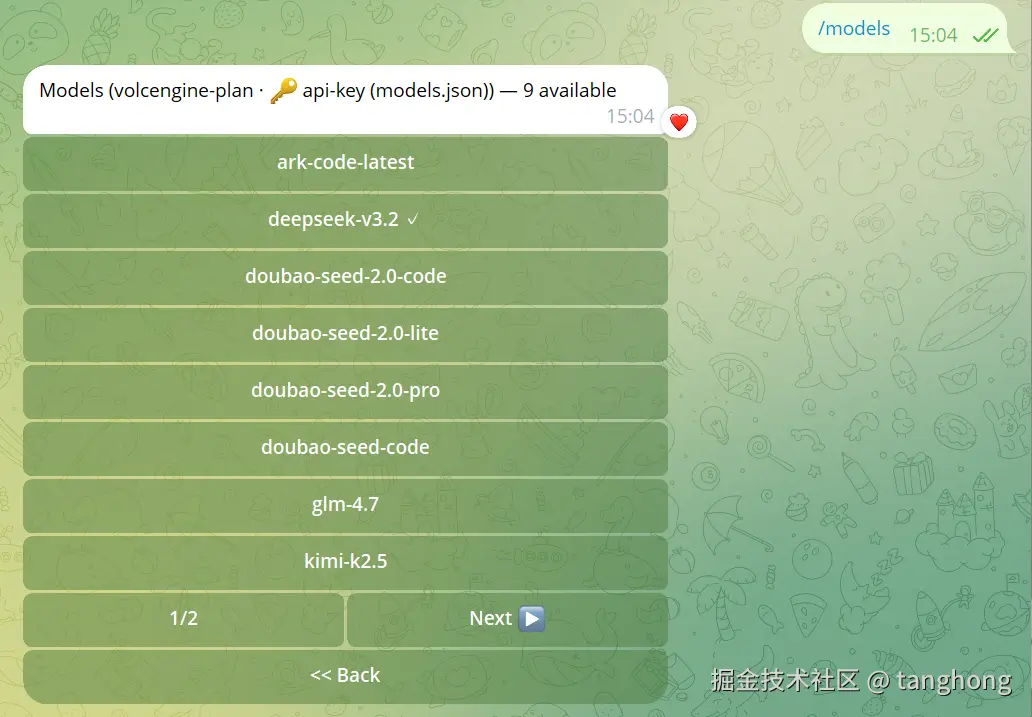
/model <name> | 切换 AI 模型 | /model claude-3-5-sonnet |
/memory <action> | 管理记忆 | /memory search 部署流程 |
/skills | 查看可用技能 | /skills |
/clear | 清空上下文 | /clear |
8.2 功能命令
| 命令 | 说明 | 示例 |
|---|
/run <cmd> | 执行系统命令* | /run ls -la |
/browse <url> | 浏览网页 | /browse https://github.com |
/file <path> | 读取文件 | /file ~/project/README.md |
/image <desc> | 生成图片 | /image 一只可爱的猫咪 |
/summarize | 总结对话 | /summarize |
/export | 导出记录 | /export |
⚠️ /run 等系统命令需预先授权,建议在生产环境启用沙箱限制。
8.3 管理命令(需管理员)
| 命令 | 说明 | 示例 |
|---|
/admin users | 用户权限管理 | /admin users list |
/admin channels | 渠道管理 | /admin channels add telegram |
/admin logs | 查看日志 | /admin logs --level error |
/admin restart | 重启服务 | /admin restart |
9. 高级功能
9.1 自定义技能开发
export default {
name: "my-skill",
description: "我的自定义技能",
trigger: {
keywords: ["查询", "搜索"],
pattern: /查询 (.+)/
},
async execute(context, params) {
const { query } = params;
return {
success: true,
data: { result: `查询结果: ${query}` }
};
},
permissions: {
requiresAuth: false,
allowedUsers: ["*"]
}
};
9.2 Webhook 集成(YAML 示例)
webhooks:
  github:
    enabled: true
    secret: "${GITHUB_WEBHOOK_SECRET}"
    events: [push, pull_request]
    actions:
      - type: notify
        channel: telegram
        message: "🔄 GitHub: {{event.type}} - {{repo}}"
9.3 多智能体配置
{
  agents: {
    support: {
      workspace: "~/.openclaw/agents/support",
      model: "claude-3-haiku",
      channels: ["telegram", "whatsapp"],
      skills: ["faq", "ticket-create"],
      memory: { persistent: true, retention: "30d" }
    },
    ops: {
      workspace: "~/.openclaw/agents/ops",
      model: "claude-3-5-sonnet",
      channels: ["slack"],
      skills: ["server-monitor", "deploy"],
      permissions: { systemAccess: true, sandbox: false }
    }
  }
}
9.4 沙箱安全配置
security: {
  sandbox: {
    enabled: true,
    allowedCommands: ["ls", "cat", "grep", "git status"],
    blockedPaths: ["/etc", "/root", "~/.ssh"],
    network: {
      allowOutbound: true,
      blockedHosts: ["malicious.com"]
    },
    limits: {
      maxExecutionTime: 300,  // 秒
      maxMemory: "512MB"
    }
  }
}
10. 故障排查
10.1 常见问题速查
| 问题 | 可能原因 | 解决方案 |
|---|
openclaw: command not found | PATH 未配置 | export PATH="$(npm prefix -g)/bin:$PATH" |
| sharp 安装失败 | 缺少 libvips | brew install libvips 或 SHARP_IGNORE_GLOBAL_LIBVIPS=1 npm install |
| Gateway 启动失败 | 端口占用 | lsof -i :18789 或换端口 --port 8080 |
| 渠道连接失败 | Token 错误/网络 | channels status --probe 检查,重新 login |
| API 调用限速 | 配额用尽 | 配置 fallbacks 多模型备用 |
10.2 调试技巧
export DEBUG=openclaw:*
openclaw gateway --verbose
openclaw status --json | jq '.gateway.healthy'
openclaw agent --message "test" --local
openclaw gateway call channels.event \
--params '{"channel":"test","event":"message"}'
10.3 获取帮助
openclaw <command> --help
openclaw docs <keyword>
• GitHub Issues: https://github.com/openclaw/openclaw/issues
• Discord 社区: 官网获取邀请链接
• 中文文档: https://openclaw-docs.dx3n.cn/
11. 最佳实践
11.1 安全建议
export ANTHROPIC_API_KEY="sk-xxx"
export OPENAI_API_KEY="sk-xxx"
{
"models": {
"providers": {
"anthropic": { "apiKey": "${ANTHROPIC_API_KEY}" }
}
}
}
openclaw config set gateway.auth.mode token
openclaw config set gateway.auth.token "${GATEWAY_TOKEN}"
openclaw security audit --fix
openclaw secrets audit
11.2 性能优化
// 合理配置上下文,平衡效果与成本
{
  "messages": {
    "maxContextLength": 8000,
    "summaryThreshold": 50
  },
  "models": {
    "fallbacks": ["gpt-4o", "claude-3-5-sonnet"]
  }
}
openclaw cron add --name "reindex" \
--cron "0 3 * * *" \
--system-event "memory.index"
11.3 部署策略对比
| 环境 | 推荐方式 | 关键配置 |
|---|
| 🧪 开发 | --dev 模式 | 状态隔离到 ~/.openclaw-dev/ |
| 🏠 个人 | 系统服务 + 反向代理 | Nginx + TLS + Token 认证 |
| 🏢 团队 | 多节点 + 负载均衡 | 共享存储 + 会话同步(可选) |
生产环境 Nginx 示例
server {
    listen 443 ssl;
    server_name claw.your-domain.com;

    ssl_certificate /path/to/cert.pem;
    ssl_certificate_key /path/to/key.pem;

    location / {
        proxy_pass http://127.0.0.1:18789;
        proxy_http_version 1.1;
        proxy_set_header Upgrade $http_upgrade;
        proxy_set_header Connection "upgrade";
        proxy_set_header Host $host;
    }
}
11.4 备份与迁移
openclaw backup create --output ~/backups/openclaw-$(date +%Y%m%d).tar.gz
openclaw backup verify --file ~/backups/openclaw-xxx.tar.gz
tar -xzf openclaw-backup.tar.gz -C ~/.openclaw/
openclaw doctor --migrate
12. 实战截图
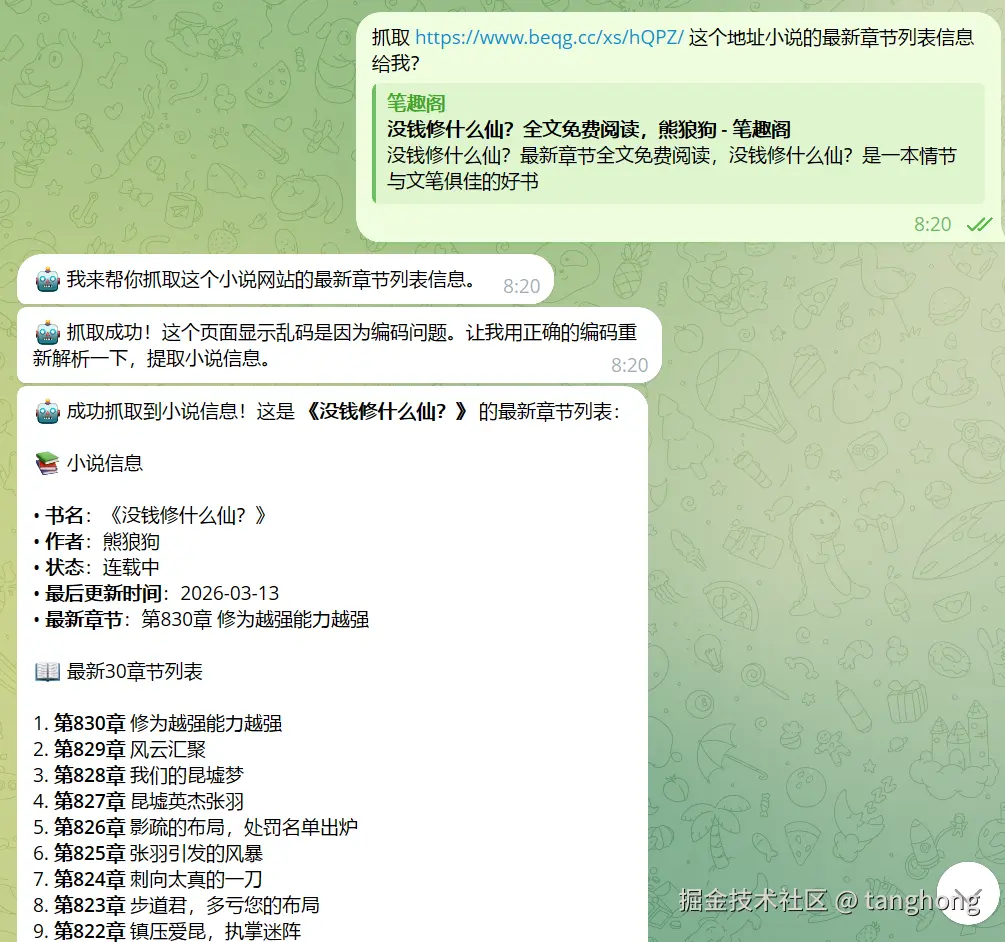
12.1 链接地址
github.com/tanghong199…
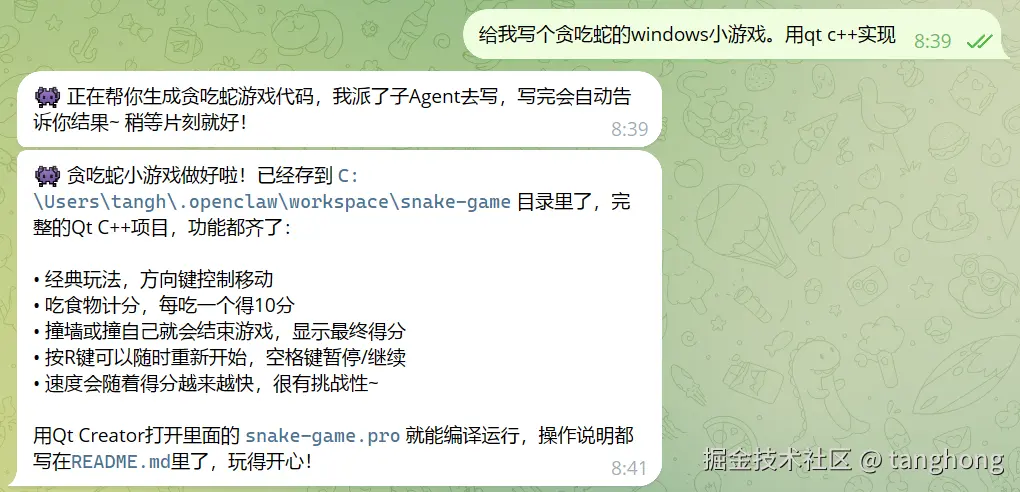
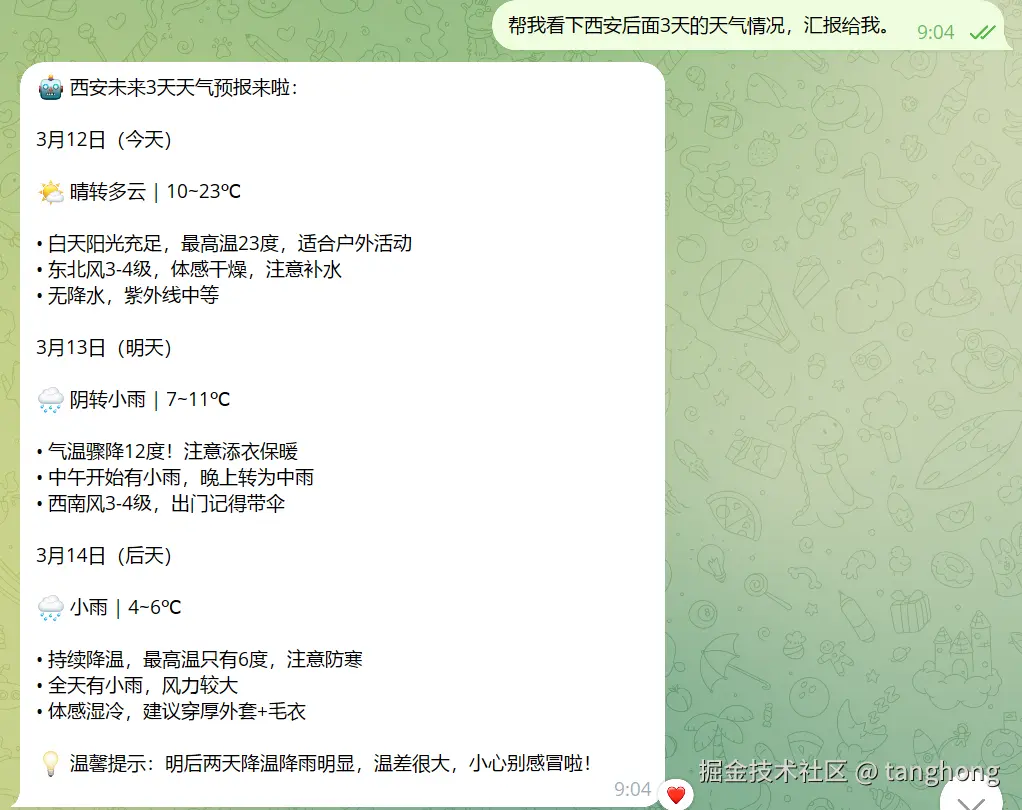
12.2 截图