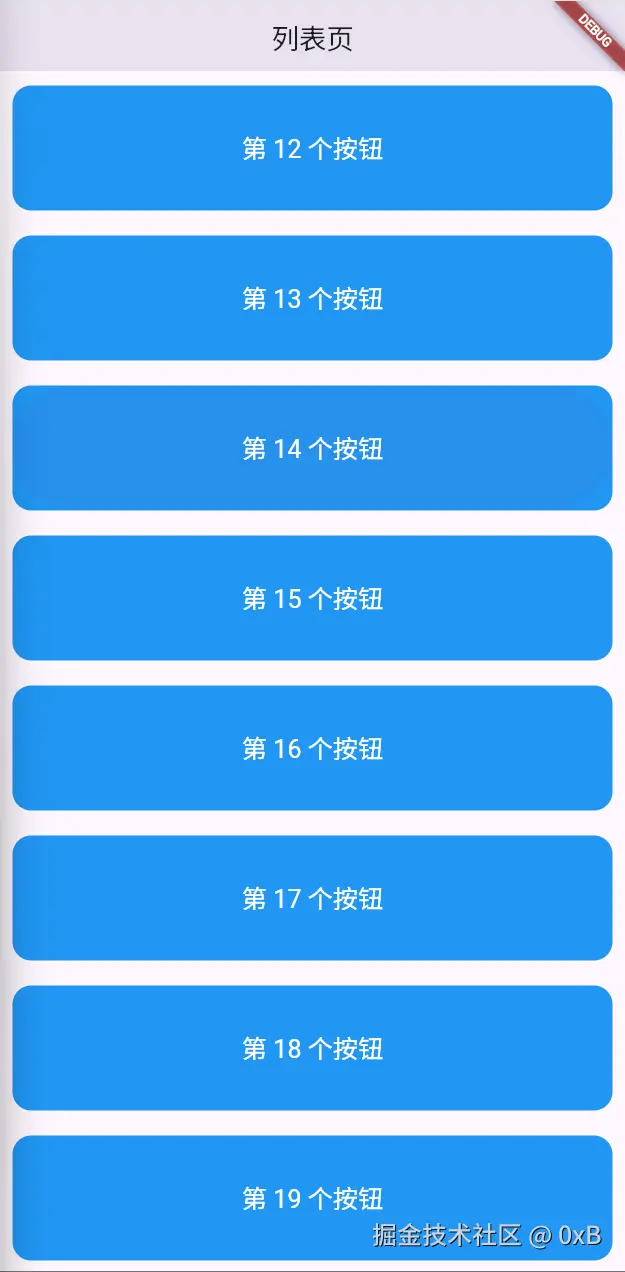
基本路由
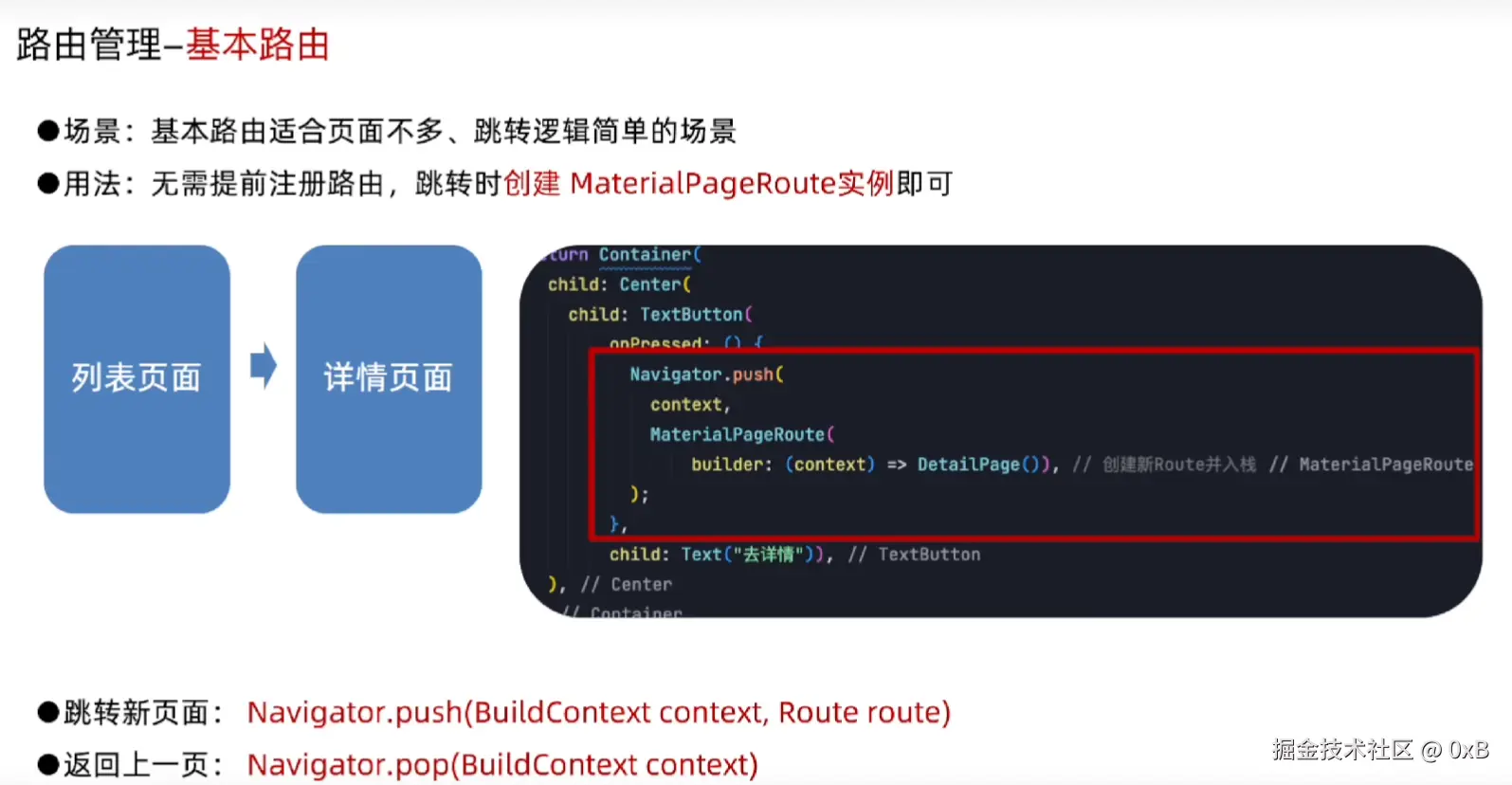

代码
import 'package:flutter/material.dart';

void main() {
  runApp(MainPage());
}

class MainPage extends StatefulWidget {
  const MainPage({super.key});

  @override
  State<MainPage> createState() => _MainPageState();
}

class _MainPageState extends State<MainPage> {
  @override
  Widget build(BuildContext context) {
    return MaterialApp(
      theme: ThemeData(appBarTheme: AppBarTheme(centerTitle: true)),
      home: Scaffold(
        appBar: AppBar(title: Text("列表页")),
        body: ListView.builder(
          itemCount: 20,
          itemBuilder: (BuildContext context, int index) {
            return Container(
              height: 100,
              margin: EdgeInsets.all(10),
              decoration: BoxDecoration(
                color: Colors.blue,
                borderRadius: BorderRadius.circular(15),
              ),
              child: TextButton(
                onPressed: () {
                  Navigator.push(
                    context,
                    MaterialPageRoute(
                      builder: (context) => _DetailPage(index: index),
                    ),
                  );
                },
                child: Text(
                  "第 $index 个按钮",
                  style: TextStyle(fontSize: 20, color: Colors.white),
                ),
              ),
            );
          },
        ),
      ),
    );
  }
}

class _DetailPage extends StatefulWidget {
  final int index;

  const _DetailPage({required this.index});

  @override
  State<_DetailPage> createState() => _DetailPageState();
}

class _DetailPageState extends State<_DetailPage> {
  @override
  Widget build(BuildContext context) {
    return Scaffold(
      appBar: AppBar(title: Text("详情页")),
      body: Center(
        child: TextButton(
          onPressed: () {
            Navigator.pop(context);
          },
          child: Text(
            "返回第 ${widget.index} 个页面",
            style: TextStyle(fontSize: 30, color: Colors.blue),
          ),
        ),
      ),
    );
  }
}
命名路由
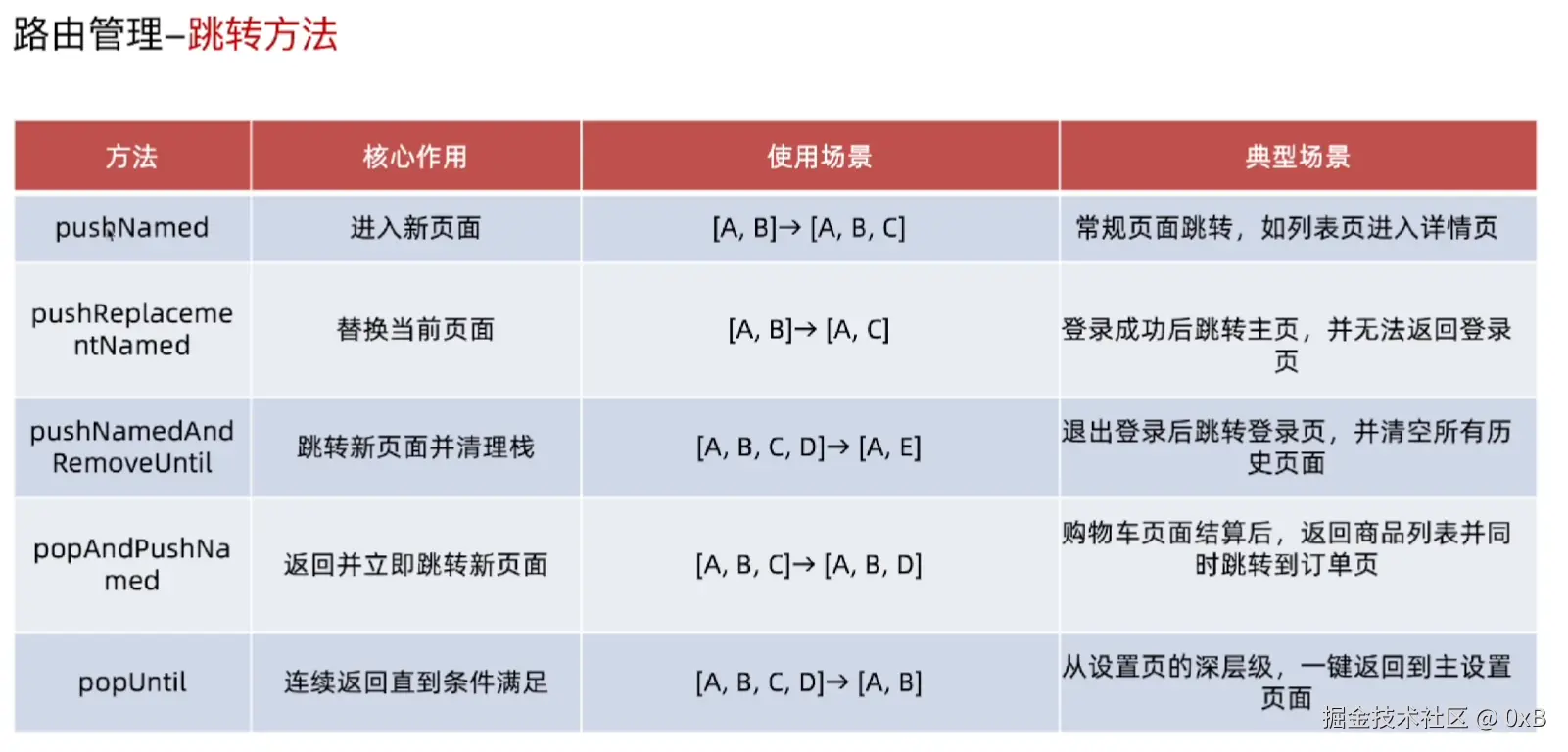

代码
import 'package:flutter/material.dart';

void main() {
  runApp(MainPage());
}

class MainPage extends StatefulWidget {
  const MainPage({super.key});

  @override
  State<MainPage> createState() => _MainPageState();
}

class _MainPageState extends State<MainPage> {
  @override
  Widget build(BuildContext context) {
    return MaterialApp(
      initialRoute: "/list",
      routes: {
        "/list": (context) => ListPage(),
        "/detail": (context) => _DetailPage(),
      },
      theme: ThemeData(appBarTheme: AppBarTheme(centerTitle: true)),
    );
  }
}

class ListPage extends StatefulWidget {
  const ListPage({super.key});

  @override
  State<ListPage> createState() => _ListPageState();
}

class _ListPageState extends State<ListPage> {
  @override
  Widget build(BuildContext context) {
    return Scaffold(
      appBar: AppBar(title: Text("列表页")),
      body: ListView.builder(
        itemCount: 20,
        itemBuilder: (BuildContext context, int index) {
          return Container(
            height: 100,
            margin: EdgeInsets.all(10),
            decoration: BoxDecoration(
              color: Colors.blue,
              borderRadius: BorderRadius.circular(15),
            ),
            child: TextButton(
              onPressed: () {
                Navigator.pushNamed(
                  context,
                  "/detail",
                  arguments: {"id": index},
                );
              },
              child: Text(
                "第 $index 个按钮",
                style: TextStyle(fontSize: 20, color: Colors.white),
              ),
            ),
          );
        },
      ),
    );
  }
}

class _DetailPage extends StatefulWidget {
  const _DetailPage();

  @override
  State<_DetailPage> createState() => _DetailPageState();
}

class _DetailPageState extends State<_DetailPage> {
  late final String _id;

  @override
  void didChangeDependencies() {
    super.didChangeDependencies();

    final args =
        ModalRoute.of(context)!.settings.arguments as Map<String, dynamic>;

    _id = args["id"].toString();
  }

  @override
  Widget build(BuildContext context) {
    return Scaffold(
      appBar: AppBar(title: Text("详情页")),
      body: Center(
        child: TextButton(
          onPressed: () {
            Navigator.pop(context);
          },
          child: Text(
            "返回第 $_id 个页面",
            style: TextStyle(fontSize: 30, color: Colors.blue),
          ),
        ),
      ),
    );
  }
}
动态路由


效果图