
🏆🏆🏆教程全知识点简介:MySQL基础 1,数据库相关概念 2,MySQL 3,SQL概述 4,DDL:操作数据库 6,navicat使用 7,DML mysql高级 1,约束 2,数据库设计 创建部门表 4,事务 JDBC 1,JDBC概述 2,JDBC快速入门 3,JDBC API详解 4,数据库连接池 Getting Started Mybatis练习 1,配置文件实现CRUD HTML&CSS 1,HTML 2,CSS JavaScript 5,BOM 9,RegExp对象 HTTP&Tomcat&Servlet 1,Web概述 2, HTTP 3, Tomcat 4, Servlet 一、状态码大类 二、常见的响应状态码 Contributing to Apache Tomcat Code of Conduct How Can I Contribute? 1,Request和Response的概述 2,Request对象 JSP 3,JSP 原理 5,EL 表达式 6,JSTL标签 会话技术 1,会话跟踪技术的概述 2,Cookie 3,Session 4,用户登录注册案例 Filter&Listener&Ajax 1,Filter 2,Listener 3,Ajax 4,axios 5,JSON 6,案例 VUE&Element 1,VUE 3,综合案例 1,功能介绍 2,环境准备 3,查询所有功能 4,添加功能 6,批量删除 7,分页查询

📚📚👉👉👉本站这篇博客: juejin.cn/post/754569… 中查看
📚📚👉👉👉本站这篇博客: juejin.cn/post/754878… 中查看
✨ 本教程项目亮点
🧠 知识体系完整:覆盖从基础原理、核心方法到高阶应用的全流程内容
💻 全技术链覆盖:完整前后端技术栈,涵盖开发必备技能
🚀 从零到实战:适合 0 基础入门到提升,循序渐进掌握核心能力
📚 丰富文档与代码示例:涵盖多种场景,可运行、可复用
🛠 工作与学习双参考:不仅适合系统化学习,更可作为日常开发中的查阅手册
🧩 模块化知识结构:按知识点分章节,便于快速定位和复习
📈 长期可用的技术积累:不止一次学习,而是能伴随工作与项目长期参考
🎯🎯🎯全教程总章节
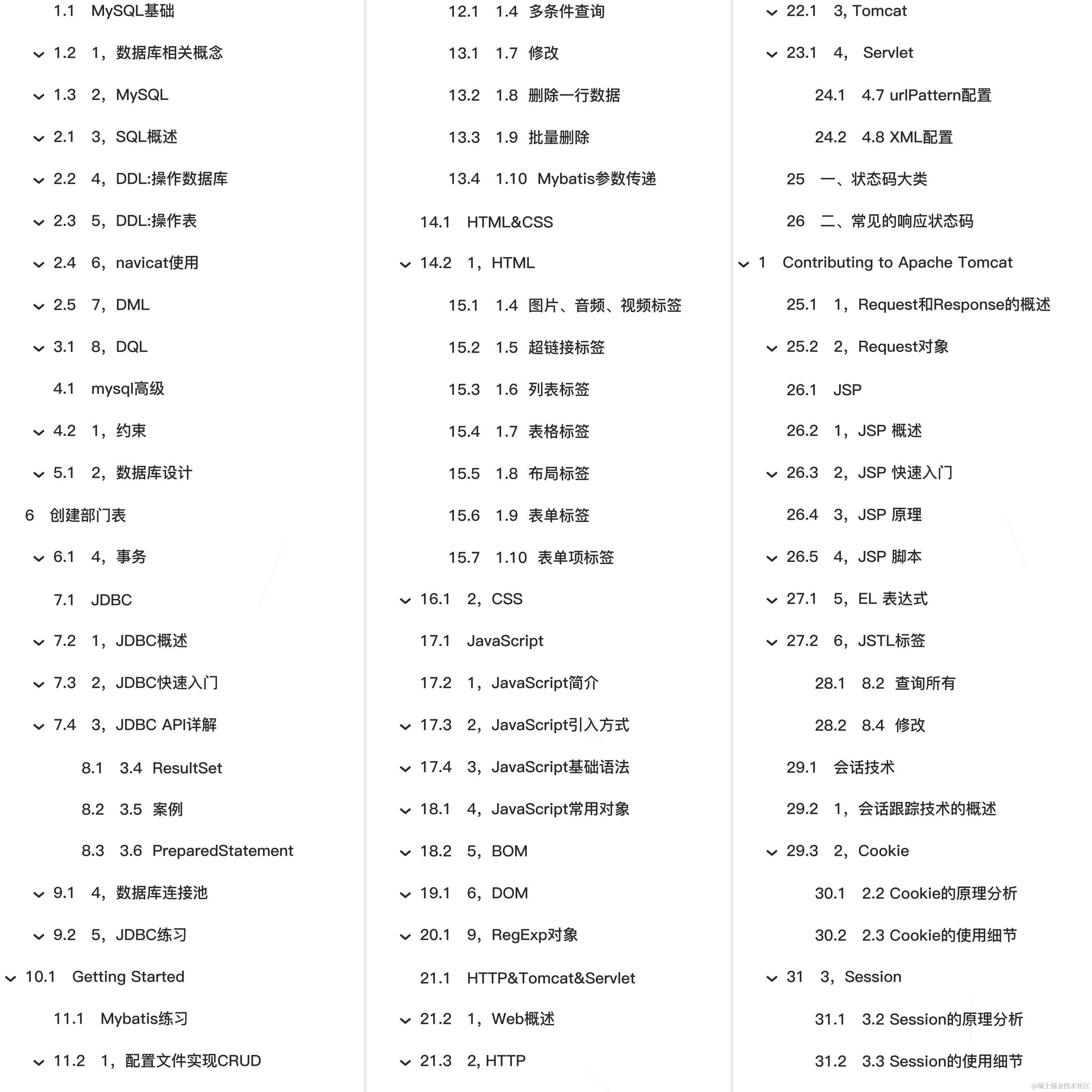
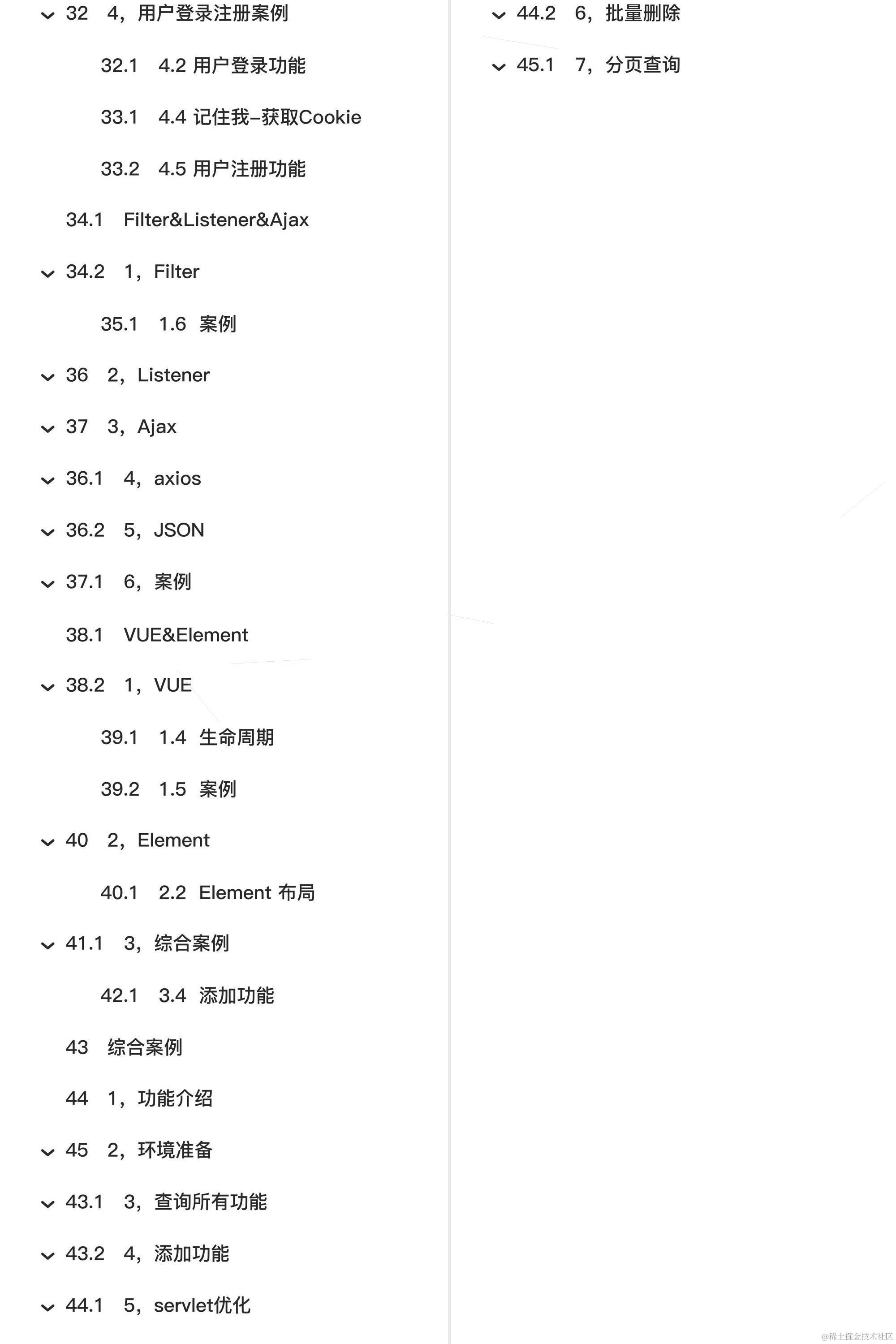
🚀🚀🚀本篇主要内容
Getting Started
Reference Documentation
For further reference, please consider the following sections:
- Official Apache Maven documentation
- Spring Boot Maven Plugin Reference Guide
- Create an OCI image
- Spring Web
- Spring Data JDBC
Guides
The following guides illustrate how to use some features concretely:
- Building a RESTful Web Service
- Serving Web Content with Spring MVC
- Building REST services with Spring
- Using Spring Data JDBC
@REM ---------------------------------------------------------------------------- @REM Licensed to the Apache Software Foundation (ASF) under one @REM or more contributor license agreements. See the NOTICE file @REM distributed with this work for additional information @REM regarding copyright ownership. The ASF licenses this file @REM to you under the Apache License, Version 2.0 (the @REM "License"); you may not use this file except in compliance @REM with the License. You may obtain a copy of the License at @REM @REM www.apache.org/licenses/LI… @REM @REM Unless required by applicable law or agreed to in writing, @REM software distributed under the License is distributed on an @REM "AS IS" BASIS, WITHOUT WARRANTIES OR CONDITIONS OF ANY @REM KIND, either express or implied. See the License for the @REM specific language governing permissions and limitations @REM under the License. @REM ----------------------------------------------------------------------------
@REM ---------------------------------------------------------------------------- @REM Maven Start Up Batch script @REM @REM Required ENV vars: @REM JAVA_HOME - location of a JDK home dir @REM @REM Optional ENV vars @REM M2_HOME - location of maven2's installed home dir @REM MAVEN_BATCH_ECHO - set to 'on' to enable the echoing of the batch commands @REM MAVEN_BATCH_PAUSE - set to 'on' to wait for a keystroke before ending @REM MAVEN_OPTS - parameters passed to the Java VM when running Maven @REM e.g. to debug Maven itself, use @REM set MAVEN_OPTS=-Xdebug -Xrunjdwp:transport=dt_socket,server=y,suspend=y,address=8000 @REM MAVEN_SKIP_RC - flag to disable loading of mavenrc files @REM ----------------------------------------------------------------------------
@REM Begin all REM lines with '@' in case MAVEN_BATCH_ECHO is 'on' @echo off @REM set title of command window title %0 @REM enable echoing by setting MAVEN_BATCH_ECHO to 'on' @if "%MAVEN_BATCH_ECHO%" == "on" echo %MAVEN_BATCH_ECHO%
@REM set %HOME% to equivalent of $HOME if "%HOME%" == "" (set "HOME=%HOMEDRIVE%%HOMEPATH%")
@REM Execute a user defined script before this one if not "%MAVEN_SKIP_RC%" == "" goto skipRcPre @REM check for pre script, once with legacy .bat ending and once with .cmd ending if exist "%HOME%\mavenrc_pre.bat" call "%HOME%\mavenrc_pre.bat" if exist "%HOME%\mavenrc_pre.cmd" call "%HOME%\mavenrc_pre.cmd" :skipRcPre
@setlocal
set ERROR_CODE=0
@REM To isolate internal variables from possible post scripts, we use another setlocal @setlocal
@REM ==== START VALIDATION ==== if not "%JAVA_HOME%" == "" goto OkJHome
echo. echo Error: JAVA_HOME not found in your environment. >&2 echo Please set the JAVA_HOME variable in your environment to match the >&2 echo location of your Java installation. >&2 echo. goto error
:OkJHome if exist "%JAVA_HOME%\bin\java.exe" goto init
echo. echo Error: JAVA_HOME is set to an invalid directory. >&2 echo JAVA_HOME = "%JAVA_HOME%" >&2 echo Please set the JAVA_HOME variable in your environment to match the >&2 echo location of your Java installation. >&2 echo. goto error
@REM ==== END VALIDATION ====
:init
@REM Find the project base dir, i.e. the directo
druid配置详解
| 属性 | 说明 | 建议值 |
|---|---|---|
| url | 数据库的jdbc连接地址。一般为连接oracle/mysql。示例如下: | |
| mysql : jdbc:mysql://ip:port/dbname?option1&option2&… | ||
| oracle : jdbc:oracle:thin:@ip:port:oracle_sid | ||
| username | 登录数据库的用户名 | |
| password | 登录数据库的用户 | |
| initialSize | 启动程序时,在连接池中初始化多少个连接 | 10-50已足够 |
| maxActive | 连接池中最多支持多少个活动会话 | |
| maxWait | 程序向连接池中请求连接时,超过maxWait的值后,认为本次请求失败,即连接池 | 100 |
| 没有可用连接,单位毫秒,设置-1时表示无限等待 | ||
| minEvictableIdleTimeMillis | 池中某个连接的空闲时长达到 N 毫秒后, 连接池在下次检查空闲连接时,将 | 见说明部分 |
| 回收该连接,要小于防火墙超时设置 | ||
| net.netfilter.nf_conntrack_tcp_timeout_established的设置 |