1-下载PDFJS
github.com/mozilla/pdf…
2-导入项目中
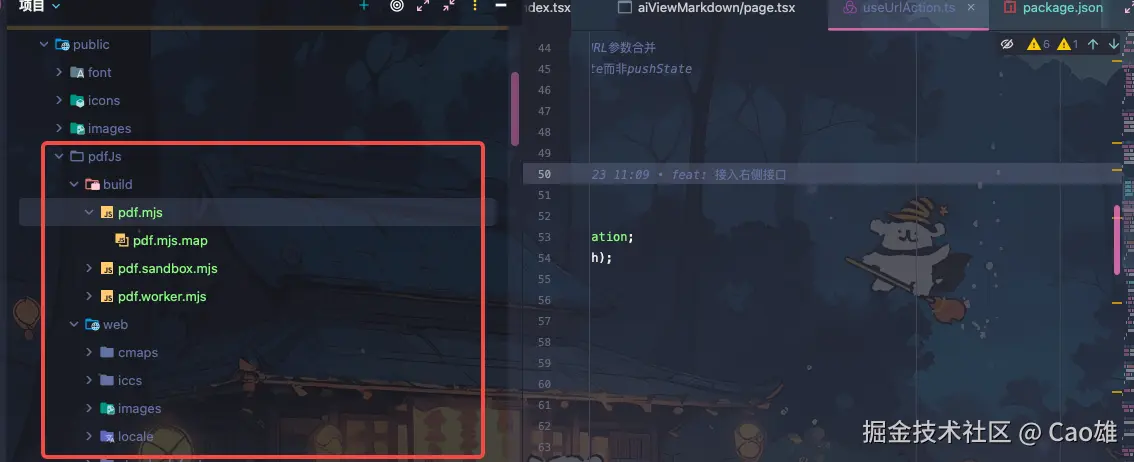
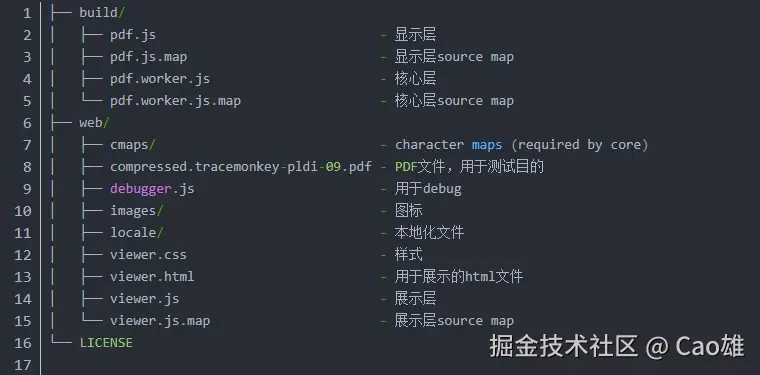
3-实现预览pdf
1、本地的PDF文件,直接在浏览器地址栏输入打开
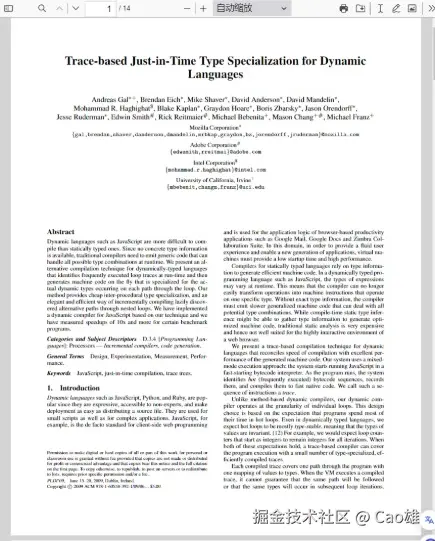
利用 web里面的viewer.html就可以直接打开pdf,里面有默认的一个pdf文档。
直接在浏览器地址栏打开pdf: 开发地址 + 存放viewer.html文件夹地址
public打包后是在根目录
比如按照以上步骤方法为 **http:
只要能打开没有报错就没有什么问题
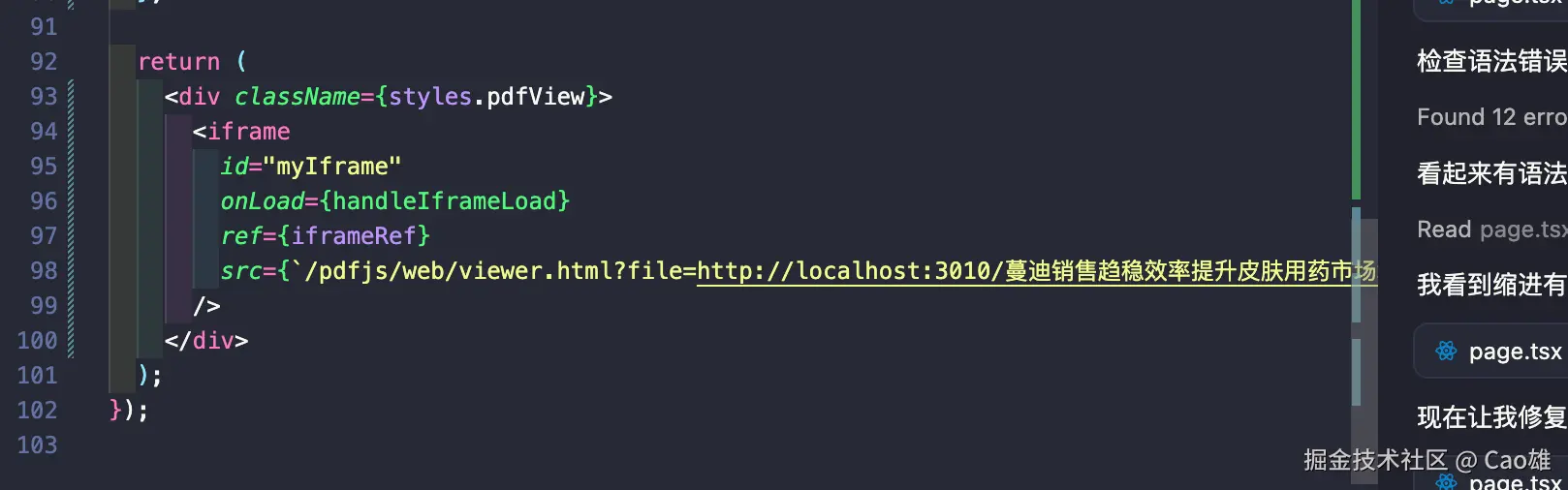
2-创建一个文件 里面下入iframe
/pdfjs/web/viewer.html?file=http:
file 是文件路径
3-跳转页面方法
const handPageRouterFn = () => {
if (iframeRef.current?.contentWindow) {
const pdfFrame = iframeRef.current.contentWindow;
console.log(pdfFrame, 'pdfFrame');
if (pdfFrame.PDFViewerApplication) {
pdfFrame.PDFViewerApplication.page = 2;
}
}
};
4-关键词高亮
const handKeyWordHighlightingFn = ()=>{
if (iframeRef.current?.contentWindow) {
const pdfFrame:any = iframeRef.current.contentWindow;
pdfFrame?.PDFViewerApplication?.eventBus?.dispatch('find', {
caseSensitive: false,
entireWord: false,
findPrevious: false,
highlightAll: true,
matchDiacritics: false,
phraseSearch: true,
query: "分析",
source: window,
type: "find"
})
}
}
5-隐藏/打开toolebar
 const handShowToolbar = (hide = false)=>{
    if (iframeRef.current?.contentWindow) {
      const pdfFrame: any = iframeRef.current.contentWindow;
      const toolbar = pdfFrame.document?.querySelector('.toolbar');
      Object.assign(toolbar.style,{
        display: hide ? 'block' : 'none'
      })
    }
  }
6-缩小方法
const pdfFrame: any = iframeRef.current.contentWindow;
pdfFrame?.PDFViewerApplication.zoomIn();
pdfFrame?.PDFViewerApplication.zoomOut();
pdfFrame?.PDFViewerApplication.pdfViewer.currentScale *= 0.8;
pdfFrame?.PDFViewerApplication.pdfViewer.currentScaleValue = 1.5;
app.pdfViewer.currentScaleValue = 'page-width'; 适合宽度