WSL Ubuntu24.04使用Windows代理
- 在Windows系统的用户目录下,配置 ~/.wslconfig文件
[wsl2]
networkingMode=mirrored
dnsTunneling=true
firewall=true
autoProxy=true

[experimental]
# requires dnsTunneling but are also OPTIONAL
bestEffortDnsParsing=true
- 在Windows代理软件中打开 TUN 模式
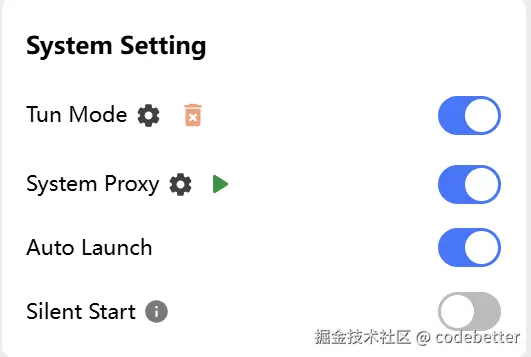
- 关闭wsl,再点击图标重启wsl
wsl --shutdown
- 在 wsl 中测试,如果显示“....Connected”则为代理设置成功。
wget www.google.com
WSL 拉取镜像失败
- 在 WSL 中新建配置文件 proxy.conf
 sudo mkdir -p /etc/systemd/system/docker.service.d
 sudo touch /etc/systemd/system/docker.service.d/proxy.conf
- 编辑 proxy.conf并保存
[Service]
Environment="HTTP_PROXY=http://127.0.0.1:7897/"
Environment="HTTPS_PROXY=http://127.0.0.1:7897/"
Environment="NO_PROXY=localhost,127.0.0.1,.example.com"
- 测试
docker search vllm