build打包问题
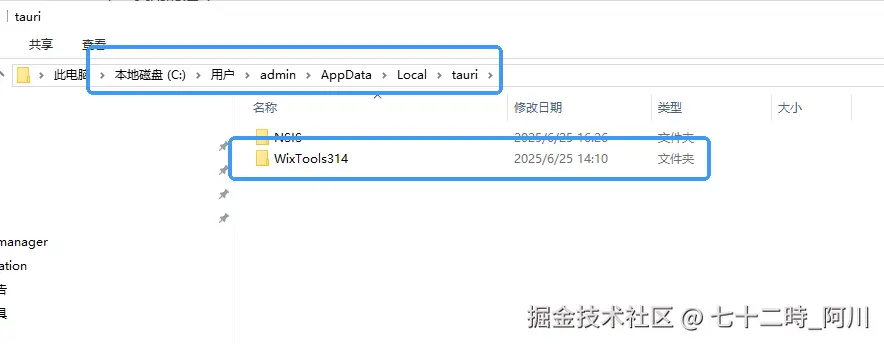
- wix下载失败
解决方式
- nsis下载失败
解决方式
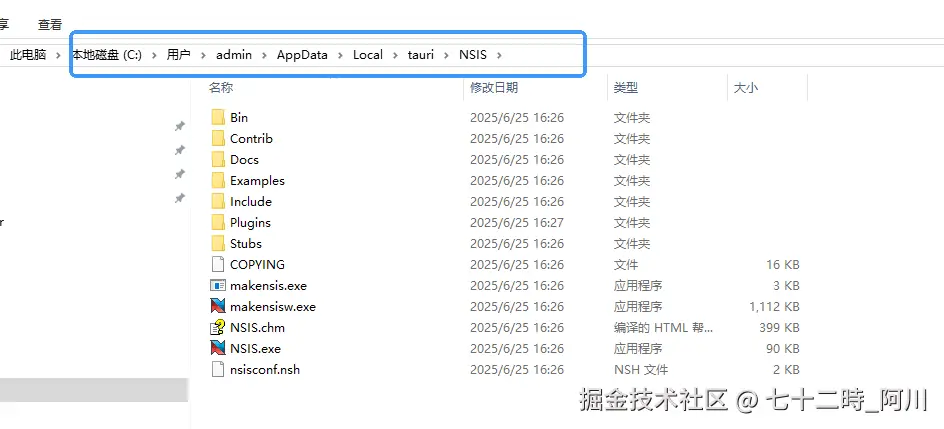
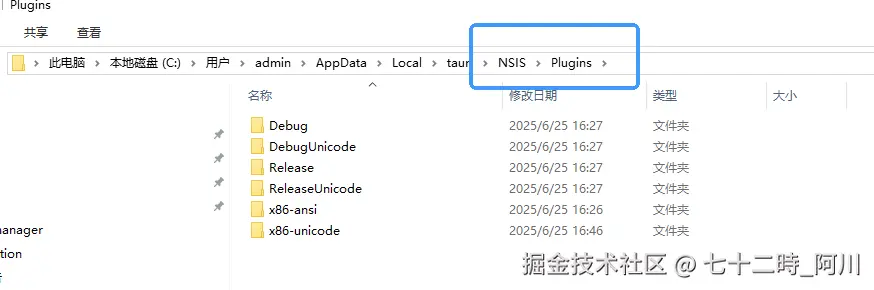
- (3)下载 - github.com/tauri-apps/…
- 把
NSIS\Plugins\ReleaseUnicode\ApplicationID.dll复制到NSIS\Plugins\x86-unicode\ApplicationID.dll
- 把下载的
nsis_tauri_utils.dll复制到NSIS\Plugins\x86-unicode\nsis_tauri_utils.dll
tauri打包之后如何配置devtools
- D:\Github\lix_L\src-tauri\Cargo.toml
tauri = { version = "2", features = ["devtools"] }
tauri打包跨域问题解决
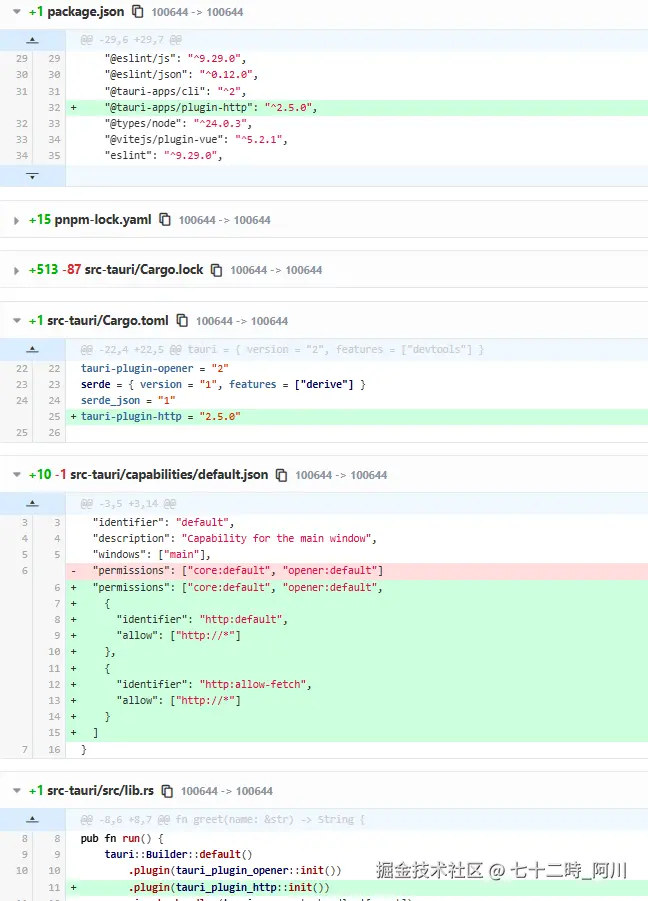
- 将axios替换成tauri生态的fetch绕过同源策略
import { fetch } from '@tauri-apps/plugin-http';
import { useAppStore } from '@/store';
import { ref } from 'vue';

type HttpMethod = 'GET' | 'POST';

interface RequestOptions {
  method?: HttpMethod;
  headers?: Record<string, string>;
  body?: any;
  params?: Record<string, string | number>;
}

export function useFetch<T = any>(baseUrl: string = 'http://172.23.4.97') {
  const data = ref<T | null>(null);
  const error = ref<any>(null);
  const loading = ref(false);

  const request = async <T>(
    path: string,
    options: RequestOptions = {}
  ): Promise<T> => {
    loading.value = true;
    error.value = null;
    data.value = null;

    try {
      let url = `${baseUrl}${path}`;
      if (options.params) {
        const query = new URLSearchParams();
        Object.entries(options.params).forEach(([key, value]) => {
          query.append(key, String(value));
        });
        url += `?${query.toString()}`;
      }
      const appStore = useAppStore();
      const headers = {
        'Content-Type': 'application/json',
        ...(appStore.usertoken ? { 'token': `${appStore.usertoken}` } : {}),
        ...options.headers,
      };
      const response = await fetch(url, {
        method: options.method || 'GET',
        headers,
        body: options.body ? JSON.stringify(options.body) : undefined,
      });

      if (!response.ok) {
        throw new Error(`HTTP error! status: ${response.status}`);
      }

      const responseData = await response.json();
      data.value = responseData;
      return responseData;
    } catch (err) {
      error.value = err;
      throw err;
    } finally {
      loading.value = false;
    }
  };

  const get = <T>(path: string, params?: Record<string, string | number>) => {
    return request<T>(path, { method: 'GET', params });
  };

  const post = <T>(path: string, body: any) => {
    return request<T>(path, { method: 'POST', body });
  };


  return {
    data,
    error,
    loading,
    request,
    get,
    post
  };
}
import { useFetch } from "@/lib/fetch"
const { get,post } = useFetch();
const result = await get<CaptchaResultType>('/xxx/yy/x', { time: Date.now() })
console.log("captcha",result);
const login = await post<LoginResultType>('/sys/login', {
  username: 'xxx',
  password: 'xxxx',
  captcha: 'xxxxx',
  uuid: 'xxxx',
);