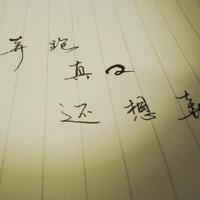
展示
原图
原尺寸文字识别
缩放比例文字识别
日常使用到的软件中的图片文字识别功能并且支持复制
微信、钉钉、语雀...
OCR 是什么
Optical Character Recognition 光学字符识别
一种将图像中的文字信息转换为可编辑、可搜索的电子文本的技术
常见的 OCR 技术工具
开源
- Tesseract
- EasyOCR
- PaddleOCR
- ...
商用
API 形式
- 阿里云 OCR
- 腾讯 OCR
- ...
实现
如何得到图片识别的文字以及位置信息
- Python <= 3.12
- 使用 pyenv
- 项目管理
- pip
- 依赖
- fastapi
- paddleocr3.0.1
- 前端
- HTML
- CSS
- JavaScript
思考
- 图片
- 识别文字
- 文字大小(长宽)
- 位置
- 处理数据
- 定位
absolutelefttop
- 字体
font-size
- 定位
Python
使用 Python 作为后端用于接口数据获取
环境搭建
安装 Python3.12 环境
创建项目
mkdir demo01
cd demo01
创建虚拟环境
python3.12 -m venv .venv

# macos
source .venv/bin/activate
# if deactive
# deactive
安装相关依赖
pip install "fastapi[standard]"

# cpu 版本
pip install paddlepaddle==3.0.0 -i https://www.paddlepaddle.org.cn/packages/stable/cpu/
pip install paddleocr
requirements.txt 依赖管理
- 显示依赖
- 依赖锁定
pip freeze > requirements.txt
- 指定依赖
pip install -r requirements.txt
关键代码
from paddleocr import PaddleOCR
from PIL import Image
import os

# 获取图片尺寸大小
def get_image_det(input: str):
    result = {}

    result['size'] = os.path.getsize(input)
    img_info = Image.open(input)
    originWidth,originHeight = img_info.size

    result['originWidth'] = originWidth
    result['originHeight'] = originHeight

    return result

# 获取图片文字
def get_image_ocr(input: str):
    ocr = PaddleOCR(use_doc_orientation_classify=False, use_doc_unwarping=False, use_textline_orientation=False, text_det_unclip_ratio=1)
    result = ocr.predict(input=input)

    # 数据格式转换
    _result = get_image_det(input)
    for res in result:
        locations = []
        # 识别的文字
        rec_texts = res["rec_texts"]
        # 文字四个方向的坐标信息
        rec_boxes = res["rec_boxes"]
        # 匹配度 0<x<1 接近1说明识别度越高
        rec_scores = res['rec_scores']
        for i, v in enumerate(rec_boxes):
            [left, top, right, bottom] = v
            locations.append({
                "text": rec_texts[i],
                "x": float(left),
                "y": float(top),
                "width": float(right - left),
                "height": float(bottom - top),
                "confidence": float(rec_scores[i])
            })
        _result["locations"] = locations

    return _result
运行
fast run --reload app/main.py
可能遇到的问题
- ModuleNotFoundError: No module named 'distutils'
# 需要安装 setuptools
pip install setuptools
前端
获取以下数据并处理
转换后的数据字段
{
  "size": 234138,
  "originWidth": 2028,
  "originHeight": 1148,
  "locations": [
    {
      "text": "汗滴禾下土",
      "x": 1484,
      "y": 126,
      "width": 158,
      "height": 34,
      "confidence": 0.9932206273078918
    },
    {
      "text": "静夜思",
      "x": 326,
      "y": 142,
      "width": 94,
      "height": 30,
      "confidence": 0.9981958270072937
    },
    {
      "text": "谁知盘中盘",
      "x": 833,
      "y": 170,
      "width": 157,
      "height": 29,
      "confidence": 0.9891821146011353
    },
    ...
  ]
}
注意点
比例缩放文字的偏移量+文字显示大小计算
- 使用绝对定位
- 使用 px 单位
- left 图片显示宽度 / 图片实际宽度 * x(偏移量)
- top 图片显示高度 / 图片实际高度 * y(偏移量)
- 使用百分比(%)
- x(偏移量) / 图片实际宽度 * 100(%)
- y(偏移量) / 图片实际高度 * 100(%)
- 使用 px 单位
- 文字透明可复制
- color: transparent
- font-size 计算
- 图片显示宽度(高度)/图片实际宽度(高度) * 文字的高度
实现
<div id="container">
  <div id="ocr-container"></div>
</div>
const container = document.getElementById("container");
const ocr_container = document.getElementById("ocr-container");
const input_img = "./images/test.jpg";
// create img
const appendImg = (width) => {
  const img = document.createElement("img");
  img.src = input_img;
  img.width = width;
  container.appendChild(img);
};
// fetch ocr_data
fetch("http://localhost:8000/ocr/image")
  .then((res) => res.json())
  .then((res) => {
    const ocr_data = res.data;
    // 原尺寸显示
    const showWidth = ocr_data.originWidth;
    // 缩小显示
    // const showWidth = 512;
    // append img
    appendImg(showWidth);
    // create ocr text
    ocr_data.locations.forEach((ocr) => {
      // 过滤空字符
      if (!ocr.text) return;
      const div = document.createElement("div");

      div.className = "ocr-text";
      div.style.top = (ocr.y / ocr_data.originHeight) * 100 + "%";
      div.style.left = (ocr.x / ocr_data.originWidth) * 100 + "%";
      div.style.fontSize = (showWidth / ocr_data.originWidth) * ocr.height + "px";
      div.textContent = ocr.text;

      ocr_container.appendChild(div);
    });
  });
#container {
  position: relative;
  display: inline-flex;
}
#ocr-container {
  position: absolute;
  top: 0;
  left: 0;
  right: 0;
  bottom: 0;
}
.ocr-text {
  position: absolute;
  color: transparent;
}
总结
为什么选择 PaddleOCR
开源,PaddleOCR 更新活跃,模型支持更新(PP-OCRv5 PP-StructureV3 PP-ChatOCRv4 等等),参数可进行微调
文字位置识别偏差
自行实现文字位置大小宽度高度会有点偏差,但不影响识别复制(微信、钉钉、语雀等工具识别图片文字整齐度高)