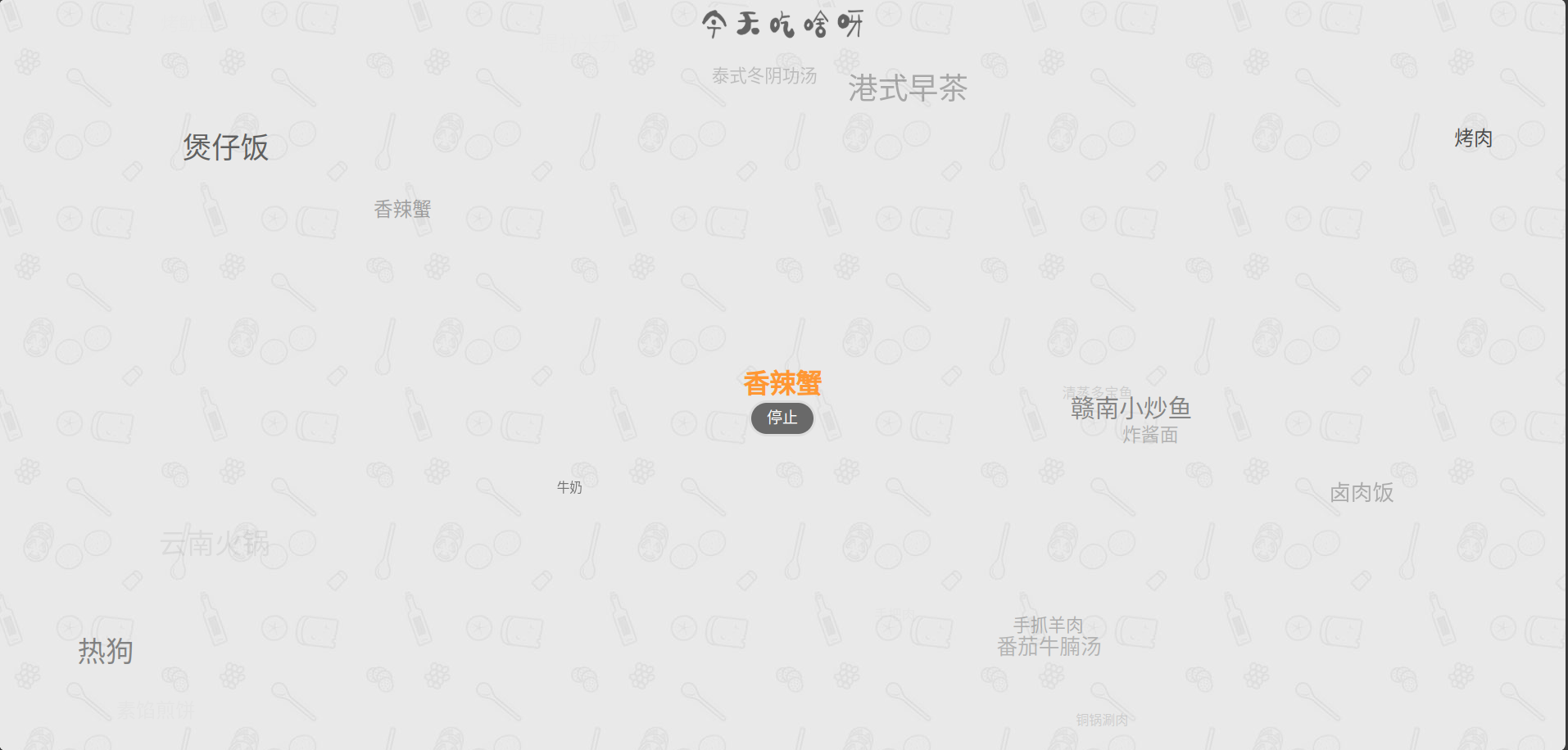
在线演示地址: gwt805.github.io/eatwhat
GitHub: github.com/gwt805/eatw…
GitCode: gitcode.com/gwt805/eatw…
<template>
  <div class="random">
    <div class="logo"><img :src="eat" draggable="false" /></div>
    <div id="wrapper">
      <h1 style="color: #ff9733">{{ selectedFood }}</h1>
      <button class="button" @click="toggle" circle no-pulse>{{ buttonText }}</button>
    </div>
    <div ref="floatContainer" class="float-container"></div>
  </div>
</template>

<script setup lang="ts">
import eat from "./assets/eat.png"
import { ref, onMounted, onBeforeUnmount } from 'vue'

const selectedFood = ref('')
const buttonText = ref('开始 ')
let run = ref(false)
let timer: number | null = null
const floatContainer = ref<HTMLElement | null>(null)
const foods = ['鱼蛋 ', '火锅 ', '口味虾 ', '凉拌藕片 ', '黄山炖鸽 ', '拍黄瓜 ', '叫化鸡 ', '提拉米苏 ', '肠旺面 ', '日式烤肉 ', '炒年糕 ', '麦当劳 ', '杭州小笼包'];

const toggle = () => {
  const list = foods;

  if (!run.value) {
    buttonText.value = '停止 '
    timer = window.setInterval(() => {
      const index = Math.floor(Math.random() * list.length)
      const food = list[index]
      selectedFood.value = food

      const temp = document.createElement('span')
      temp.className = 'temp'
      temp.innerHTML = food

      const rTop = Math.random() * (document.documentElement.clientHeight - 50)
      const rLeft = Math.random() * (document.documentElement.clientWidth - 50)
      const rSize = Math.random() * (37 - 14) + 14
      const rColor = `rgba(0,0,0,${Math.random().toFixed(2)})`

      Object.assign(temp.style, {
        position: 'absolute',
        top: `${rTop}px`,
        left: `${rLeft}px`,
        fontSize: `${rSize}px`,
        color: rColor,
        display: 'none',
        zIndex: '-10'
      })

      if (floatContainer.value) {
        floatContainer.value.appendChild(temp)
      }
      setTimeout(() => {
        temp.style.display = 'block'
        temp.style.opacity = '1'
        temp.style.transition = 'opacity 0.5s'
        setTimeout(() => {
          temp.style.opacity = '0'
          setTimeout(() => {
            if (floatContainer.value) {
              floatContainer.value.removeChild(temp)
            }
            // floatContainer.value.removeChild(temp)
          }, 500)
        }, 500)
      }, 0)
    }, 50)
    run.value = true
  } else {
    buttonText.value = '不行,换一个 '
    clearInterval(timer!)
    run.value = false
  }
}

const handleKeydown = (e: KeyboardEvent) => {
  if (e.key === 'Enter') {
    toggle()
  }
}

onMounted(() => {
  document.addEventListener('keydown', handleKeydown)
})

onBeforeUnmount(() => {
  document.removeEventListener('keydown', handleKeydown)
  if (timer) clearInterval(timer)
})

</script>

<style scoped lang="less">
.random {
  height: 100vh;
  width: 100vw;
  background-position: center;
  background-image: url("./assets/bg.jpg");
  background-repeat: repeat;
  overflow: hidden;

  .logo {
    margin: 0 auto;
    margin-top: 10px;
    width: 200px;
    height: 40px;
    background-color: #e9e9e9;

    img {
      width: 100%;
      height: 100%
    }
  }

  #wrapper {
    width: 500px;
    height: 90px;
    text-align: center;
    margin: auto;
    position: fixed;
    top: 50%;
    left: 50%;
    transform: translate(-50%, -50%);

    .button {
      background-color: rgba(0, 0, 0, .55);
      display: inline-block;
      padding: 0 1em;
      outline: 0;
      border: 3px solid #ddd;
      border-radius: 25px;
      color: #fff;
      font-size: 19px;
      font-family: "Microsoft YaHei";
      line-height: 2;
      cursor: pointer;
      transition: .5s;
      -webkit-appearance: none
    }
  }

  .float-container {
    position: absolute;
    top: 0;
    left: 0;
    width: 100%;
    height: 100%;
    pointer-events: none;
    z-index: 1;
  }
}
</style>