安装 pinia
pnpm install pinia
安装完成后,你可以在项目中开始使用 Pinia
import type { App } from "vue";
import { createPinia } from "pinia";
const store = createPinia();
export function setupStore(app: App<Element>) {
app.use(store);
}
export { store };
在 main.ts 中引入并使用 Pinia
import { setupStore } from "@/store";

setupStore(app)
在项目中使用pinia
- 定义一个 Store文件夹,用于存放所有的 Store
  @/store/modules/a.ts
   import { defineStore } from 'pinia'
    interface State {
    count: number;
    name:string;
    }
    export const useAStore  = defineStore('counter', {
    state: ():State=> ({
        count: 0,
        name:"Berry"
    }),
    getters: {
        doubleCount: (state) => state.count * 2,
    },
    actions: {
        increment() {
        this.count++;
        },
    },
    });
<template>
<div>
{{ count }}--{{ name }} --{{ doubleCount }}
<p>{{ aStore.count }}</p>
<p>{{ aStore.name }}</p>
{{ aStore.doubleCount }}
{{ ad }}
<el-button @click ="hanldeCount" type="primary">Primary</el-button>
<baseDefineProps :user="user" :isRequired ="isRequired" :minLength = "minLength"></baseDefineProps>
<base-props :user="user" :isRequired ="isRequired" :minLength = "minLength"></base-props>
</div>
</template>
<script setup lang='ts'>
import baseDefineProps from './components/base-defineProps.vue';
import baseProps from './components/base-props.vue';
import { useAStore } from '@/store/test/a';
import { storeToRefs } from 'pinia';
const berlvyStore = useAStore();
const { count, name, doubleCount } = storeToRefs(berlvyStore);
const hanldeCount = ()=>{
aStore.increment()
}
const ad = ref('aa')
const user = ref({
id: 1,
name: 'John Doe',
email: 'john.doe@example.com',
});
const isRequired = ref(true);
const minLength = ref(5);
</script>
<style scoped>
</style>
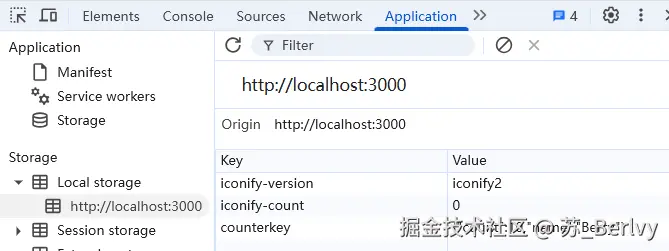
Pinia的状态保存在localStorage或sessionStorage中,即使页面刷新或关闭后再次打开,状态依然会被恢复。
使用npm或yarn安装pinia-plugin-persistedstate
npm install pinia-plugin-persistedstate --save
# 或者使用 yarn
yarn add pinia-plugin-persistedstate
在pinia 中配置 pinia-plugin-persistedstate
import type { App } from "vue";
import { createPinia } from "pinia";
import piniaPluginPersistedstate from 'pinia-plugin-persistedstate';
const store = createPinia();
store.use(piniaPluginPersistedstate);
export function setupStore(app: App<Element>) {
app.use(store);
}
export { store };
使用pinia-plugin-persistedstate 持久化状态
import { defineStore } from 'pinia'
interface State {
count: number;
name:string;
}
export const useAStore = defineStore('counter', {
state: ():State=> ({
count: 0,
name:"Berry"
}),
getters: {
doubleCount: (state) => state.count * 2,
},
actions: {
increment() {
this.count++;
},
},
persist: {
storage: localStorage,
key: 'counterkey',
paths: ['count,name'],
},
});