一文搞懂 vue2 与 vue3 函数式组件
目录
[TOC]
vue2函数式组件
没有管理任何状态,也没有监听任何传递给它的状态,也没有生命周期方法。实际上,它只是一个接受一些 prop 的函数。在这样的场景下,我们可以将组件标记为 functional ,这意味它无状态 (没有 响应式数据 ),也没有实例 (没有 this 上下文)。一个 函数式组件 就像这样:
h函数
h函数有那些参数配置
export declare function h(
	type: string,
	props?: RawProps | null,
	children?: RawChildren | RawSlots
): VNode;
type
- 类型:String | Object | Function
- 描述:HTML 标签名、组件、异步组件或函数式组件 (注意:Vue3 不支持组件名用字符串表示了,必须直接使用组件名)
props
- Object
- 描述:与我们将在模板中使用的 attribute、prop 和事件相对应。可选html元素的 attribute ,如id name class,vue 的 props参数
children
- 类型:String | Object | Array
- 描述:children是子节点 VNode,使用 h() 生成,或者使用字符串来获取“文本 VNode”
	render(h) {
  	// 如果使用原生的则
  	// return h('componentName', {
  	// 这个是挂载组件
  	return h('div', {
  		// 此处是给 SelectEdit 组件传值的(props传值)
 		props: {
	      value: 1,
	      type: 'on'
	    },
	    // class可以数组的形式也可以对象的形式
	    // class: ['speci-class'],
	   	class: {
		  'speci-class': true
		},
		// 样式有-的注意小驼峰 或者使用 string 模式
		style: {
		  color: 'red',
		  fontSize: '14px',
		  // 或者这样
		  'font-size': '14px'
		},
		// 普通的 HTML attribute
		attrs: {
		  placeholder: '这是给原生html赋值placeholder属性'
		},
		// DOM property
		domProps: {
    	  innerHTML: 'DOM property',
    	  // 这个参数等同于h函数的第三个参数
    	  innerText: 'xxxxxxx'
  		},
	    // 这里是挂载方法的但不再支持如 `v-on:keyup.enter` 这样的修饰器
	    on: {
	      // 方法名可以自定义(组件内 $emit('xxxchange', {name: 'zs'}))
	      'xxxchange': val => {
	        this.name = val.name;
	      },
	      'click': val => {
	        this.name = val.name;
	      },
	    },
	    // 仅用于组件,用于监听原生事件,而不是组件内部使用
	    // `vm.$emit` 触发的事件。
	    nativeOn: {
	      click: this.nativeClickHandler
	    },
	    // 自定义指令。注意,你无法对 `binding` 中的 `oldValue`
	    directives: [
	      {
	        name: 'my-custom-directive',
	        value: '2',
	        expression: '1 + 1',
	        arg: 'foo',
	        modifiers: {
	          bar: true
	        }
		  }
		],
		// 作用域插槽的格式为
		scopedSlots: {
	     default: props => createElement('span', props.text)
	    },
	     // 如果组件是其它组件的子组件,需为插槽指定名称
	    slot: 'name-of-slot',
	    // 其它特殊顶层 property
	    key: 'myKey',
	    ref: 'myRef',
	    // 如果你在渲染函数中给多个元素都应用了相同的 ref 名,
  	    // 那么 `$refs.myRef` 会变成一个数组。
	    refInFor: true
	 }, '这里是显示文本')
  }
}
在h函数中如何使用条件判断及循环语句
v-for
在模板中的使用
<ul>
  <li v-for="{ item, index } in list" :key="item.id">
    {{ item }}
  </li>
</ul>
在 h 函数中的使用
let arr = [1,2,3,4,5]
render(h){
  return h(
    'ul',
    {},
    [
      arr.map(item => return(h('li',{},'item'))
    ]
  )
}
v-if
在模板中的使用
let flag = true
<div>
  <div v-if="flag">出现</div>
  <span v-else>隐藏</span>
</div>
在 h 函数中的使用
let flag = true
render(h){
  return h(
    'ul',
    {},
    flag ? '出现' : '隐藏'
  )
}
事件
在模板中的使用
<Button @click='submit'>提交</Buttom>
在 h 函数中的使用
render(h){
  return h(
    'ul',
    {
      on:{
        click: () => {
          // 处理函数
        }
      }
    },
    '提交按钮'
  )
}
函数式组件
在普通组件中,没有被定义为 prop 的 attribute 会自动添加到组件的根元素上,将已有的同名 attribute 进行替换或与其进行 智能合并 。
然而函数式组件要求你显式定义该行为:
Vue.component('my-component', {
  functional: true,
  // Props 是可选的
  props: {
    // ...
  },
  // 为了弥补缺少的实例
  // 提供第二个参数作为上下文
  render: function (createElement, context) {
    // 完全透传任何 attribute、事件监听器、子节点等。
    return createElement('button', context.data, context.children)
  }
})
context 中包含以下字段的对象:
props:提供所有 prop 的对象children:VNode 子节点的数组slots:一个函数,返回了包含所有插槽的对象scopedSlots:(2.6.0+) 一个暴露传入的作用域插槽的对象。也以函数形式暴露普通插槽。data:传递给组件的整个 数据对象 ,作为createElement的第二个参数传入组件parent:对父组件的引用listeners:(2.3.0+) 一个包含了所有父组件为当前组件注册的事件监听器的对象。这是data.on的一个别名。injections:(2.3.0+) 如果使用了 inject 选项,则该对象包含了应当被注入的 property。
注意:在 2.3.0 之前的版本中,如果一个函数式组件想要接收 prop,则
props选项是必须的。在 2.3.0 或以上的版本中,你可以省略props选项,所有组件上的 attribute 都会被自动隐式解析为 prop。当使用函数式组件时,该引用将会是 HTMLElement,因为他们是无状态的也是无实例的
在 2.5.0 及以上版本中,如果你使用了 单文件组件 ,那么基于模板的函数式组件可以这样声明:
<template functional>
  <button
    class="btn btn-primary"
    v-bind="data.attrs"
    v-on="listeners"
  >
    <slot/>
  </button>
</template>
slots() 和 children 对比
可能想知道为什么同时需要 slots() 和 children 。 slots().default 不是和 children 类似的吗?在一些场景中,是这样——但如果是如下的带有子节点的函数式组件呢?
<my-functional-component>
  <p v-slot:foo>
    first
  </p>
  <p>second</p>
</my-functional-component>
对于这个组件, children 会给你两个段落标签,而 slots().default 只会传递第二个匿名段落标签, slots().foo 会传递第一个具名段落标签。同时拥有 children 和 slots() ,因此你可以选择让组件感知某个插槽机制,还是简单地通过传递 children ,移交给其它组件去处理。
简单的例子
假若我们封装一套按钮组件,通过后台返回的type进行渲染,首先可能想到的是 v-if 实现
<div v-if="type === 'success'">success</div>
<div v-else-if="type === 'error'">error</div>
<div v-else-if="type === 'warm'">warm</div>
<div v-else>default</div>
初看是没有问题的,但这样并不好扩展,若想扩展就难道一直 v-else-if , 难顶
这里我们就可以用到函数式组件了,提前说明:
-
对比传统的Vue.component 这样定义,我更喜欢用变量定义。
-
h 即是 createElement ,以下是尤雨溪在一个回复中提到的
这个单词通常用在 virtual-dom 的实现中。Hyperscript 本身是指
生成HTML 结构的 script 脚本,因为 HTML 是 hyper-text markup language 的缩写(超文本标记语言)
const typeButton = {
	functional:true,
	render(h , { props }){
		const { type } = props
        return <div class={ type }>{type}</div>
	}
}
这就是一个简单的函数式组件,根据传入的type不同,渲染出不同的样式的按钮
业务场景下的函数式组件
var EmptyList = { /* ... */ }
var TableList = { /* ... */ }
var OrderedList = { /* ... */ }
var UnorderedList = { /* ... */ }

Vue.component('smart-list', {
  functional: true,
  props: {
    items: {
      type: Array,
      required: true
    },
    isOrdered: Boolean
  },
  render: function (createElement, context) {
    function appropriateListComponent () {
      var items = context.props.items

      if (items.length === 0)           return EmptyList
      if (typeof items[0] === 'object') return TableList
      if (context.props.isOrdered)      return OrderedList

      return UnorderedList
    }

    return createElement(
      appropriateListComponent(),
      context.data,
      context.children
    )
  }
})
vue3函数式组件
区别vue3对外暴露了h函数 导入使用
h函数
基本使用
案例一
<script>
import { h } from 'vue'

export default {
    setup() {
        return () => h("h2", null, "Hello World")
    }
}

</script>
案例二
// 除了类型必填以外,其他的参数都是可选的
h('div')
h('div', { id: 'foo' })

// attribute 和 property 都能在 prop 中书写
// Vue 会自动将它们分配到正确的位置
h('div', { class: 'bar', innerHTML: 'hello' })

// 像 `.prop` 和 `.attr` 这样的的属性修饰符
// 可以分别通过 `.` 和 `^` 前缀来添加
h('div', { '.name': 'some-name', '^width': '100' })

// 类与样式可以像在模板中一样
// 用数组或对象的形式书写
h('div', { class: [foo, { bar }], style: { color: 'red' } })

// 事件监听器应以 onXxx 的形式书写
h('div', { onClick: () => {} })

// children 可以是一个字符串
h('div', { id: 'foo' }, 'hello')

// 没有 props 时可以省略不写
h('div', 'hello')
h('div', [h('span', 'hello')])

// children 数组可以同时包含 vnodes 与字符串
h('div', ['hello', h('span', 'hello')])
v-on
以 on 开头,并跟着大写字母的 props 会被当作事件监听器。比如, onClick 与模板中的 @click 等价。
h(
  'button',
  {
    onClick(event) {
      /* ... */
    }
  },
  'click me'
)
<button
  onClick={(event) => {
    /* ... */
  }}
>
  click me
</button>
组件
在给组件创建 vnode 时,传递给 h() 函数的第一个参数应当是组件的定义。这意味着使用渲染函数时不再需要注册组件了 —— 可以直接使用导入的组件:
import Foo from './Foo.vue'
import Bar from './Bar.jsx'

function render() {
  return h('div', [h(Foo), h(Bar)])
}
不管是什么类型的文件,只要从中导入的是有效的 Vue 组件, h 就能正常运作。
如果一个组件是用名字注册的,不能直接导入 (例如,由一个库全局注册),可以使用 resolveComponent() 来解决这个问题。
与vue2不同 vue2 可以直接使用字符串
渲染插槽
export default {
  props: ['message'],
  setup(props, { slots }) {
    return () => [
      // 默认插槽:
      // <div><slot /></div>
      h('div', slots.default()),

      // 具名插槽:
      // <div><slot name="footer" :text="message" /></div>
      h(
        'div',
        slots.footer({
          text: props.message
        })
      )
    ]
  }
}
resolveComponent()
按名称手动解析已注册的组件。
function resolveComponent(name: string): Component | string
备注:如果你可以直接引入组件就不需使用此方法。
为了能从正确的组件上下文进行解析, resolveComponent() 必须在 setup() 或渲染函数内调用。
如果组件未找到,会抛出一个运行时警告,并返回组件名字符串。
const { h, resolveComponent } = Vue

export default {
  setup() {
    const ButtonCounter = resolveComponent('ButtonCounter')

    return () => {
      return h(ButtonCounter)
    }
  }
}
函数式组件
函数式组件是一种定义自身没有任何状态的组件的方式。它们很像纯函数:接收 props,返回 vnodes。函数式组件在渲染过程中不会创建组件实例 (也就是说,没有 this ),也不会触发常规的组件生命周期钩子。
我们用一个普通的函数而不是一个选项对象来创建函数式组件。该函数实际上就是该组件的渲染函数。
函数式组件的签名与 setup() 钩子相同:
function MyComponent(props, { slots, emit, attrs }) {
  // ...
}
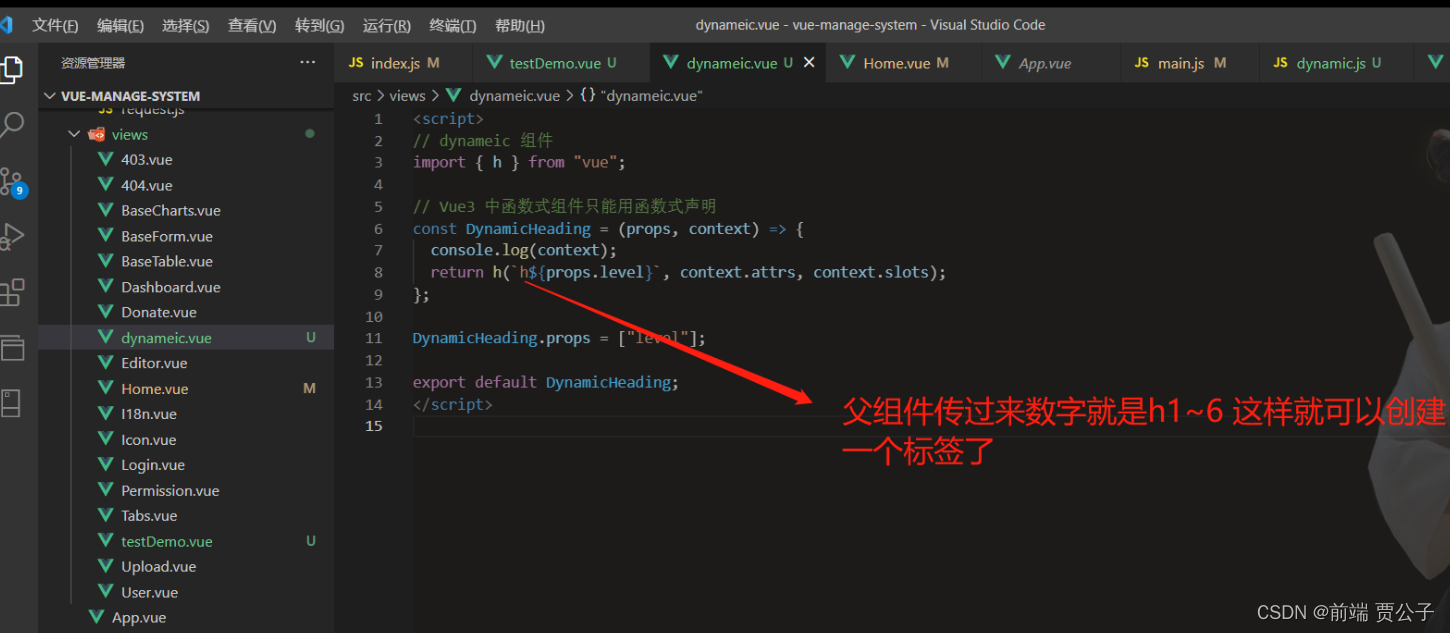
案例一
如果这个
props选项没有被定义,那么被传入函数的props对象就会像attrs一样会包含所有 attribute。除非指定了props选项,否则每个 prop 的名字将不会基于驼峰命名法被一般化处理。
<script>
// dynameic 组件
import { h } from "vue";

// Vue3 中函数式组件只能用函数式声明
const DynamicHeading = (props, context) => {
  console.log(context);
  return h(`h${props.level}`, context.attrs, context.slots);
};

DynamicHeading.props = ["level"];

export default DynamicHeading;
</script>
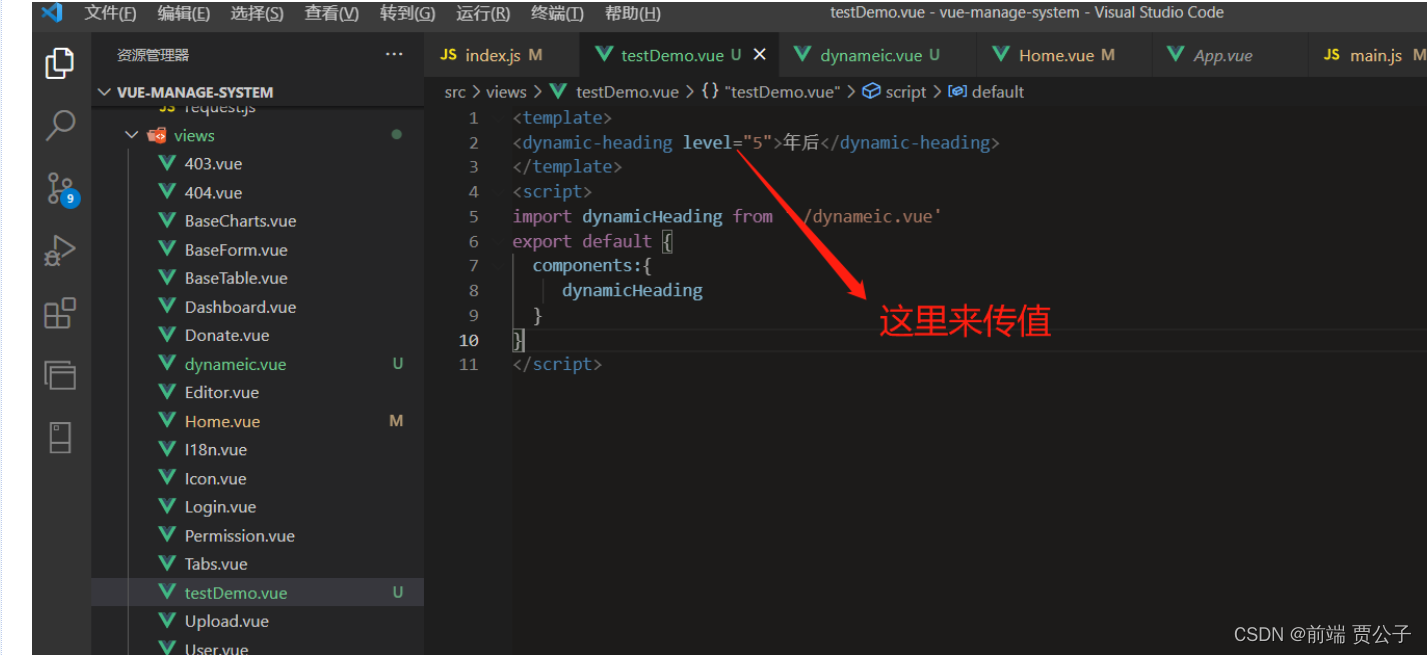
父组件里面
<template>
<dynamic-heading level="5">年后</dynamic-heading>
</template>
<script>
import dynamicHeading from './dynameic.vue'
export default {
  components:{
     dynamicHeading
  }
}
</script>
案例二
渲染elemenplus组件
import { h, resolveComponent } from "vue";

// Vue3 中函数式组件需要提供一个渲染函数
const CustomComponent = (props, context) => {
  let dom =
    typeof props.component == "string"
      ? resolveComponent(hyphenToPascal(props.component))
      : "Input";

  // 返回一个渲染函数,可以使用 h 函数创建虚拟节点
  return h(dom, props, context.slots);
};

function hyphenToPascal(str) {
  let arr = str.split("-");

  let resStr = arr.reduce(function (prev, cur) {
    let str = prev + cur.slice(0, 1).toUpperCase() + cur.slice(1);
    return str;
  });

  // 转小驼峰这一行不需要
  resStr = resStr.slice(0, 1).toUpperCase() + resStr.slice(1);

  return resStr;
}

export default CustomComponent;
总结
概览
对变化的总体概述:
- 2.x 中函数式组件带来的性能提升在 3.x 中已经可以忽略不计,因此我们建议只使用有状态的组件
- 函数式组件只能由接收
props和context(即:slots、attrs、emit) 的普通函数创建 - 非兼容 :
functionalattribute 已从单文件组件 (SFC) 的<template>中移除 - 非兼容 :
{ functional: true }选项已从通过函数创建的组件中移除
介绍
在Vue 2中,函数式组件主要有两个应用场景:
- 作为性能优化,因为它们的初始化速度比有状态组件快得多
- 返回多个根节点
然而,在 Vue 3 中,有状态组件的性能已经提高到它们之间的区别可以忽略不计的程度。此外,有状态组件现在也支持返回多个根节点。
因此,函数式组件剩下的唯一应用场景就是简单组件,比如创建动态标题的组件。否则,建议你像平常一样使用有状态组件。
2.x 语法
使用 <dynamic-heading> 组件,负责提供适当的标题 (即: h1 、 h2 、 h3 等等),在 2.x 中,这可以通过单文件组件编写:
// Vue 2 函数式组件示例
export default {
  functional: true,
  props: ['level'],
  render(h, { props, data, children }) {
    return h(`h${props.level}`, data, children)
  }
}
或者,对于喜欢在单文件组件中使用 <template> 的用户:
<!-- Vue 2 结合 <template> 的函数式组件示例 -->
<template functional>
  <component
    :is="`h${props.level}`"
    v-bind="attrs"
    v-on="listeners"
  />
</template>

<script>
export default {
  props: ['level']
}
</script>
3.x 语法
现在,在 Vue 3 中,所有的函数式组件都是用普通函数创建的。换句话说,不需要定义 { functional: true } 组件选项。
它们将接收两个参数: props 和 context 。 context 参数是一个对象,包含组件的 attrs 、 slots 和 emit property。
此外, h 现在是全局导入的,而不是在 render 函数中隐式提供。
以前面提到的 <dynamic-heading> 组件为例,下面是它现在的样子。
import { h } from 'vue'

const DynamicHeading = (props, context) => {
  return h(`h${props.level}`, context.attrs, context.slots)
}

DynamicHeading.props = ['level']

export default DynamicHeading
单文件组件 (SFC)
在 3.x 中,有状态组件和函数式组件之间的性能差异已经大大减少,并且在大多数用例中是微不足道的。因此,在单文件组件上使用 functional 的开发者的迁移路径是删除该 attribute,并将 props 的所有引用重命名为 $props ,以及将 attrs 重命名为 $attrs 。
以之前的 <dynamic-heading> 为例,下面是它现在的样子。
<template>
  <component
    v-bind:is="`h${$props.level}`"
    v-bind="$attrs"
  />
</template>

<script>
export default {
  props: ['level']
}
</script>
主要的区别在于:
- 从
<template>中移除functionalattribute listeners现在作为$attrs的一部分传递,可以将其删除