Vite项目
- 修改vite.config.js,根据DEPLOY_TARGET是否为'github-pages'来决定base的值
import { defineConfig } from 'vite'
import vue from '@vitejs/plugin-vue'
const isGitHubPages = process.env.DEPLOY_TARGET === 'github-pages'
const base = isGitHubPages ? '/vue-todo-list/' : '/'
export default defineConfig({
plugins: [vue()],
base
})
- 修改package.json,在部署到Github-pages上需要执行的"deploy"命令中添加
DEPLOY_TARGET=github-pages。相当于在部署到Github-pages前先修改DEPLOY_TARGET的值。
{
"scripts": {
"dev": "vite",
"build": "vite build",
"preview": "vite preview",
"deploy": "DEPLOY_TARGET=github-pages npm run build && gh-pages -d dist"
},
}
Vue CLI项目
-
- 修改vue.config.js,根据NODE_ENV以及DEPLOY_TARGET的值来决定publicPath的值
const { defineConfig } = require('@vue/cli-service')
module.exports = defineConfig({
transpileDependencies: true,
publicPath: (() => {
if (process.env.NODE_ENV === 'production') {
if (process.env.DEPLOY_TARGET === 'github-pages') {
return '/weather-app/'
} else if (process.env.DEPLOY_TARGET === 'vercel') {
return '/'
}
}
return '/'
})()
})
- 修改package.json,在部署到Github-pages上需要执行的"deploy"命令中添加
DEPLOY_TARGET=github-pages。相当于在执行build命令前先修改DEPLOY_TARGET的值。
{
"scripts": {
"serve": "vue-cli-service serve",
"build": "vue-cli-service build",
"lint": "vue-cli-service lint",
"deploy": "DEPLOY_TARGET = github-pages bash deploy.sh"
},
}
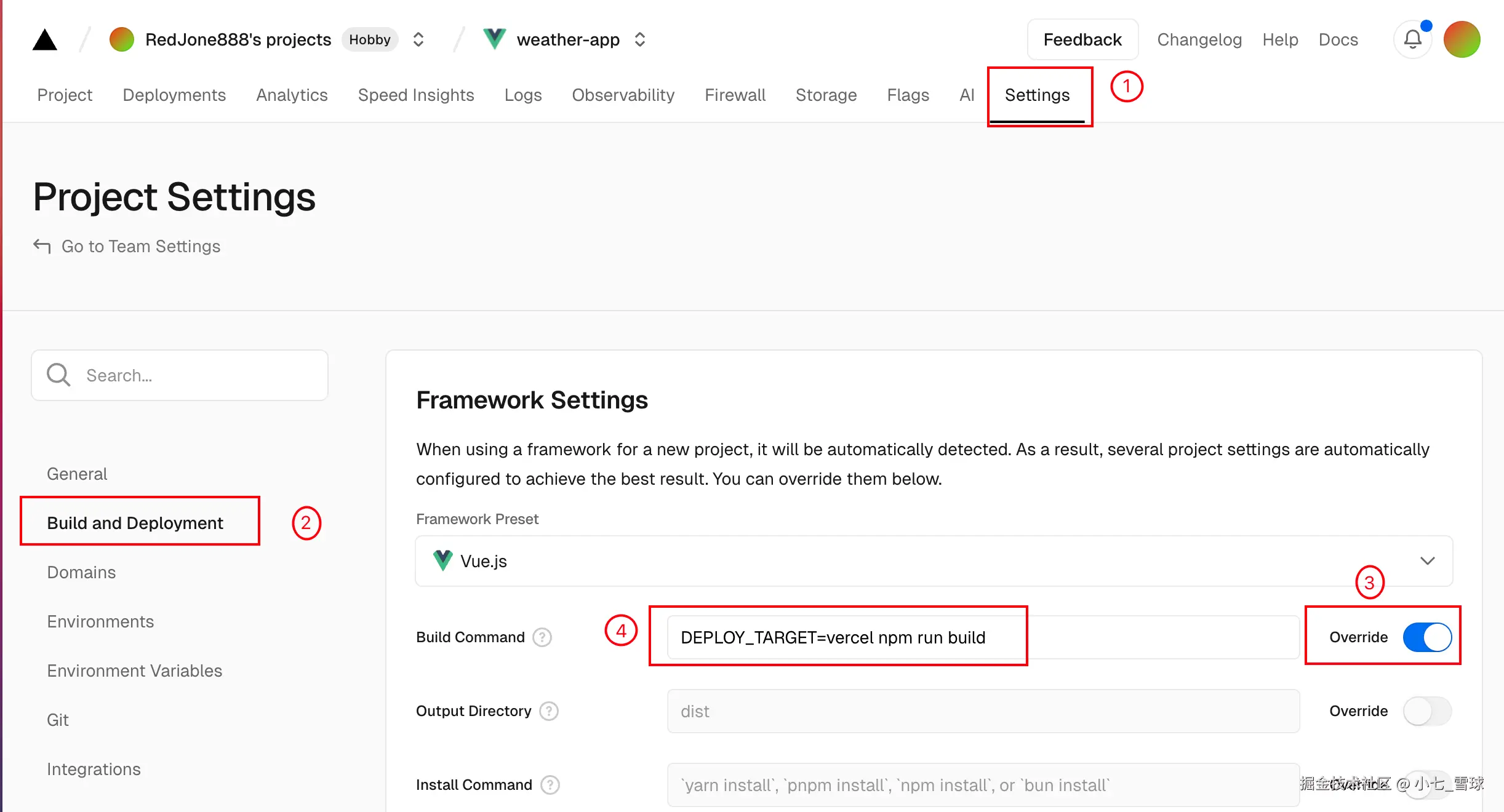
- 在Vercel里的Build and Deployment Setting中修改Build Command,在npm run build之前添加
DEPLOY_TARGET=vercel。相当于在执行build命令前先修改DEPLOY_TARGET的值。Framework Preset选择了Vue.js时,点击Build Command右侧的Override即可修改。