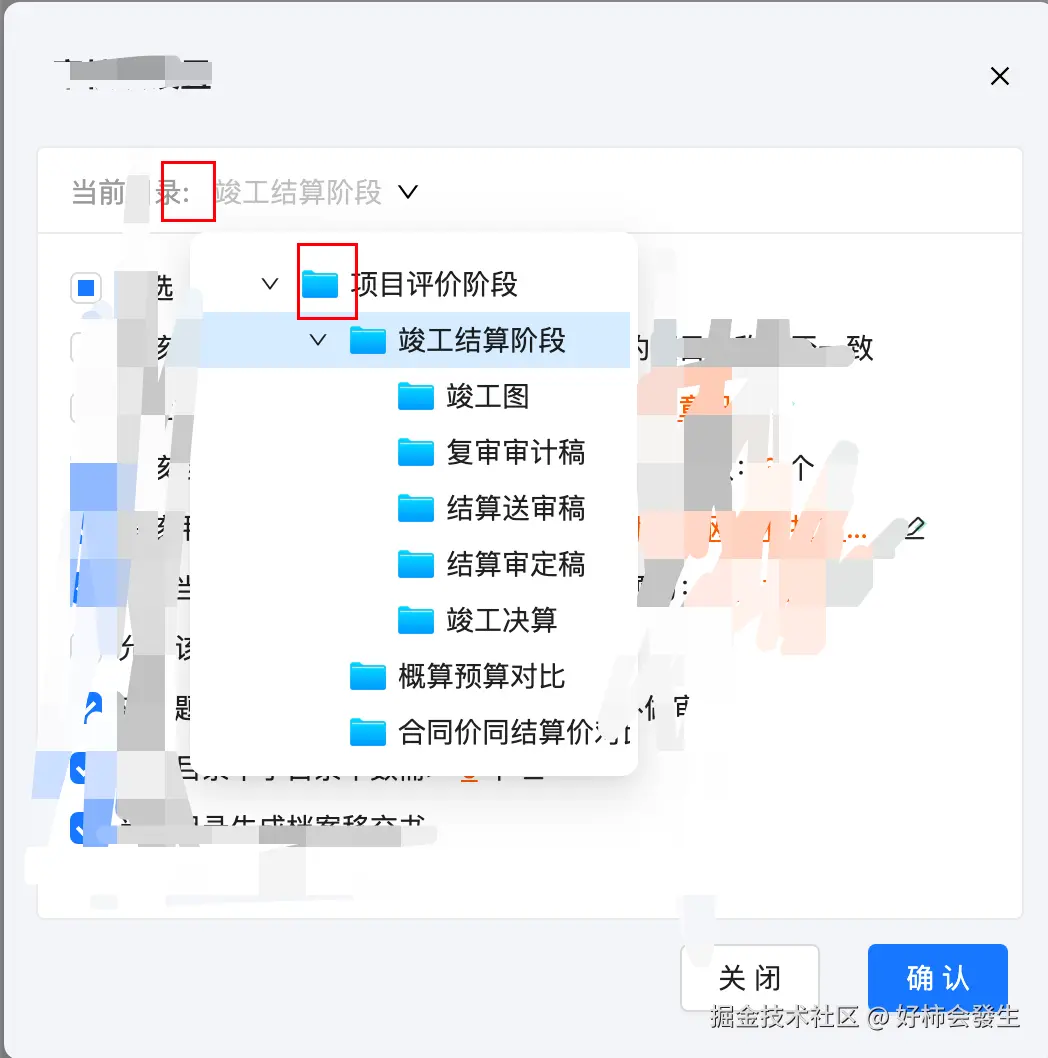
<a-tree-select
class="catalogue-tree"
v-model:value="selectValue"
placeholder="请选择目录"
tree-default-expand-all
:bordered="false"
:field-names="fieldNames"
:dropdownMatchSelectWidth="false"
:dropdown-style="{ width:'224px',maxHeight: '304px',overflow: 'auto' }"
:tree-data="catalogueList"
:switcherIcon="
h(DownOutlined, {
class: 'ant-select-tree-switcher-icon',
})"
:getPopupContainer="
(triggerNode) => {
return triggerNode.parentNode || document.body;
}
"
>
<template
<div class="flex items-center">
<img :src="folderIcon" class="folder-icon w-[18px] h-[14px] me-[6px]" alt=""/>
<div class="whitespace-nowrap" :title="title">{{ title }}</div>
</div>
</template>
</a-tree-select>
// 隐藏 当前选中条目前的icon
.catalogue-tree .ant-select-selection-item .folder-icon {
  display: none;
}
- 查看官方文档没有发现可以修改自定义图标的属性,多方查资料以及请教前辈师傅发现加switcherIcon属性可以修改
- 还有个问题,就是下拉菜单中的文件夹图标会联动,如果下拉菜单选项中有图标,当选择菜单项时,选中的条目也会有图标,没查到什么好的解决办法,可以直接样式隐藏