创作不易,方便的话点点关注,谢谢
文章结尾有最新热度的文章,感兴趣的可以去看看。
本文是经过严格查阅相关权威文献和资料,形成的专业的可靠的内容。全文数据都有据可依,可回溯。特别申明:数据和资料已获得授权。本文内容,不涉及任何偏颇观点,用中立态度客观事实描述事情本身
文章有点长(1600字阅读时长:5分),期望您能坚持看完,并有所收获。
为什么在网络抓取中使用ai ?
网络爬虫起初是经由编写自定义脚本来从网站上获取某些重要信息。不过这个过程着实十分繁琐,因为需要持续查看网站的更新情况。AI通过让爬虫能够自动地去理解并且适应不同的网站结构,从而改变了这样的局面。
开始使用AI网络爬虫
我们将介绍三个主要场景: 1、抓取简单公共网站的数据 2、处理交互式网站 3、使用AI代理进行高级爬虫
抓取简单公共网站的数据
示例:从在线图书馆收集图书信息,如果你想抓取,像在线图书馆这样的网站。
传统方法: 检查网站的HTML结构。 利用像Python里的“BeautifulSoup”这类库去编写脚本。 解析HTML并提取所需数据。
AI爬虫方法: 我们可以使用ai模型来理解网页,如此一来就可以在不用手动去解析HTML的状况下,对网页进行理解并且提取出信息。
代码片段:
import requests
from bs4 importBeautifulSoup
import openai

# Initialize OpenAI API
openai.api_key ='YOUR_API_KEY'
# Fetch the webpage
url ='https://openlibrary.org/works/OL45883W/The_Great_Gatsby'
response = requests.get(url)
html_content = response.text
# Prepare prompt for AI model
prompt =f"""
Extract the following information from the HTML content:
- Title of the book
- Author(s)
- Publication date
- Brief summary
HTML Content:
{html_content}
"""
# Use OpenAI's GPT model to extract information
response = openai.Completion.create(
    engine="text-davinci-003",
    prompt=prompt,
    max_tokens=150,
    temperature=0
)
# Output the extracted information
print(response.choices[0].text.strip())
说明: 我们获取网页内容。 准备一个提示,要求人工智能模型提取特定信息。 使用 OpenAI 的 GPT 模型来解析和提取数据。 好处: 无需手动解析 HTML。 即使网站结构发生变化,也能正常运行,因为ai模型能从语义上理解内容。
2、处理互动网站
========
LinkedIn 等网站要求您登录并与页面互动才能访问职位列表
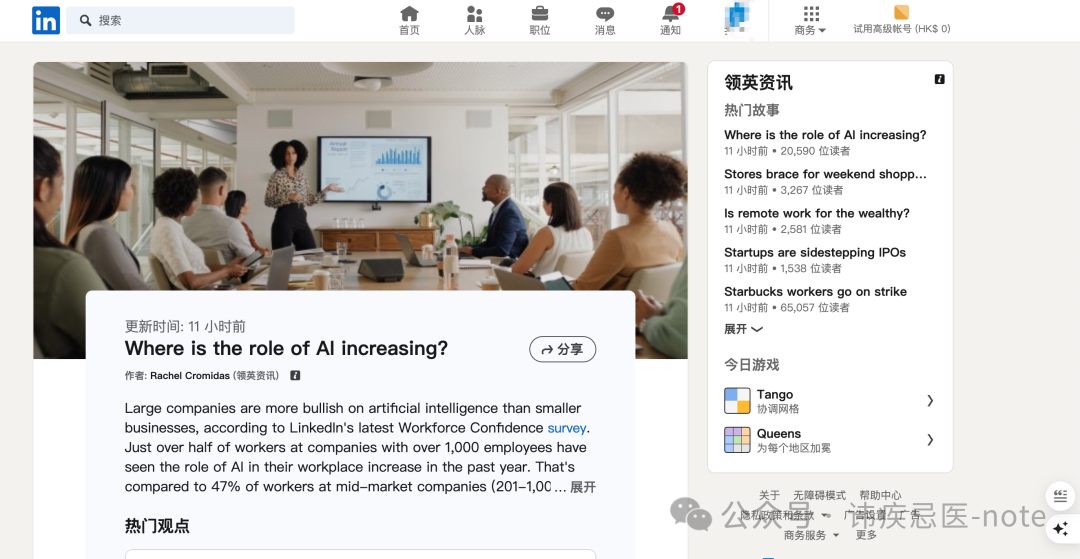
挑战: 需要进行身份验证。 数据通过 JavaScript 动态加载。 可能有反爬虫机制
解决方案: 将 Playwright 等工具与人工智能相结合,实现互动自动化。
代码片段:
from playwright.sync_api import sync_playwright import openai
openai.api_key ='YOUR_API_KEY' with sync_playwright()as p: browser = p.chromium.launch(headless=False) page = browser.new_page()
Navigate to LinkedIn login page
page.goto('www.linkedin.com/login')
Log in
page.fill('input#username','your_email') page.fill('input#password','your_password') page.click('button[type="submit"]')
Navigate to job listings
page.goto('www.linkedin.com/jobs/search…')
Wait for the page to load
page.wait_for_selector('.jobs-search-results')
Get the page content
content = page.content()
Prepare prompt for AI model
prompt =f""" Extract the following information for each job listing:
- Job title
- Company name
- Location
- Job summary HTML Content: {content} """
Use OpenAI's GPT model to extract information
response = openai.Completion.create( engine="text-davinci-003", prompt=prompt, max_tokens=500, temperature=0 ) print(response.choices[0].text.strip()) browser.close()
说明:
    Playwright 可让浏览器自动处理登录和页面交互。
    加载职位列表后,我们会得到页面内容。
    使用人工智能模型从内容中提取工作细节。

好处:
    自动进行复杂的交互。
    ai模型可处理数据提取,减少人工解析的需要。
```

3、利用ai模型的高级爬虫
=============

假设你想查找下个月从纽约飞往东京的最便宜航班。

```
挑战:
    需要搜索多个网站。
需要比较和分析数据。
网站可能有不同的结构。

解决方案:
使用可以、执行搜索并根据数据做出决策的ai模型。

介绍LangChain代理:
LangChain 是一个框架,允许您构建能够进行复杂推理的人工智能代理。
```

代码片段

```
from langchain.agents import initialize_agent,Tool
from langchain.llms importOpenAI
from langchain.tools importBrowserTool

# Initialize OpenAI LLM
llm =OpenAI(temperature=0)
# Define tools for the agent
tools =[
BrowserTool(name='FlightSearch', description='Search for flight prices')
]
# Initialize the agent
agent = initialize_agent(tools, llm, agent="zero-shot-react-description", verbose=True)
# Agent's task
task ="Find the cheapest flights from New York to Tokyo within the next month and summarize the top three options."
# Run the agent
agent.run(task)
说明: 我们定义了一个可以访问浏览器工具的人工智能代理。 代理了解任务,并计划实现任务的步骤。 它可以搜索航班网站、比较价格并汇总结果。
好处: 将涉及决策的复杂任务自动化。 能适应不同的网站和数据格式。 大大减少人工操作。
改进: 尊重网站政策:经常检查网站的 robots.txt 和服务条款。 避免服务器超载:实现请求之间的延迟。 必要时使用代理服务器:防止 IP 屏蔽。


最新热门文章推荐:

[国外Rust程序员分享:Rust与C++的完美结合](https://mp.weixin.qq.com/s?__biz=MzkzNjI3ODkyNQ==&mid=2247486074&idx=1&sn=2770aefeb2110c3353590daa43184bf6&scene=21#wechat_redirect)

[国外C++程序员分享:2024/2025年C++是否还值得学习?](https://mp.weixin.qq.com/s?__biz=MzkzNjI3ODkyNQ==&mid=2247486076&idx=1&sn=d646c8a6c06a3a95a2ced4094c021aa2&scene=21#wechat_redirect)

[外国人眼中的贾扬清:从清华到阿里,再创业LeptonAI](https://mp.weixin.qq.com/s?__biz=MzkzNjI3ODkyNQ==&mid=2247486075&idx=1&sn=9f8ce330fcc87e908b523df3afaa104e&scene=21#wechat_redirect)

[白宫关注下,C++的内存安全未来走向何方?](https://mp.weixin.qq.com/s?__biz=MzkzNjI3ODkyNQ==&mid=2247486035&idx=1&sn=f6ce5327b66d91a36cd4fa1d9b8a9f80&scene=21#wechat_redirect)

[国外Python程序员分享:如何用Python构建一个多代理AI应用](https://mp.weixin.qq.com/s?__biz=MzkzNjI3ODkyNQ==&mid=2247485989&idx=1&sn=439789fd8492ee8bda40fef51d3e6145&scene=21#wechat_redirect)

[本地部署六款大模型:保护隐私、节省成本,特定环境首选](https://mp.weixin.qq.com/s?__biz=MzkzNjI3ODkyNQ==&mid=2247485969&idx=1&sn=54c20e46c70172307c72026abbf2755b&scene=21#wechat_redirect)

[国外CUDA程序员分享:2024年GPU编程CUDA C++(从环境安装到进阶技巧)](https://mp.weixin.qq.com/s?__biz=MzkzNjI3ODkyNQ==&mid=2247485788&idx=1&sn=77e8feae61345b275e8e5a8ee400b2bb&scene=21#wechat_redirect)

[我卸载了VSCode,我的生产力大幅提升](https://mp.weixin.qq.com/s?__biz=MzkzNjI3ODkyNQ==&mid=2247485827&idx=1&sn=5e9f02fdd3959cb427f15c70d9203122&scene=21#wechat_redirect)

[国外Python程序员分享:2024年NumPy高性能计算库(高级技巧)](https://mp.weixin.qq.com/s?__biz=MzkzNjI3ODkyNQ==&mid=2247485735&idx=1&sn=99586afdf165f53caeb4cf7a9062cfde&scene=21#wechat_redirect)

[外国人眼中的程明明:从“电脑小白”到CV领域领军者](https://mp.weixin.qq.com/s?__biz=MzkzNjI3ODkyNQ==&mid=2247485725&idx=1&sn=1a74cb4c9ea6f868ff5a88d91338718d&scene=21#wechat_redirect)

[外国人眼中的周志华:人工智能奖获得者、人工智能学院院长](https://mp.weixin.qq.com/s?__biz=MzkzNjI3ODkyNQ==&mid=2247485669&idx=1&sn=85842c2b4802ecc9dc988bab8394772f&scene=21#wechat_redirect)

[国外C++程序员分享:C++多线程实战掌握图像处理高级技巧](https://mp.weixin.qq.com/s?__biz=MzkzNjI3ODkyNQ==&mid=2247485687&idx=1&sn=6e1634cea46c7aacf3759d77a2d64338&scene=21#wechat_redirect)

[外国人眼中的卢湖川:从大连理工到全球舞台,他的科研成果震撼世界!](https://mp.weixin.qq.com/s?__biz=MzkzNjI3ODkyNQ==&mid=2247485650&idx=1&sn=396801f5408a194aee956a3acd30129b&scene=21#wechat_redirect)

[外国人眼中的张祥雨:交大90后男神博士,3年看1800篇论文,还入选福布斯精英榜](https://mp.weixin.qq.com/s?__biz=MzkzNjI3ODkyNQ==&mid=2247485593&idx=1&sn=cba8bf9d52b4a63321cd07afd88efa43&scene=21#wechat_redirect)

参考文献:《图片来源网络》

> 本文使用 [文章同步助手](https://juejin.cn/post/6940875049587097631) 同步