1. 本文达到的目的
- 简易实现创建文件,存入沙箱
- 读取文件里的内容
- 删除文件
2. 创建文件
- 先创建一个文件管理类
FileManger
- 导入fileIo
import { fileIo } from '@kit.CoreFileKit'
let filePath = getContext().filesDir + '/' + fileName + '.txt'
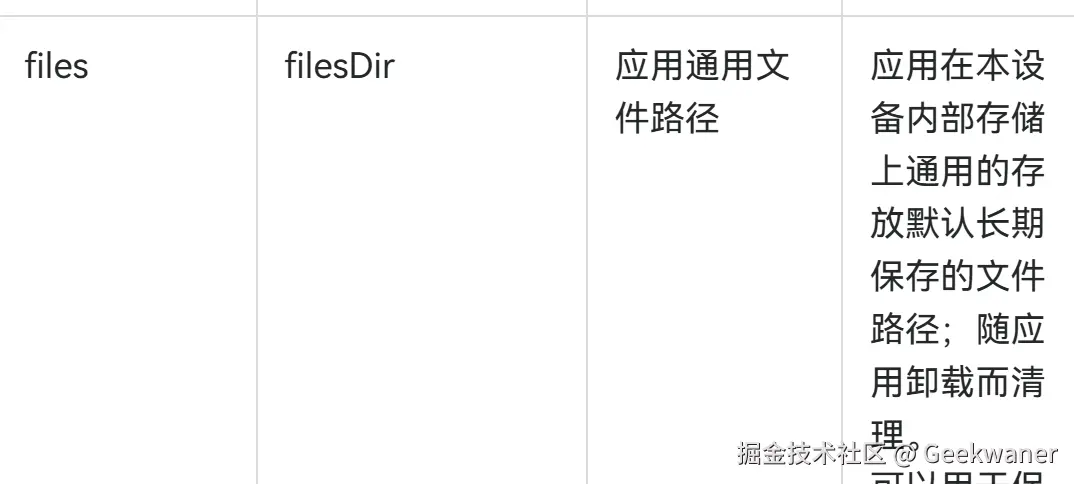
- 获取要创建的文件路径之后,使用openSync函数去创建文件,同时第二个参数设置为
fileIo.OpenMode.READ_WRITE | fileIo.OpenMode.CREATE
- 然后再使用 writeSync 去写入文件信息,写入完毕调用 closeSync 关闭文件
import { fileIo } from '@kit.CoreFileKit'
export class FileManger {
static createFile(fileName: string, fileContent: string) {
let filePath = getContext().filesDir + '/' + fileName + '.txt'
const file = fileIo.openSync(filePath, fileIo.OpenMode.READ_WRITE | fileIo.OpenMode.CREATE)
fileIo.writeSync(file.fd, fileContent)
fileIo.closeSync(file)
return filePath
}
}
3. 读取文件内容
const filePath = FileManger.createFile('test', '写入文本内容')
console.log('filePath:' + filePath)
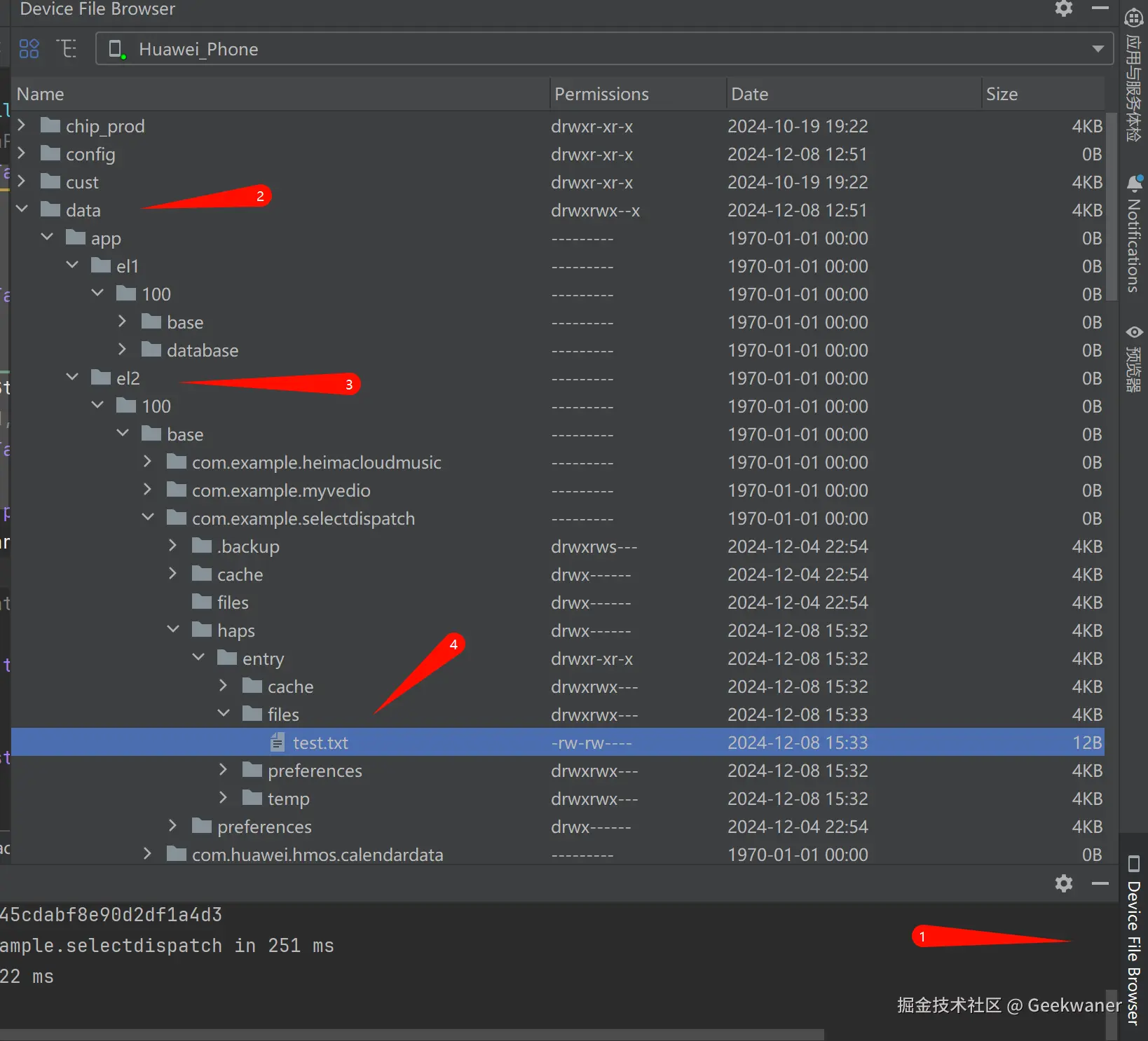
- 此时文件内容已经创建 ,文件的路径为
/data/storage/el2/base/haps/entry/files/test.txt
- 我们可以通过编辑器的文件管理器查看, 已经创建成功
4. 删除文件
import { fileIo } from '@kit.CoreFileKit'
export class FileManger {
static createFile(fileName: string, fileContent: string) {
....
}
static delFilePath(filePath: string) {
if (filePath) {
fileIo.unlinkSync(filePath)
}
}
}
FileManger.delFilePath(filePath)
5. 完整代码
import { fileIo } from '@kit.CoreFileKit'
export class FileManger {
static createFile(fileName: string, fileContent: string) {
let filePath = getContext().filesDir + '/' + fileName + '.txt'
const file = fileIo.openSync(filePath, fileIo.OpenMode.READ_WRITE | fileIo.OpenMode.CREATE)
fileIo.writeSync(file.fd, fileContent)
fileIo.closeSync(file)
return filePath
}
static delFilePath(filePath: string) {
if (filePath) {
fileIo.unlinkSync(filePath)
}
}
}
const filePath = FileManger.createFile('test', '文本内容')
console.log('filePath:' + filePath)