💿 情景再现
- 表格的列可以调整宽度
- 不要表格边框和表头边框
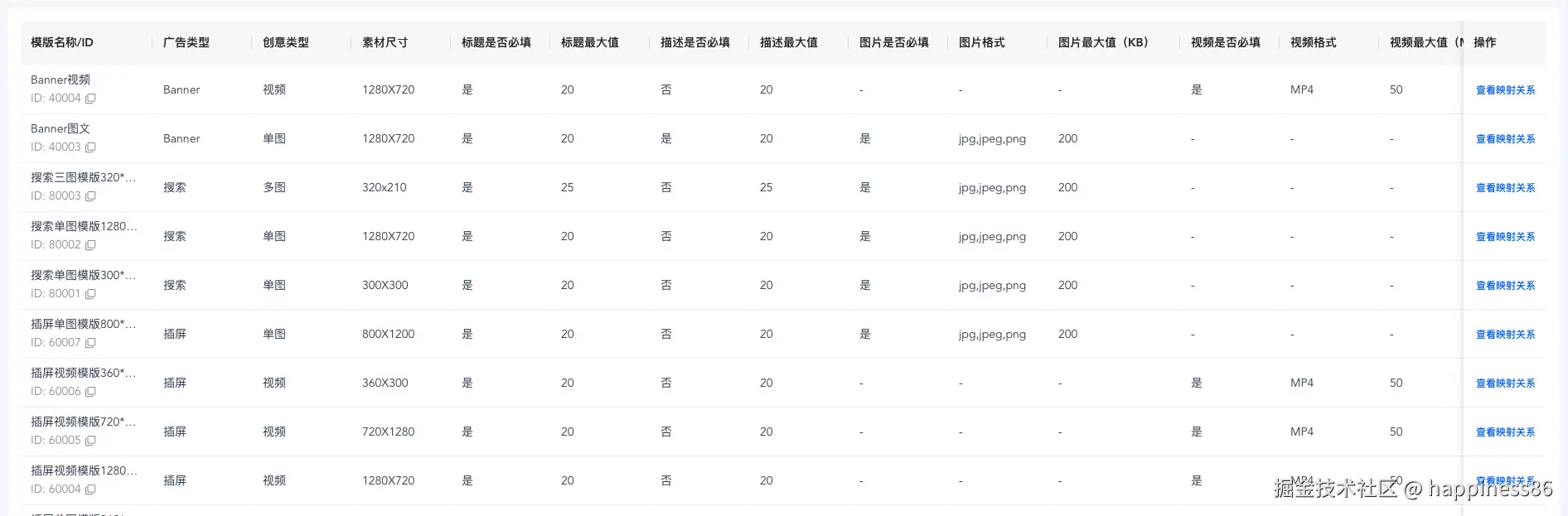
💡 解决办法
- 默认
scss
el-table组件border设为true- 样式调整
@forward 'element-plus/theme-chalk/src/common/var.scss' with (
  $table: (
    'border-color': transparent,
    'border': 1px solid transparent,
  )
);


.el-table__header-wrapper {
  .el-table__cell {
    position: relative;

    &::after {
      content: '';
      position: absolute;
      width: 1px;
      height: 30%;
      top: 50%;
      right: 0;
      background-color: var(--el-border-color);
      transform: translateY(-50%);
    }

    &:last-child {
      &::after {
        width: 0;
      }
    }
  }
}

.el-table__body-wrapper {
  .el-table__cell {
    border-bottom-color: #ebeef5!important;
  }
}