效果展示
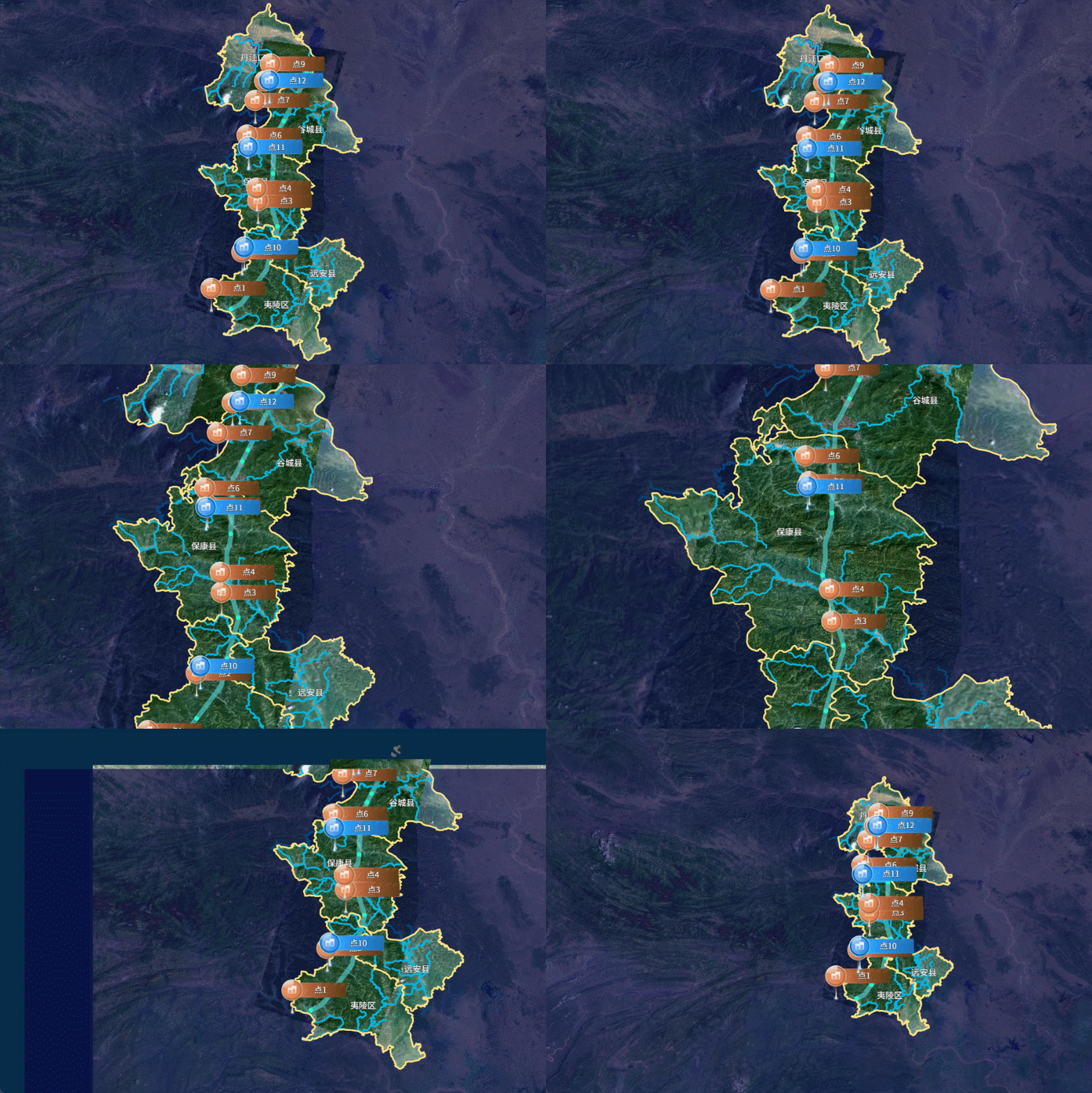
代码展示
- 首先初始化创建openlayers地图并引用天地图
initMap(layerType) {
const TIANDI_KEY = '天地图的Token';
const layerTypeMap = {
SL: ['vec', 'cva'],
YX: ['img', 'cia'],
DX: ['ter', 'cta']
};
const matrixSet = 'c';
const baseMap = new TileLayer({
source: new WMTS({
url: `http://t{0-6}.tianditu.gov.cn/${layerTypeMap[layerType][0]}_${matrixSet}/wmts?tk=${TIANDI_KEY}`,
layer: layerTypeMap[layerType][0],
matrixSet: matrixSet,
style: 'default',
crossOrigin: 'anonymous',
format: 'tiles',
wrapX: true,
tileGrid: new WMTSTileGrid({
origin: getTopLeft(projectionExtent),
resolutions: resolutions,
matrixIds: ['0', '1', '2', '3', '4', '5', '6', '7', '8', '9', '10', '11', '12', '13', '14', '15', '16', '17', '18']
})
})
});
const viewMap = new View({
center: [111.35891, 31.40299],
projection: projection,
zoom: 8.5,
maxZoom: 18,
minZoom: 1
});
this.gisMap = new Map({
target: this.$refs.map,
layers: [baseMap],
view: viewMap
});
}
- 在项目中安装
@supermapgis/iclient-ol,通过该插件获取SuperMapiServer上的服务数据
npm install @supermapgis/iclient-ol
const dataServices = [{
width: 3,
type: 'lineString',
color: '#ffe384',
url: '/data-XingZhengQuHua/rest/data',
polygons: [
[108.36246976300004, 29.03262404681424],
[116.12996340900008, 33.277541923879795]
],
datasetNames: ['行政区划:县']
}]
import { TileSuperMapRest, FeatureService, GetFeaturesByBoundsParameters } from '@supermapgis/iclient-ol';
featureService(serviceData) {
const { polygons, datasetNames, color, width, type } = serviceData;
const url = `${this.iServerBaseUrl}${serviceData.url}`;
const polygon = new Polygon([polygons]);
const boundsParam = new GetFeaturesByBoundsParameters({
datasetNames,
fromIndex: 0,
toIndex: 180,
bounds: polygon.getExtent()
});
new FeatureService(url)
.getFeaturesByBounds(boundsParam)
.then(res => {
const { features } = res.result;
this.addReverseBoundary(features, color, width);
})
.catch(error => {
this.$message.error('数据服务请求失败');
});
}
addReverseBoundary(featuresData, color, width) {
let features = [];
const format = new GeoJSON();
for (let i = 0; i < featuresData.features.length; i++) {
const name = featuresData.features[i].properties.NAME;
if (['夷陵区', '远安县', '谷城县', '丹江口市', '保康县'].includes(name)) {
this.createLabel(featuresData.features[i]);
let fes = format.readFeature(featuresData.features[i]);
features.push(fes);
}
}
const reversalGeom = this.reversalGeometry(features);
const feature = new Feature({
geometry: reversalGeom
});
feature.setStyle(
new Style({
fill: new Fill({
color: 'rgba(8,5,66,0.65)'
}),
stroke: new Stroke({
color,
width
})
})
);
const vectorLayer = new VectorLayer({
source: new VectorSource({
features: [feature]
})
});
vectorLayer.setZIndex(2);
this.gisMap.addLayer(vectorLayer);
}
createLabel(polygon) {
const centroid = turf.centroid(polygon);
const name = polygon.properties.NAME;
const lonLat = centroid.geometry.coordinates;
const style = new Style({
text: new Text({
text: name,
overflow: true,
fill: new Fill({ color: '#fff' }),
stroke: new Stroke({ color: '#000', width: 1 }),
font: '15px Source Han Sans SC',
textAlign: 'center',
textBaseline: 'middle'
})
});
const feature = new Feature({ geometry: new Point(lonLat) });
const vectorSource = new VectorSource({
features: [feature]
});
const vectorLayer = new VectorLayer({
source: vectorSource,
zIndex: 900,
style
});
this.gisMap.addLayer(vectorLayer);
}
reversalGeometry(fes) {
const polygonRing = fromExtent([-180, -90, 180, 90]);
for (let i = 0; i < fes.length; i++) {
let geom = fes[i].getGeometry();
let isMulti = false;
if (geom instanceof MultiPolygon) isMulti = true;
const coords = geom.getCoordinates();
coords.forEach(coord => {
let arr = coord[0];
if (!isMulti) arr = coord;
const linearRing = new LineString(arr);
polygonRing.appendLinearRing(linearRing);
});
}
return polygonRing;
}