Column容器组件
- Column容器组件在鸿蒙开发主要是让容器组件内的子组件进行垂直排列,实现垂直布局
- 子组件位置默认是居中的
- 当Column未设置宽高时,Column宽高由内容撑开
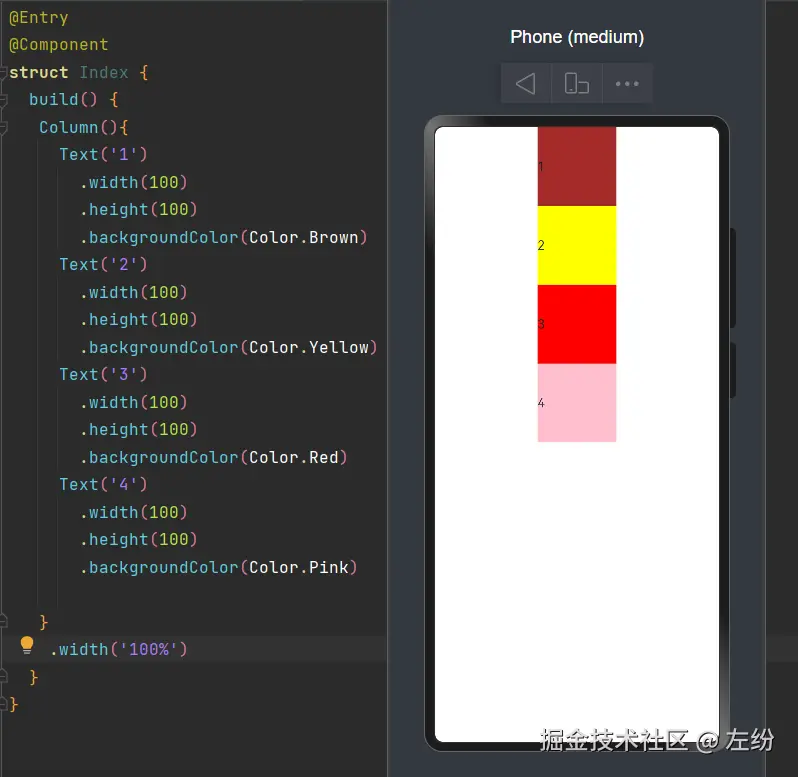
@Entry
@Component
struct Index {
  build() {
   Column(){
     Text('1')
       .width(100)
       .height(100)
       .backgroundColor(Color.Brown)
     Text('2')
       .width(100)
       .height(100)
       .backgroundColor(Color.Yellow)
     Text('3')
       .width(100)
       .height(100)
       .backgroundColor(Color.Red)
     Text('4')
       .width(100)
       .height(100)
       .backgroundColor(Color.Pink)

   }
    .width('100%')
  }
}
Row容器组件
- Row容器组件在鸿蒙开发主要是让容器组件内的子组件进行横向排列
- 子组件位置默认也是居中的
- 当Row未设置宽高时,Row宽高也由内容撑开
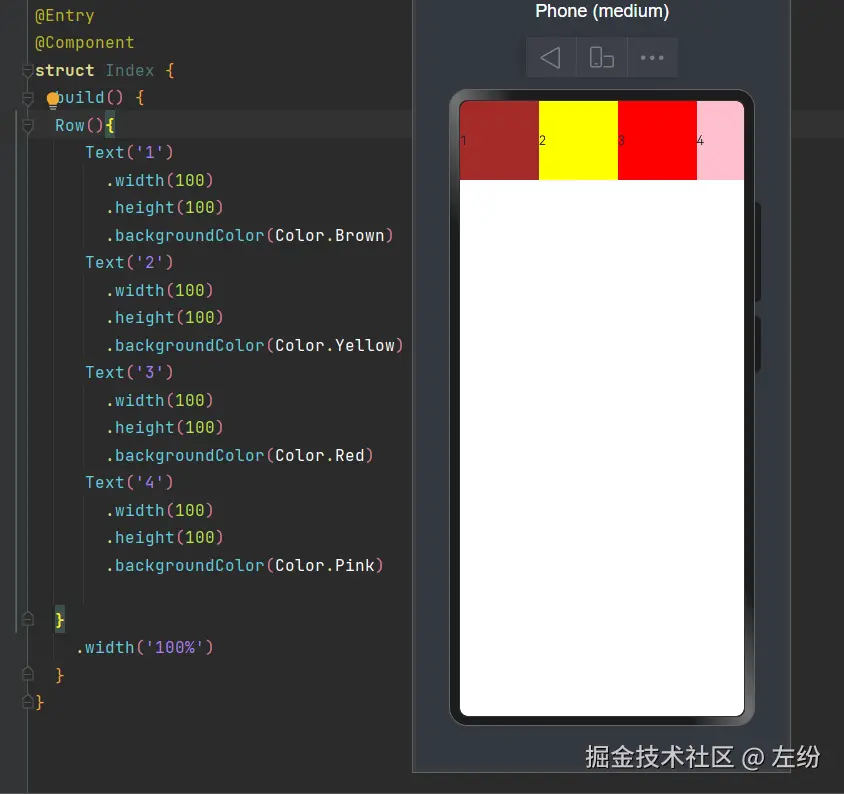
@Entry
@Component
struct Index {
  build() {
  Row(){
     Text('1')
       .width(100)
       .height(100)
       .backgroundColor(Color.Brown)
     Text('2')
       .width(100)
       .height(100)
       .backgroundColor(Color.Yellow)
     Text('3')
       .width(100)
       .height(100)
       .backgroundColor(Color.Red)
     Text('4')
       .width(100)
       .height(100)
       .backgroundColor(Color.Pink)

  }
    .width('100%')
  }
}
Scroll容器组件
- Scroll容器组件是一个可滚动的组件,当我们的子组件内容尺寸超过父组件尺寸时提供滚动效果
- 要设定容器组件宽高
- scroll内只能包含一个子组件
- Scroll组件有几个常用的属性:scrollable(设置滚动的方向)、Scrollbar(设置滚动条状态)、edgeEffect(设置滑动效果)
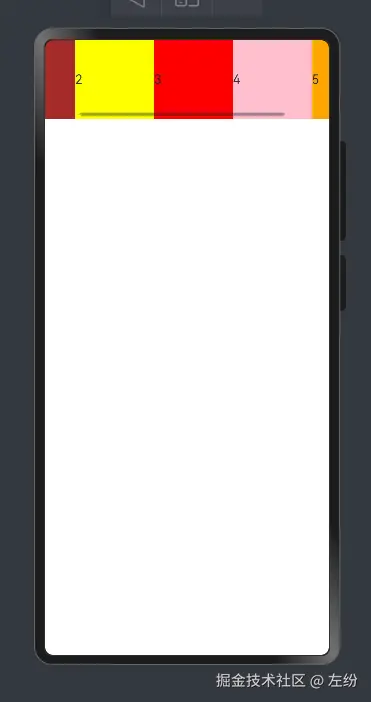
@Entry
@Component
struct Index {
build() {
Scroll(){
Row(){
Text('1')
.width(100)
.height(100)
.backgroundColor(Color.Brown)
Text('2')
.width(100)
.height(100)
.backgroundColor(Color.Yellow)
Text('3')
.width(100)
.height(100)
.backgroundColor(Color.Red)
Text('4')
.width(100)
.height(100)
.backgroundColor(Color.Pink)
Text('5')
.width(100)
.height(100)
.backgroundColor(Color.Orange)
}
}
.width('100%')
.scrollBar(BarState.On)
.scrollable(ScrollDirection.Horizontal)
.edgeEffect(EdgeEffect.Spring)
}
}
Stack容器组件
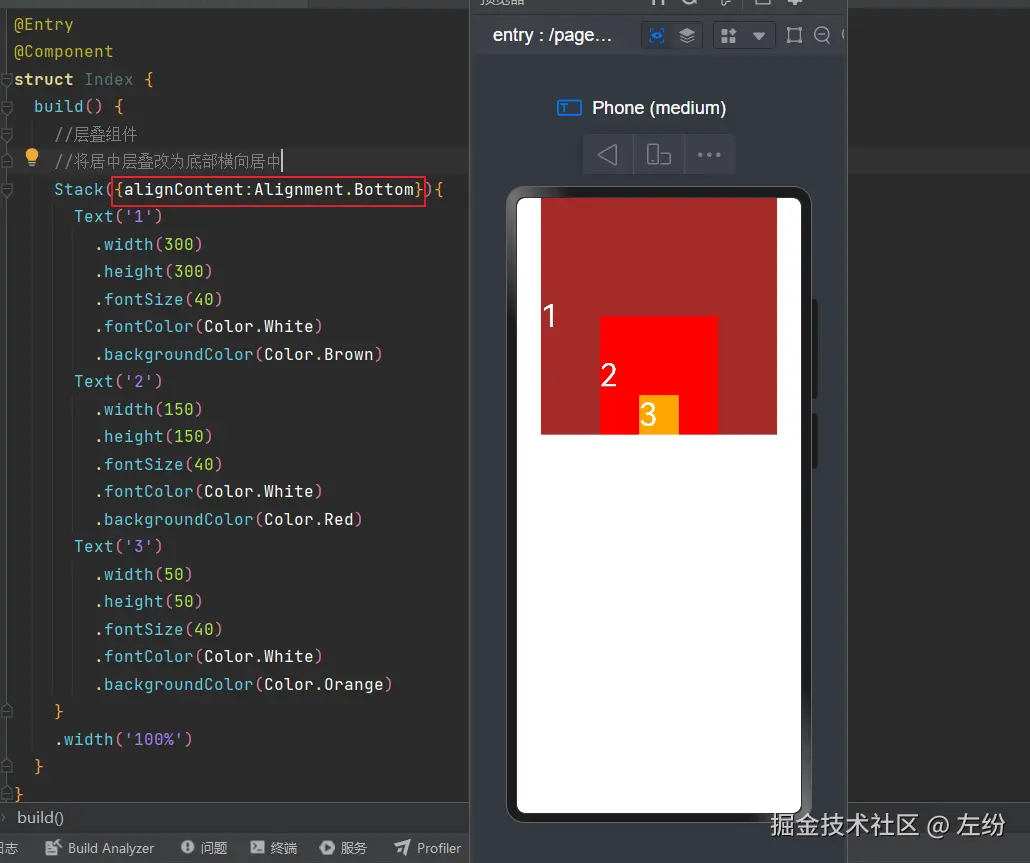
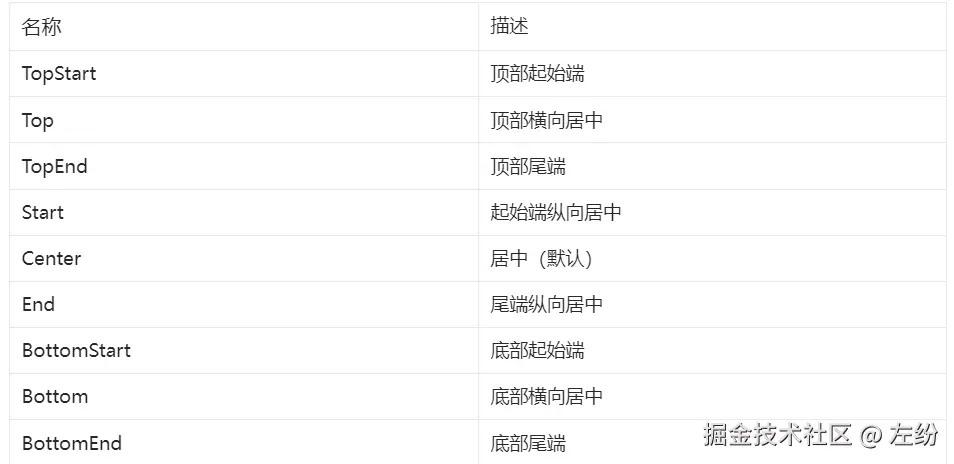
- Stack容器组件用于层叠布局,子组件按照顺序进行层叠布局
- 默认子元素居中堆叠
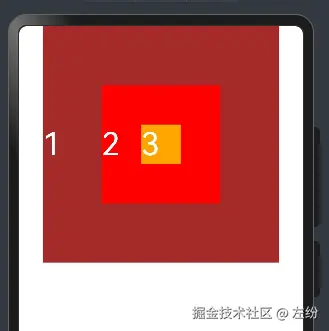
@Entry
@Component
struct Index {
build() {
Stack(){
Text('1')
.width(300)
.height(300)
.fontSize(40)
.fontColor(Color.White)
.backgroundColor(Color.Brown)
Text('2')
.width(150)
.height(150)
.fontSize(40)
.fontColor(Color.White)
.backgroundColor(Color.Red)
Text('3')
.width(50)
.height(50)
.fontSize(40)
.fontColor(Color.White)
.backgroundColor(Color.Orange)
}
.width('100%')
}
}
容器组件是可以相互嵌套的,可根据需要随意组合