uniapp(移动端)图片双指缩放、单指拖动、双击缩放
html
  <view class="imgDetail">
    <view class="imgBox">
      <img src="https://pic.netbian.com/uploads/allimg/231108/012613-16993779735dec.jpg" @touchmove="touchEvent"
        @touchend="touchEnd" class="lookimg" @dblclick="dblclickEvent" :style="{
          transform: `scale(${scaleImg})`, top: `${imgLocation.y}px`, left: `${imgLocation.x}px`, transition: `all
      ${animationTime}s`
        }" />
    </view>
  </view>
创建一个touch.ts文件
import { reactive, ref } from 'vue'
import _ from "loadsh"
export default () => {
const scaleImg = ref(1)
const lastDistance = ref(0)
const animationTime = ref(0.5)
const fingers = ref(false)
const move = reactive({
x: 0,
y: 0,
})
const offset = reactive({
x: 0,
y: 0,
})
const imgLocation = reactive({
x: 0,
y: 0,
})
const isFirst = ref(true)
const touchEvent = (e: any) => {
if (e.touches.length === 2) {
fingers.value = true
animationTime.value = 0
const touch1 = e.touches[0]
const touch2 = e.touches[1]
const distance = Math.floor(Math.sqrt(Math.pow(touch1.clientX - touch2.clientX, 2) + Math.pow(touch1.clientY - touch2.clientY, 2)))
if (isFirst.value) {
lastDistance.value = distance
isFirst.value = false
} else {
let scale = distance / lastDistance.value
if (scale > 1) {
if (scaleImg.value < 3) scaleImg.value = scaleImg.value + 0.05
} else {
if (scaleImg.value > 0.5) scaleImg.value = scaleImg.value - 0.05
}
}
}
if (e.touches.length === 1 && fingers.value === false) {
animationTime.value = 0
const touch = e.touches[0]
if (isFirst.value) {
move.x = touch.clientX
move.y = touch.clientY
isFirst.value = false
} else {
offset.x = touch.clientX - move.x
offset.y = touch.clientY - move.y
move.x = touch.clientX
move.y = touch.clientY
imgLocation.x = imgLocation.x + offset.x
imgLocation.y = imgLocation.y + offset.y
}
}
}
const touchEnd = (e: any) => {
if (e.touches.length === 0) {
isFirst.value = true
fingers.value = false
}
}
const dblclickEvent = () => {
animationTime.value = 1
if (scaleImg.value > 1) {
scaleImg.value = 1
imgLocation.x = 0
imgLocation.y = 0
} else {
scaleImg.value = 2
imgLocation.x = 0
imgLocation.y = 0
}
}
return {
lastDistance,
scaleImg,
imgLocation,
animationTime,
touchEvent,
touchEnd,
dblclickEvent
}
}
使用
<template>
  <view class="imgDetail">
    <view class="imgBox">
      <img src="https://pic.netbian.com/uploads/allimg/231108/012613-16993779735dec.jpg" @touchmove="touchEvent"
        @touchend="touchEnd" class="lookimg" @dblclick="dblclickEvent" :style="{
          transform: `scale(${scaleImg})`, top: `${imgLocation.y}px`, left: `${imgLocation.x}px`, transition: `all
      ${animationTime}s`
        }" />
    </view>
  </view>
</template>

<script lang="ts" setup>
import touchs from './touch'
const { imgLocation, scaleImg, animationTime, touchEvent, touchEnd, dblclickEvent } = touchs()
</script>

<style lang="scss" scoped>
.imgDetail {
  width: 100%;
  padding-top: var(--status-bar-height + 10px);
  height: 100vh;
  overflow: hidden;
  display: flex;
  flex-direction: column;
  align-items: center;
  justify-content: center;

  .imgBox {
    width: 100%;
    position: relative;

    .lookimg {
      width: 100vw;
      position: relative;
    }
  }
}
</style>
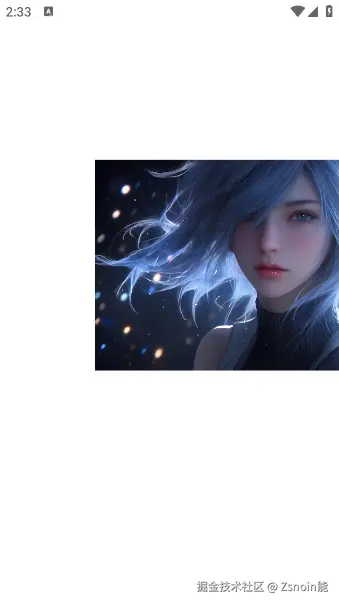
最终效果 可以随意拖动,双指缩放