ReactSpring简介
React Spring 是一个用于构建交互式、数据驱动和动画 UI 组件的库。它可以为 HTML、SVG、Native Elements、Three.js 等制作动画。本文简单从进出场动画、排序动画、拖拽动画、进度条动画介绍ReactSpring的三个hook( useSpring、 useSprings、 useTransition)
useSpring
比较通用的一个hook 能实现大多数的动画,比如高度变化、宽度变化、透明度变化、文字变化等
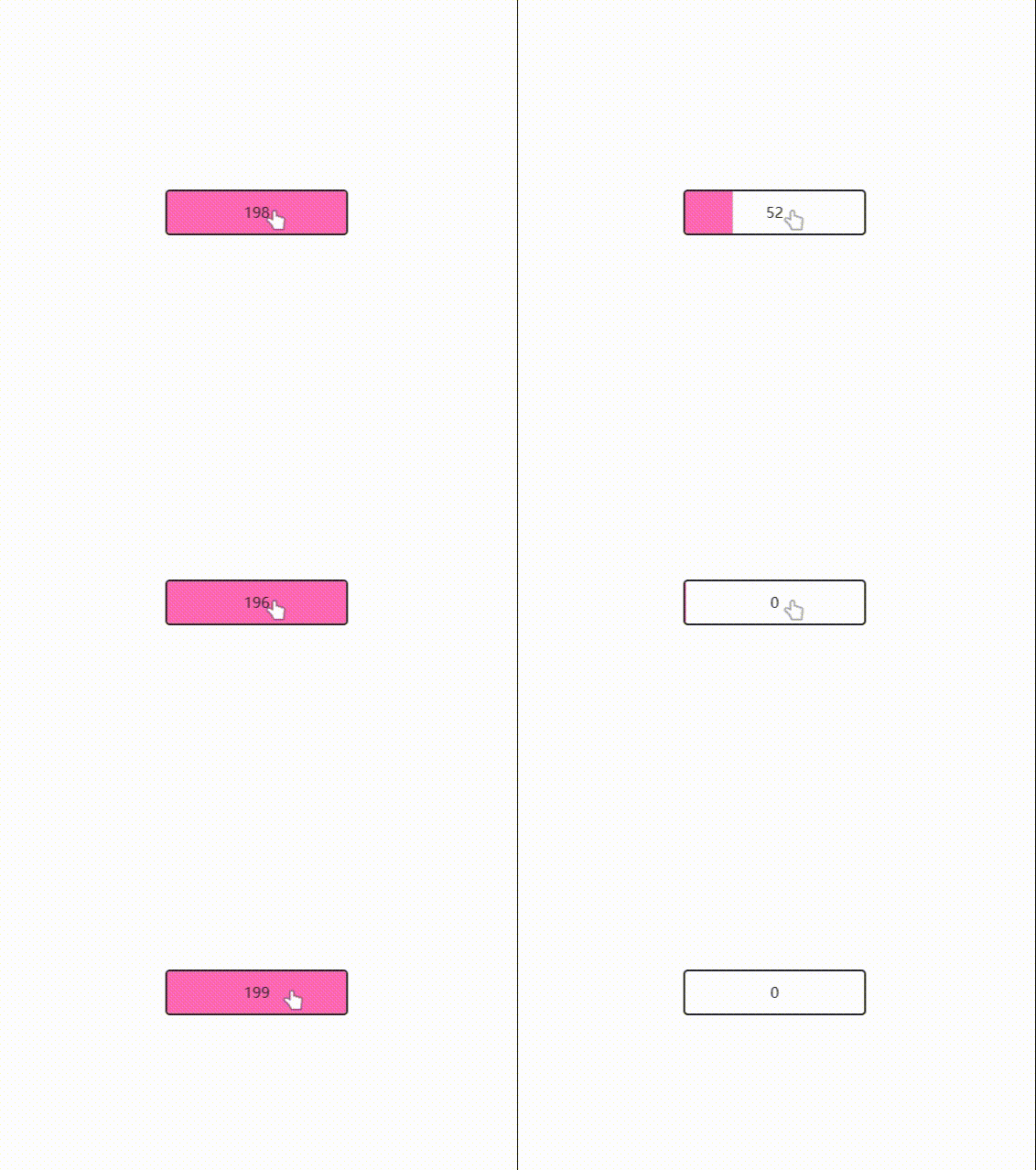
import React, { useState } from 'react'
import useMeasure from 'react-use-measure'
import { useSpring, animated } from '@react-spring/web'
import styles from './styles.module.css'
export default function App() {
const [open, toggle] = useState(false)
const [ref, { width }] = useMeasure()
const props = useSpring({ width: open ? width : 0 })
return (
<div className={styles.container}>
<div ref={ref} className={styles.main} onClick={() => toggle(!open)}>
<animated.div className={styles.fill} style={props} />
<animated.div className={styles.content}>{props.width.to(x => x.toFixed(0))}</animated.div>
</div>
</div>
)
}
.main {
  position: relative;
  width: 200px;
  height: 50px;
  cursor: pointer;
  border-radius: 5px;
  border: 2px solid #272727;
  overflow: hidden;
}

.fill {
  position: absolute;
  top: 0;
  left: 0;
  width: 100%;
  height: 100%;
  background: hotpink;
}

.content {
  position: absolute;
  top: 0;
  left: 0;
  width: 100%;
  height: 100%;
  display: flex;
  align-items: center;
  justify-content: center;
  color: #272727;
}

.container {
  display: flex;
  align-items: center;
  height: 100%;
  justify-content: center;
}
useSprings
useSprings适用于多个元素使用统一的动画的场景

import React, { useRef } from 'react'
import { useSprings, animated } from '@react-spring/web'
import { useDrag } from 'react-use-gesture'
import clamp from 'lodash.clamp'
import swap from 'lodash-move'
import styles from './styles.module.css'
const fn = (order: number[], active = false, originalIndex = 0, curIndex = 0, y = 0) => (index: number) =>
active && index === originalIndex
? {
y: curIndex * 50 + y,
scale: 1.1,
zIndex: 1,
shadow: 15,
immediate: (key: string) => key === 'y' || key === 'zIndex',
}
: {
y: order.indexOf(index) * 50,
scale: 1,
zIndex: 0,
shadow: 1,
immediate: false,
}
function DraggableList({ items }: { items: string[] }) {
const order = useRef(items.map((_, index) => index))
const [springs, api] = useSprings(items.length, fn(order.current))
const bind = useDrag(({ args: [originalIndex], active, movement: [, y] }) => {
const curIndex = order.current.indexOf(originalIndex)
const curRow = clamp(Math.round((curIndex * 100 + y) / 100), 0, items.length - 1)
const newOrder = swap(order.current, curIndex, curRow)
api.start(fn(newOrder, active, originalIndex, curIndex, y))
if (!active) order.current = newOrder
})
return (
<div className={styles.content} style={{ height: items.length * 50 }}>
{springs.map(({ zIndex, shadow, y, scale }, i) => (
<animated.div
{...bind(i)}
key={i}
style={{
zIndex,
boxShadow: shadow.to(s => `rgba(0, 0, 0, 0.15) 0px ${s}px ${2 * s}px 0px`),
y,
scale,
}}
children={items[i]}
/>
))}
</div>
)
}
export default function App() {
return (
<div className={styles.container}>
<DraggableList items={'Lorem ipsum dolor sit'.split(' ')} />
</div>
)
}
.container {
  background: #f0f0f0;
  display: flex;
  align-items: center;
  height: 100%;
  justify-content: center;
}

.content {
  position: relative;
  width: 200px;
  height: 100px;
}

.content > div {
  position: absolute;
  width: 200px;
  height: 40px;
  transform-origin: 50% 50% 0px;
  border-radius: 5px;
  color: white;
  line-height: 40px;
  padding-left: 32px;
  font-size: 14.5px;
  background: lightblue;
  text-transform: uppercase;
  letter-spacing: 2px;
  touch-action: none;
}

.content > div:nth-child(1) {
  background: linear-gradient(135deg, #f6d365 0%, #fda085 100%);
}
.content > div:nth-child(2) {
  background: linear-gradient(135deg, #f093fb 0%, #f5576c 100%);
}
.content > div:nth-child(3) {
  background: linear-gradient(135deg, #5ee7df 0%, #b490ca 100%);
}
.content > div:nth-child(4) {
  background: linear-gradient(135deg, #c3cfe2 0%, #c3cfe2 100%);
}
useTransition
useTransition适用于进出场动画的场景

import React, { useState, useEffect } from "react";
import { useTransition, animated } from "@react-spring/web";
import { shuffle } from "loadsh";
import data from "./data";
import "./global.less";

import styles from "./styles.module.css";

function myRandom(oldarr, length) {
  let arr = JSON.parse(JSON.stringify(oldarr));
  var newArr = []; // 组成的新数组初始化
  for (var i = 0; i < length; i++) {
    var index = Math.floor(Math.random() * arr.length);
    var item = arr[index];
    newArr.push(item);
    arr.splice(index, 1);
  }
  return newArr.reverse();
}

function List() {
  const [rows, set] = useState(data);
  useEffect(() => {
    const t = setInterval(() => set(shuffle), 8000);
    const tt = setInterval(() => {
      set(myRandom(data, 7));
    }, 3000);
    return () => {
      clearInterval(t);
      clearInterval(tt);
    };
  }, []);

  let height = 0;
  const transitions = useTransition(
    rows.map((data) => ({ ...data, y: (height += data.height) - data.height })),
    {
      key: (item: any) => item.name,
      //初始化的样式
      from: ({ y, height }) => ({
        y,
        height: height,
        opacity: 0,
        transform: `translateX(500px)`,
      }),
      //离开的样式
      leave: ({ y, height }) => ({
        y,
        height: height,
        opacity: 0,
        transform: `translateX(500px)`,
      }),
      //进入的样式
      enter: ({ y, height }) => ({
        y,
        height,
        opacity: 1,
        transform: `translateX(0px)`,
      }),
      //更新的样式
      update: ({ y, height }) => ({ y, height }),
    }
  );

  return (
    <div className={styles.list}>
      {transitions((style, item, t, index) => (
        <animated.div
          className={styles.card}
          style={{ zIndex: data.length - index, ...style }}
        >
          <div className={styles.cell}>
            <div
              className={styles.details}
              style={{ backgroundImage: item.css }}
            />
          </div>
        </animated.div>
      ))}
    </div>
  );
}

export default function App() {
  return <List />;
}
export default [
    {
        name: 'Rare Wind',
        description: '#a8edea → #fed6e3',
        css: 'linear-gradient(135deg, #a8edea 0%, #fed6e3 100%)',
        height: 150,
    },
    {
        name: 'Saint Petersburg',
        description: '#f5f7fa → #c3cfe2',
        css: 'linear-gradient(135deg, #c3cfe2 0%, #c3cfe2 100%)',
        height: 150,
    },
    {
        name: 'Deep Blue',
        description: '#e0c3fc → #8ec5fc',
        css: 'linear-gradient(135deg, #e0c3fc 0%, #8ec5fc 100%)',
        height: 200,
    },
    {
        name: 'Ripe Malinka',
        description: '#f093fb → #f5576c',
        css: 'linear-gradient(135deg, #f093fb 0%, #f5576c 100%)',
        height: 140,
    },
    {
        name: 'Near Moon',
        description: '#5ee7df → #b490ca',
        css: 'linear-gradient(135deg, #5ee7df 0%, #b490ca 100%)',
        height: 200,
    },
    {
        name: 'Wild Apple',
        description: '#d299c2 → #fef9d7',
        css: 'linear-gradient(135deg, #d299c2 0%, #fef9d7 100%)',
        height: 150,
    },
    {
        name: 'Ladoga Bottom',
        description: '#ebc0fd → #d9ded8',
        css: 'linear-gradient(135deg, #ebc0fd 0%, #d9ded8 100%)',
        height: 160,
    },
    {
        name: 'Sunny Morning',
        description: '#f6d365 → #fda085',
        css: 'linear-gradient(120deg, #f6d365 0%, #fda085 100%)',
        height: 140,
    },
    {
        name: 'Lemon Gate',
        description: '#96fbc4 → #f9f586',
        css: 'linear-gradient(to top, #96fbc4 0%, #f9f586 100%)',
        height: 200,
    },
]
.list {
  position: relative;
  width: 65vw;
  max-width: 100%;
  height: 100%;
  margin: 0 auto;
}

.card {
  position: absolute;
  will-change: transform, height, opacity;
  width: 100%;
}

.cell {
  position: relative;
  background-size: cover;
  width: 100%;
  height: 100%;
  overflow: hidden;
  text-transform: uppercase;
  font-size: 10px;
  line-height: 10px;
  padding: 15px;
  box-sizing: border-box;
}

.details {
  position: relative;
  bottom: 0px;
  left: 0px;
  width: 100%;
  height: 100%;
  border-radius: 5px;
  box-shadow: 0px 10px 25px -10px rgba(0, 0, 0, 0.2);
}
其它hook
- useChain:按顺序编写动画,按照自己想要的顺序执行多个动画
- useScroll:创建页面或其它元素滚动时的动画
- useResize:它返回一个
SpringValues对象,其中包含它所附加的元素的width和height ,并且不一定必须附加到窗口,通过传递一个container您可以观察该元素的大小
- useInView:用于跟踪视口中元素的可见性。使用本机
IntersectionObserver ,您可以响应表示元素已“相交”的boolean ,或者向其传递一个返回SpringValues的函数,以在intersection时对元素进行动画处理