文末
逆水行舟不进则退,所以大家要有危机意识。
同样是干到35岁,普通人写业务代码划水,榜样们深度学习拓宽视野晋升管理。
这也是为什么大家都说35岁是程序员的门槛,很多人迈不过去,其实各行各业都是这样都会有个坎,公司永远都缺的高级人才,只用这样才能在大风大浪过后,依然闪耀不被公司淘汰不被社会淘汰。
为了帮助大家更好温习重点知识、更高效的准备面试,特别整理了《前端工程师核心知识笔记》电子稿文件。
内容包括html,css,JavaScript,ES6,计算机网络,浏览器,工程化,模块化,Node.js,框架,数据结构,性能优化,项目等等。
269页《前端大厂面试宝典》
包含了腾讯、字节跳动、小米、阿里、滴滴、美团、58、拼多多、360、新浪、搜狐等一线互联网公司面试被问到的题目,涵盖了初中级前端技术点。
前端面试题汇总
// 初始化
onMounted(() => {
  const chartDom = document.getElementById("pieCharts");
  myChart = echarts.init(chartDom);
  drawBarCharts(list.value);
  BarClick();
});
2.画柱状图
这里面就是普通的echarts画柱状图的方法,需要注意的是visualMap画区域颜色,markLine来默认画出第一条线
// 画柱状图
const drawBarCharts = (list: any[]) => {
  // drawPieChart("skip", "");
  if (option) {
    myChart.dispose(); //释放图表
  }
  // 折线图 默认配置
  option = {
    grid: {
      top: 40,
    },
    yAxis: {
      type: "category",
      axisTick: {
        show: false,
      },
      data: list.map((i) => i.name).reverse(),
    },

    xAxis: {
      type: "value",
    },
    visualMap: {
      type: "piecewise",
      show: false,
      dimension: 1,
      seriesIndex: 1,
      pieces: [
        {
          gt: 4,
          lt: 5,
          color: "#FFD6D4",
        },
      ],
    },
    series: [
      {
        name: "",
        data: list.map((i) => i.total).reverse(),
        type: "bar",
        barWidth: "50%",
        color: "#0072ED",
        zlevel: 2,
      },
      {
        name: "line",
        type: "line",
        areaStyle: {
          // color: '#D6F1FF'
        },
        lineStyle: {
          color: "#E2F0FF",
        },
        data: list.map((i) => i.total).reverse(),
        zlevel: 1,
        symbol: "none",
        markLine: {
          silent: true,
          data: [
            [
              {
                lineStyle: { color: "#1890FF", type: "dashed", width: 2 },
                x: "10%",
                y: "22%",
              },
              {
                label: {
                  color: "#1890FF",
                  padding: [0, 15, 0, 0], // 重点在这里,这个地方就是定位
                  position: "insideEndTop",
                  formatter: `${list[1].name + "    " + list[1].total}`, // 默认第二个
                },
                lineStyle: { color: "#1890FF", type: "dashed", width: 2 },
                x: "98%",
                y: "22%",
              },
            ],
          ],
        },
      },
    ],
  };
  // 折线图 点击事件
  option && myChart.setOption(option);
};
3.初始化柱状图点击事件BarClick
使用实例化的myChart 和 getZr方法 作用于line上面来调用defaultClick事件
// 初始化柱状图点击事件
const BarClick = () => {
  // 折线图 点击事件
  myChart.getZr().on("click", "series.line", (params) => {
    defaultClick(params, option, myChart, visualMapPieces, list.value);
    console.log(params, "params");
    barChangeList();
  });
};
4.defaultClick事件
用于重绘区域颜色和线上数据,改变bie的数据,根据Y轴的值 预估区间,来获取对应的数组的index。
注意:这里面是估算,不是精确数据。
// 点击事件重置柱状图的颜色区域
function defaultClick(
  params: { target: any; offsetY: number; offsetX: any },
  option: echarts.EChartsOption,
  myChart: {
    setOption: (arg0: {
      visualMap: {
        type: string;
        show: boolean;
        dimension: number;
        seriesIndex: number;
        pieces: any;
      };
      series: any;
    }) => void;
  },
  visualMapPieces: any[],
  list: Ref<{ name: string; total: string }[]> | { total: any }[]
) {
  // 折线图 点击事件
  console.log(params, "params");
  if (!params.target) {
    return;
  }
  let areaIndex = 0; // 值域:[0, 4]的正整数
  // 根据Y轴的值 预估区间
  if (params.offsetY >= 78 && params.offsetY < 125) {
    areaIndex = 4;
  } else if (params.offsetY >= 125 && params.offsetY < 148) {
    areaIndex = 3;
  } else if (params.offsetY >= 148 && params.offsetY < 197) {
    areaIndex = 2;
  } else if (params.offsetY >= 197 && params.offsetY < 270) {
    areaIndex = 1;
  } else if (params.offsetY >= 270 && params.offsetY < 296) {
    areaIndex = 0;
  } else {
    areaIndex = null;
  }
  if (areaIndex === null) return; // 控制第四个区域不能点击
  myChart.setOption({
    visualMap: {
      type: "piecewise",
      show: false,
      dimension: 1,
      seriesIndex: 1,
      pieces: visualMapPieces.map((item, index) => {
        // 根据点击区域,修改折线图区域的颜色
        return index === areaIndex
          ? {
              agt: index,
              lt: index + 1,
              color: "#FFD6D4",
            }
          : { ...item };
      }),
    },
    series: option.series.map((item, index) => {
      // 根据点击区域 画指示线
      return item.name === "line"
        ? {
            ...item,
            markLine: {
              silent: true,
              lineStyle: {
                type: "dashed",
                color: "#1890FF",
              },
              data: [
                [
                  {
                    lineStyle: { color: "#1890FF", type: "dashed", width: 1 },
                    x: params.offsetX,
                    y: params.offsetY,
                  },
                  {
                    label: {
                      color: "#1890FF",
                      padding: [0, 15, 0, 0], // 重点在这里,这个地方就是定位
                      position: "insideEndTop",
                      formatter: `${
                        list[areaIndex - 1 < 0 ? 0 : areaIndex - 1].name
                      }${list[areaIndex - 1 < 0 ? 0 : areaIndex - 1].total}`,
                    },
                    lineStyle: { color: "#1890FF", type: "dashed", width: 1 },
                    x: "98%",
                    y: params.offsetY,
                  },
                ],
              ],
            },
          }
        : { ...item };
    }),
  });
}
🆚饼图思路
饼图思路很简单,接受一个props.list 用于数据驱动,需要注意的是饼图要绑定一个key,用于变化数据时候更新。还有在销毁组件里面重新实例化echarts图表对象。
if (option) {
myChart.dispose(); //释放图表
myChart = null;
let chartDom = document.getElementById("barCharts");
myChart = echarts.init(chartDom);
}
代码如下:
<!--功能说明: KinHKin 饼图-->
<template>
<div class="route-watch-bar" id="barCharts" :key="keyOnly"></div>
</template>
<script setup lang="ts">
import { onMounted, ref } from "vue";
import * as echarts from "echarts";
import { watch } from "vue";
type EChartsOption = echarts.EChartsOption;
const keyOnly = new Date().getTime();
let myChart = null;
let option: EChartsOption;
const props = defineProps({
list: Array,
});
const drawBarCharts = () => {
if (option) {
myChart.dispose(); //释放图表
myChart = null;
let chartDom = document.getElementById("barCharts");
myChart = echarts.init(chartDom);
}
option = {
color: ["#0050B3", "#339DFF", "#36CFC9", "#2BAD2B", "#37C1F0", "#096DD9"],
grid: {
top: "50%",
right: "90%",
left: "40%",
},
tooltip: {
trigger: "item",
formatter: "{b} <br/>{d}%",
},
series: [
{
name: "",
type: "pie",
radius: "74%",
roseType: "area",
data: props.list,
label: {
alignTo: "edge",
formatter: "{name|{b}}\n\n{value|{d} %}",
minMargin: 5,
edgeDistance: 10,
lineHeight: 15,
rich: {
name: {
fontSize: 14,
color: "#666",
},
value: {
fontSize: 16,
color: "#1890FF",
},
},
},
emphasis: {
itemStyle: {
shadowBlur: 10,
shadowOffsetX: 0,
### 结尾
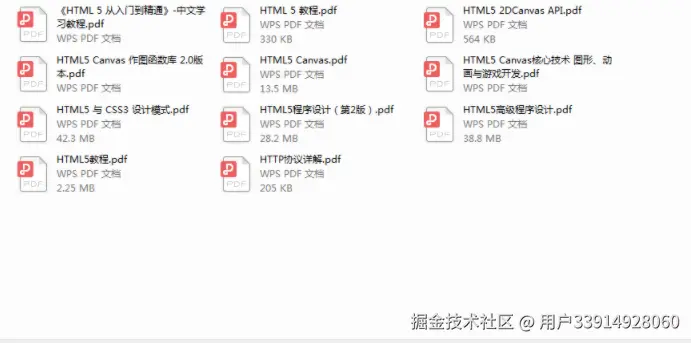
学习html5、css、javascript这些基础知识,学习的渠道很多,就不多说了,例如,一些其他的优秀博客。但是本人觉得看书也很必要,可以节省很多时间,常见的javascript的书,例如:javascript的高级程序设计,是每位前端工程师必不可少的一本书,边看边用,了解js的一些基本知识,基本上很全面了,如果有时间可以读一些,js性能相关的书籍,以及设计者模式,在实践中都会用的到。
**[开源分享:【大厂前端面试题解析+核心总结学习笔记+真实项目实战+最新讲解视频】](https://docs.qq.com/doc/DSmRnRGxvUkxTREhO)**