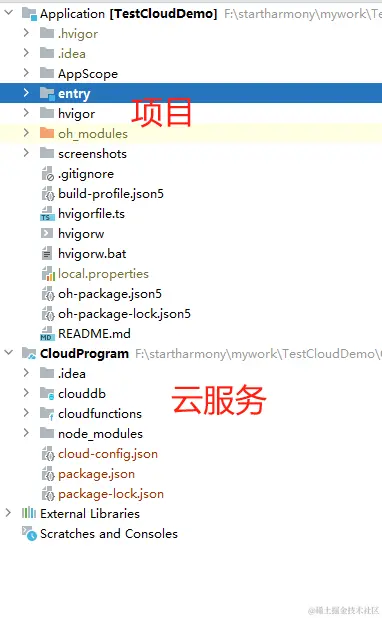
元服务
- 桌面卡片组件不需要与小程序类似但不依托于应用,不需要安装即可使用
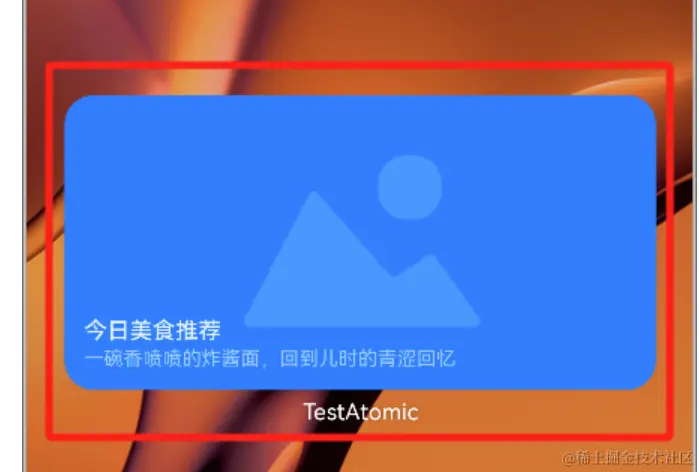
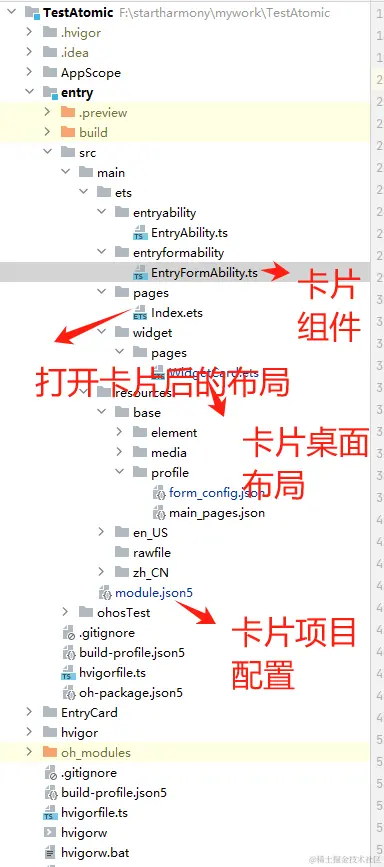
Create project->atomic service->创建对应项目

- module.json5中添加扩展
//添加扩展
"extensionAbilities": [
  {
  //扩展组件
    "name": "EntryFormAbility",
    //扩展组件路径
    "srcEntry": "./ets/entryformability/EntryFormAbility.ts",
    //标签名
    "label": "$string:EntryFormAbility_label",
    //扩展描述
    "description": "$string:EntryFormAbility_desc",

    "type": "form",
    "metadata": [
      {
        "name": "ohos.extension.form",
        //卡片具体配置信息
        "resource": "$profile:form_config"
      }
    ],
  }
]

- form_config.json5配置信息
{
  "forms": [
    {
      "name": "widget",
      "description": "This is a service widget.",
      "src": "./ets/widget/pages/WidgetCard.ets",
      "uiSyntax": "arkts",
      "window": {
        "designWidth": 720,
        "autoDesignWidth": true
      },
      "colorMode": "auto",
      "isDefault": true,
      "updateEnabled": true,
      "scheduledUpdateTime": "10:30",
      "updateDuration": 1,
      "defaultDimension": "2*2",
      "supportDimensions": [
        "2*2"
      ]
    }
  ]
}
云端一体化
- 创建项目create project->select CloudDev
- 项目架构