端口号
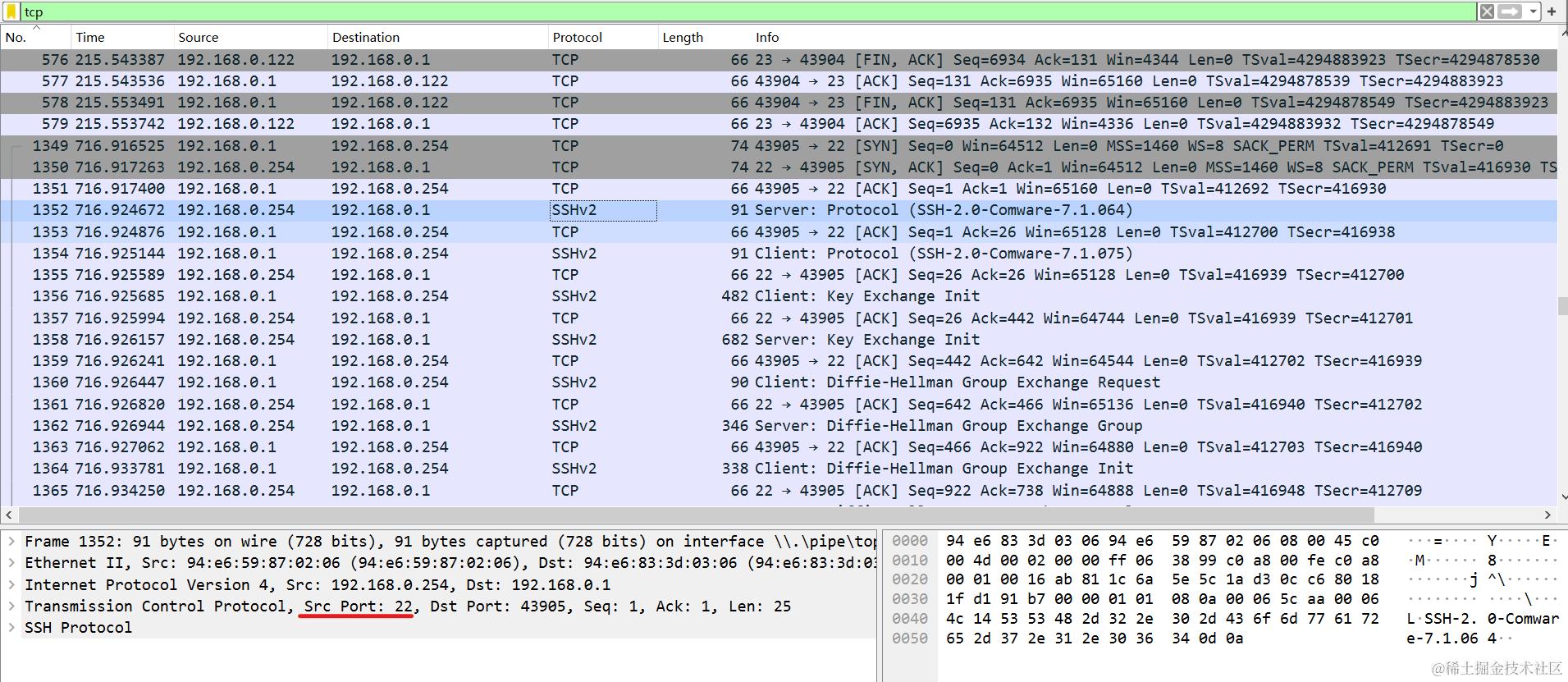
SSH默认为22 TELNET默认为23
通过Telnet登录路由器的配置
第一步 配置至少一个IP地址,以便提供IP连通性
[H3C-etherent0/0] ip address <ip-address> {mask|mask-length}
第二步 启动telnet服务器
[H3C] telnet server enable
第三步进入VTY用户视图
[H3C]line vty <first-num> [last-num] // VTY编号0-63 第一个登录的用户为vty0 第二个为vty1 以此类推
第四步为VTY用户界面视图配置验证方式
[H3C-ui-vty0]authentication-mode {none|password|scheme} // none不验证 password密码登入 scheme账号+密码
第五步为telnet用户配置验证信息 (针对password验证)
[H3C-ui-vty0]set authentication password {hash|simple} <password>
[H3C-ui-vty0]user-role <role-name>   // 配置登陆后用户角色 {network-admin|network-operator|level-0~level-15|security-audit|guest-manager}
第六步配置本地用户数据库用户信息 (针对scheme验证)
[H3C-ui-vty0]set authentication scheme  // 该登录接口的登录信息为AAA

# 创建本地用户数据AAA
[H3C]local-user <username>
[H3C-luser-xxx]password {hash|simple} <password>
[H3C-luser-xxx]service-type telnet
[H3C-luser-xxx]authorization-attrbute user-role <role-name>
通过SSH登录路由器的配置
第一步 配置至少一个IP地址,以便提供IP连通性
[H3C-etherent0/0] ip address <ip-address> {mask|mask-length}
第二步 启动ssh服务器
[H3C] ssh server enable
第三步进入VTY用户视图
[H3C]line vty <first-num> [last-num] // VTY编号0-63 第一个登录的用户为vty0 第二个为vty1 以此类推
第四步为VTY用户界面视图配置验证方式
[H3C-ui-vty0]authentication-mode {none|password|scheme} // none不验证 password密码登入 scheme账号+密码
第五步为ssh用户配置验证信息 (针对password验证)
[H3C-ui-vty0]set authentication password {hash|simple} <password>
[H3C-ui-vty0]user-role <role-name>   // 配置登陆后用户角色 {network-admin|network-operator|level-0~level-15|security-audit|guest-manager}
第六步配置本地用户数据库用户信息 (针对scheme验证)
[H3C-ui-vty0]set authentication scheme
[H3C-ui-vty0]protocol inbound ssh   // 缺省为telnet

[H3C]local-user <username>
[H3C-luser-xxx]password {hash|simple} <password>
[H3C-luser-xxx]service-type ssh
[H3C-luser-xxx]authorization-attrbute user-role <role-name>
配置举例
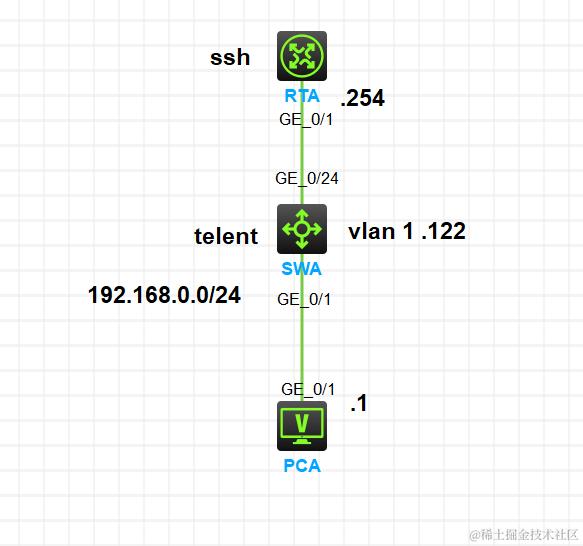
如上图所示 RTA,SWA,PCA在同一网段192.168.0.0/24 地址规划如拓扑所示RTA-g0/1192.168.0.254 SWA-vlan1 192.168.0.122 PCA-g0/1 192.168.0.1 要求RTA可ssh远程登录 SWAtelent远程登录
RTA配置
[RTA]interface g0/1
[RTA-GigabitEthernet0/1]ip address 192.168.0.254 24
[RTA-GigabitEthernet0/1]qu
[RTA]ssh server enable
[RTA]line vty 0 4
[RTA-line-vty0-4]authentication-mode scheme
[RTA-line-vty0-4]protocol inbound ssh
[RTA-line-vty0-4]qu
[RTA]local-user RTA
[RTA-luser-manage-RTA]password simple admin@1234
[RTA-luser-manage-RTA]authorization-attribute user-role network-admin
[RTA-luser-manage-RTA]service-type ssh
SWA配置
[SWA]interface vlan 1
[SWA-Vlan-interface1]ip address 192.168.0.122 24
[SWA-Vlan-interface1]qu
[SWA]telnet server enable
Telnet is insecure because it transmits data in plaintext form.
[SWA]line vty 0
[SWA-line-vty0]authentication-mode password
[SWA-line-vty0]set authentication password simple admin@1234
[SWA-line-vty0]user-role network-admin
PCA配置
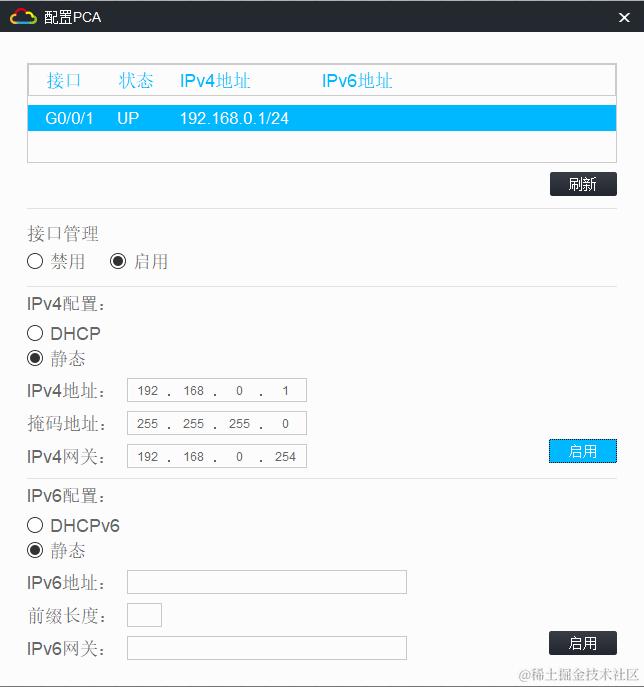
PCA-SSH登录RTA|Telnet登录SWA
<H3C>ssh 192.168.0.254
Username: RTA
Press CTRL+C to abort.
Connecting to 192.168.0.254 port 22.
The server is not authenticated. Continue? [Y/N]:y
Do you want to save the server public key? [Y/N]:y
RTA@192.168.0.254's password:
Enter a character ~ and a dot to abort.

******************************************************************************
* Copyright (c) 2004-2021 New H3C Technologies Co., Ltd. All rights reserved.*
* Without the owner's prior written consent,                                 *
* no decompiling or reverse-engineering shall be allowed.                    *
******************************************************************************

<RTA>telnet
<RTA>telnet 192.168.0.122
Trying 192.168.0.122 ...
Press CTRL+K to abort
Connected to 192.168.0.122 ...
Password:
******************************************************************************
* Copyright (c) 2004-2022 New H3C Technologies Co., Ltd. All rights reserved.*
* Without the owner's prior written consent,                                 *
* no decompiling or reverse-engineering shall be allowed.                    *
******************************************************************************

<SWA>
抓包分析
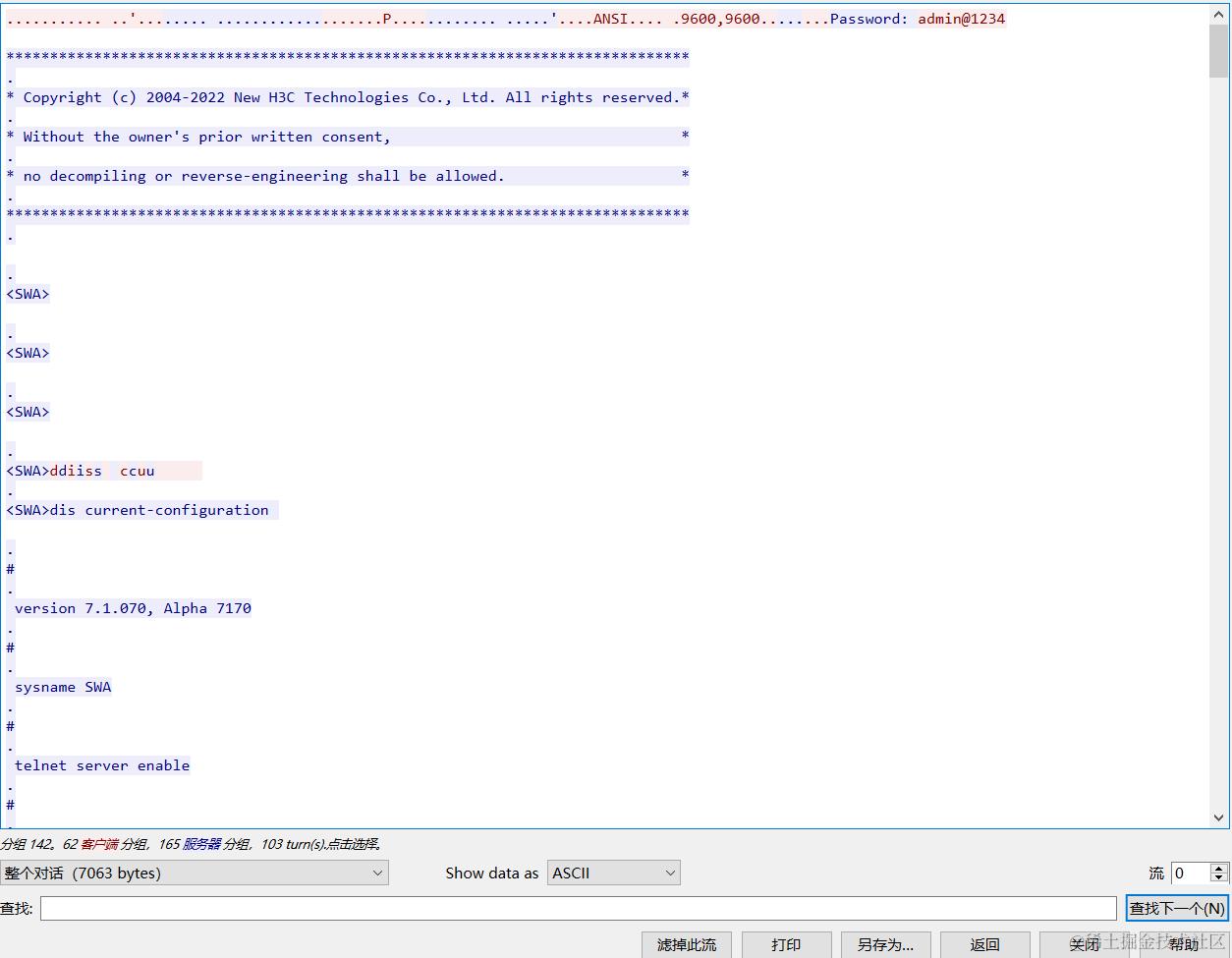
telnet 默认端口23
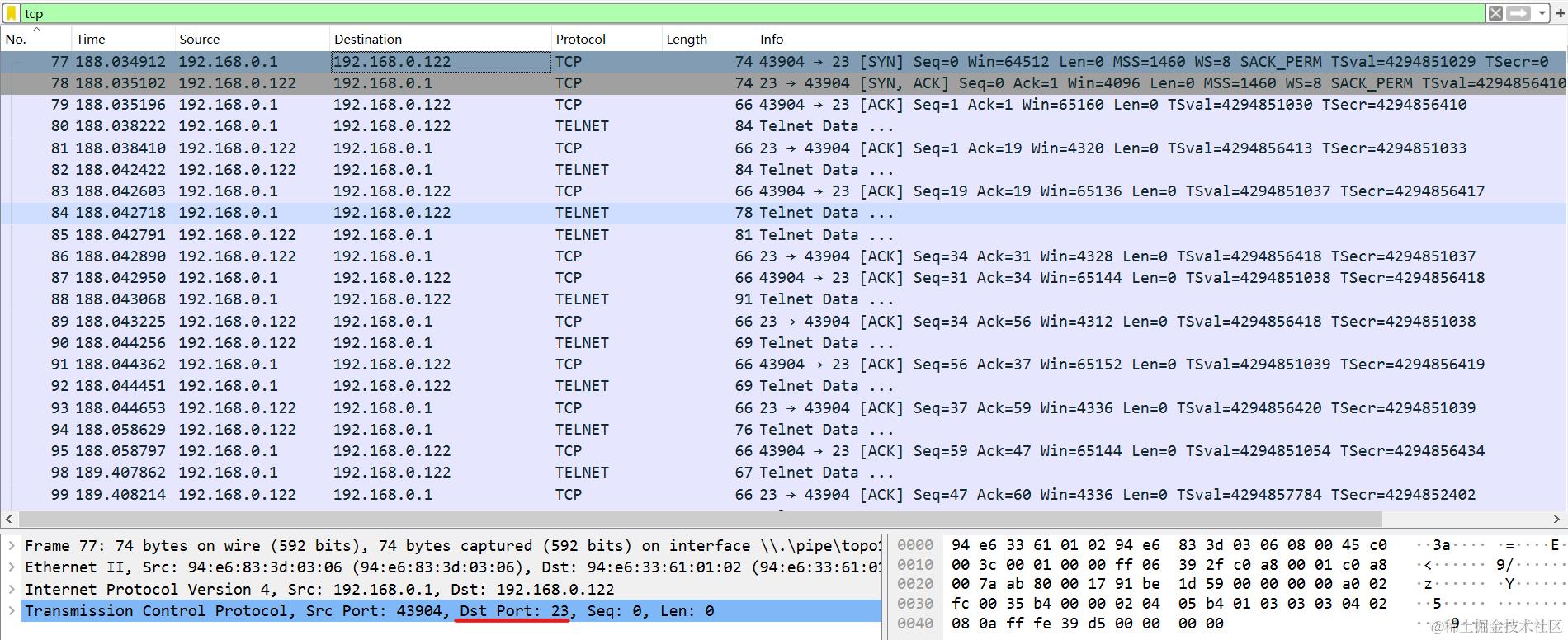
右键追踪流 TCP Stream
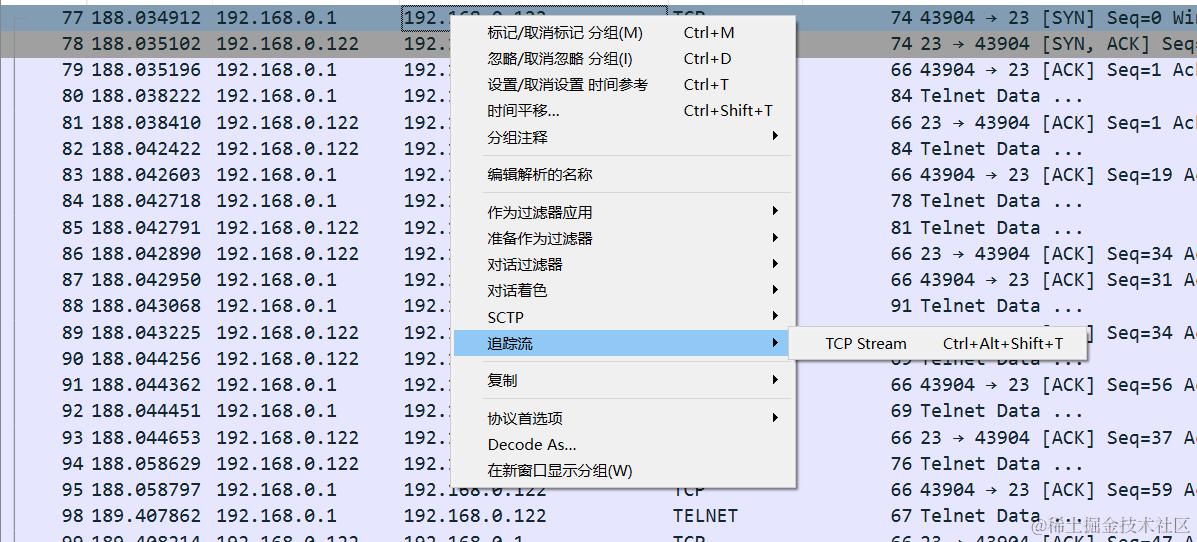
明文显示密码以及操作信息 telnet具有回显 不安全
ssh 默认端口22
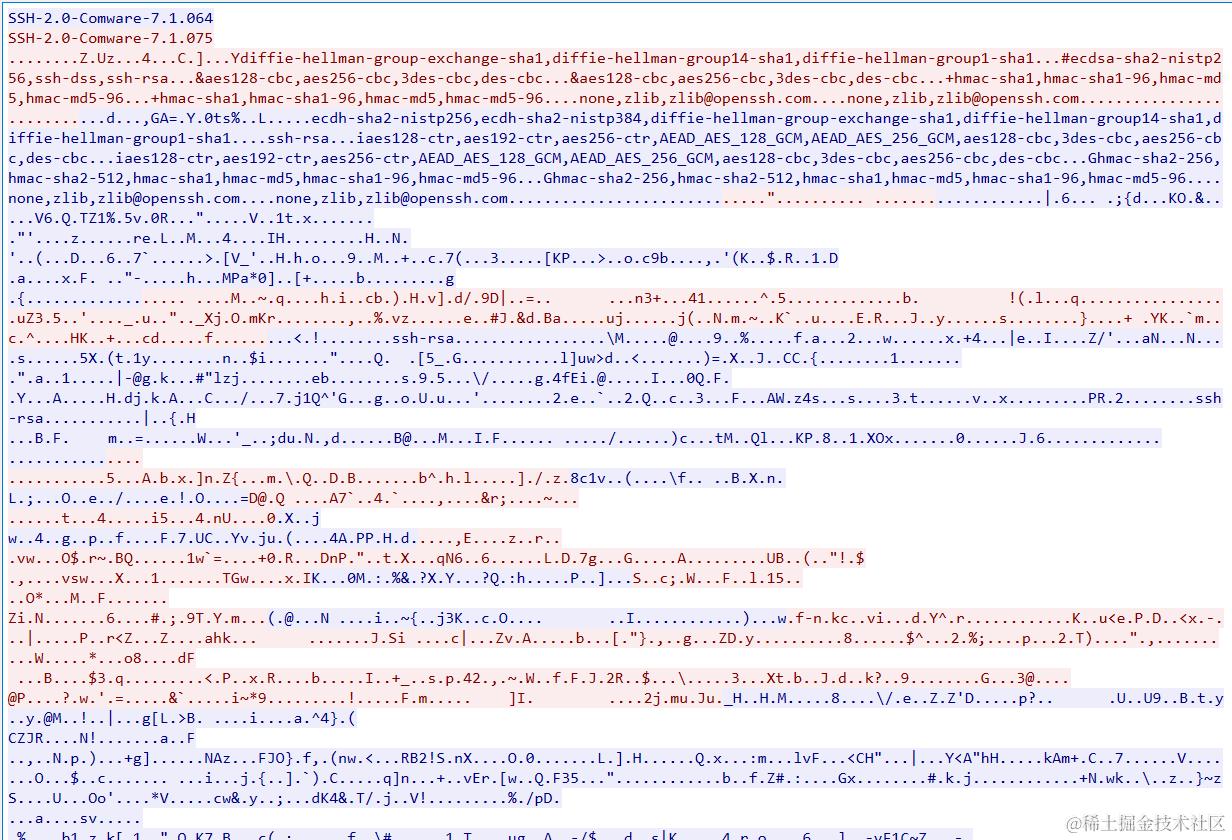
操作加密 较为安全
SSH可选配置
SSH认证部分后续另起文章
display users                           // 显示在线用户*
free | kill user-interface vty 1        // 清除在线用户
send                                    // 发送信息给用户
lock                                    // 锁定用户界面*  lock reauthentication
super 3                                 // 切换用户级别*  super default role level-15
run                                     // 在其他模式下运行用户模式下命令