

beego 环境搭建
网站使用的是基于 Go 语言的 beego 环境
- 安装 Git
yum install git - 安装 go 语言环境
- 下载安装包
https://golang.org/dl/ - 解压
tar -C /usr/local -xzf go1.16.5.linux-amd64.tar.gz - 添加环境变量
export PATH=$PATH:/usr/local/go/bin
- 安装 beego
go get github.com/astaxie/beego
如果出现下载超时的情况,可以设置代理
go env -w GO111MODULE=on
go env -w GOPROXY=https://goproxy.io,direct - 安装 bee 工具
go get github.com/beego/bee
执行后将在$GOPATH/bin目录下安装二进制文件bee,接着我们需要为此目录添加环境变量
export PATH=$GOPATH/bin
至此,beego 环境就搭建完成了,我们可以测试一下
# cd ~/go/src/
[root@Box src]# bee new hello
2021/06/11 16:50:34 INFO     ▶ 0001 generate new project support go modules.
2021/06/11 16:50:34 INFO     ▶ 0002 Creating application...
        create   /root/go/src/hello/go.mod
        create   /root/go/src/hello/
        create   /root/go/src/hello/conf/
        create   /root/go/src/hello/controllers/
        create   /root/go/src/hello/models/
        create   /root/go/src/hello/routers/
        create   /root/go/src/hello/tests/
        create   /root/go/src/hello/static/
        create   /root/go/src/hello/static/js/
        create   /root/go/src/hello/static/css/
        create   /root/go/src/hello/static/img/
        create   /root/go/src/hello/views/
        create   /root/go/src/hello/conf/app.conf
        create   /root/go/src/hello/controllers/default.go
        create   /root/go/src/hello/views/index.tpl
        create   /root/go/src/hello/routers/router.go
        create   /root/go/src/hello/tests/default_test.go
        create   /root/go/src/hello/main.go
2021/06/11 16:50:34 SUCCESS  ▶ 0003 New application successfully created!
[root@Box src]# cd hello/
[root@Box hello]# bee run
______
| ___ \
| |_/ /  ___   ___
| ___ \ / _ \ / _ \
| |_/ /|  __/|  __/
\____/  \___| \___| v1.12.0
2021/06/11 16:50:41 INFO     ▶ 0001 Using 'hello' as 'appname'
2021/06/11 16:50:41 INFO     ▶ 0002 Initializing watcher...
go: github.com/astaxie/beego@v1.12.1: missing go.sum entry; to add it:
        go mod download github.com/astaxie/beego
2021/06/11 16:50:41 ERROR    ▶ 0003 Failed to build the application: go: github.com/astaxie/beego@v1.12.1: missing go.sum entry; to add it:
        go mod download github.com/astaxie/beego

^C
[root@Box hello]# go mod tidy
go: finding module for package github.com/shiena/ansicolor
go: found github.com/shiena/ansicolor in github.com/shiena/ansicolor v0.0.0-20200904210342-c7312218db18
[root@Box hello]# bee run
______
| ___ \
| |_/ /  ___   ___
| ___ \ / _ \ / _ \
| |_/ /|  __/|  __/
\____/  \___| \___| v1.12.0
2021/06/11 16:52:37 INFO     ▶ 0001 Using 'hello' as 'appname'
2021/06/11 16:52:37 INFO     ▶ 0002 Initializing watcher...
hello/controllers
hello/routers
hello
2021/06/11 16:52:40 SUCCESS  ▶ 0003 Built Successfully!
2021/06/11 16:52:40 INFO     ▶ 0004 Restarting 'hello'...
2021/06/11 16:52:40 SUCCESS  ▶ 0005 './hello' is running...
2021/06/11 16:52:40.991 [I] [asm_amd64.s:1371]  http server Running on http://:8080
网站项目编写
下面是项目目录
# tree
.
├── city.json
├── conf
│   └── app.conf
├── controllers
│   ├── default.go
│   └── tianqiapi.go
├── go.mod
├── go.sum
├── go_web
├── main.go
├── routers
│   └── router.go
├── static
│   ├── css
│   │   ├── mystyle.css
│   │   └── style.css
│   ├── html
│   │   └── weather.html
│   ├── img
│   │   └── cucumber
│   │       ├── bingbao.png
│   │       ├── lei.png
│   │       ├── qing.png
│   │       ├── shachen.png
│   │       ├── wu.png
│   │       ├── xue.png
│   │       ├── yin.png
│   │       ├── yun.png
│   │       └── yu.png
│   └── js
│       ├── ajax.js
│       ├── lineChart.js
│       ├── method.js
│       ├── mycity.js
│       ├── mymethod.js
│       └── reload.min.js
├── tests
│   └── default_test.go
└── views
    └── index.html

11 directories, 29 files
由于项目本身还是有些复杂的,这里介绍起来太占篇幅了,我把源码上传到了 CodeChina codechina.csdn.net/lyndon_li/g…,有需要的伙伴可以下载下来跑一跑,有任何问题都可以留言探讨。
注意:
tianqiapi.go 里面需要用到个人的注册信息:appid 和 appsecret,需要大家到 tianqiapi.com/ 注册,然后填入代码即可
func getWeather(dataType string, value string) string {
	params := url.Values{}
	Url, \_ := url.Parse("https://www.tianqiapi.com/api/")
	params.Set("appid", "xxx")
	params.Set("appsecret", "xxx")
	params.Set("version", "v1")
	if dataType == "cityid" {
		params.Set("cityid", value)
	} else if dataType == "ip" {
		params.Set("ip", value)
	}
	//如果参数中有中文参数,这个方法会进行URLEncode
	Url.RawQuery = params.Encode()
	urlPath := Url.String()
	fmt.Println(urlPath) //等同于https://www.xxx.com?age=23&name=zhaofan
	resp, \_ := http.Get(urlPath)
	defer resp.Body.Close()
	body, \_ := ioutil.ReadAll(resp.Body)
	// fmt.Println(string(body))

	v, \_ := UnescapeUnicode(body)
	// fmt.Println(string(v))
	return string(v)
}
部署
使用 bee pack 命令将项目进行打包,这使得我们可以在本地开发,完成后打包部署到服务器上,不用担心环境和依赖等问题,非常方便。
部署后可以直接已二进制的方式运行

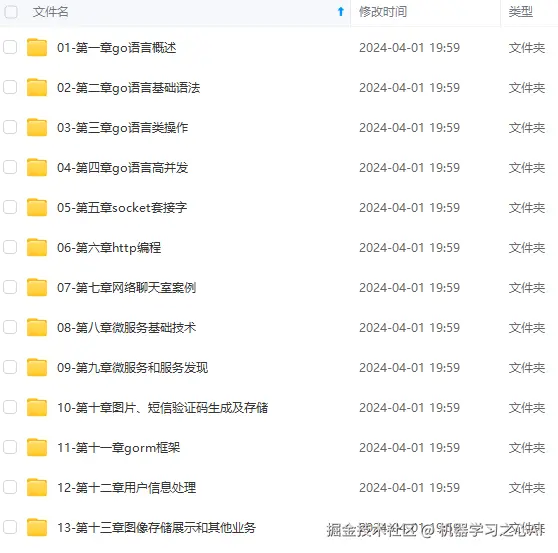
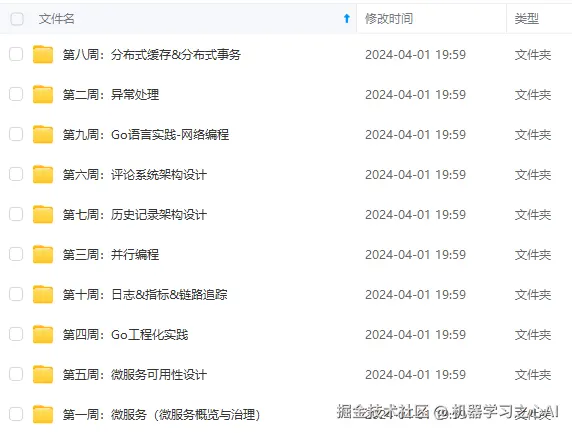
**既有适合小白学习的零基础资料,也有适合3年以上经验的小伙伴深入学习提升的进阶课程,涵盖了95%以上Go语言开发知识点,真正体系化!**
**由于文件比较多,这里只是将部分目录截图出来,全套包含大厂面经、学习笔记、源码讲义、实战项目、大纲路线、讲解视频,并且后续会持续更新**
**[如果你需要这些资料,可以戳这里获取](https://gitee.com/vip204888)**

