

删除容器
cmd
docker rm -f 容器ID
查看结果如下:
实例
package main

import (
	"context"
	"fmt"

	"github.com/docker/docker/api/types"
	"github.com/docker/docker/client"
)

func main() {
	// 创建 Docker 客户端
	cli, err := client.NewEnvClient()
	if err != nil {
		panic(err)
	}

	// 定义要删除的容器 ID
	containerID := "d815a35c7822"

	// 定义删除容器时的选项
	options := types.ContainerRemoveOptions{
		Force:         true,  // 强制删除容器
		RemoveVolumes: true,  // 删除关联的数据卷
		RemoveLinks:   false, // 不删除关联的链接
	}

	// 调用 ContainerRemove 方法删除容器
	err = cli.ContainerRemove(context.Background(), containerID, options)
	if err != nil {
		fmt.Printf("Failed to remove container: %v\n", err)
	} else {
		fmt.Println("Container removed successfully")
	}
}
运行结果
程序运行结果如下:
删除容器13之前
容器13成功删除了
停止容器
cmd
docker stop 容器ID
停止容器前,状态为Up。
停止容器后,状态为Exited。
实例
package main

import (
	"context"
	"fmt"
	"github.com/docker/docker/api/types/container"

	"github.com/docker/docker/client"
)

func main() {
	// 创建 Docker 客户端
	cli, err := client.NewEnvClient()
	if err != nil {
		panic(err)
	}

	// 定义要停止的容器 ID
	containerID := "b50423e8aade"

	stopOptions := container.StopOptions{}

	// 调用 ContainerStop 方法停止容器
	err = cli.ContainerStop(context.Background(), containerID, stopOptions)
	if err != nil {
		fmt.Printf("Failed to stop container: %v\n", err)
	} else {
		fmt.Println("Container stopped successfully")
	}
}
运行结果
程序执行结果如下:
检查是否停止成功如下:
停止前
停止后
程序执行结果与cmd停止命令一致。
重启容器
cmd
docker restart 9ef8ae3b59d9
容器已停止:
重启容器:
重启容器后,容器的状态如下:
实例
package main

import (
	"context"
	"fmt"
	"github.com/docker/docker/api/types/container"

	"github.com/docker/docker/client"
)

func main() {
	// 创建 Docker 客户端
	cli, err := client.NewEnvClient()
	if err != nil {
		panic(err)
	}

	// 定义要重启的容器 ID
	containerID := "746a98dfb20c"

	topOptions := container.StopOptions{}

	// 调用 ContainerRestart 方法重启容器
	err = cli.ContainerRestart(context.Background(), containerID, topOptions)
	if err != nil {
		panic(err)
	}

	fmt.Printf("Container %s has been restarted.\n", containerID)
}
运行结果
重启前:
重启后:
运行结果如下:
重启完成,和cmd的执行结果一致。
暂停容器
cmd
docker pause 容器ID
暂停容器前
暂停容器后
实例
package main

import (
	"context"
	"fmt"
	"github.com/docker/docker/client"
)

func main() {
	// 创建 Docker 客户端
	cli, err := client.NewEnvClient()
	if err != nil {
		panic(err)
	}

	// 定义要暂停的容器 ID
	containerID := "e4d6650df3af"

	// 暂停容器
	err = cli.ContainerPause(context.Background(), containerID)
	if err != nil {
		fmt.Printf("Failed to pause container: %v\n", err)
	} else {
		fmt.Println("Container paused successfully")
	}
}
运行结果
暂停容器前:
暂停容器:
运行结果如下:
恢复暂停
cmd
docker unpause 容器ID
恢复暂停前:
恢复暂停成功:
实例
package main

import (
	"context"
	"fmt"
	"github.com/docker/docker/client"
)

func main() {
	// 创建 Docker 客户端
	cli, err := client.NewEnvClient()
	if err != nil {
		panic(err)
	}

	// 定义要暂停的容器 ID
	containerID := "e4d6650df3af"

	// 暂停容器
	err = cli.ContainerPause(context.Background(), containerID)
	if err != nil {
		fmt.Printf("Failed to pause container: %v\n", err)
	} else {
		fmt.Println("Container paused successfully")
	}
}
运行结果
恢复前:
恢复暂停:
运行结果如下:
说明确实是恢复暂停成功了!
进入容器
Attach
cmd
docker attach 容器ID
运行结果如下:
退出容器,发现容器也停止掉了。
注意: 这种进入容器的方式使用
exit退出会把整个容器都停止掉。但是使用go的程序停止却不会使得容器停止。
实例
要进入容器,可以使用 Docker 客户端的 ContainerAttach 方法。这个方法允许您连接到容器的标准输入、输出和错误流,并与容器进行交互。
package main

import (
	"context"
	"fmt"
	"io"
	"os"

	"github.com/docker/docker/api/types"
	"github.com/docker/docker/client"
)

func main() {
	// 创建 Docker 客户端
	cli, err := client.NewEnvClient()
	if err != nil {
		panic(err)
	}

	// 定义要进入的容器 ID
	containerID := "e4d6650df3af"

	// 定义进入容器时的选项
	options := types.ContainerAttachOptions{
		Stream: true,
		Stdin:  true,
		Stdout: true,
		Stderr: true,
	}

	// 调用 ContainerAttach 方法进入容器
	resp, err := cli.ContainerAttach(context.Background(), containerID, options)
	if err != nil {
		panic(err)
	}
	defer resp.Close()

	// 将容器的标准输入输出连接到当前进程的标准输入输出
	go io.Copy(os.Stdout, resp.Reader)
	go io.Copy(resp.Conn, os.Stdin)

	// 等待用户输入以继续运行
	fmt.Println("Press enter to exit...")
	fmt.Scanln()
}
运行结果
运行结果如下:
退出程序:
退出程序但是不会停止掉程序:
ExecAttach
cmd
docker exec -it mycontainer-18 bash
这样的进入容器是以命令行的方式进入容器的,所以不会输出程序的运行结果,但是使用exit退出程序不会关闭程序。
退出程序:
使用exit退出程序,发现确实是没有关闭程序。
实例
package main

import (
	"context"
	"fmt"
	"io"
	"os"

	"github.com/docker/docker/api/types"
	"github.com/docker/docker/client"
)

func main() {
	// 创建 Docker 客户端
	cli, err := client.NewEnvClient()
	if err != nil {
		panic(err)
	}

	// 定义要进入的容器 ID
	containerID := "e4d6650df3af"

	// 定义要执行的命令
	cmd := []string{"sh"} // 这里可以根据需要修改为其他交互式 shell,如 bash

	// 准备执行命令的选项
	createResp, err := cli.ContainerExecCreate(context.Background(), containerID, types.ExecConfig{
		Cmd:          cmd,
		AttachStdin:  true,
		AttachStdout: true,
		AttachStderr: true,
		Tty:          true,
	})
	if err != nil {
		panic(err)
	}

	// 连接到正在运行的命令以进行交互
	resp, err := cli.ContainerExecAttach(context.Background(), createResp.ID, types.ExecStartCheck{
		Tty: true,
	})
	if err != nil {
		panic(err)
	}
	defer resp.Close()

	// 将容器的标准输入输出连接到当前进程的标准输入输出
	go func() {
		if \_, err := io.Copy(os.Stdout, resp.Reader); err != nil {
			panic(err)
		}
	}()

	go func() {
		if \_, err := io.Copy(resp.Conn, os.Stdin); err != nil {
			panic(err)
		}
	}()

	// 等待用户输入以继续运行
	fmt.Println("Press enter to exit...")
	fmt.Scanln()
}
运行结果
以命令行的方式进入容器进行交互,和直接使用cmd的方式是一样的。
小结
以上两种方式都可以进入容器,需要结合具体使用场景进行权衡。
- 其中一个是可以看到程序的执行结果,但是退出会直接关闭掉容器。
- 另一个是以命令行的方式进入容器进行交互,退出不会直接关闭容器。
拉取镜像
cmd
对应到cmd命令如下:
docker pull 镜像名
如下:
docker pull nginx:latest
拉取结果如下:
实例
package main

import (
	"context"
	"encoding/json"
	"fmt"

	"github.com/docker/docker/api/types"
	"github.com/docker/docker/client"
)

func main() {
	// 创建 Docker 客户端
	cli, err := client.NewEnvClient()
	if err != nil {
		panic(err)
	}

	// 定义要拉取的镜像的名称和标签
	imageName := "redis"
	imageTag := "latest"
	imageRef := imageName + ":" + imageTag

	// 拉取镜像
	out, err := cli.ImagePull(context.Background(), imageRef, types.ImagePullOptions{})
	if err != nil {
		panic(err)
	}
	defer out.Close()

	// 解析拉取镜像的输出
	var pullResponse struct {
		Status string `json:"status"`
	}
	if err := json.NewDecoder(out).Decode(&pullResponse); err != nil {
		panic(err)
	}

	fmt.Printf("Pulling image %s: %s\n", imageRef, pullResponse.Status)
}
运行结果
拉取镜像成功,和cmd拉取镜像的方式一致。
拉取镜像
cmd
对应到cmd命令如下:
docker pull 镜像名
如下:
docker pull nginx:latest
拉取结果如下:
实例
package main

import (
	"context"
	"encoding/json"
	"fmt"

	"github.com/docker/docker/api/types"
	"github.com/docker/docker/client"
)

func main() {
	// 创建 Docker 客户端
	cli, err := client.NewEnvClient()
	if err != nil {
		panic(err)
	}

	// 定义要拉取的镜像的名称和标签
	imageName := "redis"
	imageTag := "latest"
	imageRef := imageName + ":" + imageTag

	// 拉取镜像
	out, err := cli.ImagePull(context.Background(), imageRef, types.ImagePullOptions{})
	if err != nil {
		panic(err)
	}
	defer out.Close()

	// 解析拉取镜像的输出
	var pullResponse struct {
		Status string `json:"status"`
	}
	if err := json.NewDecoder(out).Decode(&pullResponse); err != nil {
		panic(err)
	}

	fmt.Printf("Pulling image %s: %s\n", imageRef, pullResponse.Status)
}
运行结果
拉取镜像成功,和cmd拉取镜像的方式一致。
更新容器
应用场景
- 动态调整资源限制: 您可能希望根据应用程序的负载情况动态调整容器的资源限制,例如内存限制、CPU 配额等。通过更新容器配置,您可以在不停止容器的情况下调整这些限制,从而使容器能够适应不同的负载。
- 修改网络配置: 在某些情况下,您可能需要修改容器的网络配置,例如更改容器的端口映射、连接到不同的网络或修改容器的主机名等。通过更新容器配置,您可以实现这些网络配置的变更,而无需重新创建容器。
- 更新挂载卷: 如果您使用了挂载卷来与容器共享数据或配置文件,可能会需要在运行时更新挂载卷的配置。通过更新容器配置,您可以修改容器挂载的卷,例如更改卷的路径或添加新的挂载卷。
- 应用配置更改: 在某些情况下,您可能需要更新容器中运行的应用程序的配置。通过更新容器配置,您可以传递新的环境变量、更新容器的命令或参数等,从而修改容器中应用程序的配置。
总的来说,ContainerUpdate 方法可以用于在容器运行时对其进行动态配置更改,而不需要停止和重新启动容器。这种能力使得容器的管理更加灵活,并能够在不中断服务的情况下进行必要的调整和更新。
cmd
docker update命令用于更新一个正在运行的容器的配置。它允许你修改容器的资源限制、重启策略和其他配置选项。以下是docker update命令的基本用法:
docker update 容器id/名字
实例
cli.ContainerUpdate 更新容器的资源限制、重启策略和其他配置选项,并不是更新容器的镜像、端口之类的配置。其他暂无直接更新的API。
采用:先删除原有容器,再根据配置信息进行重建的封装函数。不过,这么做需要会影响容器内正在运行的服务,需要考虑一下。
更新的结构体如下:
updateConfig := container.UpdateConfig{
		Resources: container.Resources{
			Memory:   512000000,  // 设置内存限制为 512MB
			NanoCPUs: 1000000000, // 设置 CPU 配额(以纳秒为单位)
		},
	}
端口和挂载卷配置示例:
// 容器端口映射,键为容器端口,值为宿主机端口
	portMapping := map[string]string{
		"80/tcp": "8080",
	}

	// 容器挂载卷
	volumeMounts := []mount.Mount{
		{
			Type:   mount.TypeBind,
			Source: "/host/path", // 宿主机路径
			Target: "/container/path", // 容器路径
		},
	}
demo
package main

import (
	"context"
	"fmt"
	"log"

	"github.com/docker/docker/api/types/container"
	"github.com/docker/docker/client"
)

func main() {
	// 创建 Docker 客户端
	cli, err := client.NewClientWithOpts(client.FromEnv, client.WithAPIVersionNegotiation())
	if err != nil {
		log.Fatal(err)
	}

	// 容器ID,需要根据实际情况修改
	containerID := "your\_container\_id\_here"

	// 配置更新
	updateConfig := container.UpdateConfig{
		Resources: container.Resources{
			Memory:   512000000,  // 设置内存限制为 512MB
			NanoCPUs: 1000000000, // 设置 CPU 配额(以纳秒为单位)
		},
	}

	// 执行容器更新
	err = updateContainer(cli, containerID, updateConfig)
	if err != nil {
		log.Fatal(err)
	}

	fmt.Println("容器配置已更新")
}

// updateContainer 函数用于更新容器的配置信息
func updateContainer(cli \*client.Client, containerID string, updateConfig container.UpdateConfig) error {
	ctx := context.Background()

	// 执行容器更新
	\_, err := cli.ContainerUpdate(ctx, containerID, updateConfig)
	if err != nil {
		return err
	}

	return nil
}
运行结果
更新容器的内存资源限制(单位bytes)
运行结果如下:
补充
还了解到一个方法:cli.ConfigUpdate() ,不过这个更新不是更新容器信息的,可更新的配置信息也非常少,基本与容器无关。
后面了解到,其实它主要用于更新 Docker Swarm 配置的信息。
在 Docker 中,Swarm 是 Docker 官方提供的用于容器编排和集群管理的工具。Swarm 允许您将多个 Docker 主机组合成一个虚拟的、单一的 Docker 主机。Swarm 中有许多配置项可以控制集群的行为,例如服务配置、网络配置、秘密配置等。
方法体如下:
// ConfigUpdate attempts to update a config
func (cli \*Client) ConfigUpdate(ctx context.Context, id string, version swarm.Version, config swarm.ConfigSpec) error {
	if err := cli.NewVersionError(ctx, "1.30", "config update"); err != nil {
		return err
	}
	query := url.Values{}
	query.Set("version", version.String())
	resp, err := cli.post(ctx, "/configs/"+id+"/update", query, config, nil)
	ensureReaderClosed(resp)
	return err
}
待配置结构体swarm.ConfigSpec信息如下:
// ConfigSpec represents a config specification from a config in swarm
type ConfigSpec struct {
	Annotations
	Data []byte `json:",omitempty"`

	// Templating controls whether and how to evaluate the config payload as
	// a template. If it is not set, no templating is used.
	Templating \*Driver `json:",omitempty"`
}
Annotations字段信息如下:
// Annotations represents how to describe an object.
type Annotations struct {
	Name   string            `json:",omitempty"`
	Labels map[string]string `json:"Labels"`
}
容器函数库
将上面的各个函数集成到一个文件,形成一个函数库,便于用户使用和调用。
package main
import (
"context"
"encoding/json"
"fmt"
"github.com/docker/docker/api/types"
"github.com/docker/docker/api/types/container"
"github.com/docker/docker/api/types/network"
"github.com/docker/docker/client"
"github.com/docker/go-connections/nat"
"github.com/opencontainers/image-spec/specs-go/v1"
"io"
"log"
"os"
)
func main() {
cli, err := client.NewClientWithOpts(client.FromEnv, client.WithAPIVersionNegotiation())
if err != nil {
log.Fatal(err)
}
//查找容器信息
getInfoOptions := types.ContainerListOptions{}
getContainerInfo(cli, getInfoOptions)
//配置创建容器的属性
containerConfig := &container.Config{
Image: "my-golang-app",
ExposedPorts: nat.PortSet{
"3889/tcp": {},
},
}
//配置容器主机的属性
//主要用于配置容器的运行环境和资源限制等主机级别的设置
//配置的是容器的主机配置,而不是宿主机(即物理计算机或虚拟机)的主机配置。
hostConfig := &container.HostConfig{}
//主要用于配置容器的网络连接和端口映射等网络设置
networkingConfig := &network.NetworkingConfig{}
//主要用于指定容器的运行平台信息,以便 Docker 在部署时选择合适的环境。
platformConfig := &v1.Platform{}
//创建的容器名字,唯一标识
containerName := "mycontainer-30"
//调用createContainer创建容器并启动
containerId, err := createContainer(cli, containerConfig, hostConfig, networkingConfig, platformConfig, containerName)
fmt.Printf("容器%s已创建好 ", containerId)
// 删除容器是通过Id进行删除的,需要根据名字查找到容器Id
// 根据容器的名字查找出要删除容器的Id
containerID, err := getContainerIDByName(cli, containerName)
if err != nil {
log.Fatal(err)
}
// 定义删除容器时的选项
removeOptions := types.ContainerRemoveOptions{
Force: true, // 强制删除容器
RemoveVolumes: true, // 删除关联的数据卷
RemoveLinks: false, // 不删除关联的链接
}
// 调用removeContainer删除容器
removeContainer(cli, containerID, removeOptions)
//根据容器的新配置重新创建容器
reUpdateContainer(cli, removeOptions, containerConfig, hostConfig, networkingConfig, platformConfig, containerName)
// 停止容器
stopOptions := container.StopOptions{}
stopContainer(cli, containerID, stopOptions)
// 重启容器
restartContainer(cli, containerID, stopOptions)
// 暂停容器
pauseContainer(cli, containerID)
// 恢复暂停
unpauseContainer(cli, containerID)
// 定义进入容器时的选项
attachOptions := types.ContainerAttachOptions{
Stream: true,
Stdin: true,
Stdout: true,
Stderr: true,
}
attachContainer(cli, containerID, attachOptions)
// 定义以命令行进入容器的选项
execAttachConfig := types.ExecConfig{
Cmd: []string{"sh"},
AttachStdin: true,
AttachStdout: true,
AttachStderr: true,
Tty: true,
}
execAttachCheck := types.ExecStartCheck{
Tty: true,
}
execAttachContainer(cli, containerID, execAttachConfig, execAttachCheck)
// 定义拉取镜像的选项
// 定义要拉取的镜像的名称和标签
imageName := "redis"
imageTag := "latest"
imageRef := imageName + ":" + imageTag
imagePulloptions := types.ImagePullOptions{}
pullImage(cli, imageRef, imagePulloptions)
//获取容器内所有镜像的信息
getImageOptions := types.ImageListOptions{}
err = getAllImagesInfo(cli, getImageOptions)
if err != nil {
log.Fatal(err)
}
// 定义更新容器的选项
// 更新容器配置信息
// 配置更新
updateConfig := container.UpdateConfig{
Resources: container.Resources{
// Minimum memory limit allowed is 6MB
// 单位为byte(字节数)
Memory: 60000000,
MemorySwap: 60000000, //设置Memory小于交换内存MemorySwap 需要同时配置MemorySwap
NanoCPUs: 1, // 设置 CPU 配额(以纳秒为单位)范围: 0.01 - 8.00
},
}
err = updateContainer(cli, containerID, updateConfig)
if err != nil {
log.Fatal(err)
}
}
/\*
作用: 查找出容器的所有信息(容器ID、镜像名、端口、运行状态等等)
\*/
func getContainerInfo(cli \*client.Client, getInfoOptions types.ContainerListOptions) {
// 先得到列出所有容器的列表
containers, err := cli.ContainerList(context.Background(), getInfoOptions)
if err != nil {
panic(err)
}
// 对应为docker ps -a 命令
// 再从列表(map)中拿到信息
for \_, container := range containers {
fmt.Printf("CONTAINER ID: %s\n", container.ID)
fmt.Printf("IMAGE: %s \n", container.Image)
fmt.Printf("COMMAND: %s \n", container.Command)
fmt.Printf("CREATED: %s \n", container.Created)
fmt.Printf("Status: %s \n", container.Status)
fmt.Printf("PORTS: %s \n", container.Ports)
fmt.Printf("NAMES:%s\n", container.Names)
}
}
/\*
作用: 根据容器名字和配置的创建选项创建容器
\*/
func createContainer(cli \*client.Client, containerConfig \*container.Config, hostConfig \*container.HostConfig, networkingConfig \*network.NetworkingConfig, platformConfig \*v1.Platform, containerName string) (containerId string, err error) {
// 创建容器
resp, err := cli.ContainerCreate(context.Background(), containerConfig, hostConfig, networkingConfig, platformConfig, containerName)
if err != nil {
log.Fatal(err)
}
// 启动容器
if err := cli.ContainerStart(context.Background(), resp.ID, types.ContainerStartOptions{}); err != nil {
log.Fatal(err)
}
//返回创建好的容器ID
return resp.ID, err
}
/\*
作用: 根据容器ID和配置的删除选项删除容器
\*/
func removeContainer(cli \*client.Client, containerID string, removeOptions types.ContainerRemoveOptions) {
// 调用 ContainerRemove 方法删除容器
err := cli.ContainerRemove(context.Background(), containerID, removeOptions)
if err != nil {
fmt.Printf("Failed to remove container: %v\n", err)
} else {
fmt.Println("Container removed successfully")
}
}
/\*
作用: 根据容器ID和配置的停止选项停止容器
\*/
func stopContainer(cli \*client.Client, containerID string, stopOptions container.StopOptions) {
// 调用 ContainerStop 方法停止容器
err := cli.ContainerStop(context.Background(), containerID, stopOptions)
if err != nil {
fmt.Printf("Failed to stop container: %v\n", err)
} else {
fmt.Println("Container stopped successfully")
}
}
/\*
作用: 根据容器ID和配置的停止选项重启容器
\*/
func restartContainer(cli \*client.Client, containerID string, stopOptions container.StopOptions) {
// 调用 ContainerRestart 方法重启容器
err := cli.ContainerRestart(context.Background(), containerID, stopOptions)
if err != nil {
panic(err)
}
fmt.Printf("Container %s has been restarted.\n", containerID)
}
/\*
作用: 根据容器ID暂停容器
\*/
func pauseContainer(cli \*client.Client, containerID string) {
// 暂停容器
err := cli.ContainerPause(context.Background(), containerID)
if err != nil {
fmt.Printf("Failed to pause container: %v\n", err)
} else {
fmt.Println("Container paused successfully")
}
}
/\*
作用: 根据容器ID恢复容器暂停
\*/
func unpauseContainer(cli \*client.Client, containerID string) {
// 恢复暂停
err := cli.ContainerUnpause(context.Background(), containerID)
if err != nil {
fmt.Printf("Failed to pause container: %v\n", err)
} else {
fmt.Println("Container paused successfully")
}
}
/\*
作用: 根据容器ID和配置的进入选项进入容器内部
\*/
func attachContainer(cli \*client.Client, containerID string, attachOptions types.ContainerAttachOptions) {
// 调用 ContainerAttach 方法进入容器
resp, err := cli.ContainerAttach(context.Background(), containerID, attachOptions)
if err != nil {
panic(err)
}
defer resp.Close()
// 将容器的标准输入输出连接到当前进程的标准输入输出
go io.Copy(os.Stdout, resp.Reader)
go io.Copy(resp.Conn, os.Stdin)
// 等待用户输入以继续运行
fmt.Println("Press enter to exit...")
fmt.Scanln()
}
/\*
作用: 通过容器ID配置的进入选项以命令行的方式进入容器内部
\*/
func execAttachContainer(cli \*client.Client, containerID string, execAttachConfig types.ExecConfig, execAttachCheck types.ExecStartCheck) {
// 准备执行命令的选项
createResp, err := cli.ContainerExecCreate(context.Background(), containerID, execAttachConfig)
if err != nil {
panic(err)
}
// 连接到正在运行的命令以进行交互
resp, err := cli.ContainerExecAttach(context.Background(), createResp.ID, execAttachCheck)
if err != nil {
panic(err)
}
defer resp.Close()
// 将容器的标准输入输出连接到当前进程的标准输入输出
go func() {
if \_, err := io.Copy(os.Stdout, resp.Reader); err != nil {
panic(err)
}
}()
go func() {
if \_, err := io.Copy(resp.Conn, os.Stdin); err != nil {
panic(err)
}
}()
// 等待用户输入以继续运行
fmt.Println("Press enter to exit...")
fmt.Scanln()
}
/\*
作用: 通过配置拉取的镜像名和拉取选项拉取镜像
\*/
func pullImage(cli \*client.Client, imageRef string, imagePulloptions types.ImagePullOptions) {
// 拉取镜像
out, err := cli.ImagePull(context.Background(), imageRef, imagePulloptions)
if err != nil {
panic(err)

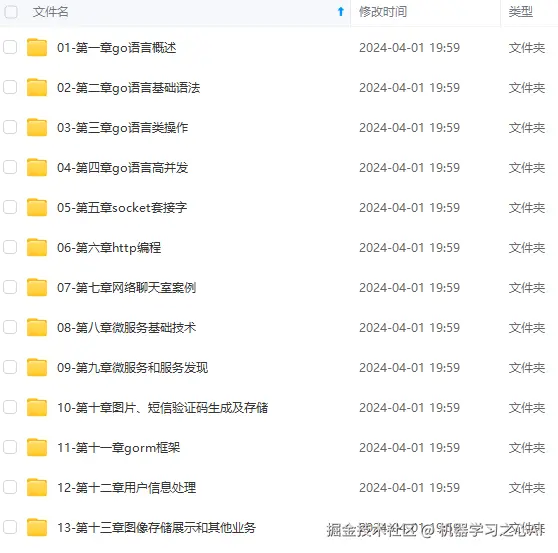

**既有适合小白学习的零基础资料,也有适合3年以上经验的小伙伴深入学习提升的进阶课程,涵盖了95%以上Go语言开发知识点,真正体系化!**
**由于文件比较多,这里只是将部分目录截图出来,全套包含大厂面经、学习笔记、源码讲义、实战项目、大纲路线、讲解视频,并且后续会持续更新**
**[如果你需要这些资料,可以戳这里获取](https://gitee.com/vip204888)**

