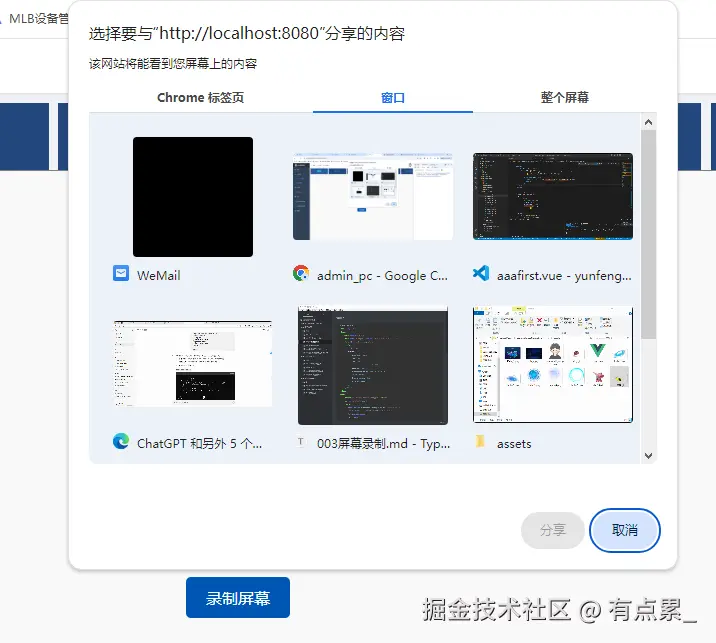
<!DOCTYPE html>
<html lang="en">
<head>
<meta charset="UTF-8" />
<meta name="viewport" content="width=device-width, initial-scale=1.0" />
<title>Screen Recording</title>
<style>
#status {
position: fixed;
top: 10px;
left: 50%;
transform: translateX(-50%);
padding: 10px;
background-color: rgba(0, 0, 0, 0.7);
color: white;
border-radius: 5px;
display: none;
}
</style>
</head>
<body>
<button id="record-button">录制屏幕</button>
<div id="status"></div>
<script>
const button = document.querySelector('#record-button');
const status = document.querySelector('#status');
let mediaRecorder;
let stream;
button.addEventListener('click', async () => {
if (mediaRecorder && mediaRecorder.state === 'recording') {
mediaRecorder.stop();
status.textContent = '录制停止。请稍候...';
status.style.display = 'block';
return;
}
try {
stream = await navigator.mediaDevices.getDisplayMedia({
video: true
});
const mime = MediaRecorder.isTypeSupported("video/webm;codecs=h264")
? "video/webm;codecs=h264"
: "video/webm";
mediaRecorder = new MediaRecorder(stream, { mimeType: mime });
const chunks = [];
mediaRecorder.addEventListener('dataavailable', function (e) {
chunks.push(e.data);
});
mediaRecorder.addEventListener('stop', () => {
const blob = new Blob(chunks, { type: chunks[0].type });
const url = URL.createObjectURL(blob);
const userConfirmed = confirm('录制完成。是否下载视频?');
if (userConfirmed) {
const a = document.createElement('a');
a.href = url;
a.download = 'video.mp4';
a.click();
}
status.style.display = 'none';
});
mediaRecorder.start();
status.textContent = '正在录制...';
status.style.display = 'block';
} catch (error) {
console.error('Error accessing media devices.', error);
status.textContent = '录制失败,请检查权限。';
status.style.display = 'block';
}
});
</script>
</body>
</html>