

pygame.init()
设置窗口大小和标题
screen_width = 800screen_height = 600 window = pygame.display.set_mode((screen_width, screen_height)) pygame.display.set_caption("给美女打分")
定义美女类
class Beauty(pygame.sprite.Sprite): init(self, x, y): ().init() self.image = pygame.image.loadbeauty.png") # 美女的 self.rect = self.image.get_rect() self.rect.center = (x, y)
def update(self): pass
定义分数类
class Score(pygame.sprite.Sprite): def __init__(self, x, y): super().init() self.score = 0 self.font = pygame.font.Font(None, 36) self.text = self.font.render("Score: " + str(self.score), True, (255, 255, 255)) self.rect = self.text.get_rect() self.rect.center = (x, y)
def update(self):
    self.text = self.font.render("Score: " + str(self.score), True, (255, 255, 255))
创建精灵组
all_sprites = pygame.sprite.Group()
创建美女对象
beauty = Beauty(screen_width // 2, screen_height // 2) all_sprites.add(beauty)
创建分数对象
score = Score(screen_width // 2, 50) all_sprites.add(score)
游戏主循环
running = True clock = pygame.time.Clock() while running: clock.tick(60)
# 事件处理
for event in pygame.event.get():
    if event.type == pygame.QUIT:
        running = False

# 更新精灵组中的所有精灵
all_sprites.update()

# 绘制背景
window.fill((0, 0, 0))

# 绘制所有精灵
all_sprites.draw(window)

# 刷新屏幕
pygame.display.flip()
退出游戏
pygame.quit()
请注意,以上代码中需要准备一张名为"beauty.png"的美女图片作为程序运行所需的资源文件。你可以根据自己的需求替换为其他美女图片。运行代码后,你可以使用鼠标在窗口中打分给美女。程序将在窗口标题栏显示当前得分。
### 三、扩展思路
使用Pygame实现面向对象的给美女打分程序只是一个简单的示例,扩展思路可以有很多,以下是一些可能的扩展思路:
1. 添加不同类型的美女:可以创建多个美女对象,并使用不同的图片资源表示不同类型的美女。每个美女可以有自己的得分和特%殊属性。
2. 增加难度等级:可以根据玩家的得分来调整游戏的难度,例如增加美女的移动速度、出现频率或者增加分数的获取难度。
3. 添加特殊道具:可以在游戏中添加一些特殊道具,玩家可以通过点击获取道具来增加得分或改变游戏规则。
4. 设计关卡系统:可以设计多个关卡,每个关卡中有不同的美女和游戏目标。玩家需要按照要求给美女打分才能过关。
5. 添加音效和背景音乐:可以为游戏添加音效和背景音乐,增加游戏的趣味性和氛围。
6. 多人游戏模式:可以添加多人游戏模式,允许多个玩家同时参与打分,比较谁的得分更高。
7. 排行榜和成就系统:可以记录玩家的最高得分,并提供排行榜和成就系统,让玩家之间进行竞争和比较。
8. 增加动画效果:可以为美女的出现、消失或得分时添加一些动画效果,使游戏更加生动和有趣。
这些只是一些可能的扩展思路,你可以根据自己的创意和需求来设计和实现更多有趣的功能和玩法。使用Pygame提供的丰富功能和灵活性,你可以将这个简单的打分程序扩展成一个有趣的游戏。
### 四、添加不同类型的美女示例代码
以下是扩展了不同类型美女的示例代码:
import pygame import random
初始化游戏
pygame.init()
设置窗口大小和标题
screen_width = 800 screen_height = 600 window = pygame.display.set_mode((screen_width, screen_height)) pygame.display.set_caption("给美女打分")
定义美女类
class Beauty(pygame.sprite.Sprite): def __init__(self, x, y, image, score, special_attribute): super().init() self.image = pygame.image.load(image) # 美女的图片资源 self.rect = self.image.get_rect() self.rect.center = (x, y) self.score = score # 美女的得分 self.special_attribute = special_attribute # 美女的特殊属性
def update(self):
    pass
定义分数类
class Score(pygame.sprite.Sprite): def __init__(self, x, y): super().init() self.score = 0 self.font = pygame.font.Font(None, 36) self.text = self.font.render("Score: " + str(self.score), True, (255, 255, 255)) self.rect = self.text.get_rect() self.rect.center = (x, y)
def update(self):
    self.text = self.font.render("Score: " + str(self.score), True, (255, 255, 255))
创建精灵组
all_sprites = pygame.sprite.Group()
创建美女对象
beauty1 = Beauty(screen_width // 2 - 100, screen_height // 2, "beauty1.png", 10, "可爱") beauty2 = Beauty(screen_width // 2 + 100, screen_height // 2, "beauty2.png", 20, "靓丽") all_sprites.add(beauty1) all_sprites.add(beauty2)
创建分数对象
score = Score(screen_width // 2, 50) all_sprites.add(score)
游戏主循环
running = True clock = pygame.time.Clock() while running: clock.tick(60)
# 事件处理
for event in pygame.event.get():
    if event.type == pygame.QUIT:
        running = False

# 更新精灵组中的所有精灵
all_sprites.update()

# 绘制背景
window.fill((0, 0, 0))

# 绘制所有精灵
all_sprites.draw(window)

# 刷新屏幕
pygame.display.flip()
退出游戏
pygame.quit()
在这个示例代码中,我们创建了两个不同类型的美女对象:beauty1和beauty2。它们分别使用了不同的图片资源(“beauty1.png"和"beauty2.png”),并且具有不同的得分和特殊属性。你可以根据自己的需要添加更多美女对象,并为每个美女设置不同的属性。
注意:你需要准备相应的美女图片资源,并将其命名为"beauty1.png"和"beauty2.png",并与示例代码放在同一目录下。
### 五、增加难度等级示例代码
以下是根据玩家得分调整游戏难度的示例代码:
import pygame import random
初始化游戏
pygame.init()
设置窗口大小和标题
screen_width = 800 screen_height = 600 window = pygame.display.set_mode((screen_width, screen_height)) pygame.display.set_caption("给美女打分")
定义美女类
class Beauty(pygame.sprite.Sprite): def __init__(self, x, y, image, score, special_attribute, speed): super().init() self.image = pygame.image.load(image) # 美女的图片资源 self.rect = self.image.get_rect() self.rect.center = (x, y) self.score = score # 美女的得分 self.special_attribute = special_attribute # 美女的特殊属性 self.speed = speed # 美女的移动速度
def update(self):
    self.rect.x += self.speed
定义分数类
class Score(pygame.sprite.Sprite): def __init__(self, x, y): super().init() self.score = 0 self.font = pygame.font.Font(None, 36) self.text = self.font.render("Score: " + str(self.score), True, (255, 255, 255)) self.rect = self.text.get_rect() self.rect.center = (x, y)
def update(self):
    self.text = self.font.render("Score: " + str(self.score), True, (255, 255, 255))
创建精灵组
all_sprites = pygame.sprite.Group()
创建美女对象
beauty1 = Beauty(screen_width // 2 - 100, screen_height // 2, "beauty1.png", 10, "可爱", 2) beauty2 = Beauty(screen_width // 2 + 100, screen_height // 2, "beauty2.png", 20, "性感", 3) all_sprites.add(beauty1) all_sprites.add(beauty2)
创建分数对象
score = Score(screen_width // 2, 50) all_sprites.add(score)
游戏主循环
running = True clock = pygame.time.Clock() spawn_timer = 0 difficulty_level = 1 while running: clock.tick(60)
# 事件处理
for event in pygame.event.get():
    if event.type == pygame.QUIT:
        running = False

# 更新精灵组中的所有精灵
all_sprites.update()

# 控制美女的出现频率和移动速度
spawn_timer += 1
if spawn_timer >= 60 / difficulty_level:
    beauty = Beauty(screen_width + 50, random.randint(50, screen_height - 50), "beauty1.png", 10, "可爱", random.randint(2, 4))
    all_sprites.add(beauty)
    spawn_timer = 0

# 碰撞检测
collisions = pygame.sprite.spritecollide(beauty1, all_sprites, True)
for collision in collisions:
    score.score += collision.score

# 根据得分调整难度
if score.score >= 50 and difficulty_level < 3:
    difficulty_level = 2
elif score.score >= 100 and difficulty_level < 4:
    difficulty_level = 3

# 绘制背景
window.fill((0, 0, 0))

# 绘制所有精灵
all_sprites.draw(window)

# 刷新屏幕
pygame.display.flip()
退出游戏
pygame.quit()
在这个示例代码中,我们引入了一个`spawn_timer`变量来控制美女的出现频率。每帧递增`spawn_timer`,当它达到一定值时,创建一个新的美女对象,并将`spawn_timer`重置为0。随着得分的增加,`difficulty_level`变量会逐渐增加,从而影响美女的移动速度和出现频率。
注意:你需要准备相应的美女图片资源,并将其命名为"beauty1.png"和"beauty2.png",并与示例代码放在同一目录下。
### 六、添加特殊道具示例代码
以下是添加特殊道具的示例代码:
import pygame import random
初始化游戏
pygame.init()
设置窗口大小和标题
screen_width = 800 screen_height = 600 window = pygame.display.set_mode((screen_width, screen_height)) pygame.display.set_caption("给美女打分")
定义美女类
class Beauty(pygame.sprite.Sprite): def __init__(self, x, y, image, score, special_attribute, speed): super().init() self.image = pygame.image.load(image) # 美女的图片资源 self.rect = self.image.get_rect() self.rect.center = (x, y) self.score = score # 美女的得分 self.special_attribute = special_attribute # 美女的特殊属性 self.speed = speed # 美女的移动速度
def update(self):
    self.rect.x += self.speed
定义分数类
class Score(pygame.sprite.Sprite): def __init__(self, x, y): super().init() self.score = 0 self.font = pygame.font.Font(None, 36) self.text = self.font.render("Score: " + str(self.score), True, (255, 255, 255)) self.rect = self.text.get_rect() self.rect.center = (x, y)
def update(self):
    self.text = self.font.render("Score: " + str(self.score), True, (255, 255, 255))
定义道具类
class PowerUp(pygame.sprite.Sprite): def __init__(self, x, y, image, effect): super().init() self.image = pygame.image.load(image) # 道具的图片资源 self.rect = self.image.get_rect() self.rect.center = (x, y) self.effect = effect # 道具的效果
def update(self):
    pass
创建精灵组
all_sprites = pygame.sprite.Group()
创建美女对象
beauty1 = Beauty(screen_width // 2 - 100, screen_height // 2, "beauty1.png", 10, "可爱", 2) beauty2 = Beauty(screen_width // 2 + 100, screen_height // 2, "beauty2.png", 20, "性感", 3) all_sprites.add(beauty1) all_sprites.add(beauty2)
创建分数对象
score = Score(screen_width // 2, 50) all_sprites.add(score)
创建道具对象
power_up = PowerUp(screen_width // 2, screen_height // 2, "power_up.png", "double_score") all_sprites.add(power_up)
游戏主循环
running = True clock = pygame.time.Clock() spawn_timer = 0 difficulty_level = 1 while running: clock.tick(60)
# 事件处理
for event in pygame.event.get():
    if event.type == pygame.QUIT:
        running = False
    elif event.type == pygame.MOUSEBUTTONDOWN:
        if power_up.rect.collidepoint(event.pos):
            if power_up.effect == "double\_score":
                score.score \*= 2
                power_up.kill()

# 更新精灵组中的所有精灵
all_sprites.update()

# 控制美女的出现频率和移动速度
spawn_timer += 1
if spawn_timer >= 60 / difficulty_level:
    beauty = Beauty(screen_width + 50, random.randint(50, screen_height - 50), "beauty1.png", 10, "可爱", random.randint(2, 4))
    all_sprites.add(beauty)
    spawn_timer = 0

# 碰撞检测
collisions = pygame.sprite.spritecollide(beauty1, all_sprites, True)
for collision in collisions:
    score.score += collision.score

# 绘制背景
window.fill((0, 0, 0))

# 绘制所有精灵
all_sprites.draw(window)

# 刷新屏幕
pygame.display.flip()
退出游戏
pygame.quit()
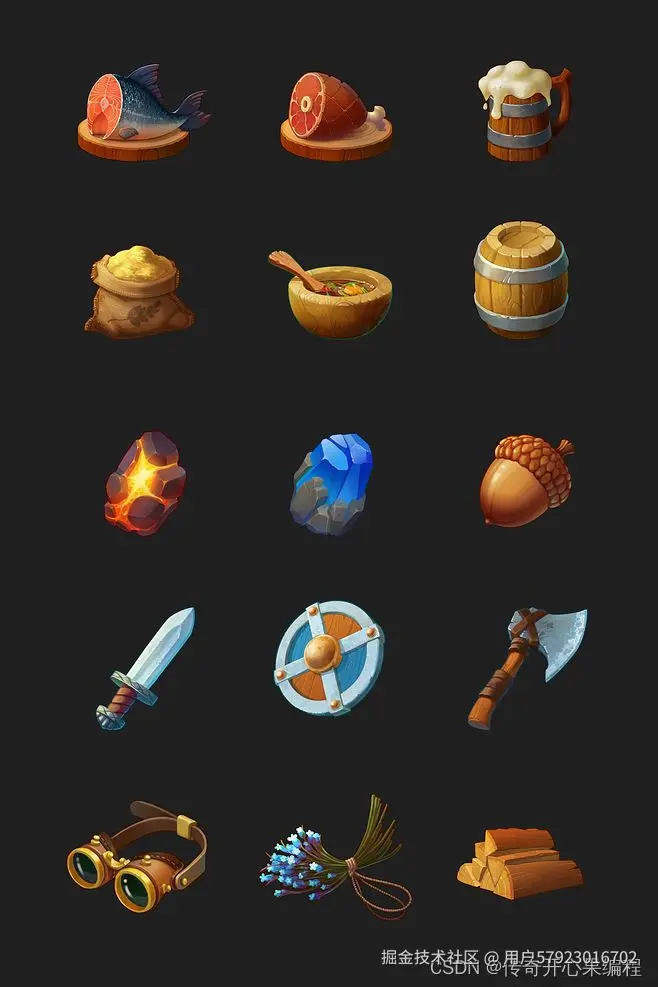
在这个示例代码中,我们创建了一个`PowerUp`类来表示道具,道具可以通过点击获取。在点击道具时,我们根据道具的效果来增加得分或改变游戏规则。在示例中,道具的效果是双倍得分,当玩家点击道具时,得分将会翻倍。
注意:你需要准备相应的美女图片资源(“beauty1.png"和"beauty2.png”)、道具图片资源(“power\_up.png”),并将它们与示例代码放在同一目录下。
### 七、设计关卡系统示例代码
以下是设计关卡系统的示例代码:
import pygame import random
初始化游戏
pygame.init()
设置窗口大小和标题
screen_width = 800 screen_height = 600 window = pygame.display.set_mode((screen_width, screen_height)) pygame.display.set_caption("给美女打分")
定义美女类
class Beauty(pygame.sprite.Sprite): def __init__(self, x, y, image, score, special_attribute, speed): super().init() self.image = pygame.image.load(image) # 美女的图片资源 self.rect = self.image.get_rect() self.rect.center = (x, y) self.score = score # 美女的得分 self.special_attribute = special_attribute # 美女的特殊属性 self.speed = speed # 美女的移动速度
def update(self):
    self.rect.x += self.speed
定义分数类
class Score(pygame.sprite.Sprite): def __init__(self, x, y, target_score): super().init() self.score = 0 self.target_score = target_score # 目标得分 self.font = pygame.font.Font(None, 36) self.text = self.font.render("Score: " + str(self.score), True, (255, 255, 255)) self.rect = self.text.get_rect() self.rect.center = (x, y)
def update(self):
    self.text = self.font.render("Score: " + str(self.score), True, (255, 255, 255))
定义关卡类
class Level: def __init__(self, target_score, beauties): self.target_score = target_score # 目标得分 self.beauties = beauties # 美女列表
def is\_completed(self, score):
    return score >= self.target_score
创建精灵组
all_sprites = pygame.sprite.Group()
创建关卡列表
levels = [ Level(50, [ Beauty(screen_width // 2 - 100, screen_height // 2, "beauty1.png", 10, "可爱", 2), Beauty(screen_width // 2 + 100, screen_height // 2, "beauty2.png", 20, "性感", 3) ]), Level(100, [ Beauty(screen_width // 2 - 100, screen_height // 2, "beauty3.png", 15, "甜美", 3), Beauty(screen_width // 2 + 100, screen_height // 2, "beauty4.png", 25, "迷人", 4) ]) ]
current_level = 0 level = levels[current_level]
创建分数对象
score = Score(screen_width // 2, 50, level.target_score) all_sprites.add(score)
将当前关卡的美女添加到精灵组中
for beauty in level.beauties: all_sprites.add(beauty)
游戏主循环
running = True clock = pygame.time.Clock() spawn_timer = 0 difficulty_level = 1 while running: clock.tick(60)
# 事件处理
for event in pygame.event.get():
    if event.type == pygame.QUIT:
        running = False

# 更新精灵组中的所有精灵
all_sprites.update()

# 控制美女的出现频率和移动速度
spawn_timer += 1
if spawn_timer >= 60 / difficulty_level:
    beauty = random.choice(level.beauties)
    beauty = Beauty(screen_width + 50, random.randint(50, screen_height - 50), beauty.image, beauty.score, beauty.special_attribute, random.randint(2, 4))
    all_sprites.add(beauty)
    spawn_timer = 0

# 碰撞检测
collisions = pygame.sprite.spritecollide(beauty, all_sprites, True)
for collision in collisions:
    score.score += collision.score

# 检查当前关卡是否完成
if level.is_completed(score.score):
    current_level += 1
    if current_level < len(levels):
        level = levels[current_level]
        score = Score(screen_width // 2, 50, level.target_score)
        all_sprites.add(score)
        for beauty in level.beauties:
            all_sprites.add(beauty)
    else:
        running = False

# 绘制背景
window.fill((0, 0, 0))

# 绘制所有精灵
all_sprites.draw(window)

# 刷新屏幕
pygame.display.flip()
退出游戏
pygame.quit()
在这个示例代码中,我们创建了一个`Level`类来表示关卡,每个关卡有一个目标得分和一组美女。在游戏主循环中,我们检查当前关卡的得分是否达到目标得分,如果达到则进入下一个关卡。如果所有关卡都完成,则游戏结束。
注意:你需要准备相应的美女图片资源(“beauty1.png”、“beauty2.png”、“beauty3.png”、“beauty4.png”),并将它们与示例代码放在同一目录下。每个关卡可以根据需求设计不同的美女和目标得分。
### 八、添加音效和背景音乐示例代码
以下是为游戏添加音效和背景音乐的示例代码:
import pygame import random
初始化游戏
pygame.init()
设置窗口大小和标题
screen_width = 800 screen_height = 600 window = pygame.display.set_mode((screen_width, screen_height)) pygame.display.set_caption("给美女打分")
加载背景音乐
pygame.mixer.music.load("background_music.mp3") pygame.mixer.music.set_volume(0.5) # 设置音量 pygame.mixer.music.play(-1) # 循环播放背景音乐
加载音效
score_sound = pygame.mixer.Sound("score_sound.wav")
定义美女类
class Beauty(pygame.sprite.Sprite): def __init__(self, x, y, image, score, special_attribute, speed): super().init() self.image = pygame.image.load(image) # 美女的图片资源 self.rect = self.image.get_rect() self.rect.center = (x, y) self.score = score # 美女的得分 self.special_attribute = special_attribute # 美女的特殊属性 self.speed = speed # 美女的移动速度
def update(self):
    self.rect.x += self.speed
定义分数类
class Score(pygame.sprite.Sprite): def __init__(self, x, y, target_score): super().init() self.score = 0 self.target_score = target_score # 目标得分 self.font = pygame.font.Font(None, 36) self.text = self.font.render("Score: " + str(self.score), True, (255, 255, 255)) self.rect = self.text.get_rect() self.rect.center = (x, y)
def update(self):
    self.text = self.font.render("Score: " + str(self.score), True, (255, 255, 255))
定义关卡类
class Level: def __init__(self, target_score, beauties): self.target_score = target_score # 目标得分 self.beauties = beauties # 美女列表
def is\_completed(self, score):
    return score >= self.target_score
创建精灵组
all_sprites = pygame.sprite.Group()
创建关卡列表
levels = [ Level(50, [ Beauty(screen_width // 2 - 100, screen_height // 2, "beauty1.png", 10, "可爱", 2), Beauty(screen_width // 2 + 100, screen_height // 2, "beauty2.png", 20, "性感", 3) ]), Level(100, [ Beauty(screen_width // 2 - 100, screen_height // 2, "beauty3.png", 15, "甜美", 3), Beauty(screen_width // 2 + 100, screen_height // 2, "beauty4.png", 25, "迷人", 4) ]) ]
current_level = 0 level = levels[current_level]
创建分数对象
score = Score(screen_width // 2, 50, level.target_score) all_sprites.add(score)
将当前关卡的美女添加到精灵组中
for beauty in level.beauties: all_sprites.add(beauty)
游戏主循环
running = True clock = pygame.time.Clock() spawn_timer = 0 difficulty_level = 1 while running: clock.tick(60)
# 事件处理
for event in pygame.event.get():
    if event.type == pygame.QUIT:
        running = False

# 更新精灵组中的所有精灵
all_sprites.update()

# 控制美女的出现频率和移动速度
spawn_timer += 1
if spawn_timer >= 60 / difficulty_level:
    beauty = random.choice(level.beauties)
    beauty = Beauty(screen_width + 50, random.randint(50, screen_height - 50), beauty.image, beauty.score, beauty.special_attribute, random.randint(2, 4))
    all_sprites.add(beauty)
    spawn_timer = 0

# 碰撞检测
collisions = pygame.sprite.spritecollide(beauty, all_sprites, True)
for collision in collisions:
    score.score += collision.score
    score_sound.play()  # 播放得分音效

# 检查当前关卡是否完成
if level.is_completed(score.score):
    current_level += 1
    if current_level < len(levels):
        level = levels[current_level]
        score = Score(screen_width // 2, 50, level.target_score)
        all_sprites.add(score)
        for beauty in level.beauties:
            all_sprites.add(beauty)
    else:
        running = False

# 绘制背景
window.fill((0, 0, 0))

# 绘制所有精灵
all_sprites.draw(window)

# 刷新屏幕
pygame.display.flip()
停止背景音乐
pygame.mixer.music.stop()
退出游戏
pygame.quit()
在这个示例代码中,我们使用`pygame.mixer.music`模块加载并播放背景音乐。我们还使用`pygame.mixer.Sound`类加载音效文件,并在美女被击中时播放得分音效。
注意:你需要准备相应的音乐文件(“background\_music.mp3”)和音效文件(“score\_sound.wav”),并将它们与示例代码放在同一目录下。确保音乐文件和音效文件的文件路径正确。
### 九、多人游戏模式示例代码
以下是添加多人游戏模式的示例代码:
import pygame import random
初始化游戏
pygame.init()
设置窗口大小和标题
screen_width = 800 screen_height = 600 window = pygame.display.set_mode((screen_width, screen_height)) pygame.display.set_caption("给美女打分 - 多人游戏模式")
加载背景音乐
pygame.mixer.music.load("background_music.mp3") pygame.mixer.music.set_volume(0.5) # 设置音量 pygame.mixer.music.play(-1) # 循环播放背景音乐
加载音效
score_sound = pygame.mixer.Sound("score_sound.wav")
定义美女类
class Beauty(pygame.sprite.Sprite): def __init__(self, x, y, image, score, special_attribute, speed): super().init() self.image = pygame.image.load(image) # 美女的图片资源 self.rect = self.image.get_rect() self.rect.center = (x, y) self.score = score # 美女的得分 self.special_attribute = special_attribute # 美女的特殊属性 self.speed = speed # 美女的移动速度
def update(self):
    self.rect.x += self.speed
定义分数类
class Score(pygame.sprite.Sprite): def __init__(self, x, y, player_name): super().init() self.score = 0 self.player_name = player_name # 玩家名称 self.font = pygame.font.Font(None, 36) self.text = self.font.render(self.player_name + ": " + str(self.score), True, (255, 255, 255)) self.rect = self.text.get_rect() self.rect.center = (x, y)
def update(self):
    self.text = self.font.render(self.player_name + ": " + str(self.score), True, (255, 255, 255))
定义关卡类
class Level: def __init__(self, target_score, beauties): self.target_score = target_score # 目标得分 self.beauties = beauties # 美女列表
def is\_completed(self, score):
    return score >= self.target_score
创建精灵组
all_sprites = pygame.sprite.Group()
创建关卡列表
levels = [ Level(50, [ Beauty(screen_width // 2 - 100, screen_height // 2, "beauty1.png", 10, "可爱", 2), Beauty(screen_width // 2 + 100, screen_height // 2, "beauty2.png", 20, "性感", 3) ]), Level(100, [ Beauty(screen_width // 2 - 100, screen_height // 2, "beauty3.png", 15, "甜美", 3), Beauty(screen_width // 2 + 100, screen_height // 2, "beauty4.png", 25, "迷人", 4) ]) ]
num_players = 2 # 玩家数量 players = [] # 玩家列表
创建玩家对象和分数对象
for i in range(num_players): player_name = "Player " + str(i+1) player_score = Score(screen_width // 2, 50 + i*50, player_name) players.append(player_score) all_sprites.add(player_score)
current_level = 0 level = levels[current_level]
将当前关卡的美女添加到精灵组中
for beauty in level.beauties: all_sprites.add(beauty)
游戏主循环
running = True clock = pygame.time.Clock() spawn_timer = 0 difficulty_level = 1 while running: clock.tick(60)
# 事件处理
for event in pygame.event.get():
    if event.type == pygame.QUIT:
        running = False
    elif event.type == pygame.MOUSEBUTTONDOWN:
        mouse_pos = pygame.mouse.get_pos()
        clicked_sprites = [s for s in all_sprites if s.rect.collidepoint(mouse_pos)]
        for sprite in clicked_sprites:
            if isinstance(sprite, Beauty):
                for player in players:
                    if player.rect.collidepoint(mouse_pos):
                        player.score += sprite.score
                        score_sound.play()  # 播放得分音效

# 更新精灵组中的所有精灵
all_sprites.update()

# 控制美女的出现频率和移动速度
spawn_timer += 1
if spawn_timer >= 60 / difficulty_level:
    beauty = random.choice(level.beauties)
    beauty = Beauty(screen_width + 50, random.randint(50, screen_height - 50), beauty.image, beauty.score, beauty.special_attribute, random.randint(2, 4))
    all_sprites.add(beauty)
    spawn_timer = 0

# 检查当前关卡是否完成
if level.is_completed(players[0].score):
    current_level += 1
    if current_level < len(levels):
        level = levels[current_level]
        for player in players:
            player.score = 0
        for beauty in level.beauties:
            all_sprites.add(beauty)
    else:
        running = False

# 绘制背景
window.fill((0, 0, 0))

# 绘制所有精灵
all_sprites.draw(window)

# 刷新屏幕
pygame.display.flip()
停止背景音乐
pygame.mixer.music.stop()
退出游戏
pygame.quit()
在这个示例代码中,我们创建了一个`players`列表来存储多个玩家的得分对象。在游戏主循环中,我们检查鼠标点击事件,并根据点击位置和美女对象的碰撞检测来增加玩家的得分。每个玩家都有自己的得分对象,并在屏幕上显示出来。
注意:你需要准备相应的美女图片资源(“beauty1.png”、“beauty2.png”、“beauty3.png”、“beauty4.png”),并将它们与示例代码放在同一目录下。你可以根据需要调整玩家数量和相关设置。
### 十、排行榜和成就系统示例代码
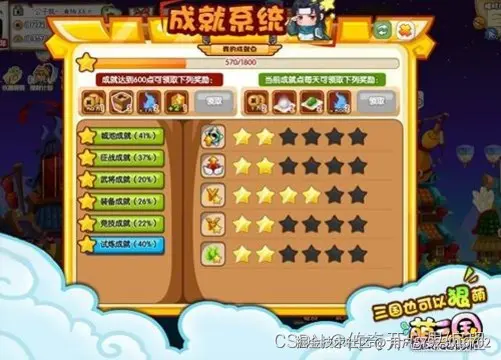以下是添加排行榜和成就系统的示例代码:
import pygame import random import json
初始化游戏
pygame.init()
设置窗口大小和标题
screen_width = 800 screen_height = 600 window = pygame.display.set_mode((screen_width, screen_height)) pygame.display.set_caption("给美女打分 - 多人游戏模式")
加载背景音乐
pygame.mixer.music.load("background_music.mp3") pygame.mixer.music.set_volume(0.5) # 设置音量 pygame.mixer.music.play(-1) # 循环播放背景音乐
加载音效
score_sound = pygame.mixer.Sound("score_sound.wav")
定义美女类
class Beauty(pygame.sprite.Sprite): def __init__(self, x, y, image, score, special_attribute, speed): super().init() self.image = pygame.image.load(image) # 美女的图片资源 self.rect = self.image.get_rect() self.rect.center = (x, y) self.score = score # 美女的得分 self.special_attribute = special_attribute # 美女的特殊属性 self.speed = speed # 美女的移动速度
def update(self):
    self.rect.x += self.speed
定义分数类
class Score(pygame.sprite.Sprite): def __init__(self, x, y, player_name): super().init() self.score = 0 self.player_name = player_name # 玩家名称 self.font = pygame.font.Font(None, 36) self.text = self.font.render(self.player_name + ": " + str(self.score), True, (255, 255, 255))
一、Python所有方向的学习路线
Python所有方向路线就是把Python常用的技术点做整理,形成各个领域的知识点汇总,它的用处就在于,你可以按照上面的知识点去找对应的学习资源,保证自己学得较为全面。
二、学习软件
工欲善其事必先利其器。学习Python常用的开发软件都在这里了,给大家节省了很多时间。
三、入门学习视频
我们在看视频学习的时候,不能光动眼动脑不动手,比较科学的学习方法是在理解之后运用它们,这时候练手项目就很适合了。

