

- JSON.stringify() 系列化对象,将返回的对象类型转为字符串类型;
- this.$store.state,取 vuex 中 state 中的属性,如:
this.$store.state.userInfo = userInfo //取出 vuex 中的 userInfo 并赋值为新的 userInfo
- 在挂载阶段,判断登录状态 userInfo;设置相关属性之后,就可以正常保存登录状态了。
因为 localStorage 为永久保存,所以即使关闭浏览器再次打开网页登录状态依然存在,除非手动清除 localStorage 数据;
- 设置登出,清除 localStorage 中的数据;
- 实现功能。
三、涉及代码
vuex(store/index.js)
import Vue from 'vue'
import Vuex from 'vuex'

Vue.use(Vuex)

export default new Vuex.Store({
  state: {
    userInfo:{}
  },
  mutations: {
  },
  actions: {
  },
  modules: {
  }
})
设置登录的页面(部分代码,无法复制即用,仅作参考)
登录方法
//登录方法
login() {
  //验证码的验证
  var randStr = this.rand.toString().replace(/,/g, ""); //随机生成的验证码为数组形式,此处将其转为字符串并去掉中间相隔的逗号
  var codeStr = this.code; //用户输入的验证码
  if (randStr.toLowerCase() == codeStr.toLowerCase()) { //比较用户输入的与随机生成的验证码,不区分大小写
    //获取登录接口
    axios.post("user/login", {
      name: this.name,
      password: this.password,
      administrator: this.usertyp
    }).then(result => {
      console.log(result.data);
      const code = result.data.code;
      this.token = code;
      if (this.token == 1003) {
        this.$message.error('用户名或密码未输入!');
      } else if (this.token == 1001) {
        this.$message.error('登录失败,请检查用户名或者密码是否正确。');
      } else if (this.token == 1005) {
        this.$message.error('您不是管理员,无管理员登录权限!');
      } else if (this.token == 200) {
        if (this.usertyp == "2") { //管理员登录
          this.$message.success('登录成功!');
          this.dialogFormVisible = false; //登录成功后登录插槽关闭
          this.loginReg = false;//隐藏登录注册按钮,显示欢迎信息
          this.manage = true;//显示管理员登录信息
          let userInfo = {
            isLogin: true,
            manage: true,
            name: this.name
          };
          localStorage.setItem("userInfo", JSON.stringify(userInfo));
          this.$store.state.userInfo = userInfo
          console.log('this.$store.state.userInfo', this.$store.state.userInfo)
          setTimeout(() => { //此处必须使用vue函数,否则this无法访vue实例
            this.$message(`欢迎您,管理员 ${this.name}!`)
          }, 2000);
          console.log(this.usertyp)
        } else if (this.usertyp == "") {  //普通用户
          this.$message.success('登录成功!');
          this.dialogFormVisible = false; //登录成功后插槽关闭
          this.loginReg = false;//隐藏登录注册按钮,显示欢迎信息
          this.user = true; //显示普通用户登录信息
          let userInfo = {
            isLogin: true,
            manage: false,
            name: this.name
          }
          localStorage.setItem("userInfo", JSON.stringify(userInfo));
          this.$store.state.userInfo = userInfo
          setTimeout(() => { //此处必须使用vue函数,否则this无法访vue实例
            this.$message(`欢迎您,尊贵的晋之魂用户 ${this.name}!`)
          }, 2000);
          console.log(this.usertyp)
        }
        this.Cookie.set("UserName", this.name); //将用户名存到cookie
        console.log('登录状态为:' + this.token);
      }
    })
  } else {
    this.$message.error('请输入正确的验证码');
  }
},
退出登录方法
//退出登录
logout() {
  this.Cookie.remove("UserName");
  this.loginReg = true;
  this.manage = false;
  this.user = false;
  this.log_out = false;
  localStorage.clear();
  setTimeout(() => {
    this.$router.push({
      path: '/'
    }, () => {
    }, () => {
    });//退出登录后2秒后跳转至首页
  }, 2000)
  //加()=>{},()=>{} 可解决路由重复后台报错问题
},
挂载阶段判断登录状态
mounted() {
// 判断登录状态
let userInfo = JSON.parse(localStorage.getItem('userInfo'));
if (null === userInfo) return;
console.log('userInfo', userInfo.isLogin);
if (userInfo.isLogin) {
this.dialogFormVisible = false; //登录成功后插槽关闭
this.loginReg = false;//隐藏登录注册按钮,显示欢迎信息
this.name = userInfo.name;
if (userInfo.manage) {
this.manage = true;//显示管理员登录信息
} else {
this.user = true;//显示普通用户登录信息
}
**ES6**
* 列举常用的ES6特性:
* 箭头函数需要注意哪些地方?
* let、const、var
* 拓展:var方式定义的变量有什么样的bug?
* Set数据结构
* 拓展:数组去重的方法
* 箭头函数this的指向。
* 手写ES6 class继承。

**微信小程序**
* 简单描述一下微信小程序的相关文件类型?
* 你是怎么封装微信小程序的数据请求?
* 有哪些参数传值的方法?
* 你使用过哪些方法,来提高微信小程序的应用速度?
* 小程序和原生App哪个好?
* 简述微信小程序原理?
* 分析微信小程序的优劣势
* 怎么解决小程序的异步请求问题?

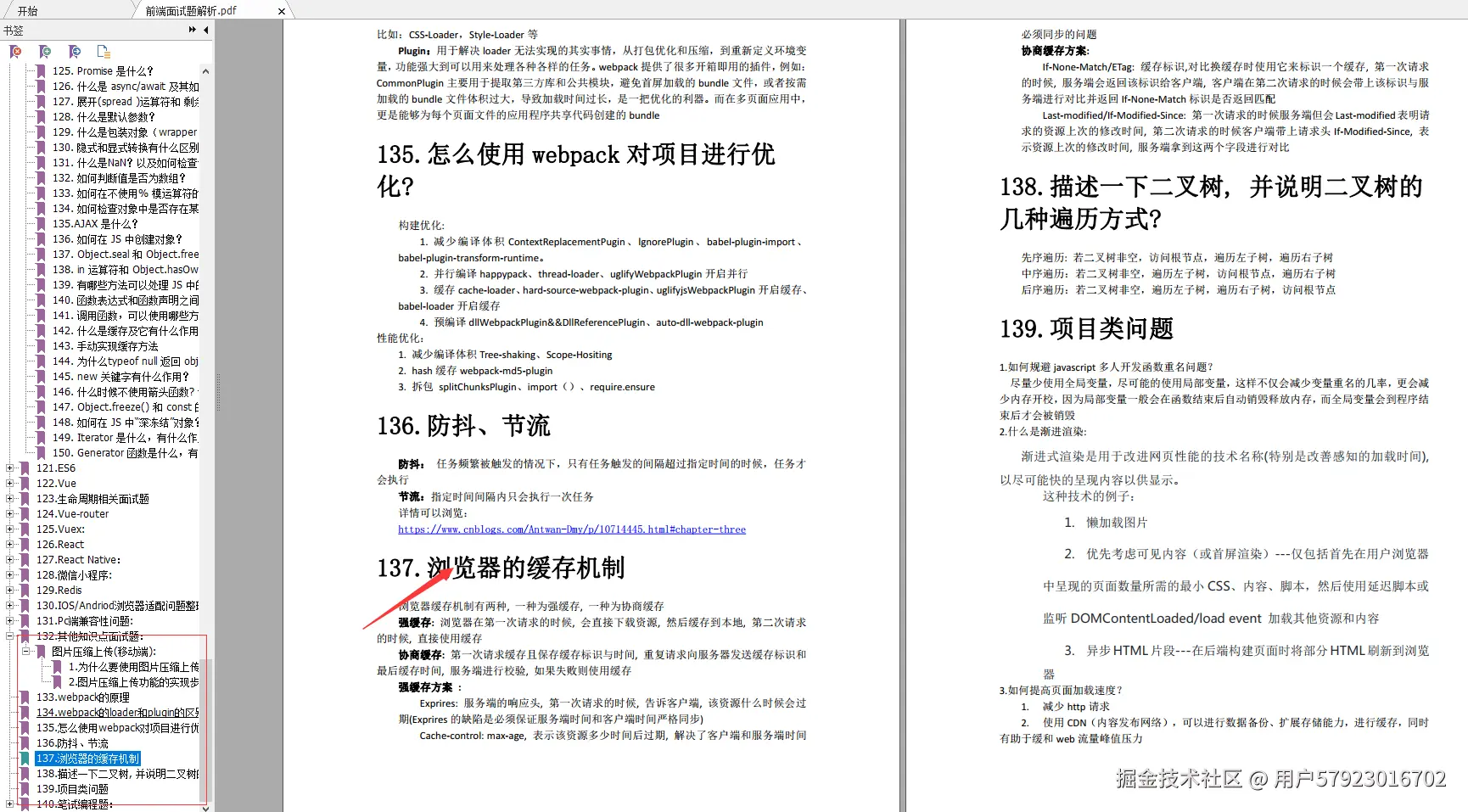
**其他知识点面试**
* webpack的原理
* webpack的loader和plugin的区别?
* 怎么使用webpack对项目进行优化?
* 防抖、节流
* 浏览器的缓存机制
* 描述一下二叉树, 并说明二叉树的几种遍历方式?
* 项目类问题
* 笔试编程题:
#### 最后
技术栈比较搭,基本用过的东西都是一模一样的。快手终面喜欢问智力题,校招也是终面问智力题,大家要准备一下一些经典智力题。如果排列组合、概率论这些基础忘了,建议回去补一下。
**开源分享:https://docs.qq.com/doc/DSmRnRGxvUkxTREhO**

