一. 安装nameser, broker 并启动服务
1.下载镜像rocketmqinc/rocketmq
3.创建映射目录配置broker.conf
1.创建目录
 mkdir D:/docker_images/rocket_mq/namesrv/logs
 mkdir D:/docker_images/rocket_mq/namesrv/store
2. 配置broker.conf
# Licensed to the Apache Software Foundation (ASF) under one or more
# contributor license agreements. See the NOTICE file distributed with
# this work for additional information regarding copyright ownership.
# The ASF licenses this file to You under the Apache License, Version 2.0
# (the "License"); you may not use this file except in compliance with
# the License. You may obtain a copy of the License at
#
# http:
#
# Unless required by applicable law or agreed to in writing, software
# distributed under the License is distributed on an "AS IS" BASIS,
# WITHOUT WARRANTIES OR CONDITIONS OF ANY KIND, either express or implied.
# See the License for the specific language governing permissions and
# limitations under the License.
# 所属集群名字
brokerClusterName=DefaultCluster
# broker 名字,注意此处不同的配置文件填写的不一样,如果在 broker-a.properties 使用: broker-a,
# 在 broker-b.properties 使用: broker-b
brokerName=broker-a
# 0 表示 Master,> 0 表示 Slave
brokerId=0
# nameServer地址,分号分割
namesrvAddr=192.168.2.16:9876
# 启动IP,如果 docker 报 com.alibaba.rocketmq.remoting.exception.RemotingConnectException: connect to <192.168.0.120:10909> failed
# 解决方式1 加上一句 producer.setVipChannelEnabled(false);,解决方式2 brokerIP1 设置宿主机IP,不要使用docker 内部IP
#producer.setVipChannelEnabled=false
brokerIP1=192.168.2.16
# 在发送消息时,自动创建服务器不存在的topic,默认创建的队列数
defaultTopicQueueNums=4
# 是否允许 Broker 自动创建 Topic,建议线下开启,线上关闭 !!!这里仔细看是 false,false,false
autoCreateTopicEnable=true
# 是否允许 Broker 自动创建订阅组,建议线下开启,线上关闭
autoCreateSubscriptionGroup=true
# Broker 对外服务的监听端口
listenPort=10911
# 删除文件时间点,默认凌晨4点
deleteWhen=04
# 文件保留时间,默认48小时
fileReservedTime=120
# commitLog 每个文件的大小默认1G
mapedFileSizeCommitLog=1073741824
# ConsumeQueue 每个文件默认存 30W 条,根据业务情况调整
mapedFileSizeConsumeQueue=300000
# destroyMapedFileIntervalForcibly=120000
# redeleteHangedFileInterval=120000
# 检测物理文件磁盘空间
diskMaxUsedSpaceRatio=88
# 存储路径
# storePathRootDir=/home/ztztdata/rocketmq-all-4.1.0-incubating/store
# commitLog 存储路径
# storePathCommitLog=/home/ztztdata/rocketmq-all-4.1.0-incubating/store/commitlog
# 消费队列存储
# storePathConsumeQueue=/home/ztztdata/rocketmq-all-4.1.0-incubating/store/consumequeue
# 消息索引存储路径
# storePathIndex=/home/ztztdata/rocketmq-all-4.1.0-incubating/store/index
# checkpoint 文件存储路径
# storeCheckpoint=/home/ztztdata/rocketmq-all-4.1.0-incubating/store/checkpoint
# abort 文件存储路径
# abortFile=/home/ztztdata/rocketmq-all-4.1.0-incubating/store/abort
# 限制的消息大小
maxMessageSize=65536
# flushCommitLogLeastPages=4
# flushConsumeQueueLeastPages=2
# flushCommitLogThoroughInterval=10000
# flushConsumeQueueThoroughInterval=60000
# Broker 的角色
# - ASYNC_MASTER 异步复制Master
# - SYNC_MASTER 同步双写Master
# - SLAVE
brokerRole=ASYNC_MASTER
# 刷盘方式
# - ASYNC_FLUSH 异步刷盘
# - SYNC_FLUSH 同步刷盘
flushDiskType=ASYNC_FLUSH
# 发消息线程池数量
# sendMessageThreadPoolNums=128
# 拉消息线程池数量
# pullMessageThreadPoolNums=128
docker pull rocketmqinc/rocketmq
3. 启动nameser服务
docker run -d  --restart=always --name rmqnamesrv -p 9876:9876 -p 10911:10911 -p 10909:10909 \
-v  D:/docker_images/rocket_mq/namesrv/logs:/root/logs \
-v D:/docker_images/rocket_mq/namesrv/store:/root/store \
-e "MAX_POSSIBLE_HEAP=100000000"  rocketmqinc/rocketmq sh mqnamesrv
4. 进入rmqnamesrv 启动broker 服务
sh mqbroker -c /root/store/broker.conf > a.log &
5.启动结果
- name_server
OpenJDK 64-Bit Server VM warning: Using the DefNew young collector with the CMS collector is deprecated and will likely be removed in a future release
OpenJDK 64-Bit Server VM warning: UseCMSCompactAtFullCollection is deprecated and will likely be removed in a future release.
OpenJDK 64-Bit Server VM warning: Using the DefNew young collector with the CMS collector is deprecated and will likely be removed in a future release
OpenJDK 64-Bit Server VM warning: UseCMSCompactAtFullCollection is deprecated and will likely be removed in a future release.
The Name Server boot success. serializeType=JSON
The Name Server boot success. serializeType=JSON
- broker
sh-4.2# tail -f a.log
The broker[broker-a, 192.168.2.16:10911] boot success. serializeType=JSON and name server is 192.168.2.16:9876
二. 下载监控面版镜像
1.下载监控面板镜像
docker pull styletang/rocketmq-console-ng
2.启动监控面版服务
docker run -d --restart=always --name rocketmq-admin -p 8080:8080 \
-e "JAVA_OPTS=-Drocketmq.namesrv.addr=192.168.2.16:9876 -Dcom.rocketmqsendMessageWithVIPChannel=false" styletang/rocketmq-console-ng
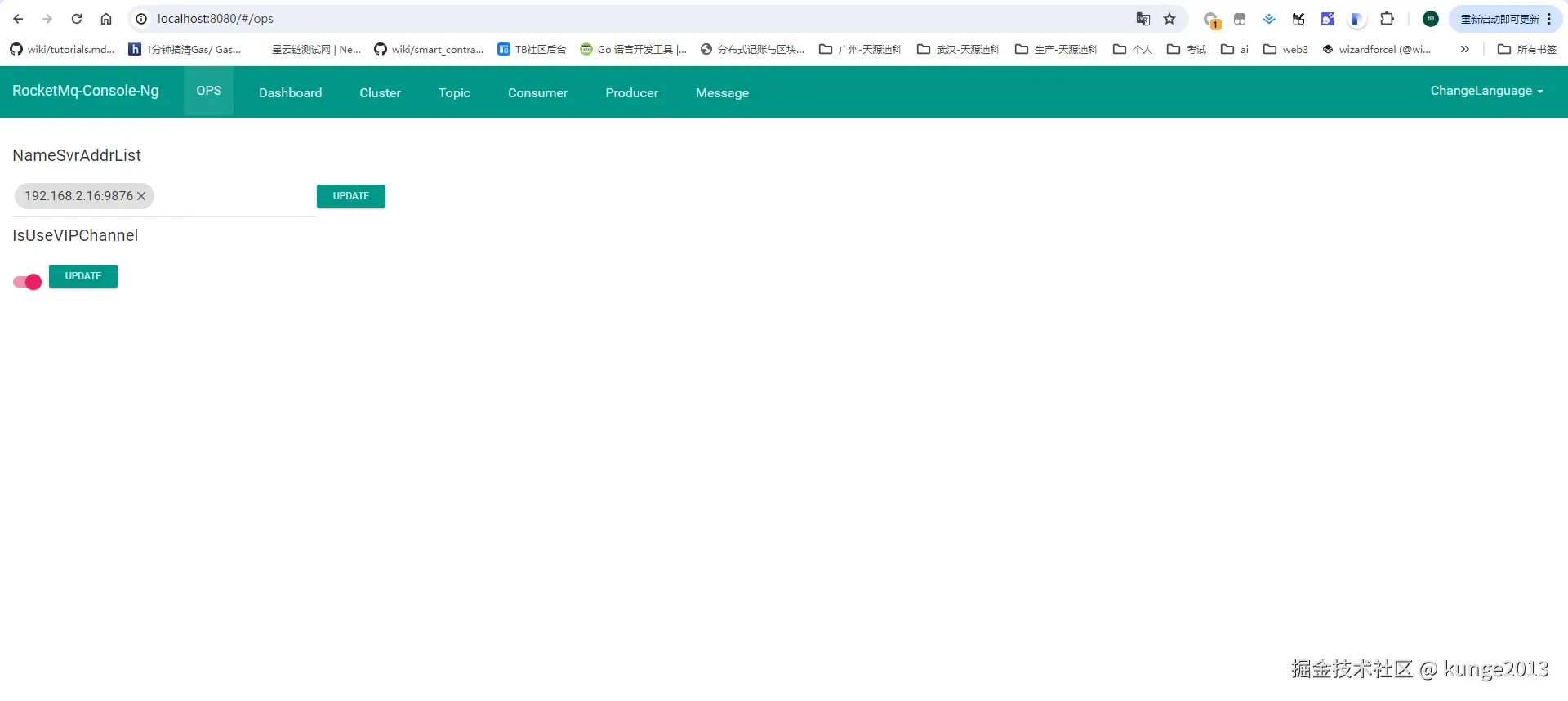
启动结果