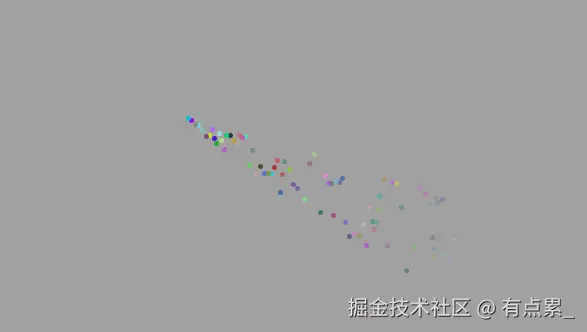
<!DOCTYPE html>
<html lang="en">
<head>
<meta charset="UTF-8">
<meta name="viewport" content="width=device-width, initial-scale=1.0">
<title>炫酷鼠标动画</title>
<style>
body {
margin: 0;
overflow: hidden;
background-color: #a1a0a0;
cursor: crosshair;
}
.firework {
position: absolute;
width: 5px;
height: 5px;
border-radius: 50%;
pointer-events: none;
}
.drop {
position: absolute;
width: 5px;
height: 5px;
border-radius: 50%;
pointer-events: none;
opacity: 0.8;
}
</style>
</head>
<body>
<script>
function getRandomColor() {
const letters = '0123456789ABCDEF';
let color = '#';
for (let i = 0; i < 6; i++) {
color += letters[Math.floor(Math.random() * 16)];
}
return color;
}
document.addEventListener('click', function (e) {
const x = e.pageX;
const y = e.pageY;
for (let i = 0; i < 30; i++) {
createFireworkParticle(x, y);
}
});
function createFireworkParticle(originX, originY) {
const particle = document.createElement('div');
particle.className = 'firework';
document.body.appendChild(particle);
const angle = Math.random() * 360;
const speed = Math.random() * 4 + 2;
const dx = Math.cos(angle) * speed;
const dy = Math.sin(angle) * speed;
let x = originX;
let y = originY;
let opacity = 1;
const distance = Math.sqrt(dx * dx + dy * dy);
const maxDistance = 10;
const size = Math.max(3, (maxDistance - distance) * 1.2);
particle.style.width = `${size}px`;
particle.style.height = `${size}px`;
particle.style.backgroundColor = getRandomColor();
const interval = setInterval(function () {
x += dx;
y += dy;
opacity -= 0.02;
particle.style.left = `${x}px`;
particle.style.top = `${y}px`;
particle.style.opacity = opacity;
if (opacity <= 0) {
clearInterval(interval);
particle.remove();
}
}, 16);
}
document.addEventListener('mousemove', function (e) {
const x = e.pageX;
const y = e.pageY;
createDropParticle(x, y);
});
function createDropParticle(x, y) {
const drop = document.createElement('div');
drop.className = 'drop';
document.body.appendChild(drop);
let opacity = 1;
const speed = Math.random() * 3 + 2;
drop.style.backgroundColor = getRandomColor();
const interval = setInterval(function () {
y += speed;
opacity -= 0.02;
drop.style.left = `${x}px`;
drop.style.top = `${y}px`;
drop.style.opacity = opacity;
if (opacity <= 0) {
clearInterval(interval);
drop.remove();
}
}, 16);
}
</script>
</body>
</html>