

Siemens WinCC OpcUA Developer Tutorials
WinCC is a human-machine interface software based on Microsoft Windows operating system, designed to provide users with an intuitive and reliable monitoring and control system. It has a user-friendly graphical user interface and powerful features that enable users to monitor and manage complex industrial processes and equipment in real time.
This tutorial is designed to teach you how to do WinCC OpcUA development.
Brief Introduction
In automation technology, there are many different programmable logic controllers (PLCS) connected to SCADA and HMI systems. Most of these PLCS have dedicated communication protocols to implement process information connected to them. In order to be favored by device or machine manufacturers, SCADA or HMI systems must be flexible and must support multiple of these protocols.
In the Siemens HMI system SIMATIC WinCC, the drivers of the individual communication protocols are called "channels". The base package for WinCC V7 currently contains 9 different channels. In addition, Allmendinger's engineers have implemented four additional channels that can be purchased to extend WinCC's connectivity. Since the Siemens HMI did not have an integrated OPC UA channel until V7.0 SP3, Allmmendinger implemented a full native OPC client as an integrated channel driver for connecting to an external OPC UA server that provides data access.
This tutorial will be developed using WinCC 7.5 SP2.
Technology Stack
| Software | Programming language |
|---|---|
| Win10 | No requirement |
| Siemens WinCC | No requirement |
| JDK | Java |
| IntelliJ IDEA | Java+Springboot |
| UAExpert | No requirement |
Technical Framework
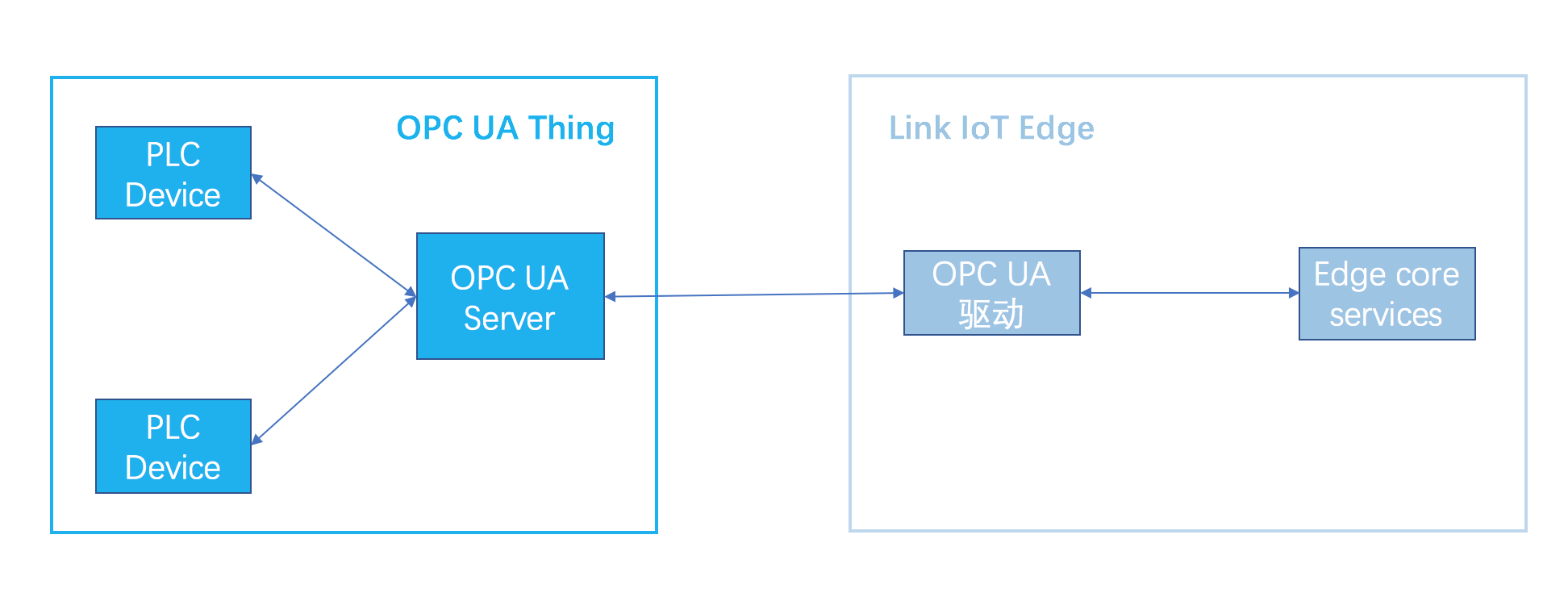
Network Topology
Softwares
| Software | Version | Download |
|---|---|---|
| Win10 | x64 | |
| Siemens WinCC | 7.5 Sp2 | pan.baidu.com/s/1AdO_AOKk… |
| IntelliJ IDEA | 2024 | |
| JDK | 8+ | |
| UAExpert | 1.6.3 448 |
Installation
Skip
Win10
Skip
Siemens WinCC 7.5 SP2
Skip
Siemens official website download
support.industry.siemens.com/cs/document…
Personal shared download url
Baidu netdisk
CSDN.net
download.csdn.net/download/mi…
Install WinCC 7.5 SP2
Skip
Install Standard Version
Skip
Install Upd11-Upd17 package
Skip
Crack
baijiahao.baidu.com/s?id=176195…
Check License

IntelliJ IDEA
Skip
UAExpert
Skip
Quickstart Guide
Demo project
OpcUa Client Demo
WinCC OpcUa Server Demo
Skip
Build project
- Create stand-alone project

- Create variables

- UI associated variable


Launch WinCC application
- Launch application
- Edit the value of the variables in the UI

- Confirm the status of the OpcUaServerWinCC service in Services.msc

- Record the OpcUa Server configuration information provided by the WinCC project

UAExpert OP
- Create server

- Input OpcUa server informations

- Connect to the server


- Confirm the point value information

- View point value attributes

OpcUa Client
- Input OpcUa Server information
- Connect to the server
- Read point value

OpcUa Server
- Change points value
- View points value in UAExpert
- The OpcUa client reads the new value of node again
Perform the preceding steps by yourself, do not take a screenshot guide.

