

前言
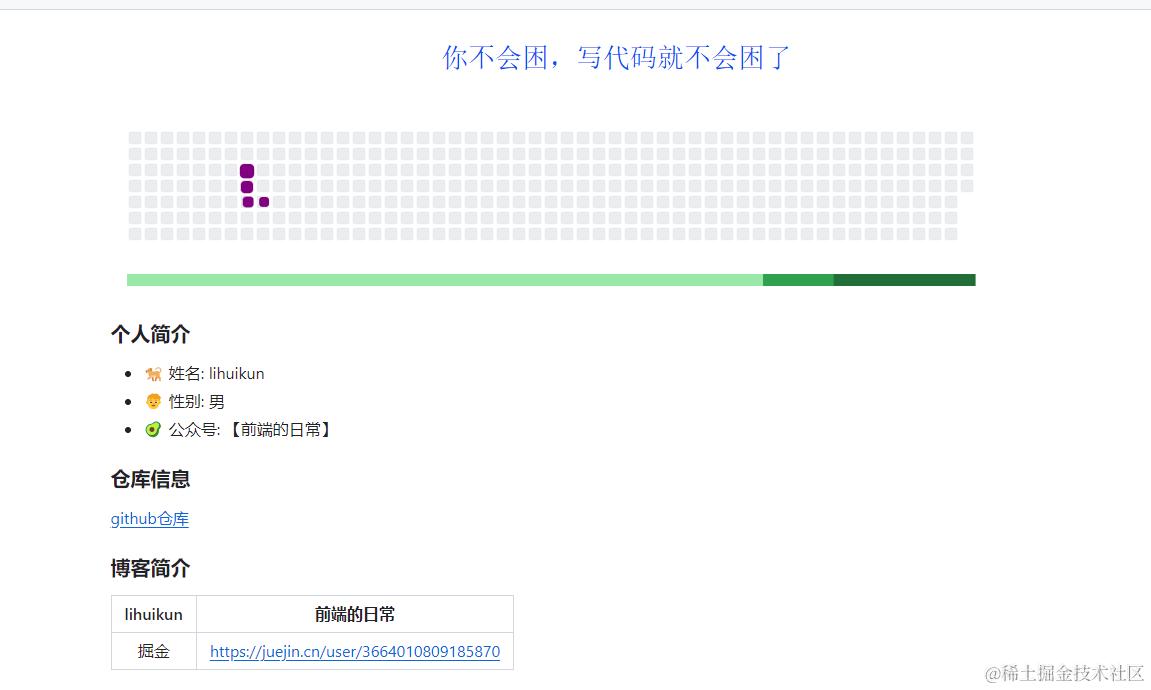
大家好,我是你不会困,写代码就不会困,今天分享的是如何让你的github主页与众不同
前提条件
1. GitHub 账号
如果连 GitHub 账号都没有,那还玩什么蛇啊!首先,你需要一个 GitHub 账号来托管你的代码和利用 GitHub 提供的各种工具和服务。注册一个 GitHub 账号非常简单,只需访问 GitHub 注册页面 并按照提示完成注册。
2. GitHub 项目提交记录
如果没有项目提交记录,蛇吃什么啊!在进行任何操作之前,你需要确保你的项目在 GitHub 上已经有了一些提交记录。这意味着你已经在本地创建了一个 Git 仓库,并且至少有一次提交记录。提交记录是指你对项目文件所做的更改已经被记录并提交到 Git 仓库中。没有提交记录,你的项目就像没有食物的蛇,无法存活和发展。
步骤
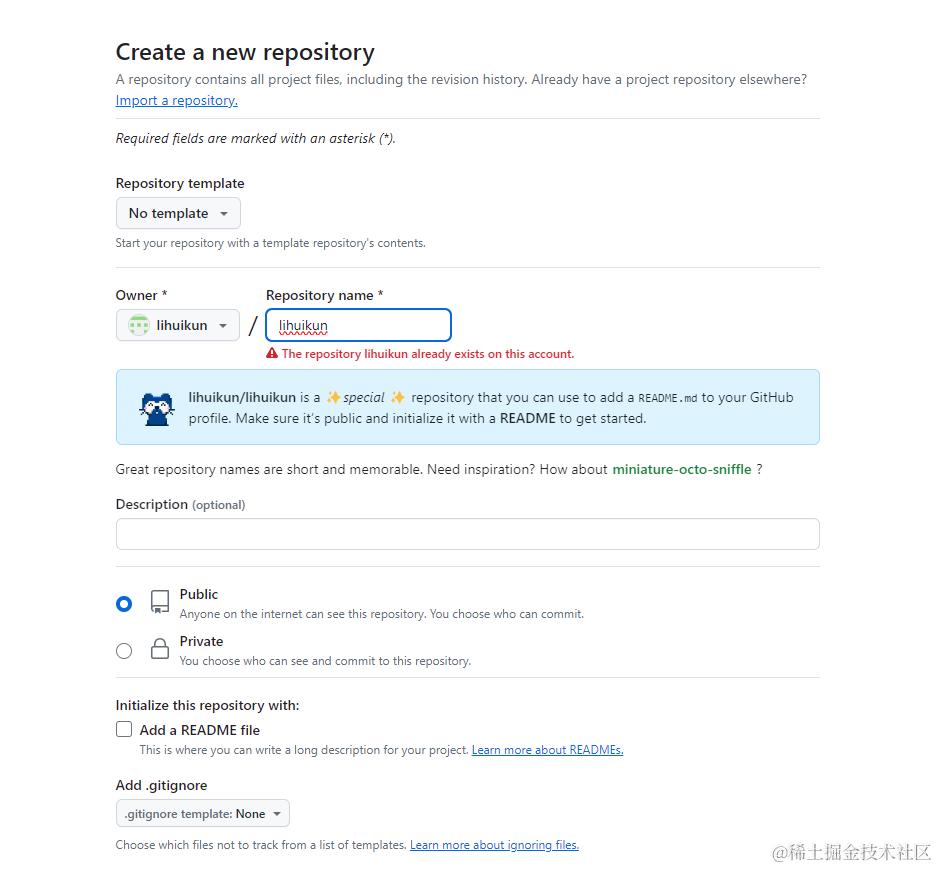
一、新建一个GitHub仓库
要跟账户名一样,如我的用户名为lihuikun,所以需要建一个仓库lihuikun,这里我提前创建了,所以提示已经有了这个仓库
点击ction-->new workflows创建自动化工作流

【新建】snake.yml,将下面的内容复制到新建的snake.yml,这里的原理其实就是每天执行定时任务在主分支上master上面更新分支output生成一个svg动画并更新到README.md
name: generate animation

on:
  # run automatically every 24 hours
  schedule:
    - cron: "0 */24 * * *"

  # allows to manually run the job at any time
  workflow_dispatch:

  # run on every push on the master branch
  push:
    branches:
    - master


jobs:
  generate:
    runs-on: ubuntu-latest
    timeout-minutes: 10

    steps:
      # generates a snake game from a github user (<github_user_name>) contributions graph, output a svg animation at <svg_out_path>
      - name: generate github-contribution-grid-snake.svg
        uses: Platane/snk/svg-only@v3
        with:
          github_user_name: ${{ github.repository_owner }}
          outputs: |
            dist/github-contribution-grid-snake.svg
            dist/github-contribution-grid-snake-dark.svg?palette=github-dark
        env:
          GITHUB_TOKEN: ${{ secrets.GITHUB_TOKEN }}


      # push the content of <build_dir> to a branch
      # the content will be available at https://raw.githubusercontent.com/<github_user>/<repository>/<target_branch>/<file> , or as github page
      - name: push github-contribution-grid-snake.svg to the output branch
        uses: crazy-max/ghaction-github-pages@v3.1.0
        with:
          target_branch: output
          build_dir: dist
        env:
          GITHUB_TOKEN: ${{ secrets.GITHUB_TOKEN }}
然后手动执行这个任务,会提示成功,如果没有成功提示报错
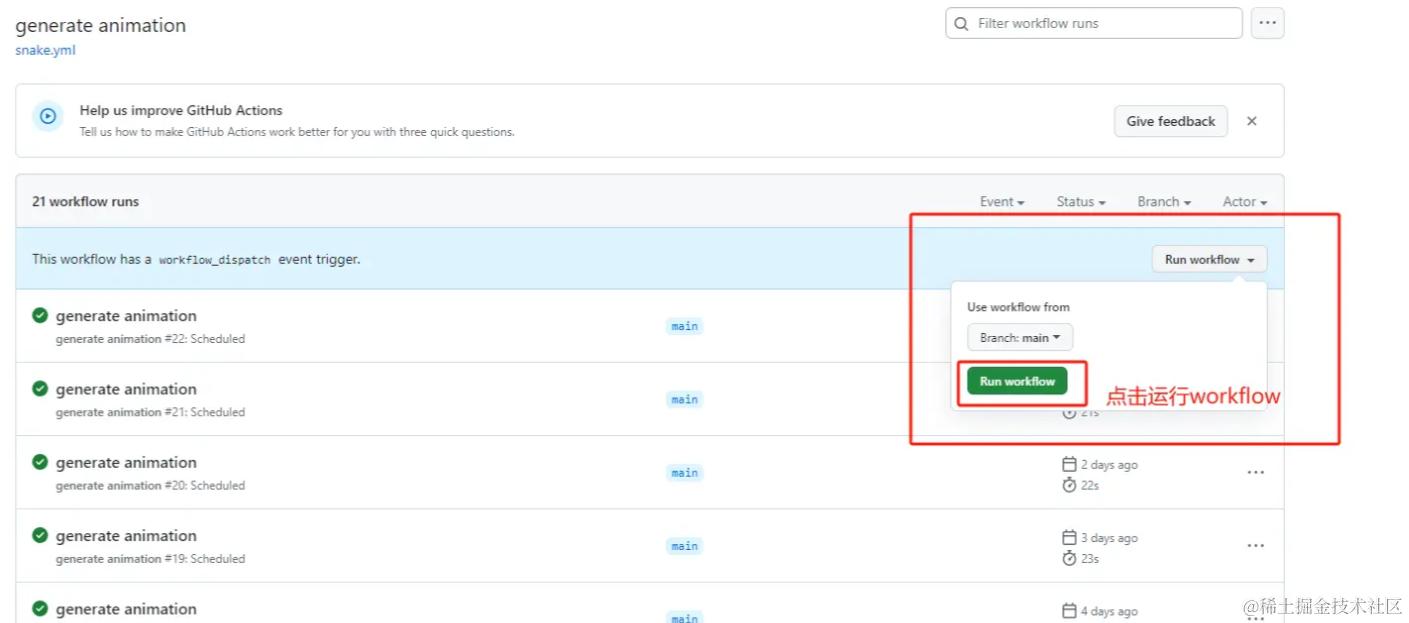
这里报错是因为没有开启权限,如果出现如上情况,说明 action 的 workflow 的权限不足,可以到项目中 settings->actions->general 中调整下 Workflow permissions 权限就可以了
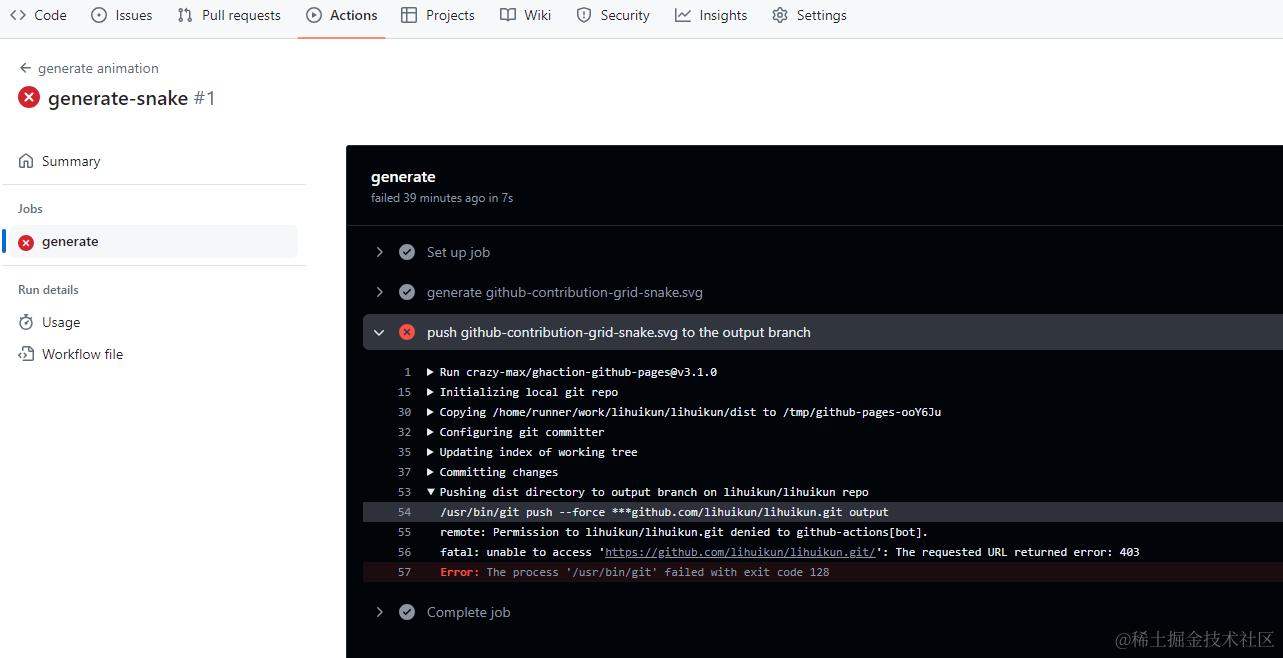
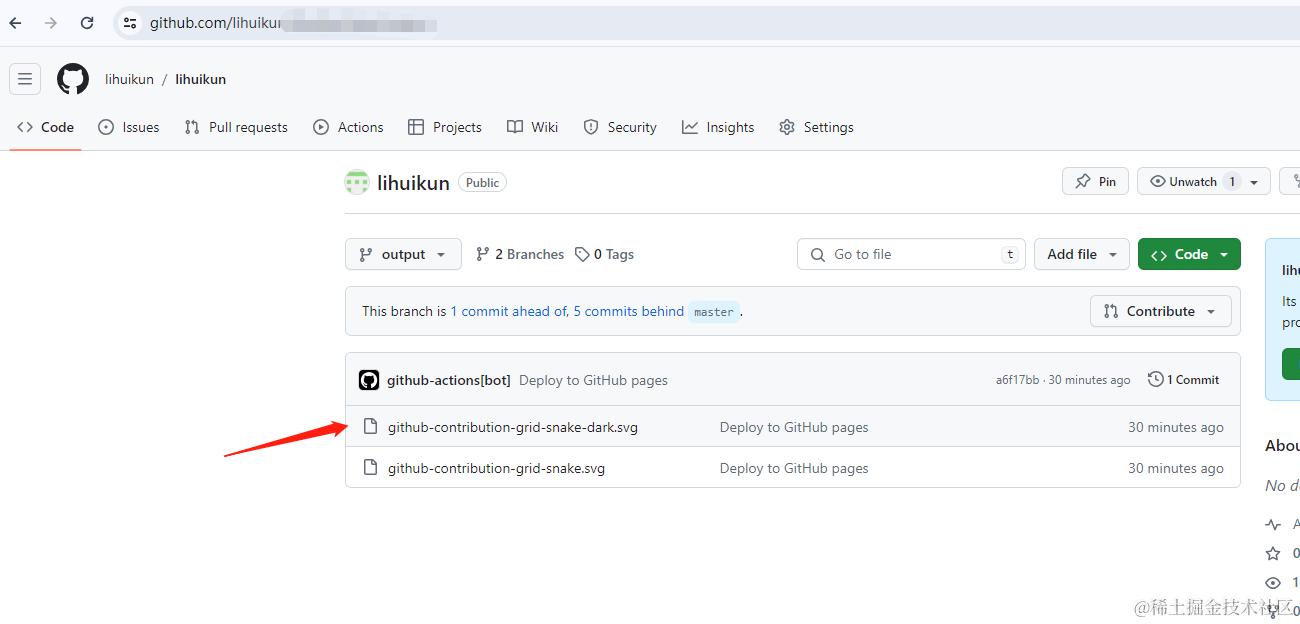
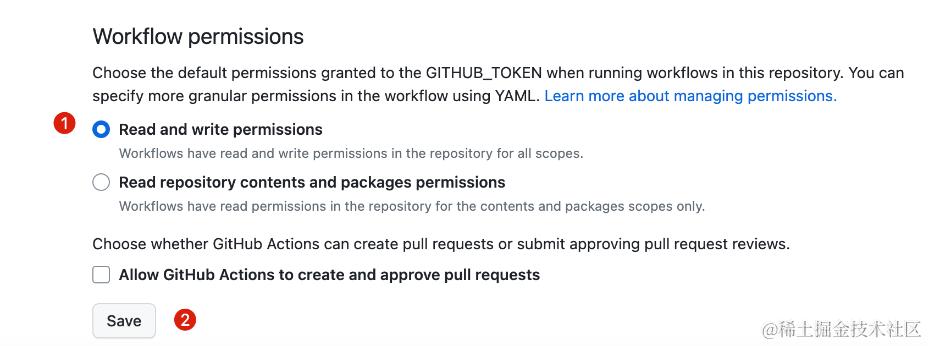 然后重新运行,成功运行就会在项目中自动新建一个 output 分支然后生成贪吃蛇的动画图,然后进行粘贴svg的图片链接
二、书写README.md
这里就是把生成的svg图片以及个人的掘金文章更新到上面,至此,重新访问你的GitHub仓库首页就有一条小蛇在吃掉的提交记录
<div align="center">
<a href="https://blog.sunguoqi.com/">
<img src="https://readme-typing-svg.demolab.com?font=Fira+Code&pause=1000&color=024EF7&width=435&lines=你不会困,写代码就不会困了¢er=true&size=27" alt="Typing SVG" />
</a>
</div>

### 个人简介
- 🐕 姓名: lihuikun
- 👦 性别: 男
- 🥑 公众号: 【前端的日常】
### 仓库信息
[github仓库](https://github.com/lihuikun/lihuikun)
### 博客简介
| lihuikun| 前端的日常 |
| :----:| :----: |
| 掘金 | [https://juejin.cn/user/3664010809185870](https://juejin.cn/user/3664010809185870)|
### 文章推荐
[0费用使用vite搭建个人博客网站--2](https://juejin.cn/post/7372577541113298956)
[0费用使用vite搭建个人博客网站--1](https://juejin.cn/post/7371373024241795091)
[vite实现前端项目打包更新通知用户更新](https://juejin.cn/post/7372463538680905740)
[GitHub Actions实现定时任务,免费运行](https://juejin.cn/post/7371319684841897995)
[一文讲清楚阿里云文件上传](https://juejin.cn/post/7356445125451120675)

