人狠话不多,先看效果图
这是Copilot的任务栏图标
点击之后会弹出Copilot 对话框,默认是聊天模式
可以切换绘图模式
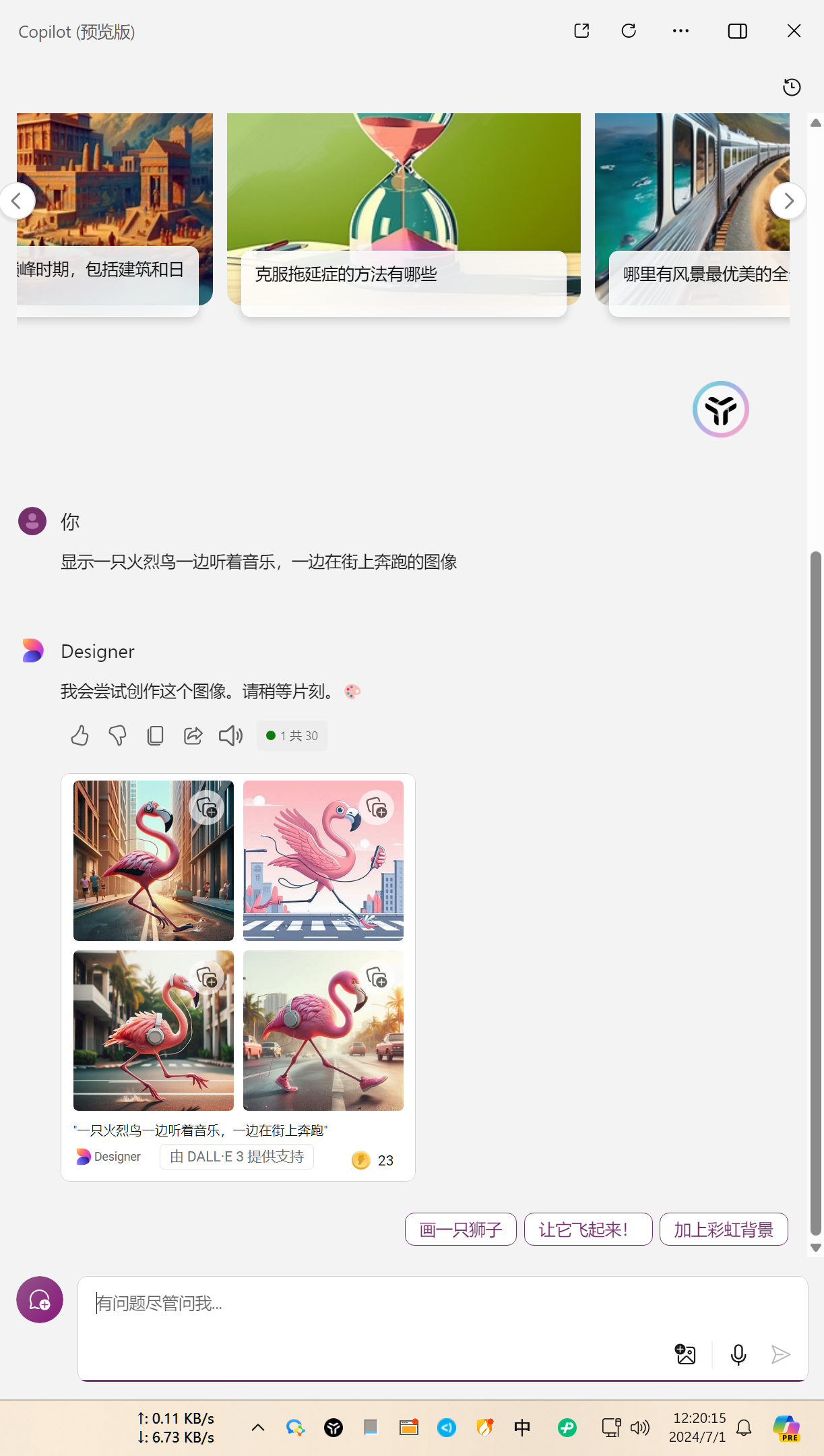
你是否有亿点点心动💓,玩的就是心动,开干!
上脚本
# 版权声明
# Copyright (c) https://googlec.org All rights reserved.
# This script is provided by https://googlec.org


# 检查是否以管理员权限运行,如果没有则提升权限并重新启动
Write-Output "For more script information, please visit https://googlec.org"
if (-not ([Security.Principal.WindowsPrincipal] [Security.Principal.WindowsIdentity]::GetCurrent()).IsInRole([Security.Principal.WindowsBuiltInRole] "Administrator")) {
    Write-Output "Start as Administrator again ..."
    Start-Process powershell -ArgumentList ("-NoProfile -ExecutionPolicy Bypass -File `"$PSCommandPath`"") -Verb RunAs
    exit
}

# 获取文件路径
$filePath = "$env:WINDIR\System32\IntegratedServicesRegionPolicySet.json"

# 获取文件的访问控制列表并设置管理员完全控制权限
$acl = (Get-Item $filePath).GetAccessControl()
$accessRule = New-Object System.Security.AccessControl.FileSystemAccessRule("Administrators", "FullControl", "Allow")
$acl.SetAccessRule($accessRule)
Set-Acl -Path $filePath -AclObject $acl

# 读取并解析 JSON 文件内容
$jsonContent = Get-Content -Path $filePath -Raw | ConvertFrom-Json

# 遍历 policies
foreach ($policy in $jsonContent.policies) {
    if ($policy.'$comment' -like "*Copilot*") {
        if ($policy.conditions.region.disabled) {
            $policy.conditions.region.disabled = $policy.conditions.region.disabled | Where-Object { $_ -ne "CN" -and $_ -ne "CH" }
        }
    }
}

# 将修改后的 JSON 内容转换回字符串格式
$jsonContent | ConvertTo-Json -Depth 10 | Set-Content -Path $filePath -Force

# 验证修改内容
Write-Output "JSON file has been updated successfully"
Write-Output "For more script information, please visit https://googlec.org"
见证奇迹的步骤总共分3步(把大象放进冰箱也是三步):
1.将上述脚本保存在本地任意文件夹,记住它的路径,文件后缀名设置为ps1,示例:script.ps1
2.打开 PowerShell,一定要是管理员模式打开!!!
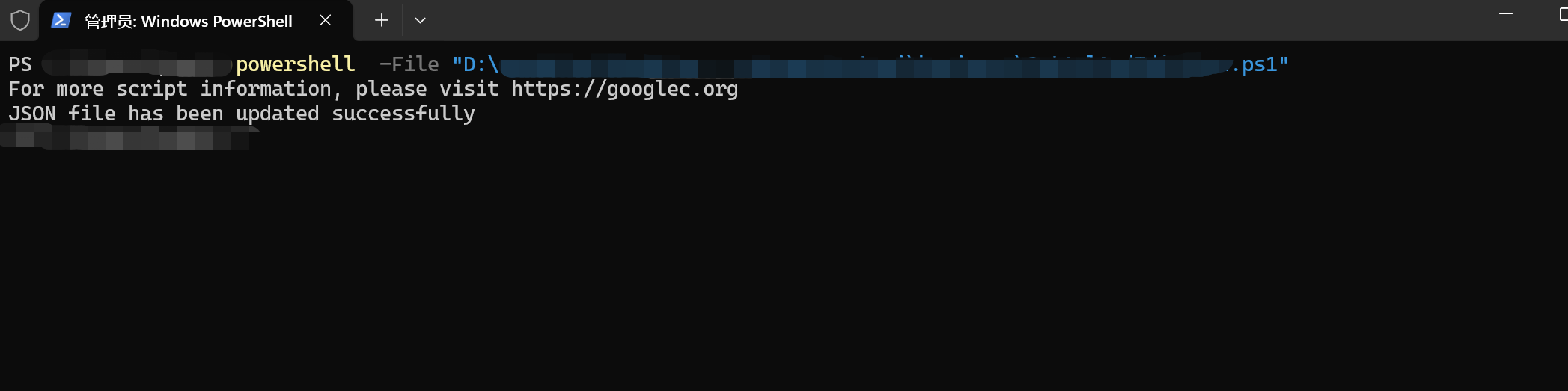
3.运行powershell -File "你的文件路径.ps1",看到JSON file has been updated successfully,就全部搞定了,重启就会看到任务栏Copilot图标,享赛博人生
最最最重要的一点,要保证铁汁们的电脑开机自启动某些魔法软件,并且要自动配置系统魔法,保证网络畅通,如果没有自启动的魔法,那是万万不行滴
最最最重要的一点,要保证铁汁们的电脑开机自启动某些魔法软件,并且要自动配置系统魔法,保证网络畅通,如果没有自启动的魔法,那是万万不行滴
最最最重要的一点,要保证铁汁们的电脑开机自启动某些魔法软件,并且要自动配置系统魔法,保证网络畅通,如果没有自启动的魔法,那是万万不行滴
金角:博客最重要的是什么?
银角:这不废话嘛,肯定是内容啊
金角:说的好,没有内容怎么办呢?
银角:没内容等死吧,你整个嘎嘎帅的域名也行。
金角:好主意,如果博客域名是googlec.org怎么样?
银角:????三连了
------------END(以下为换工作许愿区,求大佬捞一下练习时长2年的Java练习生)---------------
name: One blog

link: https://blog.googlec.org

tips: 最近想换工作,有没有招人的大佬啊,我是练习时长2年的Java开发,硕2求大佬带飞。