零 访问域名一致在加载中也不报错
登录阿里云后台,找到服务器,点进去 找到 网络安全 -> 安全组
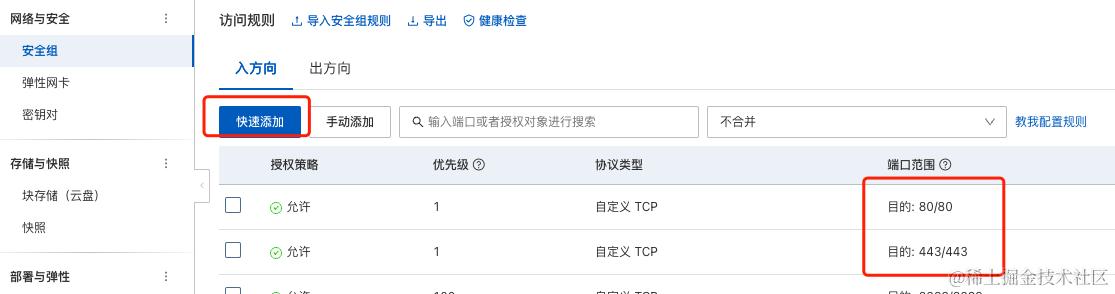
目的是放开端口
还不行就得进入服务器 找到防火墙 设置端口了
一、IIS上部署MVC网站,打开后500错误:处理程序“ExtensionlessUrlHandler-Integrated-4.0”在其模块列表中有一个错误模块“ManagedPipelineHandler”
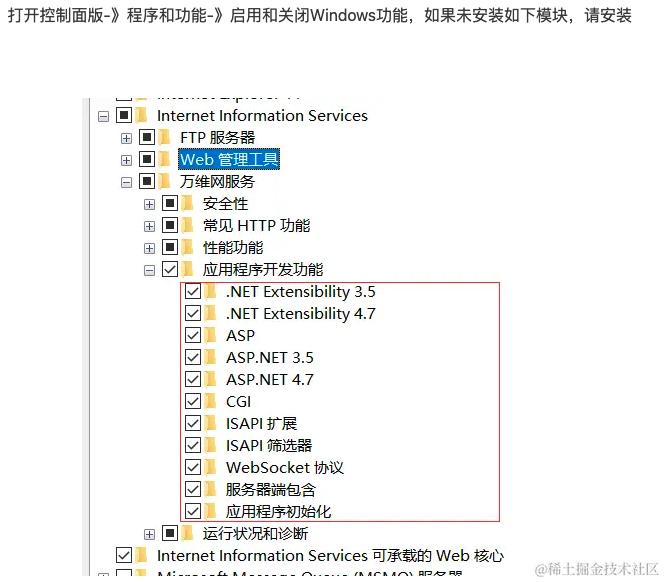
二、配置network 版本问题
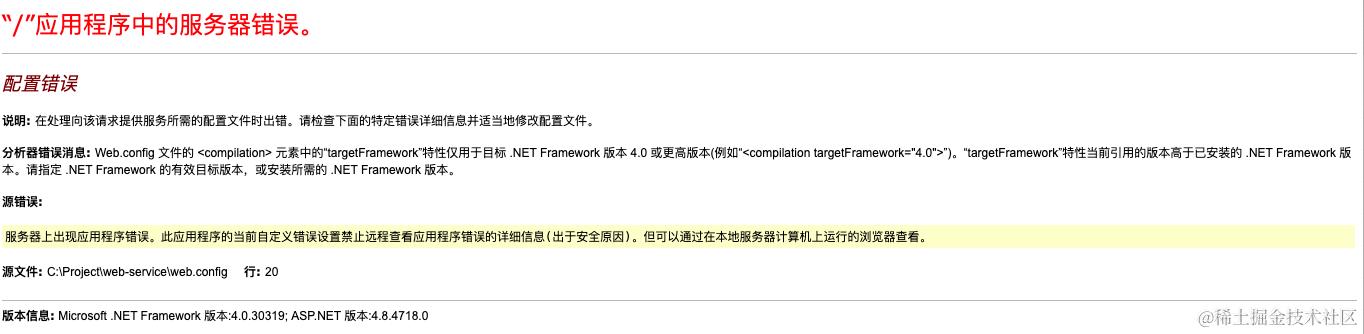
正常安装完重起服务器就行
三 500.30
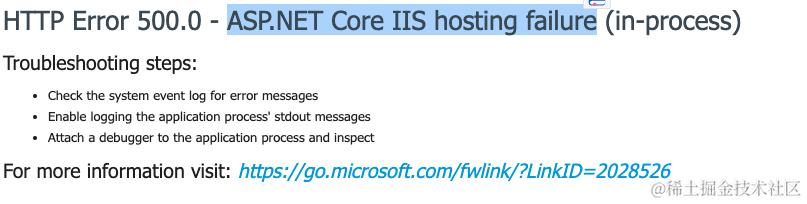
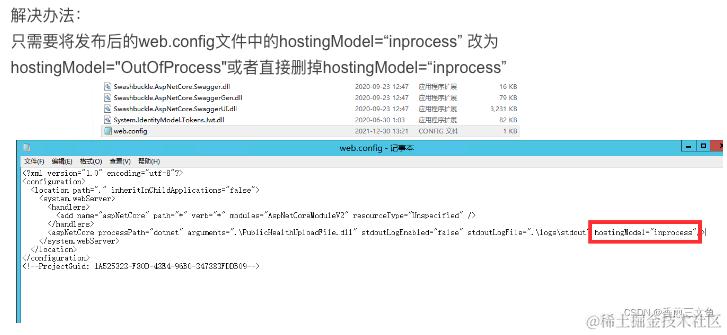
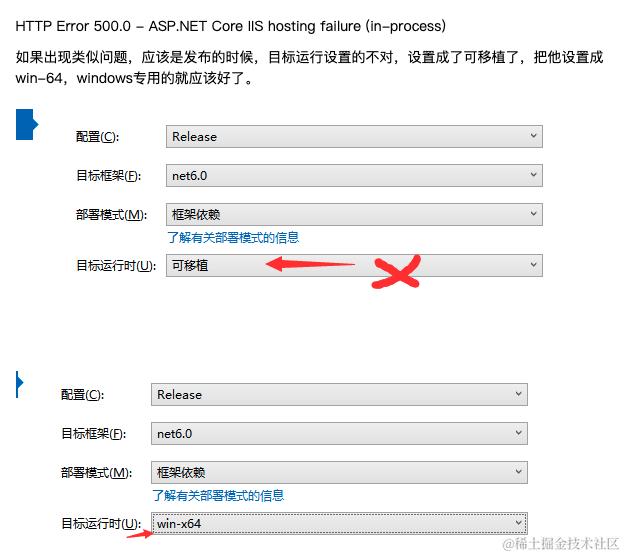
四、500.0 - ASP.NET Core IIS hosting failure (in-process)
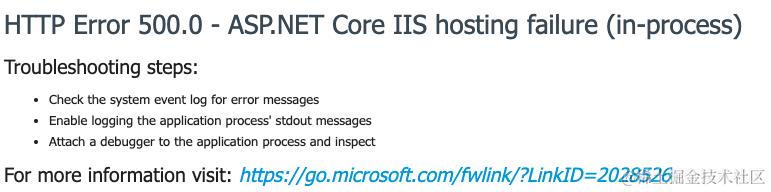
五、同一台Windows中使用IIS配置了多个SSL,须勾选「需要服务器名称指示」
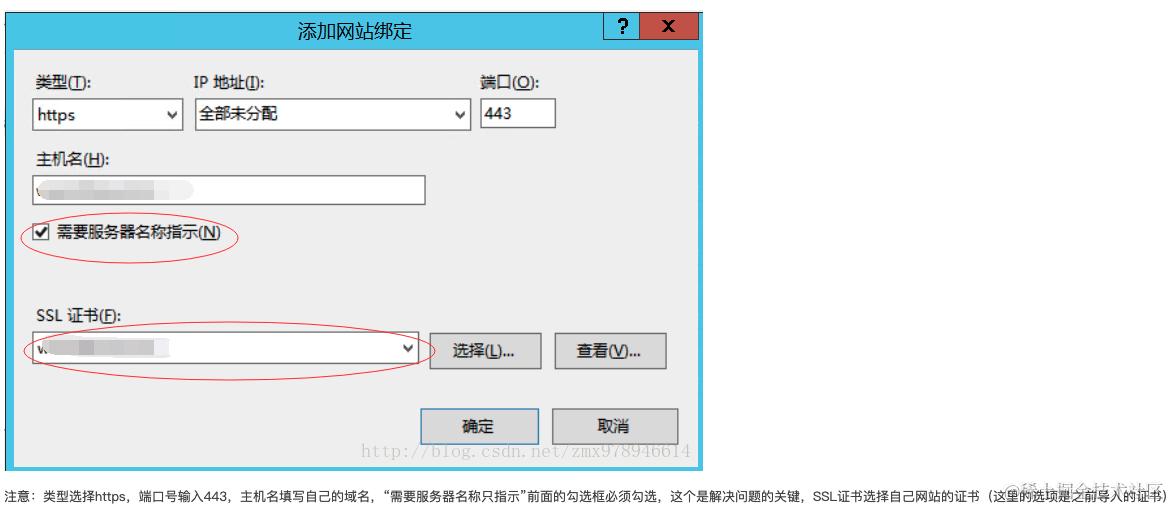 注意需配置默认证书,就是绑定一个网站 不选IP,不填主机名,不勾需要服务器名称指示,然后选择证书
六、配置了证书 访问http 返回404 的解决办法
1、再绑定一个http的就好了
2、配置一个重定向
下载URL重定向模块
<system.webServer>
    <rewrite>
        <rules>
            <rule name="HTTPS Redirect" stopProcessing="true">
                    <match url="(.*)" />
                    <conditions logicalGrouping="MatchAll" trackAllCaptures="false">
                        <add input="{HTTPS}" pattern="^OFF$" />
                    </conditions>
                    <action type="Redirect" url="https://{HTTP_HOST}{REQUEST_URI}" appendQueryString="false" />
             </rule>
        </rules>
     </rewrite>
 </system.webServer>
IIS 处理 VUE history 路由
<rule name="Handle History Mode and custom 404/500" stopProcessing="true">
    <match url="(.*)" />
    <conditions logicalGrouping="MatchAll" trackAllCaptures="false">
        <add input="{REQUEST_FILENAME}" matchType="IsFile" negate="true" />
        <add input="{REQUEST_FILENAME}" matchType="IsDirectory" negate="true" />
    </conditions>
    <action type="Rewrite" url="/" />
</rule>