

视频地址: www.bilibili.com/video/BV1Yb…
视频选集:P141 - P150
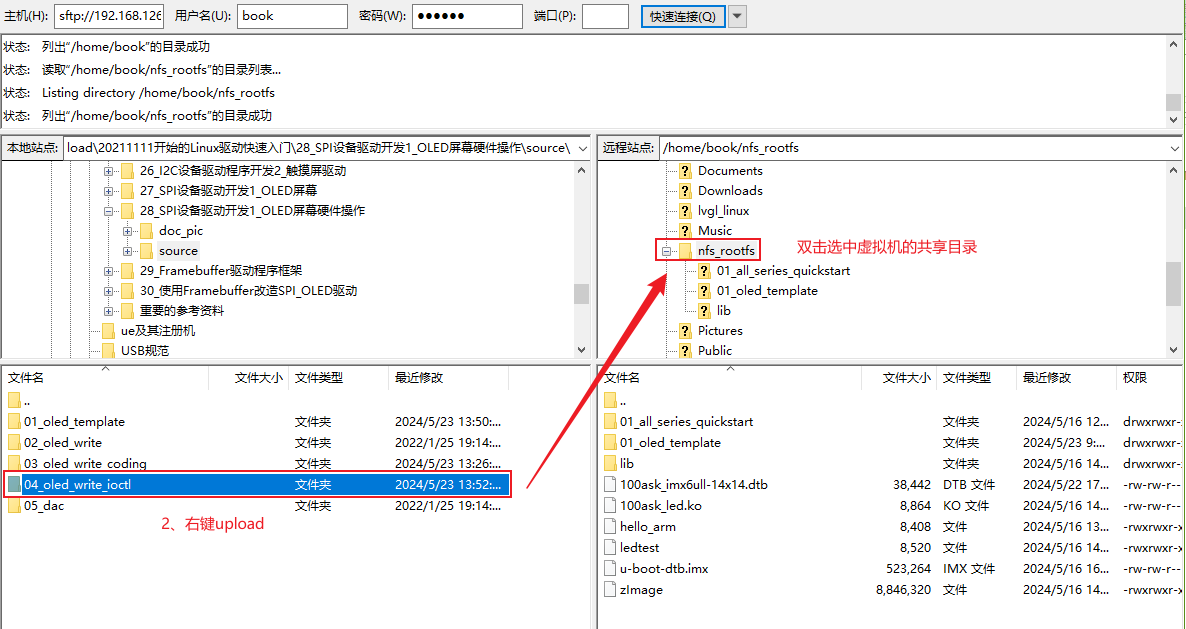
1、将文件上传到虚拟机共享目录
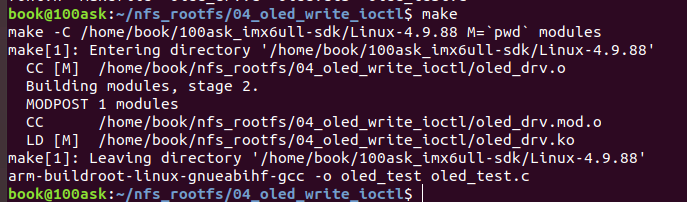
2、make编译出驱动
3、修改设备树
vim 100ask_imx6ull-14x14.dts

&ecspi1 {
pinctrl-names = "default";
pinctrl-0 = <&pinctrl_ecspi1>;
fsl,spi-num-chipselects = <2>;
cs-gpios = <&gpio4 26 GPIO_ACTIVE_LOW>, <&gpio4 24 GPIO_ACTIVE_LOW>;
status = "okay";
oled: oled {
compatible = "100ask,oled";
reg = <0>;
spi-max-frequency = <1000000>;
dc-gpios = <&gpio4 20 GPIO_ACTIVE_HIGH>;
};
```
编译设备树:
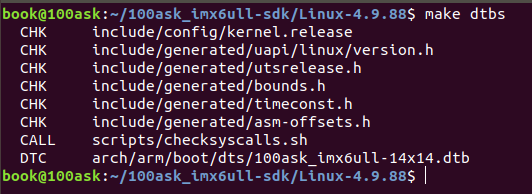
注意:必须退回到linux内核目录里编译
将设备树文件放到共享目录:
`cp arch/arm/boot/dts/100ask_imx6ull-14x14.dts /home/book/nfs_rootfs/`
4、替换设备树
进入开发板,将设备树拷贝到/boot之后重启
`mount -t nfs -o nolock,vers=3 192.168.5.11:/home/book/nfs_rootfs /mnt`

5、验证设备树
进入设备树查找oled
`cd /sys/firmware/devicetree/base`
`find -name "*oled*"`

进入oled目录查看:
`cd ./soc/aips-bus@02000000/spba-bus@02000000/ecspi@02008000/oled`

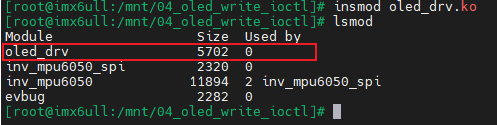
6、安装驱动
·insmod oled_drv.ko·
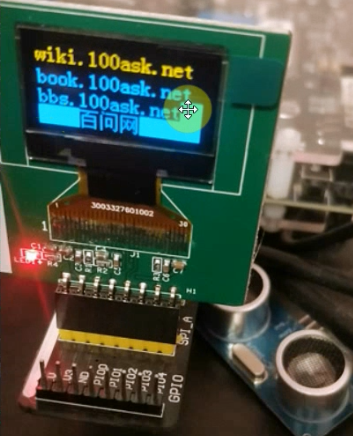
7、执行oled_test验证
`./oled_test /dev/myoled`

> 本文由博客一文多发平台 [OpenWrite](https://openwrite.cn?from=article_bottom) 发布!

