引入依赖
import matplotlib.pyplot as plt
import pandas as pd
import squarify
显示中文和负号
plt.rcParams['font.sans-serif'] = 'Microsoft YaHei'
plt.rcParams['axes.unicode_minus'] = False
数据预处理
data = pd.read_csv('./lipstick_v2.csv', encoding='UTF8')
guangdongSales = data[data['location'].str.contains('广东')][['location', 'sales']]
gaungdongCitySales = guangdongSales.groupby('location')['sales'].sum()
guangdongSalesSum = gaungdongCitySales.values.sum()
labels = []
income = []
area_list = ['广州', '深圳', '汕头', '珠海', '佛山']
for area in area_list:
labels.append(area)
income.append(round(gaungdongCitySales[gaungdongCitySales.index.str.contains(area)].sum(), 2))
guangdongSalesSum = guangdongSalesSum - gaungdongCitySales[gaungdongCitySales.index.str.contains(area)].sum()
labels.append('其他')
income.append(round(guangdongSalesSum, 2))
绘制饼图
fig = plt.figure(figsize=(12, 6))
ax = fig.add_subplot(111)
plot = squarify.plot(sizes=income,
label=labels,
alpha=0.8,
value=income,
edgecolor='white',
linewidth=0.1
)
plt.rc('font', size=14)
ax.set_title('广东省各地区销售占比+2023120800', fontsize=22)
ax.axis('off')
ax.tick_params(top='off', right='off')
plt.show()
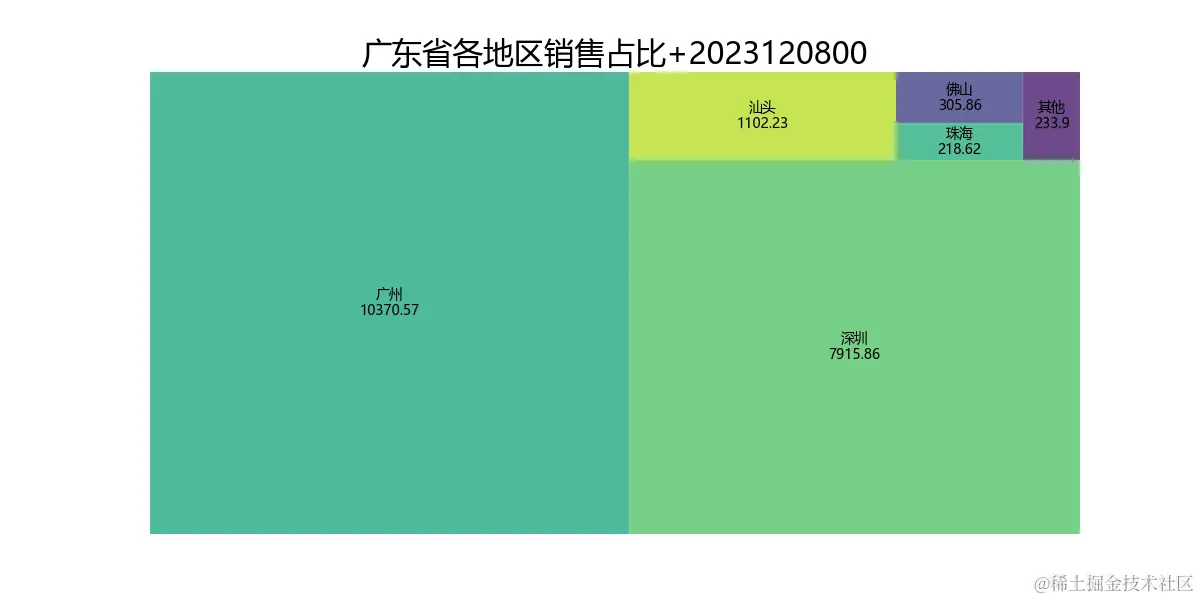
效果图